
Увод
This manual provides essential instructions for the safe and efficient operation, maintenance, and troubleshooting of your Oster OCAF900 Digital Espresso Coffee Machine. Please read all instructions carefully before first use and keep this manual for future reference.
Важне информације о безбедности
Увек се придржавајте основних мера предострожности приликом коришћења електричних уређаја како бисте смањили ризик од пожара, струјног удара и/или повреда особа, укључујући следеће:
- Прочитајте сва упутства.
- Не додирујте вруће површине. Користите ручке или дугмад.
- Да бисте се заштитили од струјног удара, не урањајте кабл, утикаче или уређај у воду или другу течност.
- Неопходан је пажљив надзор када било који уређај користе деца или у близини деце.
- Искључите из утичнице када није у употреби и пре чишћења. Оставите да се охлади пре стављања или скидања делова и пре чишћења уређаја.
- Немојте користити ниједан уређај са оштећеним каблом или утикачем или након што уређај поквари рад или је оштећен на било који начин.
- Употреба додатака које није препоручио произвођач уређаја може довести до пожара, струјног удара или повреда особа.
- Не користите на отвореном.
- Не дозволите да кабл виси преко ивице стола или пулта, нити да додирује вруће површине.
- Не стављајте на или близу врућег гасног или електричног горионика, или у загрејану рерну.
- Увек прво прикључите утикач на уређај, а затим укључите кабл у зидну утичницу. Да бисте га искључили, окрените било коју контролу на „искључено“, а затим извуците утикач из зидне утичнице.
- Немојте користити уређај за другу употребу осим за предвиђену.
- Морате бити изузетно опрезни када померате уређај који садржи вруће течности.
Производ је завршенview
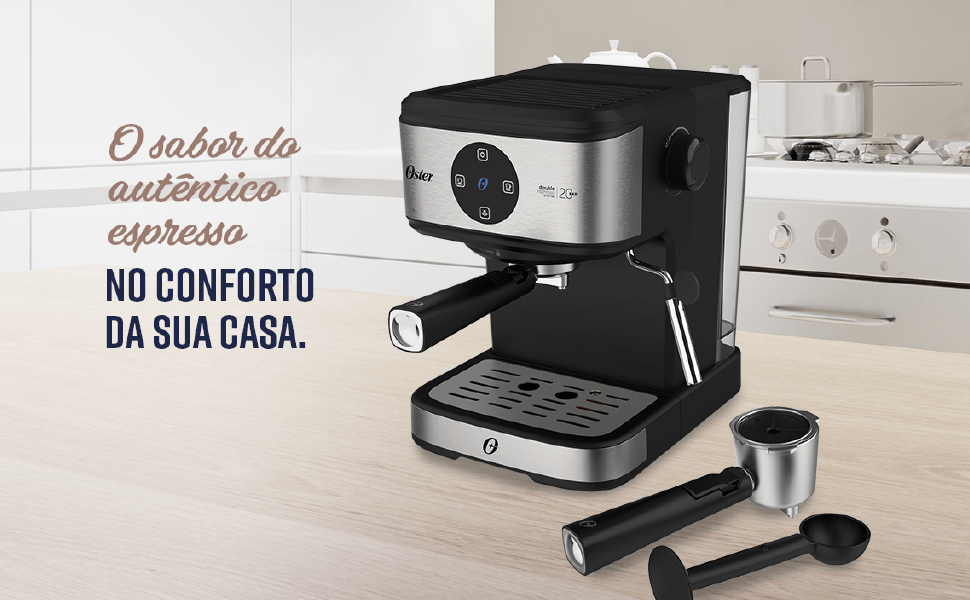
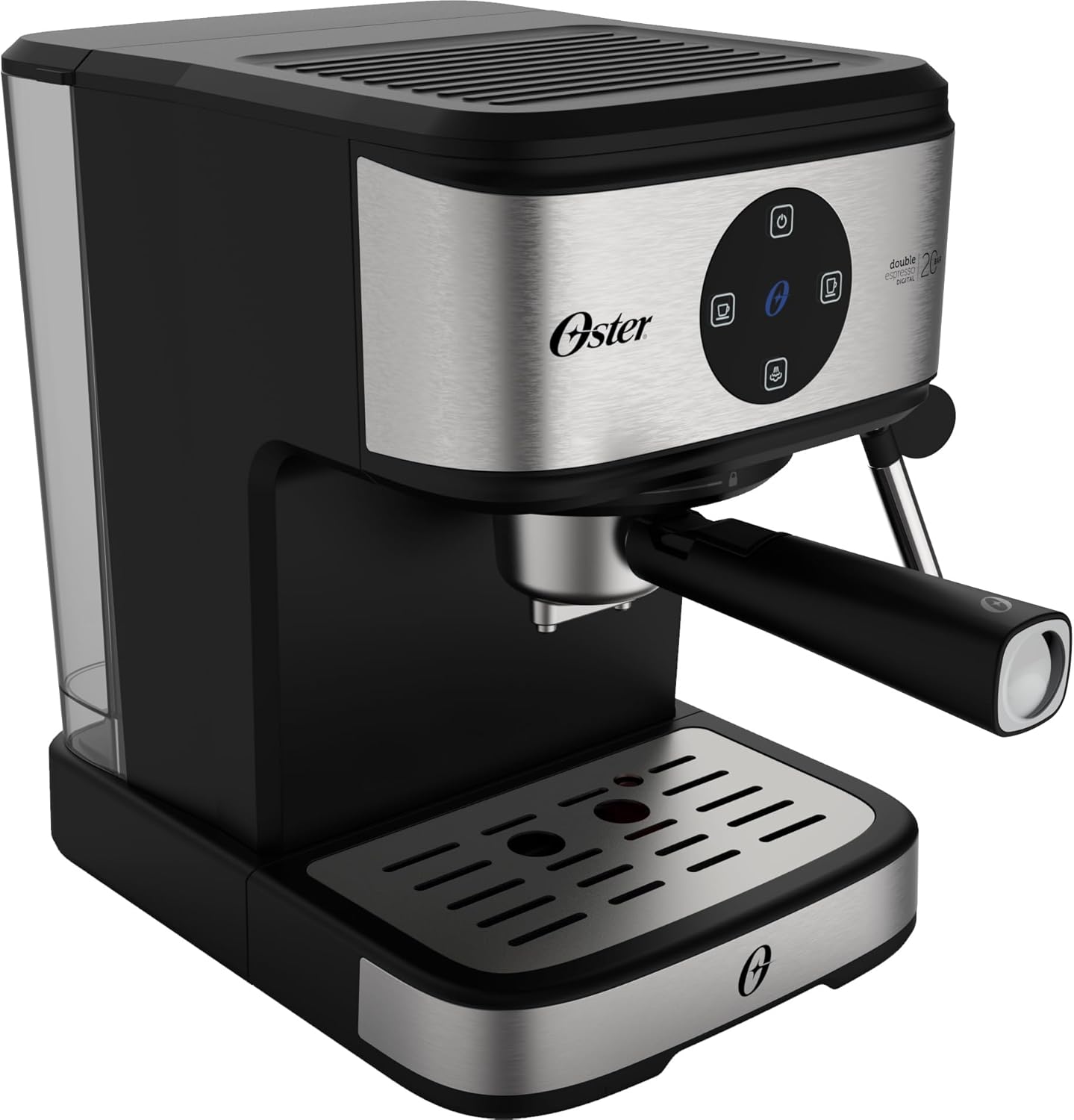
The Oster OCAF900 is a digital espresso coffee machine designed for both ground coffee and Nespresso-compatible capsules. It features a 20-bar pump for optimal extraction, a milk frother, and programmable functions.
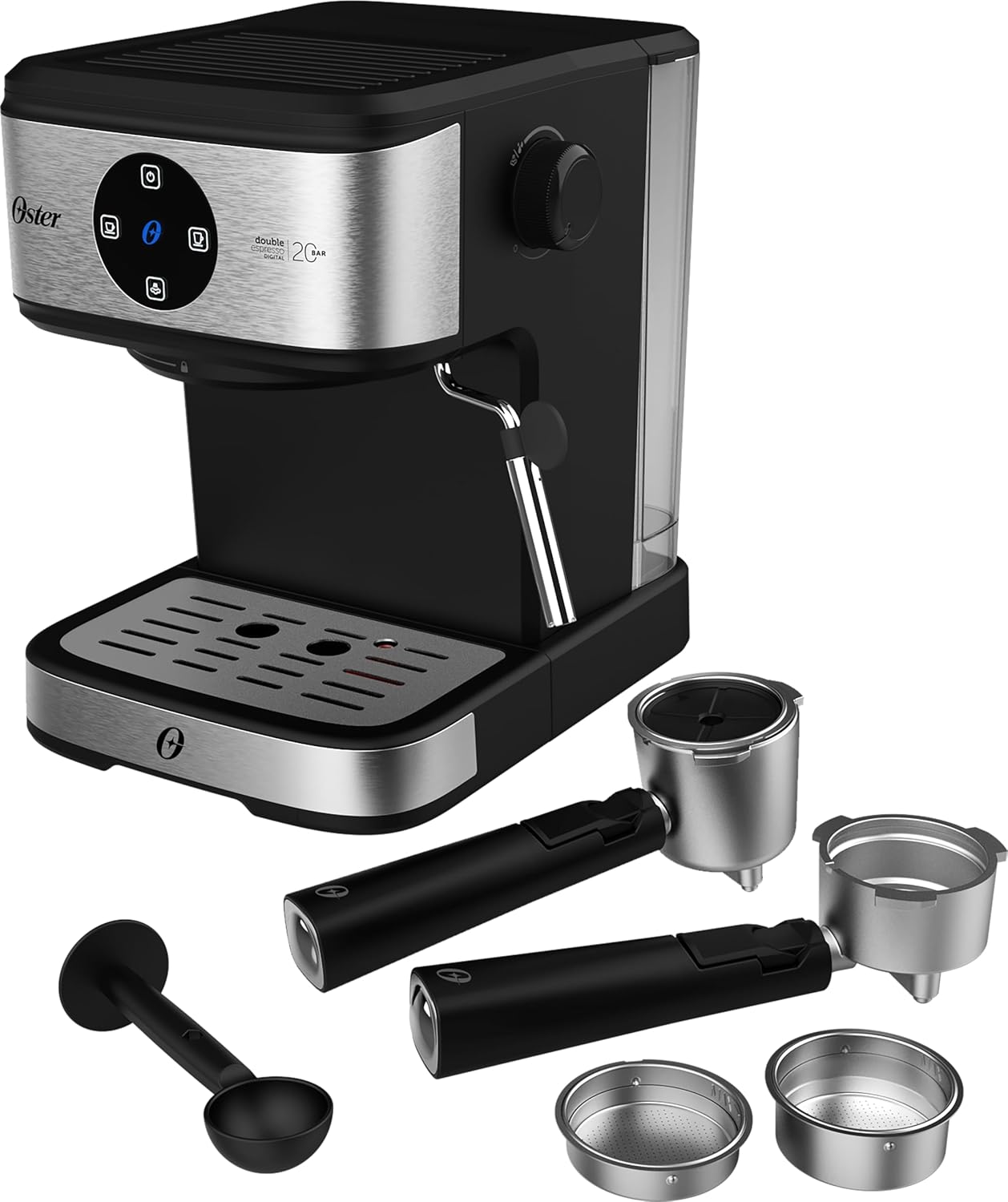
Фронт view of the Oster OCAF900 Digital Espresso Coffee Machine, showcasinњегов елегантан дизајн и дигитална контролна табла.

Included accessories: portafilters for single and double espresso, a measuring spoon/tamper, and a capsule adapter.
Готовоview of key features: 1.6L capacity, anti-heating system, 1100W power, milk and water frother, single/double espresso portafilter, and 4 pre-programmed/customizable functions.
Подешавање и прва употреба
- Распакивање: Пажљиво уклоните сав материјал за паковање и уверите се да су сви делови присутни.
- Прво чишћење: Before first use, wash the water tank, portafilters, and drip tray with warm, soapy water. Rinse thoroughly and dry. Wipe the exterior of the machine with a damp тканина.
- Напуните резервоар за воду: Fill the removable water tank with fresh, cold water up to the MAX level indicator. Ensure the tank is properly seated in the machine.
- Прикључак за напајање: Укључите кабл за напајање у уземљену електричну утичницу од 220 V.
- Digital Panel Operation:
- Remove any protective sticker from the digital control panel.
- To turn on the machine, simply touch the power command button (usually the top button).
- To turn off the machine, press and hold the power command button for 5 seconds.
- Напуните пумпу: Before making coffee, run a cycle with only water to prime the pump and rinse the internal components. Place a cup under the coffee outlet, select a coffee function (without coffee), and let water flow through.
Visual guide for operating the digital panel: removing the sticker, turning on with a simple touch, and turning off by pressing for 5 seconds.
Упутство за употребу
Прављење еспреса са млевеном кафом
- Ensure the machine is on and the water tank is filled.
- Select the appropriate filter basket for single or double espresso and place it into the portafilter.
- Add finely ground espresso coffee to the filter basket. Do not overfill; the coffee level should be slightly below the rim to ensure proper sealing.
- Лагано тamp the coffee grounds with the measuring spoon's flat end.
- Причврстите портафилтер на главу за кување тако што ћете га поравнати и чврсто окренути удесно док се не учврсти.
- Ставите шољицу(е) за еспресо на посуду за капање испод грлића портафилтера.
- Select your desired espresso shot (single or double) from the digital control panel. The machine will begin brewing.
- Once brewing is complete, carefully remove the portafilter. Always remove the portafilter with the coffee grounds immediately after use to prevent steam buildup and potential damage to electronic components.
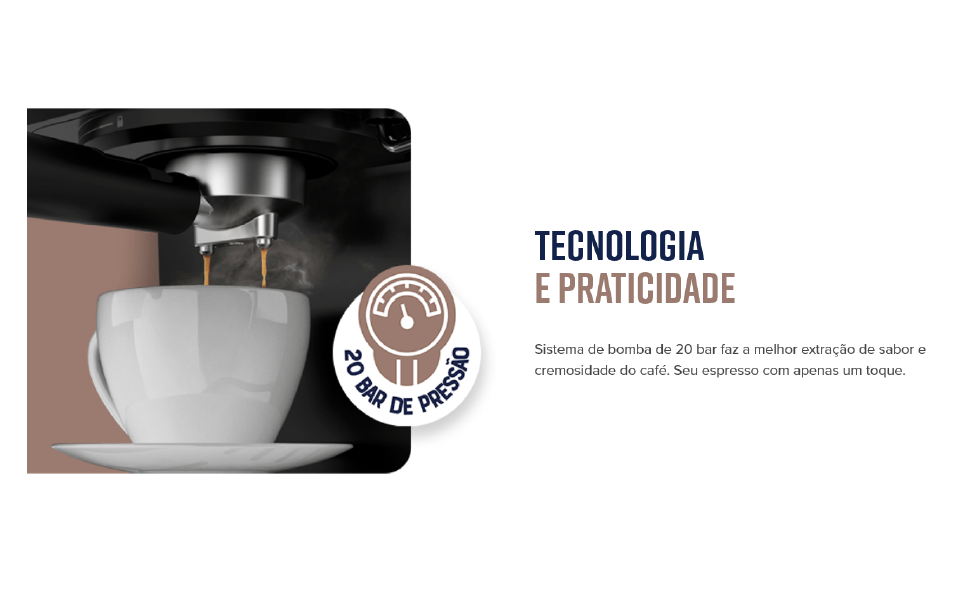
The Oster OCAF900 brewing a rich espresso shot into a cup, demonstrating the 20-bar pressure extraction.
Using Nespresso-Compatible Capsules
- Ensure the machine is on and the water tank is filled.
- Insert the capsule adapter into the portafilter.
- Place a Nespresso-compatible capsule into the adapter.
- Причврстите портафилтер на главу за кување тако што ћете га поравнати и чврсто окренути удесно док се не учврсти.
- Ставите шољу испод грлића портафилтера.
- Select your desired coffee shot from the digital control panel.
- Once brewing is complete, carefully remove the portafilter and dispose of the used capsule.

Illustration of the machine's 2-in-1 compatibility, allowing use of both ground coffee and Nespresso-compatible capsules.
Frothing Milk / Hot Water Dispensing
- Ensure the machine is on and has reached operating temperature.
- Fill a frothing pitcher with cold milk (dairy or non-dairy) to just below the spout.
- Поставите штапић за пару у млеко, одмах испод површине.
- Turn the steam control knob to the steam/hot water position.
- Move the pitcher up and down to create foam. Once desired foam is achieved, turn off the steam.
- For hot water, place a cup under the steam wand and turn the steam control knob to the hot water position.
- After frothing, always clean the steam wand immediately by wiping it with a damp cloth and briefly releasing steam to clear any milk residue.

The Oster OCAF900 using its steam wand to froth milk, creating a creamy texture for lattes and cappuccinos.
Видео Демонстрација
This video demonstrates the general operation and features of the Oster OCAF900 Digital Espresso Coffee Machine, including brewing espresso and frothing milk. Note: This is a preview видео.
Нега и одржавање
Дневно чишћење
- Портафилтер: After each use, remove the portafilter and discard the coffee grounds. Rinse the portafilter and filter basket under warm water.
- Парни штапић: Одмах након прављења пене од млека, обришите цев за паруamp крпа. Накратко активирајте функцију паре да бисте уклонили све унутрашње остатке млека.
- Посуда за капање: Редовно празните и чистите посуду за капање како бисте спречили преливање и раст бактерија.
- Резервоар за воду: Empty and rinse the water tank daily. Refill with fresh water for each use.
- Екстеријер: Обришите спољашњост машине меком, дamp тканина. Немојте користити абразивна средства за чишћење или рибање.
Уклањање каменца
Over time, mineral deposits (limescale) can build up in your machine, affecting performance and coffee taste. Descale your machine regularly, depending on your water hardness and frequency of use (e.g., every 2-3 months).
- Prepare a descaling solution according to the descaler manufacturer's instructions (or use a mixture of white vinegar and water).
- Напуните резервоар за воду раствором за уклањање каменца.
- Поставите велику посуду испод грлића за кафу и црева за пару.
- Run several brewing cycles (without coffee) and steam cycles until the water tank is empty.
- Темељно исперите резервоар за воду и напуните га свежом водом.
- Run several cycles with fresh water to rinse out any remaining descaling solution.
Решавање проблема
| Проблем | Могући узрок | Решење |
|---|---|---|
| Coffee does not brew or flows slowly. |
|
|
| Кафа има укус загореног. |
|
|
| Touch panel issues (e.g., turns off randomly). |
|
|
| Млеко се не пени како треба. |
|
|
Спецификације
| Феатуре | Детаљ |
|---|---|
| Модел | OCAF900 |
| Бранд | Остер |
| Волtage | 220 Волтс |
| Повер | 1100 Ваттс |
| Притисак | 20 Бар |
| Капацитет резервоара за воду | 1.6 литара |
| Материјал | нерђајући челик |
| Боја | Блацк Инок |
| Димензије (производ) | 28.9P x 21.8L x 27.3A cm (28.9 x 21.8 x 27.3 cm) |
| Посебне карактеристике | Cup warmer, Milk frother, Permanent filter, Automatic cleaning function, Programmable |
| ГТИН | 7898742840014 |
Информације о гаранцији
Your Oster OCAF900 Digital Espresso Coffee Machine comes with a standard manufacturer's warranty. Please refer to the warranty card included with your product for specific terms and conditions, including the warranty period and coverage details.
Extended warranty options may be available for purchase. For more information on extended warranty plans, please consult your retailer or the Oster official webсајту.
Корисничка подршка
If you encounter any issues not covered in the troubleshooting section, or require further assistance, please contact Oster customer support. You can find contact information on the official Oster webсајту или на паковању вашег производа.
When contacting support, please have your product model (OCAF900) and serial number (if applicable) ready.