
Увод
Welcome to your NIMO 15.6" IPS FHD Laptop, Model N157. This manual provides essential information to help you set up, operate, maintain, and troubleshoot your new device. Please read these instructions carefully to ensure optimal performance and longevity of your laptop.
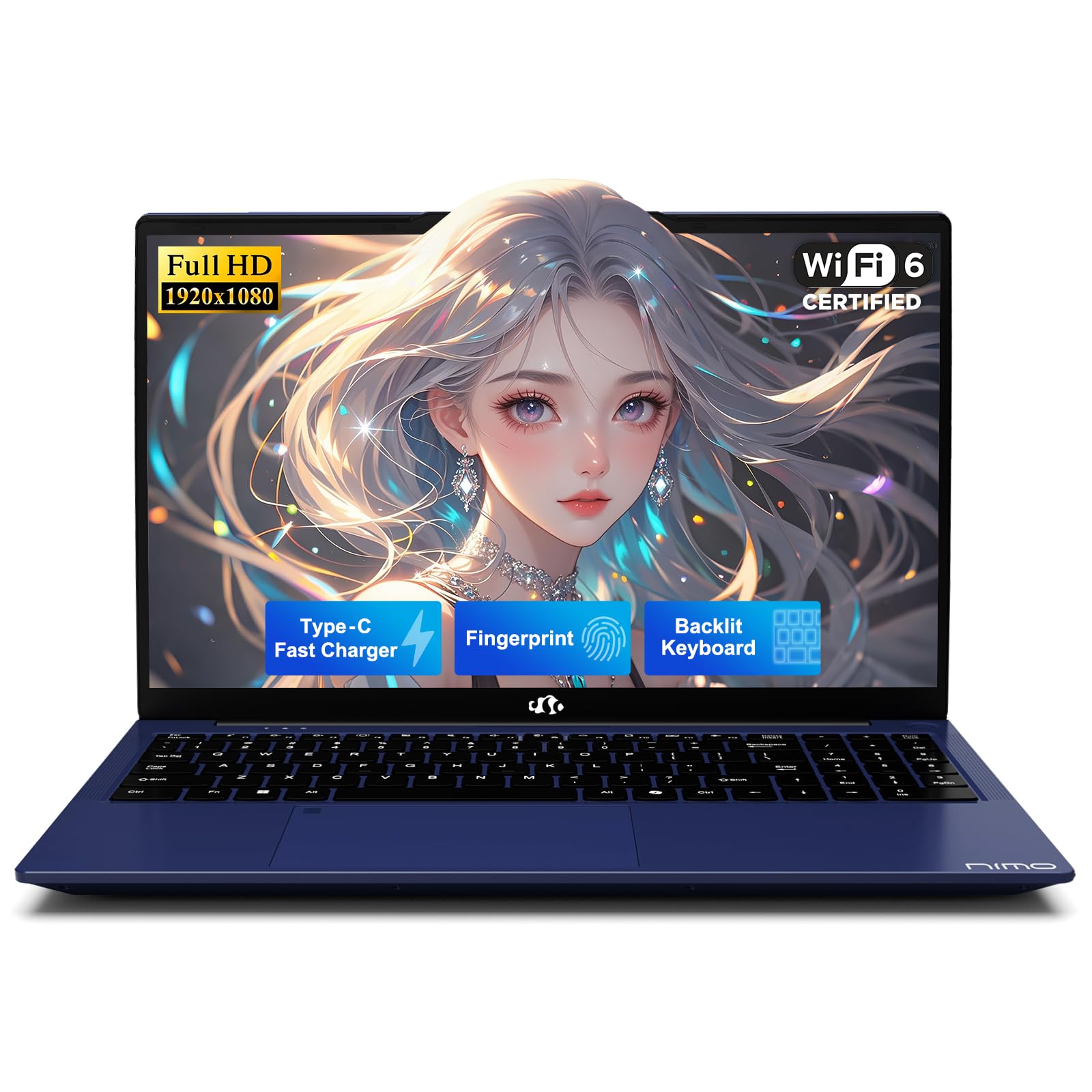
The NIMO 15.6-inch laptop in its closed state, highlighting its design.
Шта је укључено
Проверите да ли су сви предмети присутни у паковању:
- 1 x NIMO N157 Laptop
- 1 x Type-C 65W PD Fast Charger
- 1 к Упутство за употребу
- Windows 11 Home (Pre-installed)
Почетак рада (Подешавање)
1. Распакивање
Carefully remove the laptop and all accessories from the packaging. Retain the packaging for future transport or service needs.
2. Пуњење батерије
Before initial use, fully charge the laptop battery. Connect the included Type-C 65W PD Fast Charger to the laptop's Type-C charging port and then to a power outlet. The charging indicator light will confirm charging status.

The included Type-C 65W PD Fast Charger and cable. This charger can also power other compatible devices.
3. Прво укључивање
Open the laptop lid and press the power button located on the keyboard. Follow the on-screen instructions to complete the Windows 11 operating system setup, including language, region, and network settings.
4. Подешавање сензора отиска прста
For enhanced security and convenience, configure the fingerprint sensor. This can typically be done during the initial Windows setup or later via Подешавања > Налози > Опције пријављивања > Препознавање отиска прста (Windows Hello).

The fingerprint sensor allows for quick and secure one-touch login.
5. Повезивање периферних уређаја
Utilize the various ports to connect external devices such as USB drives, external monitors, or headphones.

Diagram showing the laptop's various ports, including USB 3.0, USB 2.0, Type-C, HDMI, and headphone jack.
Управљање лаптопом
1. Тастатура и тачпед
The laptop features a full-size keyboard and a responsive touchpad for navigation. Standard gestures are supported on the touchpad.
2. Backlit Keyboard Function
The keyboard includes a backlight feature for improved visibility in low-light environments. Use the designated function keys (e.g., Fn + F key combination) to toggle the backlight on/off or adjust its intensity.

The backlit keyboard provides visibility in low-light conditions.
3. Дисплеј
The 15.6-inch Full HD (1920x1080) IPS anti-glare display provides clear and vibrant visuals. Adjust brightness via function keys or Windows display settings.

The 15.6-inch Full HD IPS display provides clear and vibrant visuals.
4. Бежично повезивање
The laptop supports Wi-Fi 6 for high-speed internet access and Bluetooth 5.2 for connecting wireless peripherals such as headphones or mice.

The laptop supports Wi-Fi 6 for fast internet and Bluetooth 5.2 for peripheral connections.
5. Приватност Webцам
Интегрисани webcam features a physical privacy switch. Slide the cover to block the camera lens when not in use to ensure your privacy.

Интегрисани webcam includes a physical slider for privacy.
Одржавање и њега
1. Опште руковање
- Always hold the laptop by its base.
- Consider using a protective case for transport.
- Avoid placing heavy items on the laptop.
- Place the laptop on a hard, flat surface to ensure proper ventilation and prevent overheating.
- Keep the laptop away from extreme temperatures and moisture.
2. Брига о батерији
- Avoid constantly overcharging the battery.
- If the battery shows signs of swelling, discontinue use immediately and contact support.
3. Расипање топлоте
The laptop is equipped with an efficient fan-based cooling system. Ensure that the ventilation openings are not obstructed to maintain optimal operating temperatures.

Унутрашње view of the cooling system, designed for efficient heat dissipation.
4. Софтвер и безбедност
- Set strong, unique passwords for your accounts.
- Regularly update your operating system and software to ensure the latest security patches are applied.
- Install and maintain reputable antivirus software.
- Редовно правите резервне копије важних података на екстерни диск или у облаку.
Решавање проблема
1. Liquid Spills
In case of a liquid spill, immediately unplug the laptop from power and turn it off. Do not attempt to power it on until it has completely dried. Seek professional assistance if necessary.
2. Општа питања
For persistent issues such as system unresponsiveness, unexpected shutdowns, or hardware malfunctions, refer to the Warranty and Support section for contact information. Do not attempt to disassemble or repair the laptop yourself, as this may void your warranty.
3. Квалитет звука
If you experience unsatisfactory audio quality, consider connecting external speakers or headphones. You may also check the settings within the Realtek Audio Console, if installed, for sound adjustments.
Спецификације производа
| Феатуре | Спецификација |
|---|---|
| Бранд | NIMO |
| Назив модела | NIMO N157 |
| Величина екрана | 15.6 инча |
| Резолуција екрана | 1920 x 1080 пиксела (FHD) |
| Процесор | Intel N150 (3.6 GHz, 4 Cores) |
| РАМ | 4 GB DDR4 (3200 MHz) |
| Хард Дриве | 1 TB SSD (PCIe) |
| Грапхицс Цопроцессор | Интегрисана графика |
| Оперативни систем | Виндовс 11 Хоме |
| Вирелесс Типе | Wi-Fi 6 (802.11ax), Bluetooth 5.2 |
| УСБ портови | 3 x USB 3.0, 1 x USB 2.0, 2 x Type-C (1 for PD Charge Only) |
| Друге луке | HDMI, Headphone Jack, Micro SD Card Slot, Kensington Lock |
| Просечно трајање батерије | До 12.75 сати |
| Тежина артикла | 3.75 фунти |
| Димензије производа | 14.07 к 8.98 к 0.76 инча |
| Посебне карактеристике | Backlit Keyboard, Fingerprint Reader, HD Audio, Numeric Keypad, Privacy Webцам |
Гаранција и подршка
1. Гаранција произвођача
Your NIMO laptop includes a comprehensive Двогодишња гаранција произвођача покривање недостатака у материјалу и изради.

A technician performing repairs on a laptop, illustrating the 2-year support.
2. Политика поврата
A 90-day hassle-free return policy is provided from the date of purchase.

A delivery person and customer, illustrating the 90-day return policy.
3. Контактирајте подршку
For any questions, technical assistance, or warranty claims, please contact our dedicated support team:
- Емаил: сервице@нимопц.цом

Customer service representatives available to provide professional assistance.
Безбедносне информације
Adhere to the following safety guidelines to prevent damage to your device and ensure personal safety:
- Use only original chargers and inspect cables regularly for damage.
- Avoid using non-approved chargers or counterfeit accessories.
- Keep the laptop away from water, excessive humidity, and extreme temperatures.
- Do not attempt to disassemble, modify, or repair the laptop yourself. Refer to qualified professionals for service.
- Редовно правите резервне копије података како бисте спречили њихов губитак.
- The manufacturer is not liable for damages resulting from misuse, physical damage, or failure to follow safety instructions.