
Toputure TP8
Toputure TP8 Electric Treadmill User Manual
Brand: Toputure | Model: TP8
Увод
Thank you for choosing the Toputure TP8 Electric Treadmill. This manual provides essential information for the safe and efficient use, setup, operation, and maintenance of your new fitness equipment. Please read this manual thoroughly before first use and keep it for future reference.
Важне информације о безбедности
- Увек се консултујте са здравственим радником пре него што започнете било који нови програм вежбања.
- Уверите се да је трака за трчање постављена на равну, стабилну површину са довољним простором око ње.
- Држите децу и кућне љубимце подаље од траке за трчање током рада.
- Не користите траку за трчање ако је оштећена или неисправна.
- Always use the safety key/lanyard during operation. The treadmill will not start without it.
- Носите одговарајућу спортску обућу.
Садржај пакета
Приликом распакивања, проверите да ли се у вашем пакету налазе све следеће ставке:
- Toputure TP8 Electric Treadmill
- Tool Kit (for minor adjustments)
- Повер Цабле
- Ремоте Цонтрол
- Уље за подмазивање
- Упутство за употребу

Слика 1: Included accessories with the Toputure TP8 Electric Treadmill.
Сетуп
The Toputure TP8 Electric Treadmill features a no-installation design, making it ready for use almost immediately after unboxing.
Unfolding and Positioning
- Пажљиво извадите траку за трчање из паковања.
- Place the treadmill on a flat, level surface. Ensure there is at least 0.6 meters (2 feet) of clear space on all sides and 2 meters (6.5 feet) behind the treadmill for safety.
- If using the handlebar, lift it into the upright position and secure it using the provided locking pins or screws.
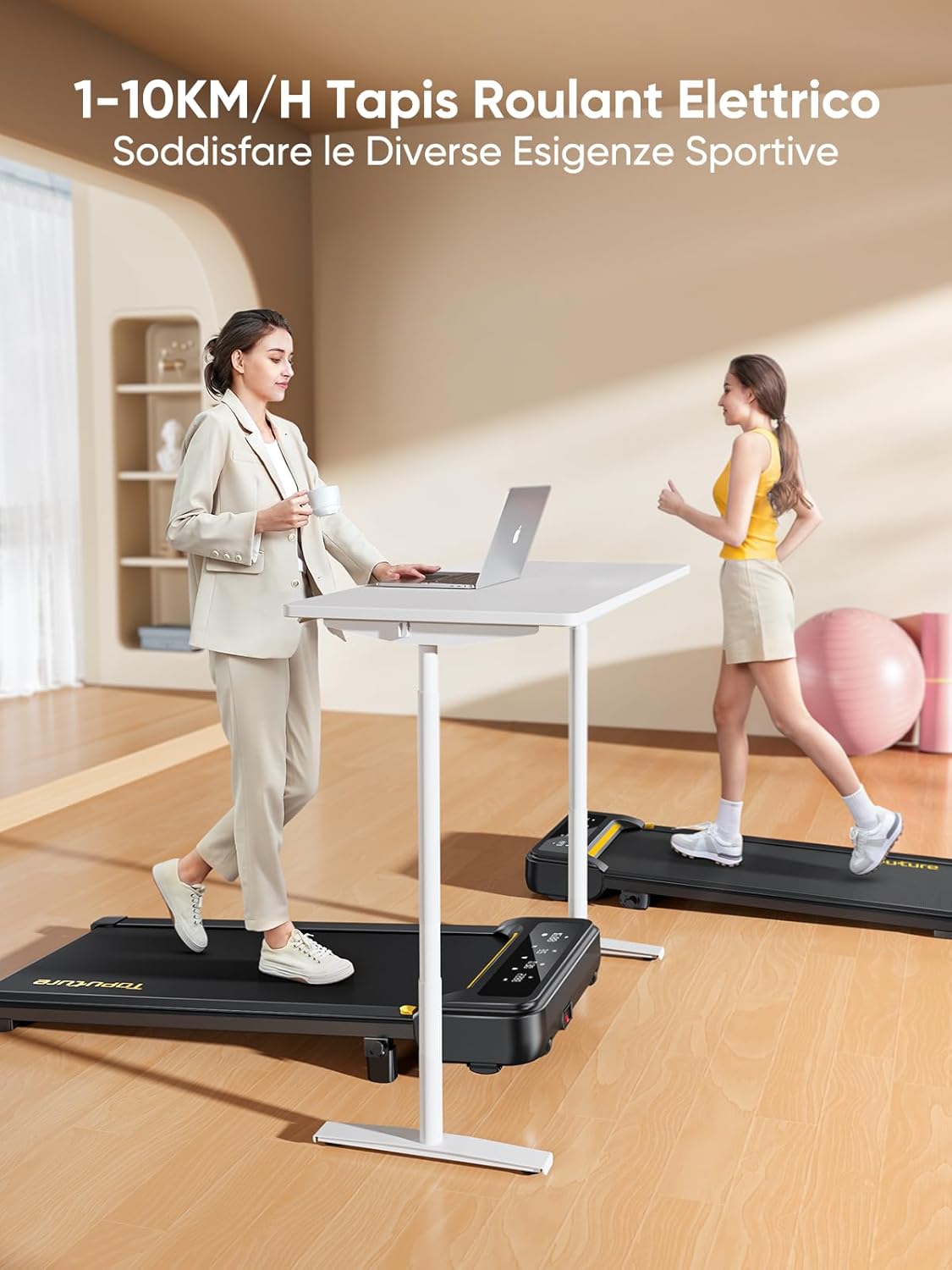
Слика 2: Treadmill ready for use in a home environment.
Подешавање нагиба
The treadmill offers a 10% incline feature, adjustable in 2 steps to simulate varied terrain and increase calorie burn. To adjust the incline:
- Пронађите механизам за подешавање нагиба на задњој страни траке за трчање.
- Pull out the bolt and rotate the incline block to the desired position.
- Insert the bolt securely into the corresponding hole to lock the incline in place.

Слика 3: Manual incline adjustment mechanism.
Повер Цоннецтион
Connect the power cable to the treadmill and then to a suitable power outlet. Ensure the power switch is in the 'OFF' position before plugging in.
Упутство за употребу
Покретање траке за трчање
- Ensure the safety key is properly inserted into its designated slot on the console. The treadmill will not operate without it.
- Станите на траку за трчање.
- Press the 'Start' button on the console or remote control. The treadmill will begin at a low speed.
Adjusting Speed and Mode
The speed range is 1-10 km/h, suitable for walking, jogging, and running. You can adjust the speed using the console buttons or the remote control.
- Конзола: Use the '+' and '-' buttons to increase or decrease speed.
- даљински управљач: The remote allows for easy speed adjustments and stopping the machine. It features magnets on the back for convenient attachment to the treadmill, preventing loss.
- Функција паузе: The remote control includes a pause button. Pressing this button will temporarily stop the belt while preserving your workout data.

Слика 4: Multifunction LED display and remote control storage.
Multifunction LED Display
The integrated LED display clearly shows real-time workout data, including time, distance, speed, and calories burned, providing a clear overview of your exercise progress.

Слика 5: Clear display of workout metrics.
Smart App Connectivity
This walking pad can connect to multiple exercise apps, offering various training courses and allowing you to interact with other users online. Refer to the app's instructions for pairing and usage.

Слика 6: Treadmill connected to a smart fitness app.
Stopping the Treadmill
To stop the treadmill, press the 'Stop' button on the console or remote control. For emergency stops, pull the safety key from its slot.
Одржавање
Regular maintenance ensures the longevity and optimal performance of your Toputure TP8 Electric Treadmill.
Чишћење
- Увек искључите траку за трчање из струје пре чишћења.
- Обришите конзолу и спољашње површине меком крпомamp крпу. Избегавајте абразивна средства за чишћење или раствараче.
- Periodically vacuum underneath the treadmill to prevent dust and debris buildup.
Подмазивање
The unique lubrication hole design makes maintenance more convenient. Apply the provided lubrication oil to the running belt as instructed in the detailed manual or when the treadmill indicates it's needed. Proper lubrication reduces friction and extends belt life.
Подешавање појаса
If the running belt becomes misaligned or too loose/tight, refer to the detailed manual for instructions on how to adjust it using the included tool kit. Incorrect adjustment can damage the treadmill.
Решавање проблема
This section addresses common issues you might encounter with your treadmill. For problems not listed here, please contact customer support.
| Проблем | Могући узрок | Решење |
|---|---|---|
| Трака за трчање се не покреће | Safety key not inserted; Power cable not connected; Power switch off. | Insert safety key; Check power connections; Turn power switch ON. |
| Belt slips or hesitates | Ремен превише лабав; недовољно подмазивање. | Adjust belt tension (refer to manual); Apply lubrication oil. |
| Необична бука током рада | Loose components; Belt misalignment; Motor issue. | Check and tighten all bolts; Adjust belt alignment; Contact customer support. |
Спецификације
| Феатуре | Детаљ |
|---|---|
| Бранд | Топутура |
| Број модела | ТП8 |
| Класа производа | Електрична трака за трчање |
| Боја | Црно |
| Материјал | легирани челик |
| Димензије производа (Д к Ш к В) | 130P x 60l x 14H cm (approx. 51.2 x 23.6 x 5.5 inches) |
| Тежина артикла | 34.5 килограма (приближно 76 лбс) |
| Максимална брзина | 10 Kilometers per hour |
| Минимална брзина | 1 Kilometer per hour |
| Максимални проценат нагибаtage | 9% (manual adjustment) |
| Снага мотора | 2.5 Хорсеповер |
| Maximum Recommended Weight | 130 кг (приближно 300 лбс) |
| Running Deck Length | 100 центиметара (приближно 39.4 инча) |
| Running Deck Width | 40 центиметара (приближно 15.7 инча) |
| Дисплаи Типе | ЛЕД |
| Технологија повезивања | Power Cable (App connectivity via Bluetooth) |
| Број програма | 12 |
| Посебне карактеристике | Pre-installed workouts, Wheels for portability, Compact design, Manual incline, Portable |
| Препоручена употреба | Walking, jogging, running, home workouts, office workouts |
| Циљна публика | Адулт |
| Обавезна монтажа | бр |
Гаранција и подршка
Гаранција на производ
The Toputure TP8 Electric Treadmill comes with a 2-годишња гаранција од датума куповине. Ова гаранција покрива производне недостатке и кварове при нормалној употреби. Молимо вас да сачувате доказ о куповини за потребе подношења захтева за гаранцију.
Корисничка подршка
For any questions, technical assistance, or warranty claims, please contact Toputure customer support through the retailer's platform or the official Toputure webсајт. Наш тим за подршку је доступан да вам помогне у вези са свим проблемима на које можете наићи.
Додатни ресурси
Производ је завршенview Видео
Видео 1: Ан оверview of the WalkingPad foldable electric treadmill, demonstrating its compact design, ease of use, and various features. This video highlights how the treadmill can be easily stored and used in different home or office settings.
Ask a question about this manual
Ask about setup, troubleshooting, compatibility, parts, safety, or missing instructions. Manuals+ will review the question and use this page’s manual context to help answer it.