
1. Увод
Thank you for choosing the Timex Unisex Digital 43mm Watch. This manual provides essential information for the proper setup, operation, and care of your new timepiece. Please read these instructions carefully to ensure optimal performance and longevity of your watch.
2. Watch Overview
Familiarize yourself with the buttons and display of your Timex Digital 43mm Watch.

Слика 2.1: Сиде view of the watch, highlighting the function buttons. The top left button is typically for INDIGLO, and the top right button is for START/STOP functions.
Your watch features a clear digital display and multiple function buttons for easy access to time, date, stopwatch, and alarm features. The specific button functions are detailed in the operating instructions.
3. Почетно подешавање
Upon first use or after a battery change, you may need to set the time and date.
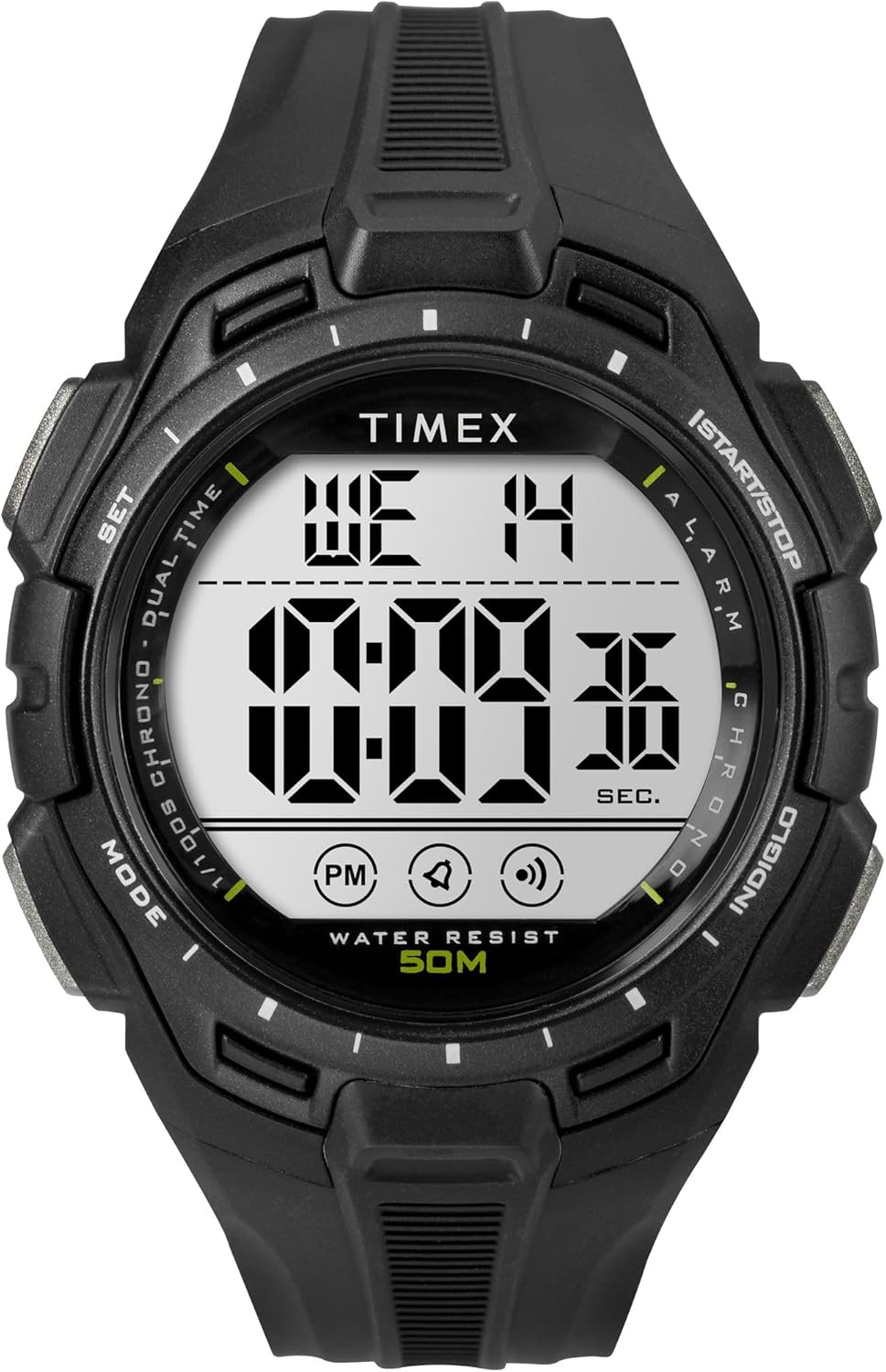
Слика 3.1: Фронт view of the Timex Digital 43mm Watch, showing the digital display.
3.1 Подешавање времена и датума
- Притисните тастер МОДЕ button (usually bottom left) repeatedly until the time setting mode is displayed (often indicated by flashing digits).
- Користите СЕТ or СТАРТ/СТОП button (usually top right) to adjust the flashing digit (hours, minutes, seconds).
- Притисните тастер МОДЕ button again to move to the next setting (e.g., minutes, then year, month, day).
- Када су сва подешавања исправна, притисните дугме МОДЕ дугме или наменско ЕКСИТ дугме за повратак на нормалан приказ времена.
3.2 Подешавање аларма
- Притисните тастер МОДЕ button until the alarm time is displayed.
- Користите СЕТ or СТАРТ/СТОП button to adjust the alarm hours and minutes.
- Притисните тастер МОДЕ дугме за потврду и излазак из режима подешавања аларма.
- To activate/deactivate the alarm, typically press the СЕТ button while in alarm display mode. An alarm icon will appear/disappear.
4. Упутство за употребу
4.1 Using INDIGLO Night-Light
Притисните тастер ИНДИГЛО button (usually top left) to illuminate the watch face for easy viewing in low-light conditions. The light will remain on for a few seconds.
4.2 Коришћење штоперице
- Притисните тастер МОДЕ дугме док се не појави приказ штоперице (обично приказује 00:00:00).
- Притисните тастер СТАРТ/СТОП дугме (горе десно) да бисте покренули штоперицу.
- Притисните СТАРТ/СТОП поново да бисте паузирали штоперицу.
- To reset the stopwatch, press the РЕСЕТ button (often the bottom right button) while the stopwatch is paused.
4.3 Switching 12/24-Hour Format
While in time setting mode, when adjusting the hours, you can typically toggle between 12-hour (with AM/PM indicator) and 24-hour (military) format by pressing the СЕТ or СТАРТ/СТОП button past 12 PM or 24. Refer to the specific setting sequence for your model.
5. Одржавање и њега
Правилна нега ће продужити век трајања и изглед вашег Timex сата.
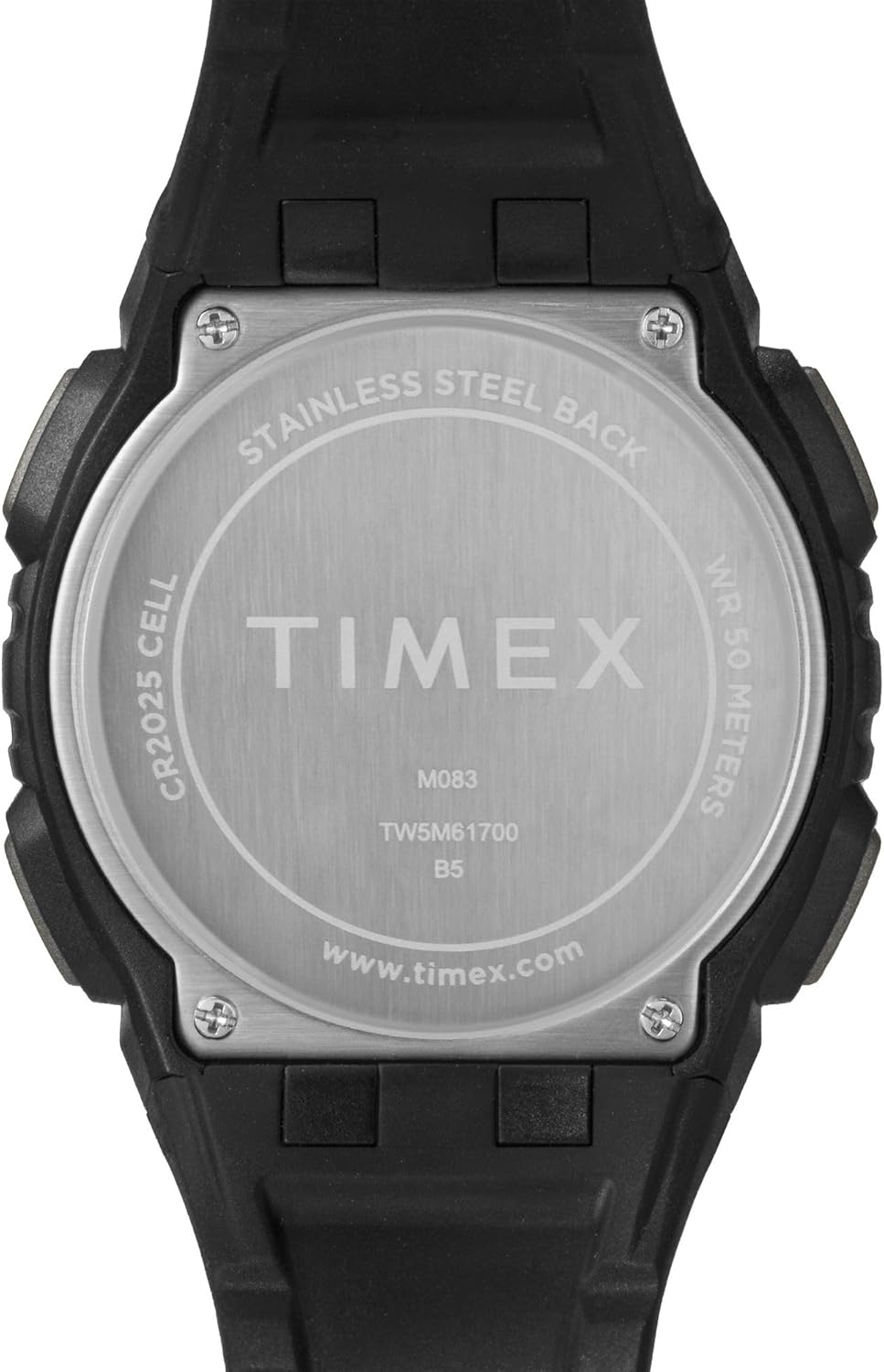
Слика 5.1: Позади view of the watch case, indicating water resistance and battery type.
5.1 Отпорност на воду
- Your watch is water resistant to 50 метара (164 стопа). This means it is suitable for short periods of recreational swimming, but not for diving or snorkeling.
- Не користите дугмад под водом.
- Избегавајте излагање сата врућој води, пари или екстремним променама температуре, јер то може угрозити водене заптивке.
5.2 Замена батерије
- The watch uses one CR2025 Lithium Metal battery.
- Battery replacement should ideally be performed by a qualified watch technician to ensure proper sealing and water resistance.
- Improper battery replacement can damage the watch and void the warranty.
5.3 Чишћење
Редовно чистите сат меком крпомamp cloth. Avoid using harsh chemicals or abrasive materials, which can damage the case or strap.
5.4 Avoiding Scratches
The watch crystal is made of acrylic, which is susceptible to scratches. To minimize scratching, avoid contact with abrasive surfaces and store the watch carefully when not in use.
КСНУМКС. Решавање проблема
Ако наиђете на проблеме са сатом, погледајте следећа уобичајена решења:
- Watch Not Displaying Correctly / Frozen Display: A soft reset may resolve this. Press and hold all four buttons simultaneously for a few seconds, then release. If the issue persists, the battery may need replacement.
- Display is Dim or Faint: This typically indicates a low battery. Replace the battery as soon as possible.
- Дугмад не реагују: Ensure the watch is not in a locked mode (if applicable). If buttons remain unresponsive, try a soft reset. If the problem continues, professional service may be required.
- Вода унутра: Вожња If moisture appears inside the watch, stop using it immediately and have it inspected by a qualified technician. Water damage is often not covered under warranty.
7. Спецификације
| Феатуре | Детаљ |
|---|---|
| Број модела | ТВ5М617009Ј |
| Дисплаи Типе | Дигитал |
| Пречник кућишта | 43 милиметара |
| Цасе Тхицкнесс | 13.8 милиметара |
| Банд Видтх | 15 милиметара |
| Врста материјала бенда | Смола |
| Тип материјала кућишта | Смола |
| Цристал Типе | Акрил |
| Дубина водоотпорности | 50 метара (164 стопа) |
| Мовемент Типе | кварц |
| Тип батерије | CR2025 литијум-метал (укључена) |
| Тежина артикла | 0.08 килограма |
8. Ограничена гаранција
Your Timex watch is warranted against manufacturing defects for a period of једну (1) годину from the original date of purchase. This warranty does not cover:
- Трајање батерије.
- Оштећења настала услед неправилног руковања, недостатка неге, незгода или нормалног хабања.
- Water damage unless marked as water-resistant and damage occurs within the specified depth rating and proper care instructions were followed.
- Scratches to the crystal, case, or band.
For warranty service, please retain your proof of purchase and contact Timex customer support.
9. Корисничка подршка
For further assistance, frequently asked questions, or to locate an authorized service center, please visit the official Timex webсајт:
You may also refer to the product page on Amazon for additional details and customer reviews: Timex Unisex Digital 43mm Watch on Amazon