
VGN N75ORANGE
VGN N75 Dynamic Silver Jelly Orange Gaming Keyboard User Manual
Model: N75ORANGE | Brand: VGN
Производ је завршенview
The VGN N75 is a compact US82 key numeric keyless keyboard featuring a 75% layout. Its internal construction incorporates multiple buffer layers and specially tuned stabilizers, designed to provide a smooth typing experience with minimal noise. The N75 is equipped with a "Dynamic Silver" switch, an original VGN mechanical switch that offers RGB illumination and a linear key feel, ideal for gaming and general use.

Слика 1: Одозго надоле view of the VGN N75 keyboard, showcasinг његов компактан распоред и живо RGB позадинско осветљење.
Водич за подешавање
- Распакивање: Carefully remove the VGN N75 keyboard and all accessories from the packaging. Ensure all components are present: keyboard, USB-C cable, and any included documentation.
- Повезивање: The VGN N75 connects via USB-C. Locate the USB-C port on the keyboard, typically on the top edge.
- Повезивање са вашим уређајем:
- Уметните један крај приложеног USB-C кабла у USB-C порт на тастатури.
- Insert the other end of the USB-C cable into an available USB port on your computer (e.g., desktop PC, laptop, or compatible notebook PC).
- Почетно признање: Your operating system should automatically detect and install the necessary drivers for the keyboard. This is typically a plug-and-play process. Allow a few moments for the system to complete this.
- тестирање: Open a text editor or any application where you can type to confirm that all keys are functioning correctly.
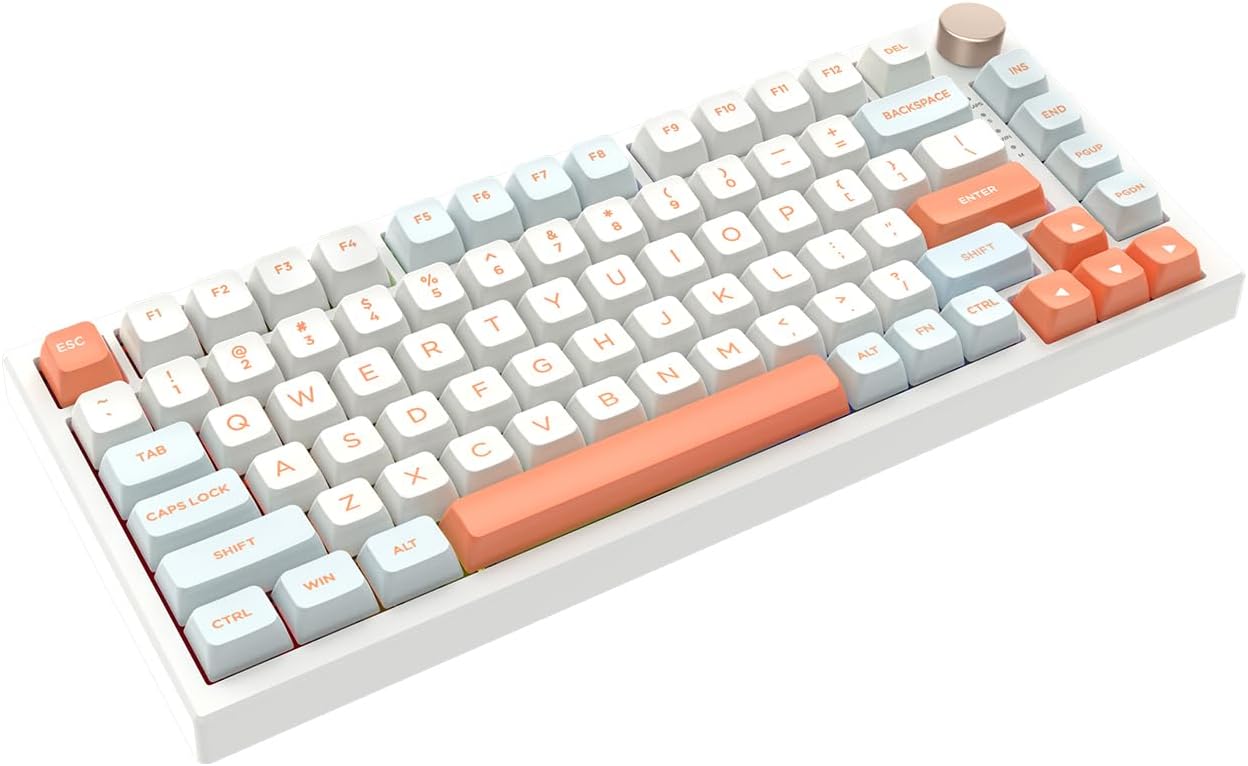
Слика 2: Под углом view of the VGN N75 keyboard, highlighting its ergonomic design and keycap profile.
Упутство за употребу
Распоред и карактеристике тастатуре
The VGN N75 features a 75% layout, which is a compact design that omits the numeric keypad while retaining most function keys and arrow keys. This design saves desk space and allows for more comfortable mouse movement.

Figure 3: Illustration demonstrating the compact 75% layout of the VGN N75 keyboard compared to a full-size keyboard, emphasizing space-saving benefits.
Rotary Knob Functionality
The VGN N75 is equipped with a metal rotary knob located on the top right corner of the keyboard. This knob primarily functions as a volume control:
- Ротирајте у смеру казаљке на сату: Повећава јачину звука система.
- Ротирајте у смеру супротном од казаљке на сату: Смањује јачину звука система.
- Притисните доле: Искључује или укључује звук.

Слика 4: Крупни план view of the metal rotary knob on the VGN N75, illustrating its intuitive design for volume control.
Dynamic Silver Switches and Typing Experience
The keyboard features VGN's original "Dynamic Silver" mechanical switches. These linear switches are designed for a smooth and consistent keystroke, making them suitable for both rapid gaming inputs and comfortable typing. The internal construction includes multiple buffer layers and specially tuned stabilizers to minimize noise and enhance the overall typing feel.

Слика 5: Детаљно view of the VGN N75 keyboard's "Dynamic Silver" mechanical switches, highlighting their design and placement.

Figure 6: Exploded diagram illustrating the multiple internal buffer layers and components of the VGN N75 keyboard, contributing to its quiet and smooth typing experience.
РГБ осветљење
The VGN N75 keyboard features customizable RGB illumination. Specific key combinations or software (if available, check manufacturer's website) can be used to cycle through lighting modes, adjust brightness, and change colors. Refer to the manufacturer's official software or documentation for advanced customization options.
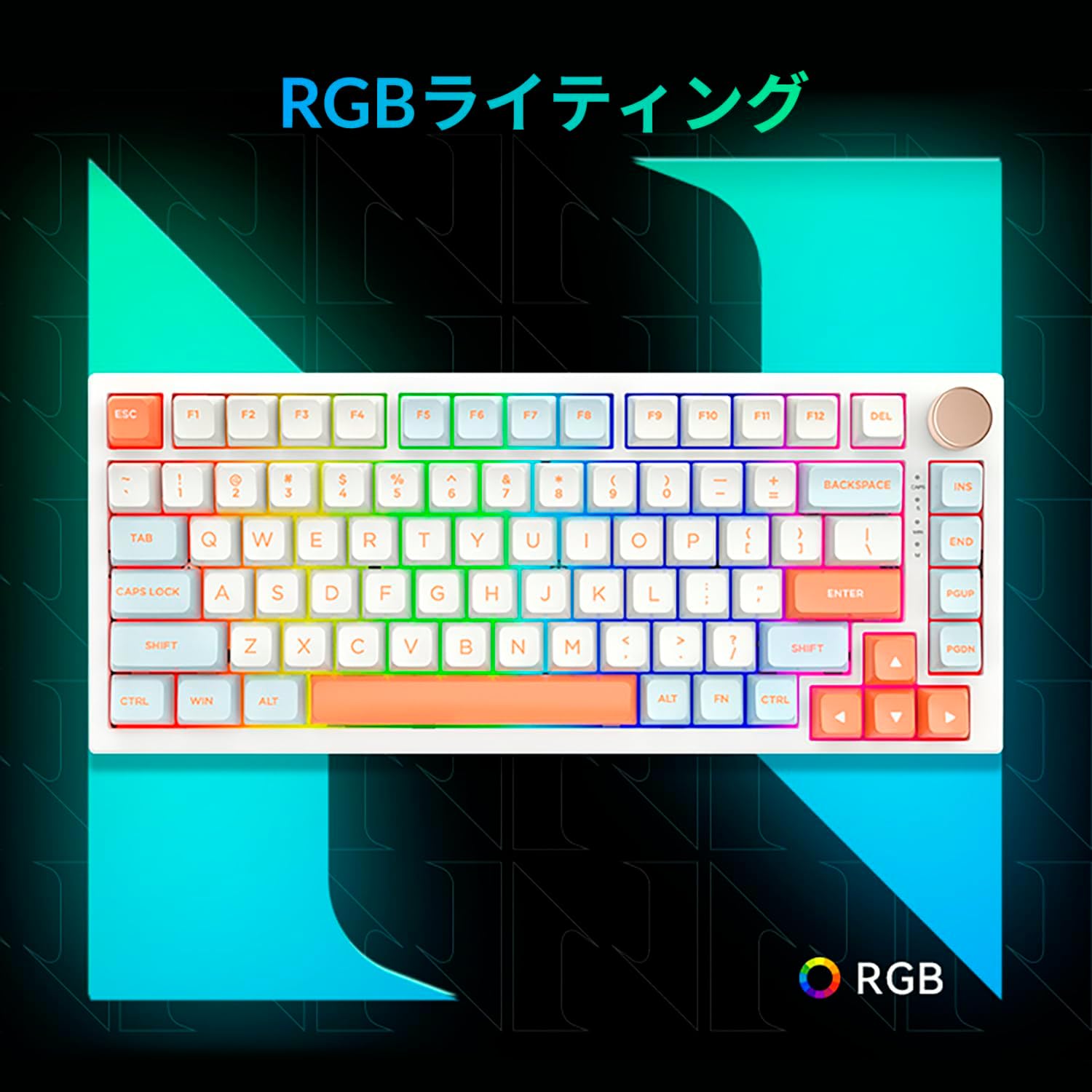
Figure 7: Visual representation of the VGN N75 keyboard's vibrant RGB lighting effects, enhancing the aesthetic appeal.
Одржавање
Proper maintenance ensures the longevity and optimal performance of your VGN N75 keyboard.
- Редовно чишћење: Use a can of compressed air to remove dust and debris from between the keycaps. For surface cleaning, gently wipe the keycaps and chassis with a soft, lint-free cloth slightly dampОпрати водом или благим, неабразивним средством за чишћење. Избегавати прекомерну влагу.
- Уклањање капице тастера (опционо): If deeper cleaning is required, keycaps can be carefully removed using a keycap puller (if provided) or by gently prying them off. Be cautious not to damage the switches. Clean the keycaps separately with mild soap and water, then ensure they are completely dry before reattaching.
- Избегавајте изливање: Keep liquids away from the keyboard to prevent damage to internal components. In case of a spill, immediately unplug the keyboard, turn it upside down to drain liquid, and allow it to dry completely before reconnecting.
- Складиштење: Када се тастатура не користи дуже време, чувајте је на чистом и сувом месту, даље од директне сунчеве светлости и екстремних температура.
Решавање проблема
If you encounter issues with your VGN N75 keyboard, try the following troubleshooting steps:
| Проблем | Могући узрок | Решење |
|---|---|---|
| Тастатура не реагује | Loose USB-C connection; Driver issue; Faulty USB port. | Ensure USB-C cable is securely connected to both keyboard and computer. Try a different USB port on your computer. Restart your computer. Check Device Manager for driver issues. |
| Тастери се не региструју или се куцају двапут | Debris under keycap; Switch malfunction. | Use compressed air to clear debris. If problem persists, contact support. |
| РГБ осветљење не ради | Lighting mode off; Software issue. | Check keyboard's lighting controls (Fn key combinations). Ensure any associated software is running and updated. |
| Rotary knob not functioning | Software conflict; Physical obstruction. | Ensure no software is overriding volume controls. Check for any physical obstruction around the knob. Restart computer. |
Спецификације
| Феатуре | Детаљ |
|---|---|
| Бранд | ВГН |
| Сериес | Н75 |
| Број модела | N75ORANGE |
| Распоред тастатуре | 75% (Numeric Keyless, US82 key) |
| Тип прекидача | VGN Original "Dynamic Silver" Mechanical (Linear) |
| Повезивање | УСБ-Ц |
| Осветљење | РГБ |
| Посебне карактеристике | Rotary Knob (Volume Control), Multiple Buffer Layers, Tuned Stabilizers |
| Компатибилни уређаји | Нотебоок ПЦ |
| Препоручена употреба | Гаминг |
| Боја | Оранге |
| Тежина артикла | 1.1 кг |
| Димензије пакета | 42.1 к 18.7 к 6.6 цм |
Гаранција и подршка
For detailed warranty information, please refer to the documentation included with your purchase or visit the official VGN webсајт. Услови гаранције могу се разликовати у зависности од региона и продавца.
If you require technical assistance or have questions not covered in this manual, please contact VGN customer support through their official channels. Provide your product model number (N75ORANGE) and a detailed description of the issue for efficient support.
For the latest drivers, firmware updates, and additional product information, please visit the official VGN support page.
Ask a question about this manual
Ask about setup, troubleshooting, compatibility, parts, safety, or missing instructions. Manuals+ will review the question and use this page’s manual context to help answer it.