
VGN N75BLUE
VGN N75 Gaming Keyboard User Manual
Model: N75BLUE | Brand: VGN
1. Увод
Welcome to the user manual for your VGN N75 Gaming Keyboard. This manual provides essential information on setting up, operating, maintaining, and troubleshooting your new keyboard. The VGN N75 is a compact, numeric keyless mechanical keyboard designed for an optimal gaming and typing experience.

Figure 1.1: VGN N75 Gaming Keyboard with RGB lighting enabled.

Слика 1.2: Под углом view of the VGN N75 keyboard, highlighting its compact form factor.
2. Безбедносне информације
Please read the following safety guidelines carefully before using your VGN N75 keyboard:
- Држите тастатуру даље од течности и прекомерне влаге како бисте спречили оштећења.
- Избегавајте излагање тастатуре екстремним температурама (врућим или хладним).
- Do not attempt to disassemble or modify the keyboard. This may void your warranty and cause damage.
- Use only the provided USB-C cable for connection.
- Handle with care to prevent physical damage from drops or impacts.
3. Карактеристике производа
The VGN N75 keyboard is engineered with several features to enhance your typing and gaming experience:
- Компактни распоред од 75%: The US82 key numeric keyless design offers a space-saving solution compared to full-size keyboards, providing more desk space for mouse movement.
- Advanced Internal Construction: Features multiple buffer layers and specially tuned stabilizers for a smooth, quiet, and consistent typing experience.
- VGN "Dynamic Silver" Mechanical Switches: Equipped with VGN's original linear mechanical switches, offering a responsive feel and vibrant RGB illumination.
- Препознатљив дизајн: The "Caribbean Blue" model features striking keycap colors, adding a unique aesthetic to your setup.
- Integrated Metal Volume Knob: A conveniently located metal rotary knob allows for quick and precise volume adjustments, useful for both work and gaming.
- Прилагодљиво РГБ осветљење: Enjoy dynamic and customizable RGB backlight options to personalize your keyboard's appearance.

Figure 3.1: The compact 75% layout of the VGN N75, demonstrating its space-saving advantage over a traditional full-size keyboard.

Figure 3.2: Detail of the VGN N75's unique "Dynamic Silver" mechanical switches, known for their linear feel and RGB compatibility.

Figure 3.3: An exploded diagram illustrating the multiple buffer layers and components within the VGN N75 keyboard, contributing to its smooth and quiet operation.

Figure 3.4: Close-up of the metal volume knob, providing convenient audio control.
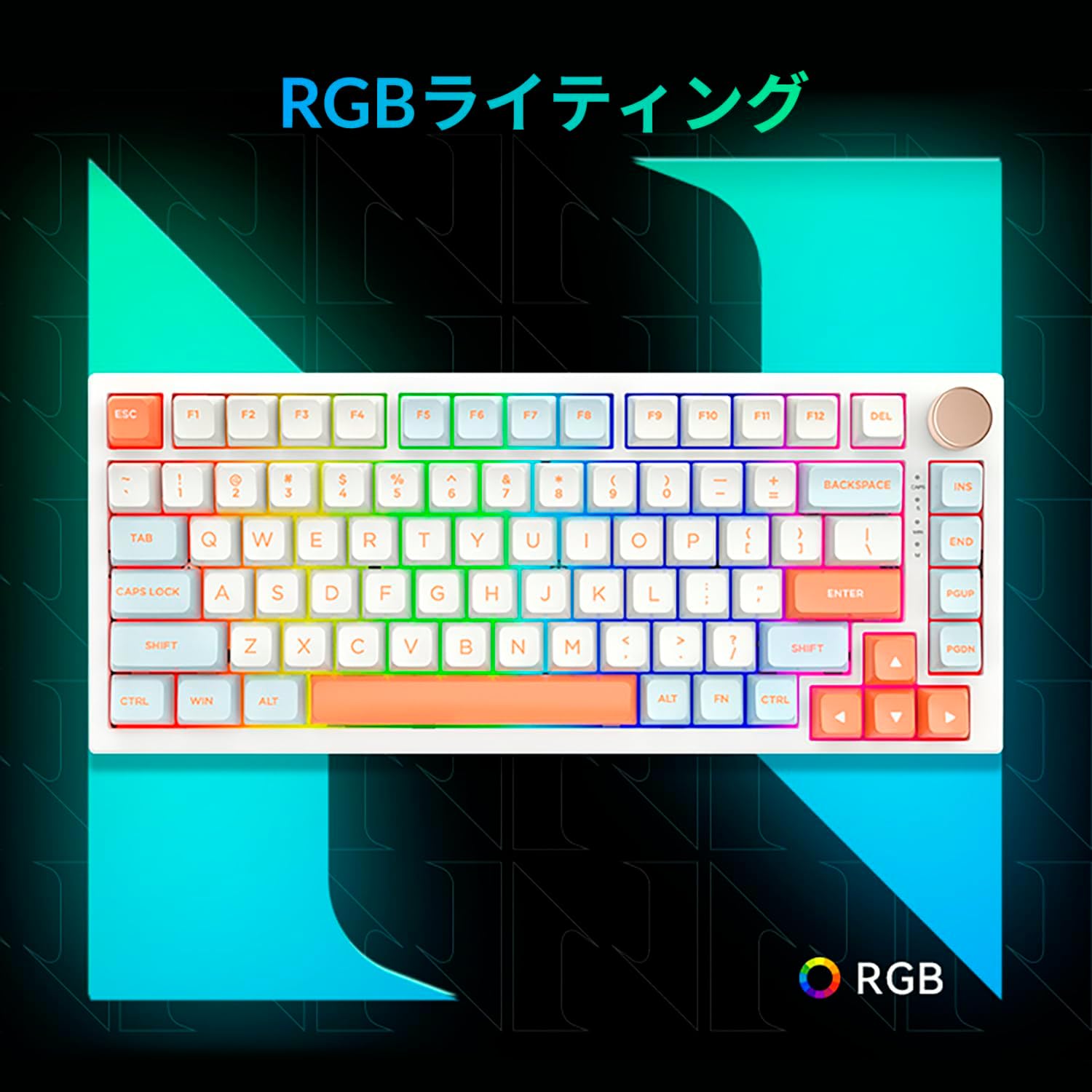
Figure 3.5: The VGN N75 keyboard displaying its customizable RGB lighting, enhancing the visual appeal.
4. Водич за подешавање
Follow these steps to set up your VGN N75 keyboard:
- Распакујте тастатуру: Carefully remove the keyboard and all included accessories (USB cable, keycap puller, replacement key) from the packaging.
- Повежите USB-C кабл: Insert one end of the provided USB-C cable into the USB-C port on the keyboard.
- Повежите се са својим уређајем: Plug the other end of the USB-C cable into an available USB port on your computer or laptop.
- Инсталација драјвера (аутоматска): The keyboard is plug-and-play. Your operating system should automatically detect and install the necessary drivers. No manual driver installation is typically required.
- Почетни тест: Open a text editor or any application to test the keys and ensure all functions are working correctly.
5. Упутство за употребу
This section details the basic operation of your VGN N75 keyboard:
5.1. Основне кључне функције
The VGN N75 features a standard US82 key layout. All keys function as labeled. For specific key combinations or software-defined macros, refer to any accompanying software documentation (if applicable, not included in this manual).
5.2. Using the Rotary Knob
- Контрола јачине звука: Rotate the knob clockwise to increase volume and counter-clockwise to decrease volume.
- Искључи/Укључи звук: Притисните дугме да бисте искључили или укључили звук.
5.3. RGB контрола осветљења
The VGN N75 supports RGB lighting. While specific key combinations for lighting modes are not provided in the product description, most RGB keyboards allow cycling through effects using function key combinations (e.g., Fn + F-keys or dedicated lighting keys). Experiment with the 'Fn' key in combination with other keys (like arrow keys or Ins/Del/Home/End/PgUp/PgDn) to discover lighting controls.
6. Одржавање
Правилно одржавање ће продужити век трајања ваше тастатуре:
- Чишћење:
- Искључите тастатуру из рачунара пре чишћења.
- Користите меку крпу која не оставља длачицеampened with water or a mild cleaning solution to wipe the keycaps and frame.
- За прашину и остатке између тастера користите компримовани ваздух.
- Не прскајте течност директно на тастатуру.
- Замена тастера и прекидача:
- The keyboard comes with a keycap puller and a replacement key.
- To remove a keycap, gently use the keycap puller to grip the keycap and pull upwards.
- To replace a keycap, align it with the switch stem and press down firmly until it clicks into place.
- Напомена: The VGN N75 features hot-swappable switches, allowing for easy replacement without soldering. To remove a switch, use a switch puller (not explicitly listed as included, but implied by "hot-swappable") to gently pry it out. Align the new switch's pins with the sockets and press firmly until it seats correctly.
КСНУМКС. Решавање проблема
If you encounter issues with your VGN N75 keyboard, try the following solutions:
- Тастатура не реагује:
- Уверите се да је USB-C кабл безбедно повезан и са тастатуром и са рачунаром.
- Покушајте да прикључите тастатуру на други УСБ порт на рачунару.
- Поново покрените рачунар.
- Тестирајте тастатуру на другом рачунару да бисте искључили проблем специфичан за систем.
- Кључеви се не региструју:
- Проверите да ли има физичких препрека испод тастера.
- If a specific key is not working, consider replacing its switch if you have a switch puller and replacement switches.
- Проблеми са RGB осветљењем:
- Уверите се да је тастатура правилно напајана.
- Try cycling through lighting modes using the keyboard's function key combinations.
- Rotary Knob Not Working:
- Check for any physical obstructions around the knob.
- Уверите се да је тастатура правилно повезана.
8. Спецификације
| Атрибут | Детаљ |
|---|---|
| Бранд | ВГН |
| Број модела | N75BLUE |
| Сериес | Н75 |
| Боја | Плава |
| Опис тастатуре | Механички |
| Број кључева | 82 |
| Технологија повезивања | УСБ-Ц |
| Врста извора напајања | УСБ напајање |
| Компатибилни уређаји | Лаптоп |
| Препоручена употреба производа | Гаминг |
| Keyboard Backlight Colour Support | РГБ |
| Материјал | Пластика |
| Укључене компоненте | Keycap Puller, Replacement Key, USB Cable |
| Димензије пакета | 42.1 к 18.8 к 6.5 цм; 1.1 кг |
| Датум првог доступног | 22. март 2024 |
9. Гаранција и подршка
The VGN N75 Gaming Keyboard comes with a 1-year warranty from the date of purchase, as indicated in the product listing. This warranty covers manufacturing defects under normal use.
For warranty claims, technical support, or further inquiries, please contact your point of purchase or the official VGN support channels. Keep your proof of purchase for warranty validation.
Напомена: Unauthorized disassembly or modification of the product may void the warranty.
Ask a question about this manual
Ask about setup, troubleshooting, compatibility, parts, safety, or missing instructions. Manuals+ will review the question and use this page’s manual context to help answer it.