
1. Увод
Thank you for choosing the VBESTLIFE Fingerprint Time Clock. This device is designed to streamline employee attendance tracking in various environments such as offices, factories, hotels, and schools. It features advanced 360° fingerprint recognition, multi-language support, and automatic report generation. This manual provides detailed instructions for the proper installation, operation, and maintenance of your time clock to ensure optimal performance and longevity.
2. Садржај пакета
Молимо вас да проверите да ли су све ставке наведене у наставку укључене у ваш пакет. Ако неке ставке недостају или су оштећене, обратите се корисничкој подршци.
- 1 x Fingerprint Attendance Machine
- 3 к Сцрев
- 3 к Сидро
- 1 x Упутство за употребу (овај документ)
- 1 x Nail Paper (for installation marking)
- 1 к адаптер за напајање (утикач за САД)
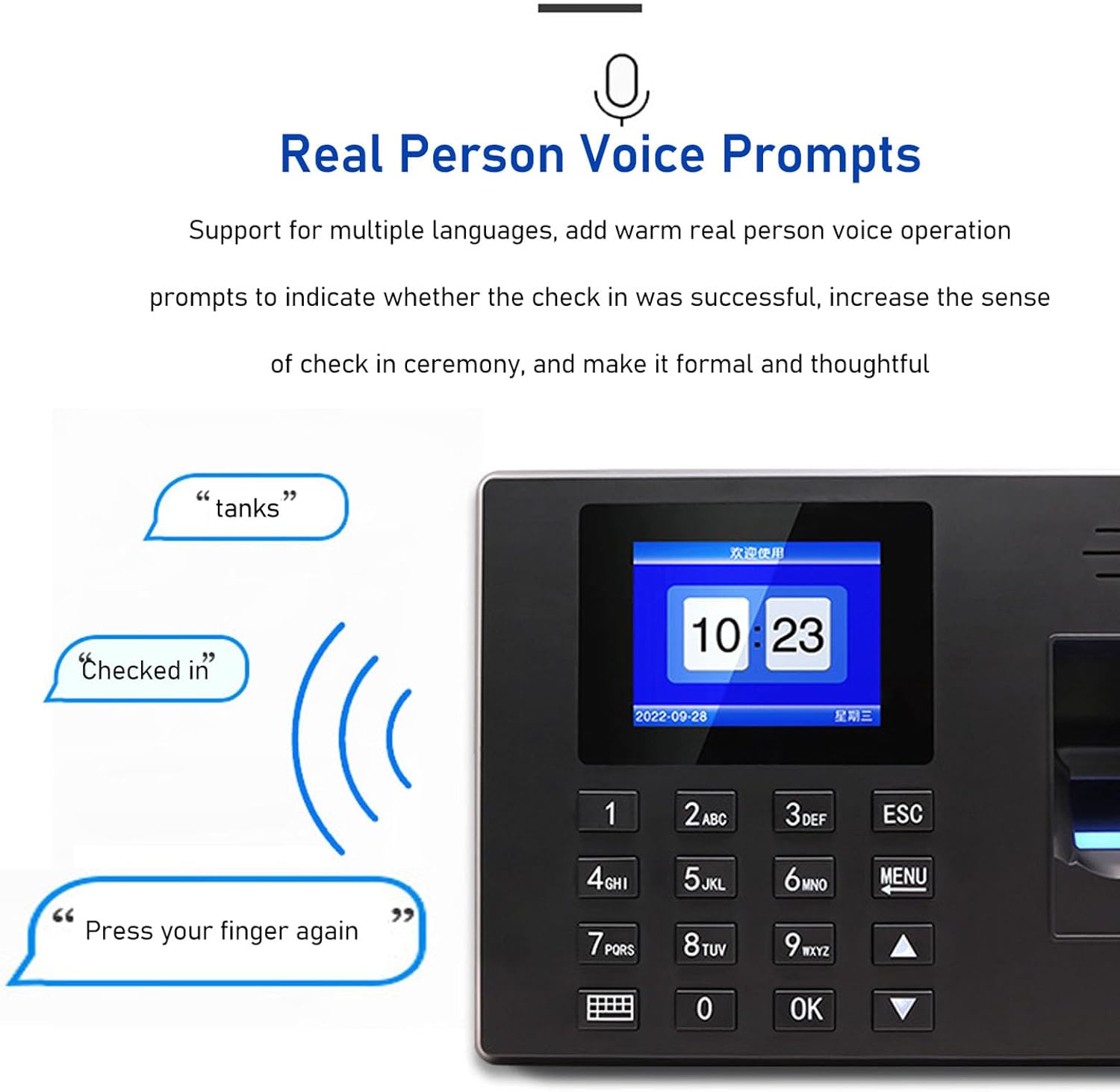
Image: Contents of the VBESTLIFE Fingerprint Time Clock package, showing the device, power adapter, screws, and anchors.
3. Карактеристике производа
The VBESTLIFE Fingerprint Time Clock offers a range of features designed for efficient attendance management:
- Smart Attendance System: Integrates fingerprint recognition and password verification to automatically calculate employee work hours.
- 360° Fingerprint Recognition: Advanced technology for quick and accurate identification of fingerprints from various angles.
- Подршка за више језика: Supports Simplified Chinese, Traditional Chinese, English, Spanish, Portuguese, French, and Vietnamese for user prompts.
- Аутоматско генерисање извештаја: No software installation required; the device can automatically generate attendance reports directly to a USB flash drive in Excel format.
- Flexible Shift Settings: Supports multi-day shift configurations for diverse work schedules.
- Гласовна упутства: Provides clear voice feedback for successful or failed check-ins.
- Широка примена: Suitable for offices, factories, hotels, schools, restaurants, and other work environments.

Image: The time clock display and key features, emphasizing ease of use and report generation.

Image: Visual representation of the voice prompt feature, indicating feedback during attendance.
4. Упутства за инсталацију
Follow these steps to properly install your VBESTLIFE Fingerprint Time Clock:

Image: Step-by-step visual guide for wall mounting the time clock.
- Означавање: Use the provided nail paper to mark the screw hole positions on the wall where the attendance machine will be installed. Ensure the marked areas match the standard screw sizes.
- бушење: Drill three holes at the marked positions.
- Уметни сидра: Insert the anchors into the drilled holes, ensuring they are fully seated.
- Fixing Screw: Use a screwdriver to insert the self-tapping screws into the anchors. Leave a small portion of the screw exposed for hanging the device.
- Прекидам: Carefully hang the attendance machine onto the exposed self-tapping screws.
- Укључено: Connect one end of the power cord (or transformer) to the power interface of the attendance machine and plug the other end into a 5V1A power socket to power on the device.
5. Упутство за употребу
5.1 Initial Setup and User Registration
Upon first power-on, you may need to configure basic settings and register users. Access the menu by pressing the МЕНУ дугме.
- Подешавање администратора: It is recommended to register an administrator fingerprint or password first to secure the device settings.
- Регистрација отисака прстију:
- Navigate to "User Management" -> "Register Fingerprint".
- Follow the on-screen prompts. Place the user's finger on the scanner multiple times until registration is complete.
- Ensure the finger is clean and dry for accurate scanning.
- Registering Passwords:
- Navigate to "User Management" -> "Register Password".
- Enter a numeric password and confirm it.
- Setting Language: Navigate to "System Settings" -> "Language" to select your preferred language (e.g., English, Spanish).
- Подешавање времена и датума: Ensure the correct time and date are set in "System Settings" -> "Time/Date".
5.2 Daily Attendance Operation
Employees can clock in or out using their registered fingerprint or password.
- Fingerprint Check-in/out: Place a registered finger firmly on the fingerprint scanner. The device will provide a voice prompt indicating success or failure.
- Password Check-in/out: Enter the registered password using the keypad and press OK.

Image: An employee using the fingerprint scanner for attendance.
5.3 Generating Attendance Reports
The device can generate attendance reports directly to a USB flash drive without requiring external software.
- Insert a FAT32 formatted USB flash drive into the USB port on the side of the time clock.
- Access the main menu by pressing МЕНУ.
- Navigate to "Report Management" -> "Download Report".
- Select the desired date range for the report.
- Confirm the download. The report will be saved as an Excel file на УСБ диску.
- Safely remove the USB flash drive.

Image: Illustration of the report generation process and examples of Excel attendance reports.
6. Одржавање
Proper maintenance ensures the longevity and reliable operation of your time clock.
- Чишћење: Regularly wipe the fingerprint scanner and screen with a soft, dry, lint-free cloth. Do not use abrasive cleaners, solvents, or spray liquids directly onto the device.
- Окружење: Keep the device in a clean, dry environment, away from direct sunlight, extreme temperatures, and high humidity.
- Напајање: Use only the provided power adapter. Ensure the power connection is secure.
- Резервна копија података: Periodically download attendance reports to a USB drive to back up important data.
- Ажурирања фирмвера: Проверите произвођача website for any available firmware updates. Follow instructions carefully if performing an update.
КСНУМКС. Решавање проблема
If you encounter issues with your time clock, refer to the following common problems and solutions:
| Проблем | Могући узрок | Решење |
|---|---|---|
| Уређај се не укључује. | Адаптер за напајање није повезан или је неисправан; проблем са утичницом. | Check power adapter connection. Try a different power outlet. Ensure the adapter is 5V1A. |
| Отисак прста није препознат. | Finger is wet, dirty, or injured; fingerprint not properly registered; scanner is dirty. | Ensure finger is clean and dry. Try a different registered finger. Re-register the fingerprint. Clean the scanner surface. |
| Cannot access menu. | No administrator set up; incorrect administrator password/fingerprint. | Ensure an administrator is registered. Use the correct administrator credentials. If locked out, refer to the reset procedure (if available in full manual) or contact support. |
| Reports not saving to USB. | USB drive not formatted to FAT32; USB drive faulty; insufficient space on USB. | Ensure USB drive is formatted to FAT32. Try a different USB drive. Check available space. |
| Incorrect time/date displayed. | Време/датум није правилно подешено. | Access "System Settings" -> "Time/Date" and adjust accordingly. |
8. Спецификације
Detailed technical specifications for the VBESTLIFE Fingerprint Time Clock:
- Модел: VBESTLIFEc1e9gw0nok-11
- Материјал: АБС
- Плуг Волtage: 100-240В (утикач за САД)
- Report Mode: Software-free (direct export of Excel reports from USB flash drive)
- Подржани језици: Simplified Chinese, Traditional Chinese, English, Spanish, Portuguese, Brazilian Portuguese, French, Vietnamese
- Секундарни развој: Није подржано
- глас: Voice pronunciation reminder
- Кључеви: Support (keypad)
- Collector: High accuracy total Catoptrics collector
- Attendance Speed: Less than 1 second per time
- Misjudgment Rate: 0.0001%
- Fall Resistance: Can withstand 3 times of 1.2m fall
- Отпоран на воду и прашину: In accordance with IP54 standard
- Опсег радне температуре: 0-45℃ (32-113°Ф)
- Температурни опсег складиштења: 0-50℃ (32-122°Ф)
- Environmental Light Strength: 1000ЛКС
- Комуникациони интерфејс: USB (for drive)
- Преузимање података: УСБ диск
- USB Drive Support Format: ФАТ32
- Number of Registrations:
- Fingerprints: 1000
- Passwords: 1000
- Капацитет складиштења: 100,000 attendance records
- Димензије пакета: 11.42 к 5.12 к 1.97 инча
- Тежина артикла: 14.1 унци
- Произвођач: ВБЕСТЛИФЕ
- Датум прве доступности: 1. априла 2024. године

Image: Dimensions of the VBESTLIFE Fingerprint Time Clock.
9. Информације о гаранцији
VBESTLIFE products are manufactured to high quality standards. This product is covered by a limited warranty against defects in materials and workmanship from the date of purchase. Please retain your proof of purchase for warranty claims. The warranty does not cover damage caused by misuse, accident, unauthorized modification, or improper installation.
10. Корисничка подршка
For technical assistance, troubleshooting, or warranty inquiries, please contact VBESTLIFE customer support through the retailer where you purchased the product or visit the official VBESTLIFE brand store on Amazon:
Please have your product model number (VBESTLIFEc1e9gw0nok-11) and purchase details ready when contacting support.