
1. Производ је готовview
The Yeedi C12 is an advanced robot vacuum cleaner and mop designed to provide efficient and comprehensive floor cleaning. It features powerful suction, smart navigation, and a ZeroTangle brush for a hassle-free cleaning experience. This manual provides detailed instructions for setting up, operating, maintaining, and troubleshooting your Yeedi C12.

Figure 1.1: Yeedi C12 Robot Vacuum Cleaner and Mop with its accompanying mobile application interface.
Кључне карактеристике:
- 8000Pa Powerful Suction: Effectively removes debris from various floor types, including carpets.
- Технологија против запетљавања ZeroTangle: Designed to prevent hair entanglement on the roller brush, minimizing maintenance.
- TrueMapping Tech: Enables quick and accurate room mapping for efficient navigation and comprehensive cleaning.
- Multi-Sensor Fusion: Features obstacle crossing (up to 20mm) and anti-drop sensors for safe operation.
- Дуг век трајања батерије: Equipped with a 5200mAh battery, providing up to 300 minutes of runtime.
- Exclusive App Operating System: Offers multiple cleaning modes, customizable settings, and map editing.
2. Садржај пакета
Before beginning setup, please ensure all components are present and in good condition. If any items are missing or damaged, contact customer support.
| Компонента | Количина |
|---|---|
| Робот усисивач | 1 |
| Доцк за пуњење | 1 |
| Повер Цорд | 1 |
| Упутство за употребу | 1 |
| Плоча за брисање | 1 |
| Резервоар за воду | 1 |
| Подлога за брисање која се може прати | 1 |
| Бочна четка | 1 |
| Main Brush & Main Brush Cover | 1 |
| Филтер | 1 |
3. Водич за подешавање
3.1 Постављање пуњача
Place the charging dock against a wall in an open, uncluttered area. Ensure there is at least 0.5 meters (1.6 feet) of clear space on both sides of the dock and 1.5 meters (4.9 feet) in front of it. Plug the power cord into the charging dock and then into a wall outlet. Ensure the dock is powered on.
3.2 Почетно пуњење
Place the Yeedi C12 robot onto the charging dock. Ensure the charging contacts on the robot align with those on the dock. The robot will begin charging automatically. For first-time use, fully charge the robot before operation. A full charge can take several hours.
3.3 Инсталација и повезивање апликације
- Download the 'Yeedi' app from your mobile device's app store (iOS or Android).
- Отворите апликацију и креирајте налог или се пријавите.
- Follow the in-app instructions to add your Yeedi C12. You will need to connect your phone to a 2.4GHz Wi-Fi network, as the robot does not support 5GHz Wi-Fi.
- Када се једном повежете, апликација ће вас водити кроз почетни процес мапирања.
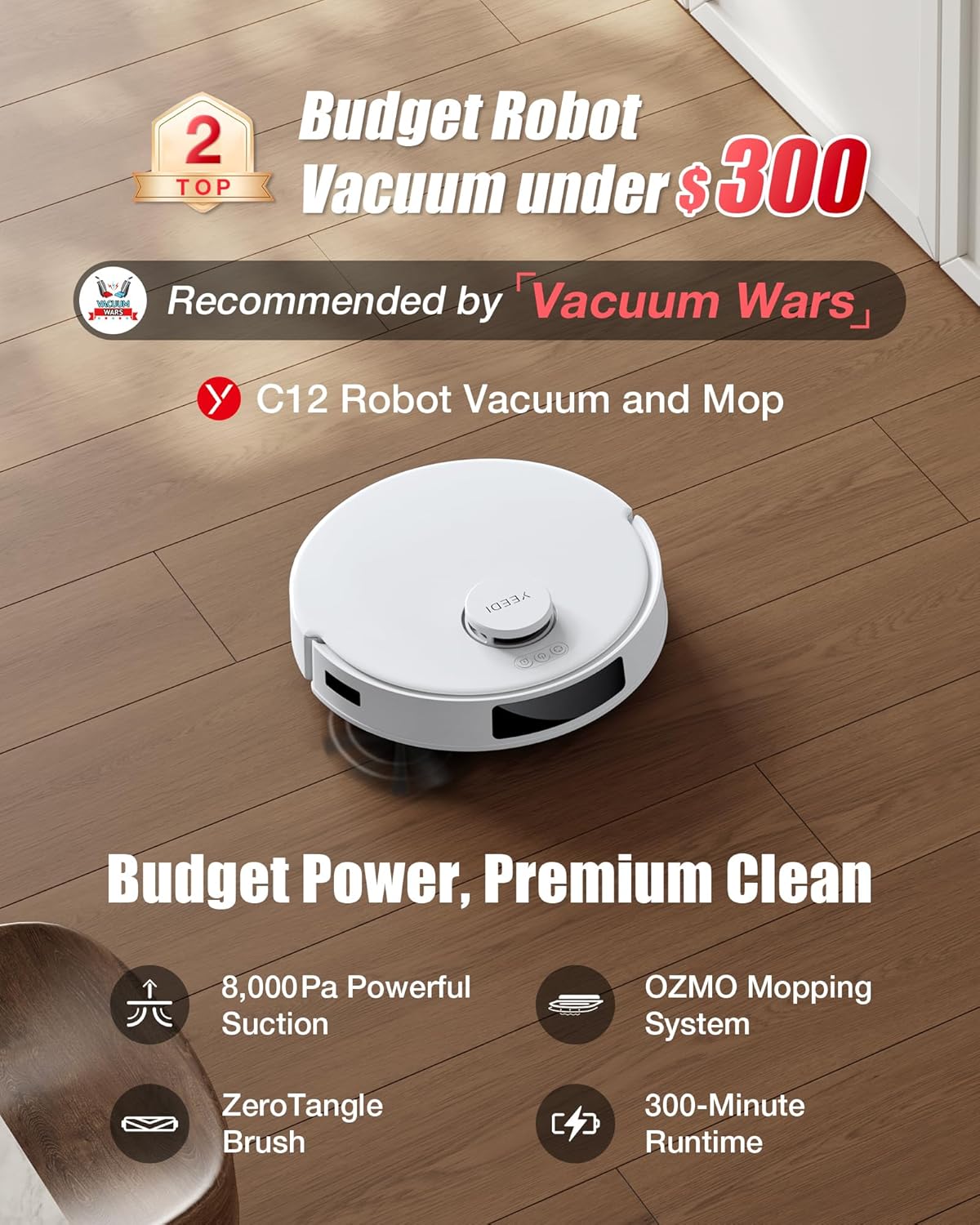
Figure 3.1: Connecting the Yeedi C12 to the mobile application for smart control.
4. Упутство за употребу
4.1 Покретање циклуса чишћења
You can start a cleaning cycle using the button on the robot or through the Yeedi app. Pressing the button on the robot will initiate a standard cleaning cycle. For more advanced options, use the app.
4.2 Режими чишћења
The Yeedi C12 offers various cleaning modes to suit your needs:
- Вакуумски режим: For dry debris collection. The robot will automatically boost suction on carpets.
- Режим брисања: For wet mopping. Ensure the water tank is filled and the mopping pad is attached. The robot will avoid carpets in this mode.
- Режим усисавања и брисања: Истовремено врши усисавање и брисање подова.

Figure 4.1: Illustration of the Yeedi C12's dual cleaning modes.
4.3 Suction and Water Volume Adjustment
Through the Yeedi app, you can adjust the suction power (4 levels available) and water volume for mopping to optimize cleaning performance based on floor type and dirt level.
4.4 Паметна навигација и мапирање
The TrueMapping technology allows the robot to quickly map your home (typically within 8 minutes) and plan an efficient cleaning path. The app displays the generated map, allowing for customization such as:
- Customized Cleaning Mode: Изаберите одређене собе или подручја за чишћење.
- Зоне забрањене за кретање: Define areas the robot should avoid (e.g., pet bowls, delicate items).
- Виртуелни зидови: Create invisible barriers to restrict the robot's movement.

Figure 4.2: TrueMapping technology for precise navigation and multi-level mapping.
4.5 Планирање
Set up cleaning schedules through the app to automate daily or weekly cleaning tasks.
4.6 Интеграција гласовне контроле
The Yeedi C12 is compatible with Amazon Alexa and Google Home. You can use voice commands to start, stop, or send the robot back to its charging dock.

Слика 4.3: Интеграција гласовне контроле са паметним кућним асистентима.
5. Одржавање
Regular maintenance ensures optimal performance and extends the lifespan of your Yeedi C12. Always power off the robot before performing any maintenance.
5.1 Пражњење канте за прашину
The dustbin should be emptied after each cleaning cycle or when indicated by the app. Press the dustbin release button, remove the dustbin, and empty its contents into a trash bin.
5.2 Чишћење филтера
The filter is located inside the dustbin. Tap the filter gently to remove loose debris. For a more thorough cleaning, rinse the filter under running water. Ensure the filter is completely dry before reinserting it into the dustbin. Replace the filter every 3-6 months, depending on usage.
5.3 Чишћење главне четке (ZeroTangle)
The ZeroTangle brush is designed to minimize hair entanglement. However, periodic inspection and cleaning are recommended. Remove the main brush cover and then the main brush. Use the cleaning tool provided to cut and remove any hair or debris wrapped around the brush. Reinstall the brush and cover securely.

Figure 5.1: Detail of the ZeroTangle brush technology.
5.4 Чишћење бочне четке
Check the side brush regularly for tangled hair or debris. If necessary, remove the side brush by gently pulling it upwards and clean it. Reattach by pressing it firmly into place.
5.5 Cleaning the Mopping Pad and Water Tank
After each mopping session, remove the mopping pad and wash it thoroughly. The mopping pad is washable and reusable. Empty any remaining water from the water tank and rinse it. Allow both to air dry completely before reassembling.
5.6 Чишћење сензора и контаката за пуњење
Wipe the anti-drop sensors, obstacle sensors, and charging contacts on both the robot and the charging dock with a clean, dry cloth. This ensures proper navigation and charging.
КСНУМКС. Решавање проблема
If you encounter issues with your Yeedi C12, refer to the following common problems and solutions:
| Проблем | Могући узрок | Решење |
|---|---|---|
| Робот се не укључује | Слаба батерија; Искључено напајање | Place robot on charging dock; Ensure power switch is on. |
| Робот не може да се пуни | Charging contacts dirty; Dock not powered | Clean charging contacts; Check power connection to dock. |
| Лоше перформансе чишћења | Канта за прашину пуна; Четке замршене; Филтер зачепљен | Испразните канту за прашину; Очистите главну и бочне четке; Очистите или замените филтер. |
| Робот се често заглављује | Obstacles; Uneven surfaces | Clear obstacles; Use No-Go Zones in app; Ensure robot can cross thresholds (up to 0.787in). |
| Робот не може да се повеже на Ви-Фи | Нетачан Wi-Fi опсег; Слаб сигнал | Ensure 2.4GHz Wi-Fi is used; Move robot closer to router. |
| Mopping leaves streaks | Mopping pad dirty; Water tank empty | Clean or replace mopping pad; Refill water tank. |
If the problem persists after trying these solutions, please contact Yeedi customer support.
7. Спецификације
| Феатуре | Детаљ |
|---|---|
| Бранд | Yeedi |
| Назив модела | Ц12 |
| Посебне карактеристике | 2 Cleaning Modes, Bagless, OZMO Mopping System, TrueMapping Technology, ZeroTangle Technology |
| Боја | Бела |
| Димензије производа (Д к Ш к В) | 13.9 cm x 13.82 cm x 3.78 cm |
| Тип филтера | Filter Cartridge, Filter Cotton, Filter Mesh |
| Трајање батерије | КСНУМКС минута |
| Волtage | 110 Волтс |
| Дустбин Цапацити | 400 милилитара |
| Извор напајања | Баттери Поверед |
| Контролни метод | Апликација, Глас |
| Компатибилни уређаји | Амазон Ецхо, Гоогле Хоме |
| Тежина артикла | 12.23 фунти |
| Година производње | 2024 |
8. Гаранција и подршка
8.1 Информације о гаранцији
The Yeedi C12 comes with a 12-month worry-free warranty, covering manufacturing defects and malfunctions under normal use. Please retain your proof of purchase for warranty claims.
8.2 Политика враћања
A 30-day return policy is typically offered for this product. Please refer to your purchase platform's specific return guidelines for detailed information.
8.3 Корисничка подршка
For technical assistance, warranty claims, or any other inquiries, please visit the official Yeedi website or contact their customer service team. You can find more information and support resources at the Yeedi Store on Amazon.