
Saiyana G915
Replacement ALT Keycap User Manual
Model: G915 Series Compatible Keycaps | Brand: Saiyana
1. Производ је готовview
This replacement ALT keycap is designed for specific mechanical keyboard models, including the G915, G913, G813, and G913TKL. It serves as a direct replacement for your existing ALT key, ensuring continued functionality and aesthetic consistency with your keyboard.

Слика 1.1: Предња страна view of the black replacement ALT keycap.
2. Кључне карактеристике
- Побољшана контрола: Provides precise and responsive keystrokes essential for gaming and professional tasks.
- Издржљива конструкција: Manufactured from high-quality plastic for long-lasting durability and resistance to wear.
- Ергономски дизајн: Offers a comfortable typing experience, even during extended use.
- Прецизно приањање: Engineered for a stable and accurate fit on compatible keyboard models, ensuring optimal performance.
- Компатибилност: Specifically designed for G915, G913, G813, and G913TKL mechanical keyboards.
3. Компатибилност
This ALT keycap is compatible with the following mechanical keyboard models:
- Г915
- Г913
- Г813
- G913TKL
Ensure your keyboard model matches one of the listed compatible models for proper fit and function.
4. Подешавање и инсталација
Follow these steps to replace your ALT keycap:
- Prepare Your Keyboard: Ensure your keyboard is powered off or disconnected from your computer to prevent accidental inputs during the replacement process.
- Remove the Old Keycap: Gently pull the existing ALT keycap straight up from the keyboard switch. You may use a keycap puller tool for easier and safer removal, or carefully use your fingers. Avoid twisting or prying forcefully, as this could damage the switch.

Figure 4.1: Location of the ALT key on a compatible keyboard.
- Inspect the New Keycap: Before installation, examine the underside of the new ALT keycap to understand its mounting mechanism. It typically has a cross-shaped stem designed to fit onto the keyboard switch.

Слика 4.2: Доња страна view of the ALT keycap, showing the stem for switch attachment.
- Install the New Keycap: Align the stem of the new ALT keycap with the cross-shaped post on the keyboard switch. Press down firmly and evenly until the keycap snaps securely into place. You should feel a slight click or resistance as it seats properly.
- Тест функционалност: Reconnect your keyboard and test the new ALT keycap to ensure it is stable and registers presses correctly.
5. Operating the Keycap
The replacement ALT keycap functions identically to the original keycap it replaces. Once installed, it will perform the standard "Alt" function as programmed by your operating system or keyboard software. No special operation is required beyond normal keyboard use.
6. Одржавање
To ensure the longevity and appearance of your ALT keycap:
- Чишћење: Користите меку крпу која не оставља длачицеampened with water or a mild, non-abrasive cleaning solution. Avoid harsh chemicals or abrasive materials that could damage the keycap's surface or legends.
- Уклањање прашине: Periodically use compressed air to remove dust and debris from around and under the keycap.
- Избегавајте прекомерну силу: While durable, avoid applying excessive force or prying the keycap unnecessarily, as this can loosen its fit or damage the keyboard switch.
КСНУМКС. Решавање проблема
Keycap Does Not Fit or Feels Loose:
- Проверите компатибилност: Verify that your keyboard model (G915, G913, G813, G913TKL) is listed as compatible.
- Правилно поравнање: Ensure the keycap's stem is perfectly aligned with the switch's cross-shaped post before pressing down.
- Равномерни притисак: Apply firm, even pressure when installing. Do not force it if it doesn't align.
- Проверите прекидач: Check the keyboard switch for any damage or bent pins that might prevent proper seating.
Keycap Feels Sticky or Unresponsive:
- Clean Around Keycap: Dust or debris might be trapped around the keycap or switch. Remove the keycap and clean the area thoroughly.
- Switch Issue: If cleaning doesn't resolve the issue, the problem might be with the keyboard switch itself, not the keycap.
8. Спецификације
| Атрибут | Детаљ |
|---|---|
| Бранд | Saiyana |
| Број модела | G915 (Compatible with G913, G813, G913TKL) |
| Материјал | Пластика |
| Боја | Black (Other colors may be available separately) |
| Број кључева | 1 (Single ALT keycap) |
| Опис тастатуре | Gaming (Designed for gaming mechanical keyboards) |
| Оријентација руке | Ambidextrous (Keycap design is universal for left/right ALT) |
9. Additional Product Views

Figure 9.1: Comparison of black and white ALT keycaps.

Слика 9.2: Предња страна view of the white replacement ALT keycap.
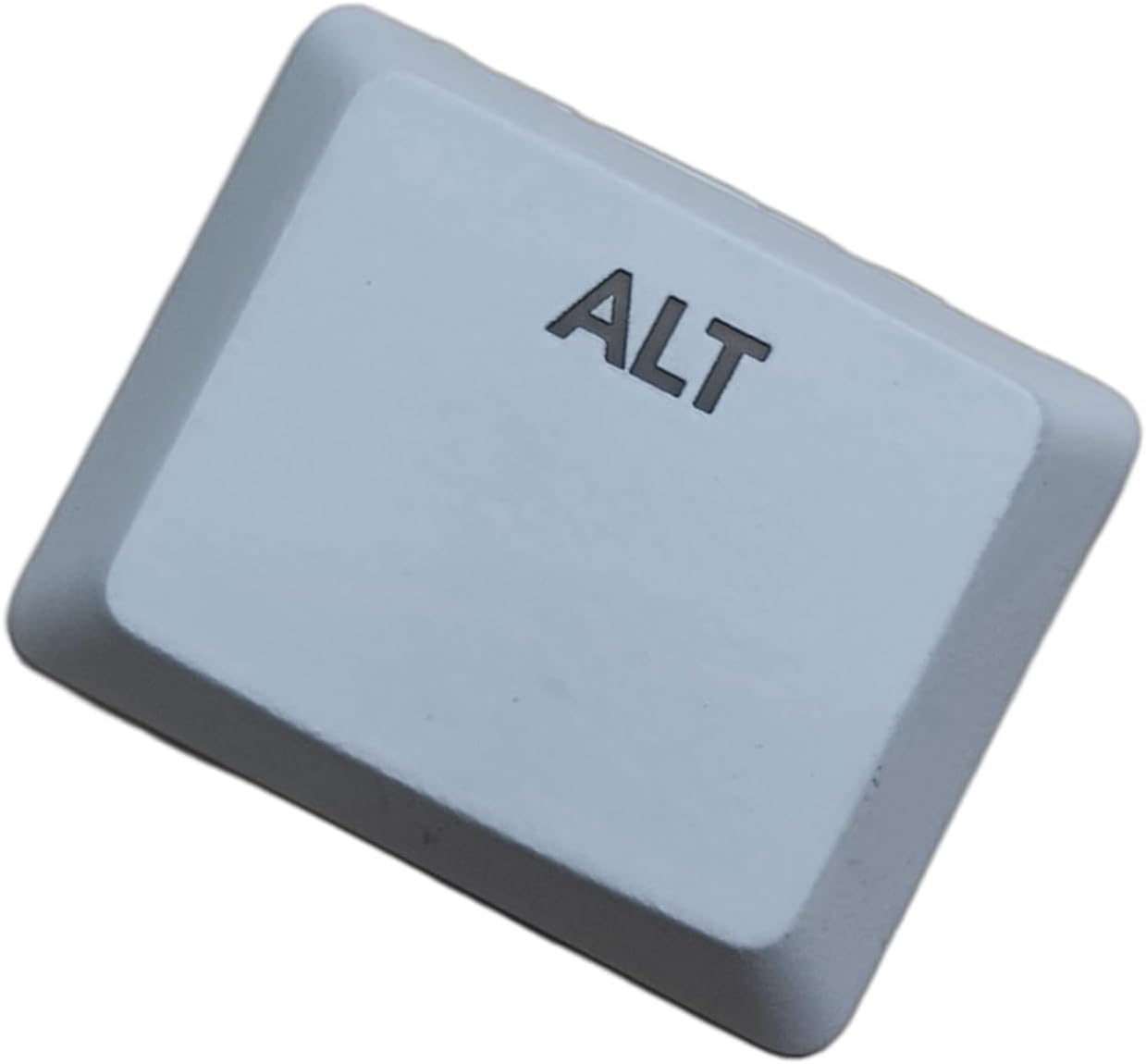
Слика 9.3: Под углом view of the white replacement ALT keycap.

Слика 9.4: Под углом view of the black replacement ALT keycap.
Ask a question about this manual
Ask about setup, troubleshooting, compatibility, parts, safety, or missing instructions. Manuals+ will review the question and use this page’s manual context to help answer it.