
1. Увод
Thank you for choosing the LanLuk 200W GaN IV 8-Port USB-C Charging Station. This device is designed to provide efficient and safe charging for a wide range of electronic devices, including laptops, smartphones, tablets, and more. Please read this manual carefully before use to ensure proper operation and to maximize the lifespan of your product.
2. Безбедносна упутства
- Не излажите уређај води, влази или екстремним температурама.
- Избегавајте испуштање или излагање уређаја јаким ударима.
- Не растављајте, не модификујте и не покушавајте сами да поправите уређај. То ће поништити гаранцију и може проузроковати оштећење или повреду.
- Користите само приложени кабл за напајање.
- Ensure proper ventilation around the charging station during use to prevent overheating.
- Чувати ван домашаја деце.
- Unplug the charging station from the power outlet when not in use or during electrical storms.
3. Садржај пакета
Проверите да ли су све ставке присутне у вашем пакету:
- 1 x LanLuk 200W 8-in-1 USB-C Charging Station
- КСНУМКС к кабл за напајање
- 1 к Упутство за употребу
4. Производ је готовview
The LanLuk 200W GaN IV 8-Port USB-C Charging Station features advanced GaN IV technology for higher energy efficiency, upgraded heat dissipation, and a compact design. It provides a total of 200W power output across 8 ports, allowing you to charge multiple devices simultaneously.
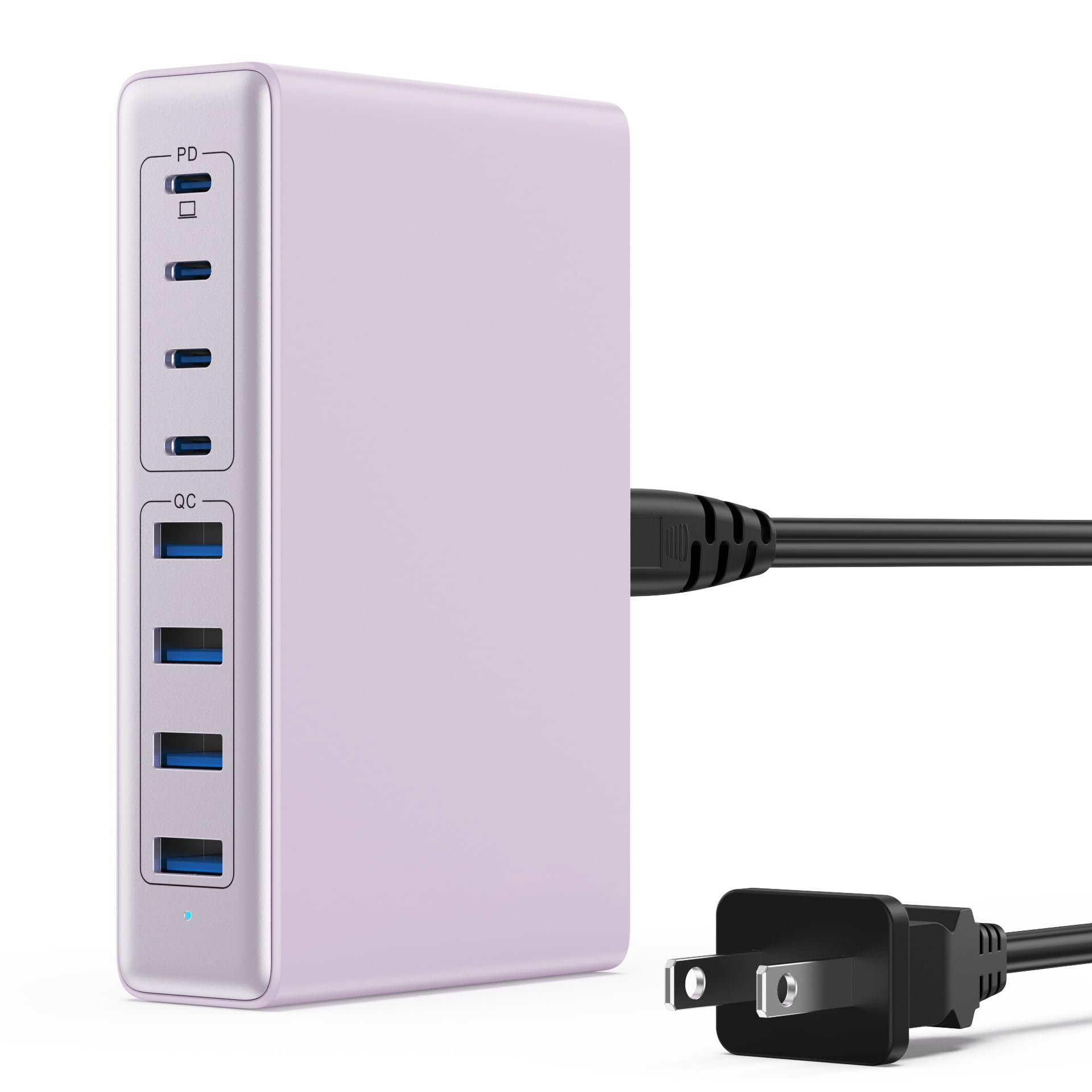
Image: The LanLuk 200W GaN IV 8-Port USB-C Charging Station in purple.
Кључне карактеристике:
- GaN IV Technology: Utilizes the latest Gallium Nitride (GaN) IV chip for enhanced efficiency, reduced heat, and a smaller form factor.
- Укупна излазна снага 200В: Delivers optimal power to charge up to 8 devices simultaneously at full speed.
- 8 Charging Ports: Includes 4 USB-C ports (PD 3.0) and 4 USB-A ports (QC 4.0) for broad compatibility.
- Напајање од 65W (PD): One dedicated USB-C port provides up to 65W, capable of fast-charging laptops like MacBook Pro/Air, Dell XPS, and more.
- Вишеструки заштитни безбедносни систем: Built-in intelligent IC with six safety protections: over-voltage, over-current, over-charge, over-temperature, static electricity, and short circuit.
- Универзална компатибилност: Supports a wide range of devices including iPhones, iPads, Android phones, laptops, gaming consoles (Steam Deck, Nintendo Switch), smartwatches, and headphones.
- Преносиви дизајн: Compact size (approximately 5 inches by 3 inches) with a 1.5M/5FT AC extension power cord for flexible placement.
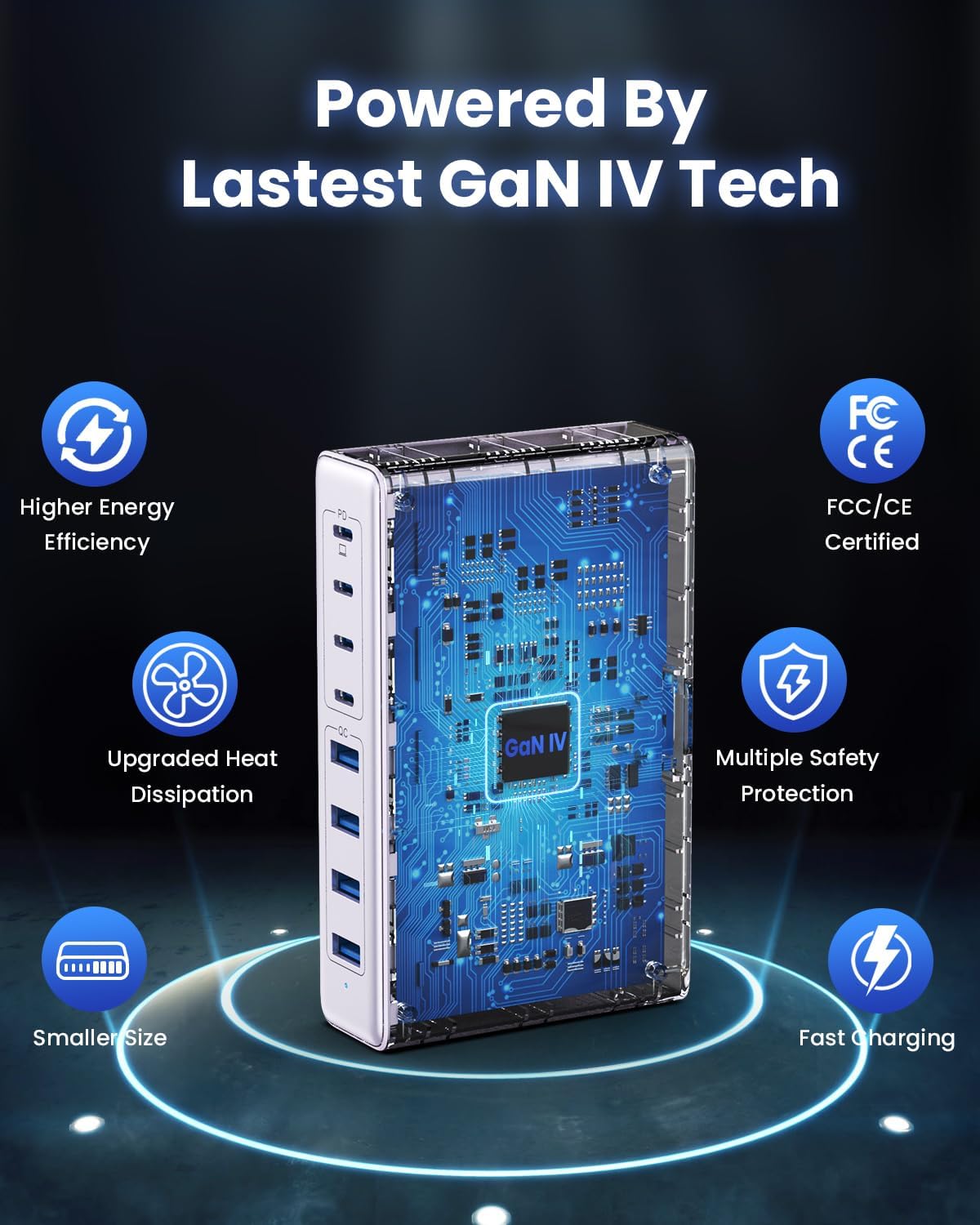
Image: Diagram illustrating the benefits of GaN IV technology, including higher energy efficiency, upgraded heat dissipation, smaller size, multiple safety protections, and fast charging.

Image: Visual representation of the charging station connecting to 8 different devices (4 USB-C, 4 USB-A).

Image: Infographic showing the universal compatibility with laptops/tablets (MacBook Pro, Dell XPS, iPad Pro), smartphones (iPhone, Samsung Galaxy, Google Pixel), and gaming devices/others (ROG ALLY, Steam Deck, AirPods, Switch).

Image: Illustration highlighting the USB-C1 port's 65W output, perfect for laptops, showing a MacBook charging.
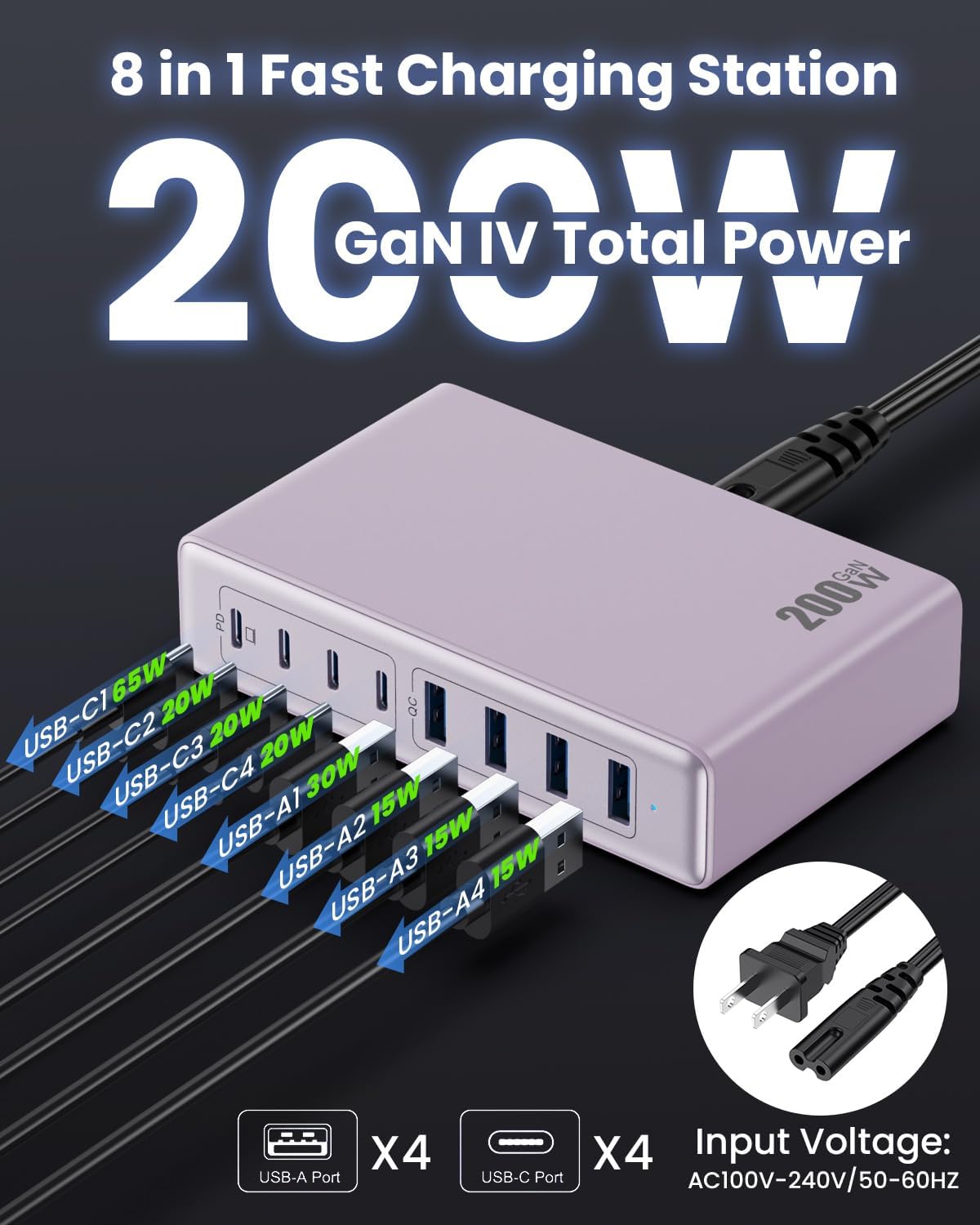
Слика: Детаљна view of the charging station's ports and their individual power outputs (USB-C1 65W, USB-C2 20W, USB-C3 20W, USB-C4 20W, USB-A1 15W, USB-A2 15W, USB-A3 15W, USB-A4 15W).

Image: Comparison chart showing the LanLuk charger's advantages over other chargers in terms of total max output, one port output, number of ports, devices charged, portability, and sustainability.
5. Подешавање
- Raspakujte: Пажљиво извадите станицу за пуњење и сву додатну опрему из паковања.
- Повежите кабл за напајање: Insert the included power cord into the AC input port on the back of the charging station.
- Укључите у утичницу: Plug the other end of the power cord into a standard AC wall outlet (100-240V, 50/60Hz).
- Спреман за употребу: The charging station is now ready to charge your devices.
6. Упутство за употребу
- Identify Port Type: Determine whether your device requires a USB-C or USB-A connection.
- Повежите уређај: Plug your device's charging cable into the appropriate port on the charging station. For optimal laptop charging, use the 65W PD USB-C1 port.
- Започни пуњење: Your device should begin charging automatically. The intelligent chip will identify the device and deliver the optimal charging current.
- Пуњење монитора: Some devices may display a charging indicator.
- Прекини везу: Once charging is complete, safely disconnect your device from the charging station.
7. Спецификације
| Феатуре | Опис |
|---|---|
| Бранд | ЛанЛук |
| Број модела | ХКС-П21 |
| Ватtage | 200 вати (укупно) |
| Укупно УСБ портова | 8 (4 USB-C, 4 USB-A) |
| УСБ-Ц излаз | PD USB C (up to 65W on one port) |
| УСБ-А излаз | QC4.0 USB-A |
| Улазни волtage | 100-240 Volts (AC), 50-60 Hz |
| Излазна струја | 4 Ampс (макс.) |
| Материјал | Plastic (ABS and PC fireproof materials) |
| Посебне карактеристике | GaN IV Technology, Fast Charging, Lightweight Design, Charging Indicator, Universal Compatibility, Short Circuit Protection |
| Димензије | Approximately 5 inches x 3 inches (portable) |
| Извор напајања | Цордед Елецтриц |
КСНУМКС. Решавање проблема
- Уређај се не пуни:
- Уверите се да је станица за пуњење правилно прикључена у утичницу.
- Проверите да ли је кабл за пуњење безбедно повезан и са станицом за пуњење и са вашим уређајем.
- Испробајте други кабл или порт за пуњење да бисте искључили неисправан кабл или порт.
- Verify your device is compatible with the charging station's output specifications.
- Споро пуњење:
- Ensure you are using a fast-charging compatible cable for your device.
- For laptops, use the dedicated 65W PD USB-C1 port.
- Charging multiple devices simultaneously may distribute the total power, potentially reducing individual port speeds.
- Check if your device supports fast charging protocols (PD, QC).
- прегревање:
- Уверите се да станица за пуњење има одговарајућу вентилацију и да није покривена.
- If excessive heat persists, discontinue use and contact customer support.
9. Одржавање
- Чишћење: Искључите пуњач из утичнице пре чишћења. Користите меку, суву крпу за брисање површине. Не користите течна средства за чишћење или аеросоле.
- Складиштење: Чувајте уређај на хладном и сувом месту даље од директне сунчеве светлости и влаге када се не користи.
- Нега каблова: Избегавајте прекомерно савијање или кримповање каблова за пуњење како бисте спречили оштећења.
10. Гаранција и подршка
LanLuk provides a 3 година гаранције for free replacement. If you encounter any issues or have questions regarding your product, please contact our customer support team for assistance.
Корисничка подршка: Please refer to the contact information provided on the product packaging or our official webсајт за подршку.