
АУТООЛ СВБ302
AUTOOL Two-Way Articulating Borescope
Модел: SVB302
Упутство за употребу
1. Увод
The AUTOOL SVB302 Two-Way Articulating Borescope is a professional inspection camera designed for detailed visual inspection in hard-to-reach areas. It features a highly flexible probe with a two-way articulating lens, adjustable LED lighting, and compatibility with both Android and iOS devices for real-time viewing and recording. This manual provides essential information for the safe and effective use of your borescope.

The AUTOOL SVB302 borescope is widely used for auto inspection, mechanical maintenance, construction industry, power facilities, chemical pipelines, and security monitoring.
2. Кључне карактеристике
- Two-Way Articulating Lens: The camera probe offers 210° two-way articulation, allowing for comprehensive inspection of complex internal structures.
- Слика високе дефиниције: Captures clear images and videos with 1280*720 resolution and a 70° angle of view.
- Подесиво ЛЕД осветљење: Equipped with 6 super bright LEDs with 3 adjustable brightness levels to ensure clear visibility in dark environments.
- IP67 Водоотпорна сонда: The 1-meter flexible metal cable and camera are IP67 rated, making them suitable for use in wet or submerged conditions.
- Широка компатибилност: Supports both Android and iOS systems, connecting via USB 2.0 to your smartphone for real-time display.
- Заштита од температуре: Features smart protection that cuts video signals in extreme heat to prevent damage to the device.
- Дуг век трајања батерије: Integrated 2000mAh rechargeable Lithium-ion battery provides 2-3 hours of continuous operating time.
- Подршка за више језика: User interface supports English, French, German, Italian, Spanish, Chinese, and Japanese.

Детаљно view of the 210° articulating camera, showing its 0.25-inch diameter, 1.18-3.94 inch depth of field, 70° angle of view, and 1.38-inch bending radius.

Illustration of the 6 high-intensity illumination lights and their three adjustable brightness levels (Level 1, Level 2, Level 3).
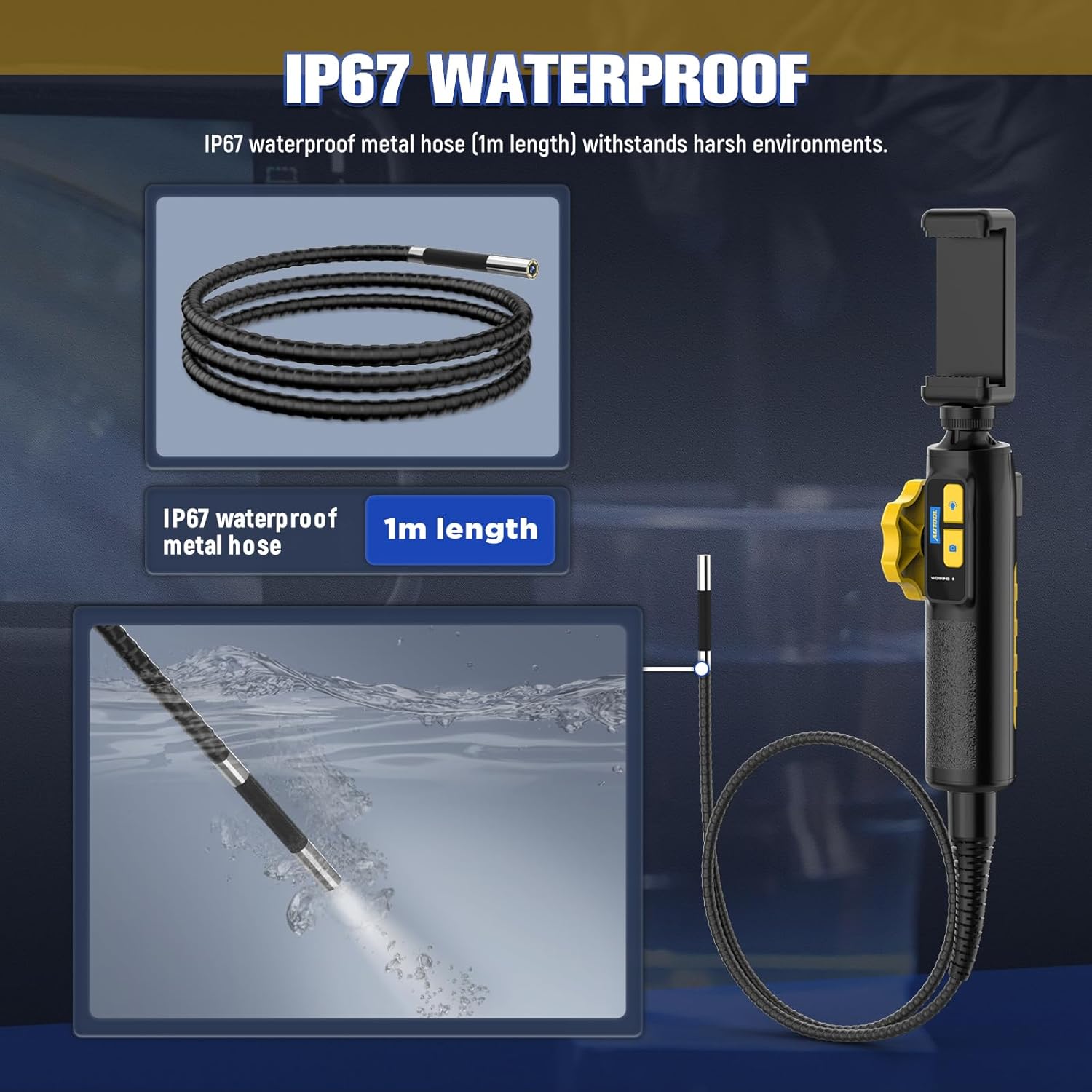
The IP67 waterproof metal hose (1m length) is designed to withstand harsh environments, as demonstrated by its submersion capability.

The borescope features a high-temperature alert system that protects the device by cutting video signals. It is powered by a 2000mAh rechargeable battery.

The device supports multilingual settings, including English, French, German, Italian, Spanish, Chinese, and Japanese.
3. Шта је у кутији
Након отварања паковања, проверите да ли су присутне све следеће компоненте:
- AUTOOL SVB302 Borescope Unit (Handle with integrated camera cable)
- Заштитна торбица за ношење
- УСБ кабл за пуњење
- Кориснички приручник (овај документ)

The AUTOOL SVB302 borescope, its protective carrying case, and included cables.
4. Водич за подешавање
- Преузмите апликацију: Scan the QR code on the device or search for "JCAM Pro" or "JCAM" in your device's app store (iOS App Store for Apple, Google Play Store for Android) and install the application.
- Инсталирајте свој телефон: Securely place your smartphone into the adjustable phone holder on the borescope handle. The holder is designed to fit screens from 3.5 to 6.3 inches (5.5-10.5 cm / 2.1-4.1 inches).
- Повежите се са телефоном: Connect the borescope to your smartphone using the appropriate USB cable (Lightning for iOS, USB-C for Android).
- Укључено: Long press the power button on the borescope handle to turn on the device.
- Отворите апликацију: Launch the JCAM app on your smartphone. The live video feed from the borescope camera should appear automatically.

Instructions for downloading the JCAM app from the respective app stores for iOS and Android devices.

The phone holder's adjustable range, accommodating phones from 5.5cm (2.1 inches) to 10.5cm (4.1 inches).
Official product video demonstrating the setup process, including app download, phone installation, connection, power-on, and initial use of the borescope's articulating lens and features.
5. Упутство за употребу
5.1 Articulating the Camera
Use the rotation wheel on the handle to control the two-way articulation of the camera lens. This allows you to navigate bends and view the narrowed interior in all directions without needing to reposition the entire probe.
5.2 Подешавање ЛЕД светла
Press the light control button on the handle to cycle through the three brightness levels of the LED lights. Select the appropriate brightness for optimal visibility in different inspection areas.
5.3 Снимање фотографија и видео записа
Press the photo/video button on the handle to capture still images or start/stop video recording directly through the app. Captured media will be saved to your connected smartphone.
5.4 ViewСнимање снимљених медија
Access the gallery or playback section within the JCAM app to review ваше снимљене фотографије и видео снимке.
6. Одржавање
- Чишћење: Након сваке употребе, посебно у прљавом или влажном окружењу, нежно обришите сонду камере и кабл меком,amp cloth. For stubborn dirt, a mild, non-abrasive cleaner can be used. Ensure the probe is dry before storage.
- Складиштење: Store the borescope and its accessories in the provided protective carrying case in a cool, dry place, away from direct sunlight and extreme temperatures.
- Одржавање батерије: To prolong battery life, charge the device regularly, even if not in frequent use. Avoid fully discharging the battery for extended periods.
- Заштита од температуре: The device is equipped with a high-temperature alert system. If the operating temperature exceeds 80°C (176°F), the video signal may be cut to prevent damage. Allow the device to cool down before resuming operation.
КСНУМКС. Решавање проблема
- Нема слике на екрану:
- Ensure the borescope is properly connected to your smartphone.
- Verify the borescope is powered on (long press the power button).
- Check if the JCAM app is open and has necessary permissions.
- Try restarting both the borescope and the app. - Лош квалитет слике:
- Adjust the LED brightness using the light control button.
- Clean the camera lens if it appears smudged or dirty.
- Ensure the camera is within the optimal depth of field (1.18-3.94 inches). - Прегревање уређаја:
- If the high-temperature alert activates, immediately cease operation and allow the device to cool down in a well-ventilated area. Do not use until it has returned to a safe operating temperature. - Батерија се не пуни:
- Ensure the USB charging cable is securely connected to both the borescope and a power source.
- Try a different USB port or power adapter.
8. Спецификације производа
| Феатуре | Спецификација |
|---|---|
| Број модела | SVB302 |
| Пречник камере | 0.25 инча (6.45 мм) |
| Резолуција | 1280*720 (720p HD) |
| Дубина поља | 1.18 - 3.94 inches (30-100mm) |
| Угао од View | 70° |
| Articulating Angle | Max. 210° (Two-way) |
| Радијус савијања | 1.38 инча (35 мм) |
| Цабле Ленгтх | 1 метар |
| Водоотпорни ниво | ИП67 |
| Извор светлости | 6 Highlight LEDs (3-stage adjustable brightness) |
| Капацитет батерије | Литијум полимер 2000мАх |
| Оперативно време | 2-3 сати |
| УСБ интерфејс | УСБ 2.0 |
| Оперативно окружење | -10°Ц до 80°Ц |
| Влажност | 15-90% |
| Заштита од високе температуре | Intelligent protection, automatic shutdown |
9. Гаранција и подршка
9.1 Информације о гаранцији
The AUTOOL SVB302 Borescope comes with a 3 година гаранције од датума куповине, покривајући производне недостатке и кварове при нормалној употреби. Молимо вас да сачувате доказ о куповини за потребе гаранције.
9.2 Корисничка подршка
For technical assistance, troubleshooting, or warranty inquiries, please contact AUTOOL customer support through their official webсајт или контакт информације које сте добили уз паковање производа. Такође можете посетити AUTOOL Store on Amazon за више информација.
Ask a question about this manual
Ask about setup, troubleshooting, compatibility, parts, safety, or missing instructions. Manuals+ will review the question and use this page’s manual context to help answer it.