
1. Увод
This manual provides comprehensive instructions for the safe and efficient use of your NEC VKT16XZG5 laptop. Please read this manual thoroughly before using the product and retain it for future reference. This laptop is equipped with Windows 11, an Intel Core i5-8th Generation processor, and solid-state drive (SSD) storage, designed for general computing tasks.
2. Безбедносне информације
Observe the following safety precautions to prevent damage to the laptop or injury to yourself.
- Не излажите лаптоп екстремним температурама, директној сунчевој светлости или високој влажности.
- Избегавајте стављање тешких предмета на лаптоп.
- Држите течности даље од лаптопа како бисте спречили струјни удар или оштећења.
- Користите само приложени АЦ адаптер или компатибилну замену.
- Не покушавајте сами да растављате или поправљате лаптоп. Обратите се квалификованом сервисеру.
- Обезбедите одговарајућу вентилацију како бисте спречили прегревање. Не блокирајте отворе за вентилацију.
3. Садржај пакета
Проверите да ли су све ставке присутне у пакету:
- NEC VKT16XZG5 Laptop
- АЦ адаптер
- Security Zero License Card
- 64GB USB Recovery Storage
- Digital Recovery Manual (pre-saved on the laptop)

Image: 64GB USB Recovery Storage device. This USB drive contains essential recovery files for your laptop.

Image: ZERO Security software box. A license card for this security software is included.
4. Производ је готовview
Familiarize yourself with the components of your NEC VKT16XZG5 laptop.
4.1 Врх View (Keyboard and Touchpad)

Слика: Врх view of the NEC VKT16XZG5 laptop. This image highlights the Japanese keyboard layout and the integrated touchpad for navigation.
- тастатура: Standard Japanese layout for text input.
- Тоуцхпад: For cursor control and gesture input.
- Дугме за напајање: Located above the keyboard, typically on the right side.
4.2 Exterior Design and Durability
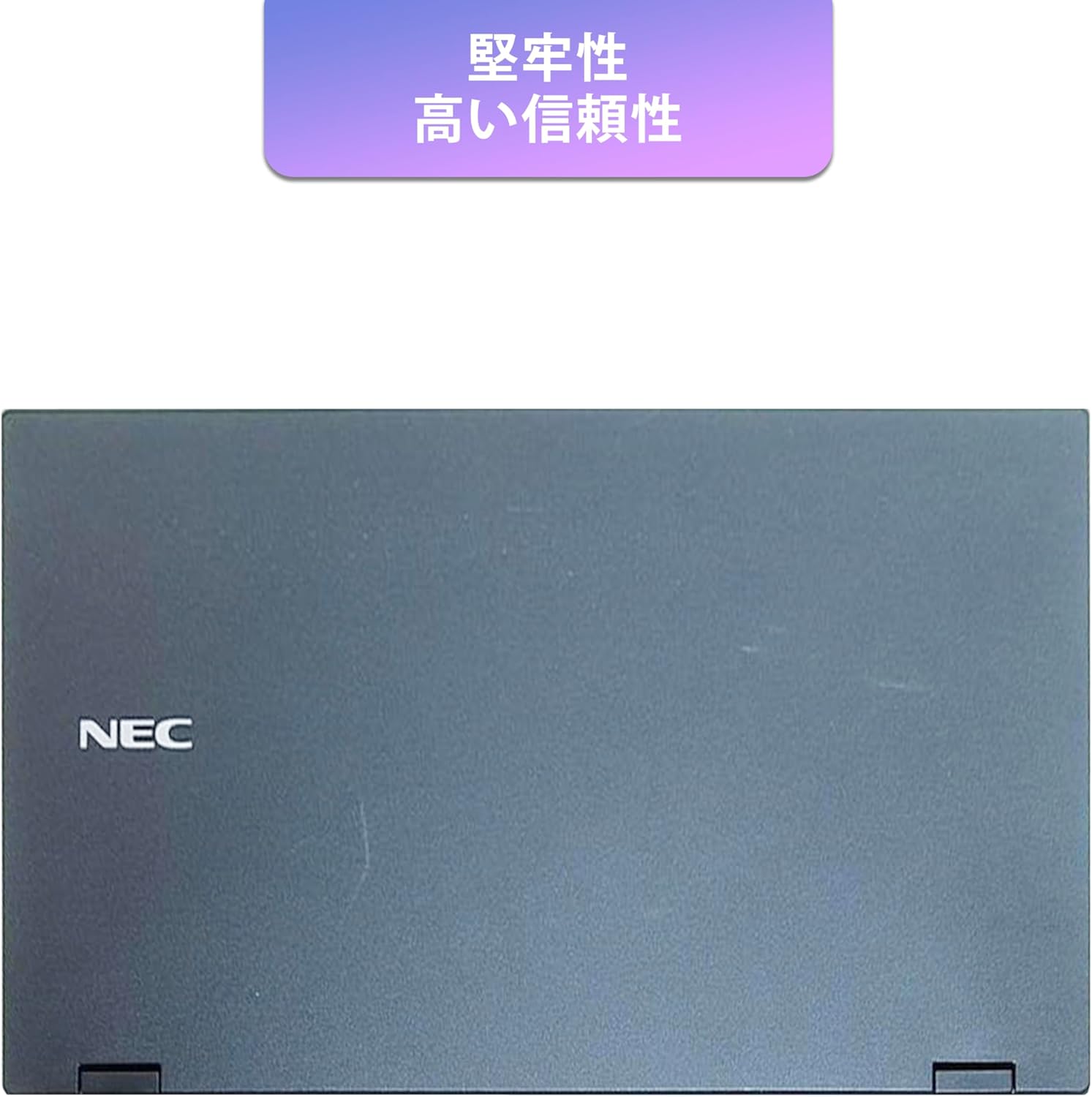
Image: Closed NEC VKT16XZG5 laptop, top casing. The design emphasizes durability and high reliability.
The laptop features a robust casing designed for durability and reliable performance.
4.3 Integrated Camera and Battery Life

Слика: Са стране view of the open NEC VKT16XZG5 laptop. This view indicates the presence of an integrated camera and highlights the laptop's long battery life capability.
- Интегрисана камера: Located at the top center of the display for video conferencing and other applications.
- батерија: Designed for extended usage on a single charge.
4.4 Карактеристике перформанси

Слика: Са стране view of the open NEC VKT16XZG5 laptop. This image emphasizes the Intel Core i5-8th Generation processor and the high-speed SSD for enhanced performance.
- ЦПУ: Intel Core i5-8th Generation processor for efficient multitasking.
- ССД: High-speed Solid State Drive for faster boot times and application loading.
5. Подешавање
Follow these steps for initial setup of your laptop:
- Raspakujte: Пажљиво извадите лаптоп и сву додатну опрему из паковања.
- Прикључите напајање: Прикључите АЦ адаптер у прикључак за напајање лаптопа, а затим у зидну утичницу.
- Почетно укључивање: Open the laptop lid and press the power button. The laptop will begin the Windows 11 setup process.
- Виндовс подешавање: Follow the on-screen prompts to configure Windows 11, including language, region, network connection, and user account creation.
- WPS Office Activation: Your laptop comes with WPS Office pre-installed. Use the provided license card to activate the software upon first use.
- Security Software Installation: Install the included ZERO Security software using the license card for protection against malware.

Image: Laptop screen displaying information about the WPS Office 2 license card. This indicates that WPS Office is ready for use immediately after activation.
6. Упутство за употребу
This section covers basic operation of your NEC VKT16XZG5 laptop.
6.1 Укључивање/искључивање
- Укључено: Притисните дугме за напајање.
- Искључи: Кликните на дугме Старт у оперативном систему Windows, а затим изаберите Напајање > Искључи.
- Поново покрени: Кликните на дугме Старт, а затим изаберите Напајање > Рестарт.
- спавање: Затворите поклопац или кликните на дугме Старт, а затим изаберите Напајање > Спавање.
6.2 Коришћење тастатуре и тачпеда
- тастатура: Type text and use function keys (Fn) for special commands (e.g., volume, brightness).
- Тоуцхпад: Move your finger across the surface to control the cursor. Tap to click, use two fingers to scroll.
6.3 Повезивање на Ви-Фи
- Кликните на икону Wi-Fi мреже у траци задатака.
- Изаберите жељену мрежу са листе.
- Унесите безбедносни кључ мреже (лозинку) ако се то од вас затражи.
- Кликните на „Повежи се“.
6.4 Using the DVD-ROM Drive
- Притисните дугме за избацивање на уређају да бисте отворили лежиште.
- Place a DVD or CD onto the tray, ensuring it is seated correctly.
- Gently push the tray back into the laptop.
- The disc content should appear in File Екплорер.
7. Одржавање
Правилно одржавање осигурава дуготрајност и перформансе вашег лаптопа.
- Чишћење: Користите меку крпу која не оставља влакна за чишћење екрана и спољашњости. За тврдокорне мрље, дampБлаго навлажите крпу водом или средством за чишћење екрана. Избегавајте јаке хемикалије.
- Одржавање батерије: To maximize battery life, avoid fully discharging the battery frequently. Store the laptop in a cool, dry place if not used for extended periods.
- Ажурирања софтвера: Редовно проверавајте и инсталирајте ажурирања за Windows и ажурирања драјвера како бисте осигурали стабилност и безбедност система.
- Функција опоравка: Your laptop includes a recovery area and a 64GB USB recovery storage. In case of system issues, refer to the digital recovery manual saved on your laptop for instructions on how to restore the system.

Image: Laptop screen displaying information about the recovery area, large capacity USB storage for recovery, and the performance benefits of the high-speed SSD.
КСНУМКС. Решавање проблема
Овај одељак се бави уобичајеним проблемима на које можете наићи.
| Проблем | Могуће решење |
|---|---|
| Лаптоп се не укључује. | Ensure the AC adapter is securely connected to both the laptop and a working power outlet. Check if the power outlet is functional. Try charging the battery for a while before attempting to power on again. |
| Нема Ви-Фи везе. | Check if Wi-Fi is enabled in Windows settings. Ensure your router is working correctly. Try restarting the laptop and the router. Verify the Wi-Fi password. |
| Лаптоп ради споро. | Close unnecessary applications. Check for background processes consuming high resources (Task Manager). Ensure Windows and drivers are up to date. Run a virus scan using the ZERO Security software. |
| Тастатура или тачпед не реагују. | Поново покрените лаптоп. Проверите да ли постоје физичке препреке. Уверите се да су драјвери ажурирани. |
9. Спецификације
Detailed technical specifications for the NEC VKT16XZG5 laptop.
| Феатуре | Спецификација |
|---|---|
| Бранд | НЕЦ |
| Назив модела | VKT16XZG5 |
| Величина екрана | 15.6 инча |
| Дисплаи Типе | ЛЕД |
| Max Display Resolution | 1366x768 пиксела |
| Хард диск капацитета | 256 GB (SSD) |
| ЦПУ модел | Intel Core i5-8th Generation |
| Брзина процесора | 1.6 GHz (Max 3.9 GHz) |
| Процесор Цоунт | 4 |
| Величина инсталиране РАМ меморије | 8 ГБ / 16 ГБ |
| Технологија РАМ меморије | ДДР4 |
| Оперативни систем | Виндовс 11 |
| Грапхицс Цопроцессор | Интел УХД графика 620 |
| Optical Storage Device | ДВД-РОМ |
| Вирелесс Типе | Bluetooth, Wireless LAN |
| Комуникациони интерфејс | УСБ |
| Димензије артикла (ДкШкВ) | 37.6 к 25.4 к 2.5 цм |
| Опис тастатуре | JP (Japanese) |
| Укључене компоненте | AC Adapter, Security Zero License Card, 64GB USB Recovery Storage |
| Тип батерије | Литхиум Ион |
| Батерија ват сати | 45 ватних сати |
| Release Year/Model Year | 2019 |
10. Гаранција и подршка
Your NEC VKT16XZG5 laptop comes with a warranty to ensure your peace of mind.
- Гарантни период: 6 months of free repair service from the date of purchase.
- Политика замене: If a repair is not possible, the product will be replaced with an equivalent item.
- For technical support or warranty claims, please refer to the contact information provided at the point of purchase or on the official NEC support webсајту.