
ASMAX ASMAXF1DP01
Упутство за употребу ASMAX F1 Bluetooth слушалица за мотоцикле
Model: ASMAX F1
1. Увод
The ASMAX F1 Motorcycle Bluetooth Headset is an advanced communication system designed for motorcyclists. It features Bluetooth 5.3 technology, supporting up to 10 riders with a communication range of up to 1.8km. The F1 offers dual intercom modes (Free and Group Mesh), voice control, superior sound quality with ENC noise reduction, and an IP67 waterproof rating. Its magnetic mounting system and fast-charging capabilities ensure convenience and reliability for all your rides.
2. Безбедносне информације
- Увек дајте приоритет безбедности у саобраћају. Не користите уређај на начин који вас одвлачи од вожње.
- Пре вожње се уверите да су слушалице безбедно причвршћене за кацигу.
- Adjust volume levels to ensure you can still hear ambient traffic sounds.
- Не покушавајте да растављате или модификујете уређај, јер то може поништити гаранцију и представљати безбедносне ризике.
- Држите уређај даље од екстремних температура и директне сунчеве светлости.
- Charge the device using only the provided cable and a compatible power source.
3. Садржај пакета
Проверите да ли су све ставке присутне у вашем пакету:
- ASMAX F1 Bluetooth Headset Unit(s)
- Speaker and Microphone Kit(s)
- Magnetic Mounting Base(s)
- USB Charging Cable(s)
- Упутство за употребу
- Mounting Accessories (e.g., adhesive pads, clips)

Image: ASMAX F1 Headset and included accessories.
4. Производ је готовview
4.1 Компоненте
The ASMAX F1 unit features a sleek design with an illuminated cross-shaped indicator. It is designed for easy attachment to most motorcycle helmets.

Image: ASMAX F1 Bluetooth Headset units.
4.2 Контроле и индикатори
The ASMAX F1 is equipped with intuitive controls and indicators for ease of use while riding.
- Дугме за интерфон: Initiates and manages intercom connections.
- Дугмад за јачину звука +/-: Подешава јачину звука.
- Функцијско дугме: Multi-purpose button for various operations.
- ЛЕД индикатор: Displays device status (e.g., power, pairing, charging).
- Контрола гласом: Activates functions using voice commands (e.g., "Hi Max").

Image: ASMAX F1 controls and helmet compatibility.
5. Подешавање
5.1 Инсталација на кацигу
The ASMAX F1 features a magnetic mounting system for easy and secure attachment to your helmet.
- Choose a suitable location on the side of your helmet, typically on the left side, ensuring it does not obstruct your vision or helmet functionality.
- Clean the helmet surface thoroughly where the mounting base will be attached.
- Attach the magnetic mounting base to the helmet using the provided adhesive pad or clamp. Ensure it is firmly secured.
- Insert the speakers into the helmet's ear pockets. Ensure they are positioned directly over your ears for optimal sound.
- Route the microphone boom or wired microphone to a position near your mouth, ensuring clear voice pickup and minimal wind noise.
- Connect the speaker and microphone cables to the ASMAX F1 unit.
- Attach the ASMAX F1 unit to the magnetic mounting base. The strong magnet will secure it in place.
5.2 Почетно пуњење
Before first use, fully charge the ASMAX F1 unit. The 1250mAh battery supports fast charging.
- Connect the provided USB charging cable to the ASMAX F1 unit's charging port.
- Повежите други крај кабла са УСБ адаптером за напајање (није укључен) или УСБ портом рачунара.
- The LED indicator will show charging status. Once fully charged, the indicator will change (refer to specific LED behavior in the full manual).
- Уређај се може пунити док је у употреби.
6. Упутство за употребу
6.1 Укључивање/искључивање
- Укључено: Press and hold the Function Button for approximately 3 seconds until the LED indicator lights up and you hear a voice prompt.
- Искључивање: Press and hold the Function Button for approximately 3 seconds until the LED indicator turns off and you hear a voice prompt.
6.2 Bluetooth Pairing with Mobile Device
The ASMAX F1 uses Bluetooth 5.3 for stable connections.
- With the ASMAX F1 powered off, press and hold the Function Button for approximately 5-7 seconds until the LED indicator flashes rapidly (usually blue/red alternating), indicating pairing mode.
- На мобилном телефону омогућите Bluetooth и потражите нове уређаје.
- Select "ASMAX F1" from the list of available devices.
- Once paired, the LED indicator will change (e.g., slow blue flashes) and you will hear a confirmation tone.

Image: Universal pairing capability of ASMAX F1.
6.3 Intercom Modes
The ASMAX F1 supports various intercom modes for group communication.
- Слободан режим: For spontaneous connections within range. Up to 10 riders can join instantly.
- Group Mode (MESH Communication): For private conversations with a team of up to 10 riders. Supports 1-on-1 chats within the group.
- CloudTalk Mode: (Requires app update) Supports cross-brand cloud intercom for up to 50 people, anywhere with a mobile network.

Image: ASMAX F1 10-Rider Mesh Group Intercom.
6.4 Управљање гласом
Activate voice commands by saying "Hi Max" followed by your command. This allows for hands-free operation.
- "Hi Max, Music On"
- "Hi Max, Next Track"
- "Hi Max, Volume Up/Down"
- "Hi Max, Answer The Phone"
- "Hi Max, End Intercom"
- "Hi Max, Phone Pairing"
- "Hi Max, Group Mesh"
- "Hi Max, Free Mode"

Image: ASMAX F1 Voice Control feature.
6.5 Аудио Мултитаскинг
The ASMAX F1 allows for simultaneous audio streams, such as listening to music while receiving navigation instructions or participating in an intercom conversation.

Image: ASMAX F1 Audio Multitasking.
7. Одржавање
- Чишћење: Обришите јединицу меком крпом, дamp тканина. Немојте користити јаке хемикалије или абразивна средства за чишћење.
- Складиштење: Чувајте уређај на хладном и сувом месту када се не користи.
- Одржавање батерије: За оптималан век трајања батерије, избегавајте често потпуно пражњење батерије. Редовно је пуните.
- Отпорност на воду: The ASMAX F1 is IP67 waterproof. While it can withstand rain and splashes, avoid prolonged submersion.

Image: ASMAX F1 IP67 Waterproof feature.
КСНУМКС. Решавање проблема
| Проблем | Могући узрок | Решење |
|---|---|---|
| Уређај се не укључује. | Ниска батерија. | У потпуности напуните уређај. |
| Не може се упарити са телефоном. | Уређај није у режиму упаривања; Блутут је искључен на телефону. | Ensure device is in pairing mode (flashing LED). Turn on phone's Bluetooth. Forget previous pairings on phone. |
| Проблеми са интерфонском везом. | Out of range; interference; incorrect mode. | Ensure units are within range. Check for obstacles. Verify correct intercom mode (Free/Group). |
| Лош квалитет звука / Шум. | Microphone position; speaker placement; high speed. | Adjust microphone closer to mouth. Ensure speakers are aligned with ears. ENC noise reduction works best with visor closed at high speeds. |
| Voice commands not responding. | Microphone issue; noisy environment; incorrect command. | Ensure microphone is clear. Speak clearly. Try again in a quieter environment. Refer to voice command list. |
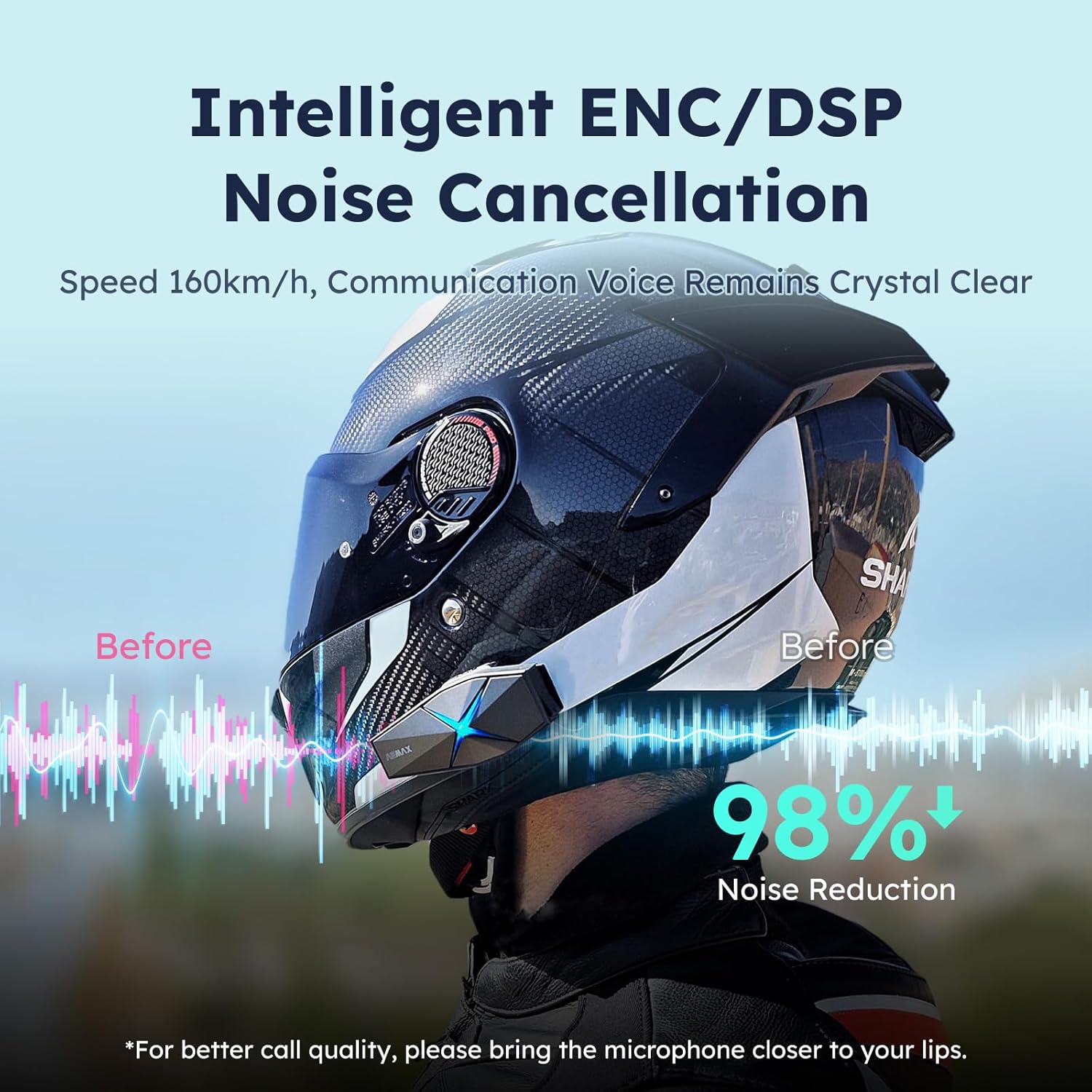
Image: ASMAX F1 Noise Cancellation technology.
9. Спецификације
| Феатуре | Детаљ |
|---|---|
| Назив модела | ASMAX F1 (F1 DP) |
| Блуетоотх верзија | 5.3 |
| Интерцом Ранге | Up to 1.8 km (10 riders) |
| Капацитет батерије | 1250мАх |
| Пуњење | Fast Charging, USB |
| Водоотпорна оцена | ИП67 |
| Контрола буке | Active Noise Cancellation (ENC/DSP) |
| Воице Цонтрол | "Hi Max" commands |
| Аудио карактеристике | Audio Multitasking, Superior Sound Quality |
| Димензије | Approx. 86mm x 36mm x 23.6mm (unit) |
| Тежина | Approx. 50g (unit) |
| Постављање уха | Ин Еар |
| Импеданса | 32 Охм |
| Осетљивост | 105 дБ |
| Фреквенцијски одзив | 20 Хз (минимум) |

Image: ASMAX F1 Dual-Chip Octa-Core technology.
10. Гаранција и подршка
ASMAX products come with a standard manufacturer's warranty. For specific warranty terms and conditions, please refer to the warranty card included in your product packaging or visit the official ASMAX webсајту.
For technical support, troubleshooting assistance, or any inquiries regarding your ASMAX F1 headset, please contact ASMAX customer service through their official channels. Contact information can typically be found on the ASMAX webсајту или у паковању производа.
Regularly check the ASMAX website or app for firmware updates to ensure optimal performance and access to new features, such as CloudTalk Mode.