
Увод
Хвала вам на куповиниasing the Timex TW5M60900 Activity Tracker Watch. This digital quartz watch combines classic Timex reliability with essential activity tracking features. This manual provides detailed instructions to help you set up, operate, maintain, and troubleshoot your new watch, ensuring you get the most out of its functionalities, including time display, date, and basic activity monitoring.
Сетуп
1. Initial Power On & Battery Activation
Your watch is powered by a CR2032 battery. If the display is blank upon unboxing, check for a plastic battery saver tab protruding from the side of the watch. Gently pull and remove this tab to activate the battery. The watch display should then illuminate.
2. Подешавање времена и датума
- Locate the 'MODE' button (typically on the left side) and the 'SET' or 'ADJUST' button (often on the right side).
- Press the 'MODE' button repeatedly until the time setting mode is displayed, usually indicated by flashing digits.
- Use the 'SET' or 'ADJUST' button to change the flashing hour. Press 'MODE' again to advance to minutes, then seconds, and finally the date (month, day, year).
- Once all settings are correct, press the 'MODE' button one last time to exit the setting mode.
3. Ношење сата
For accurate activity tracking, wear the watch snugly on your wrist, about one finger's width above your wrist bone. Ensure it is not too tight to restrict circulation, nor too loose to slide freely.
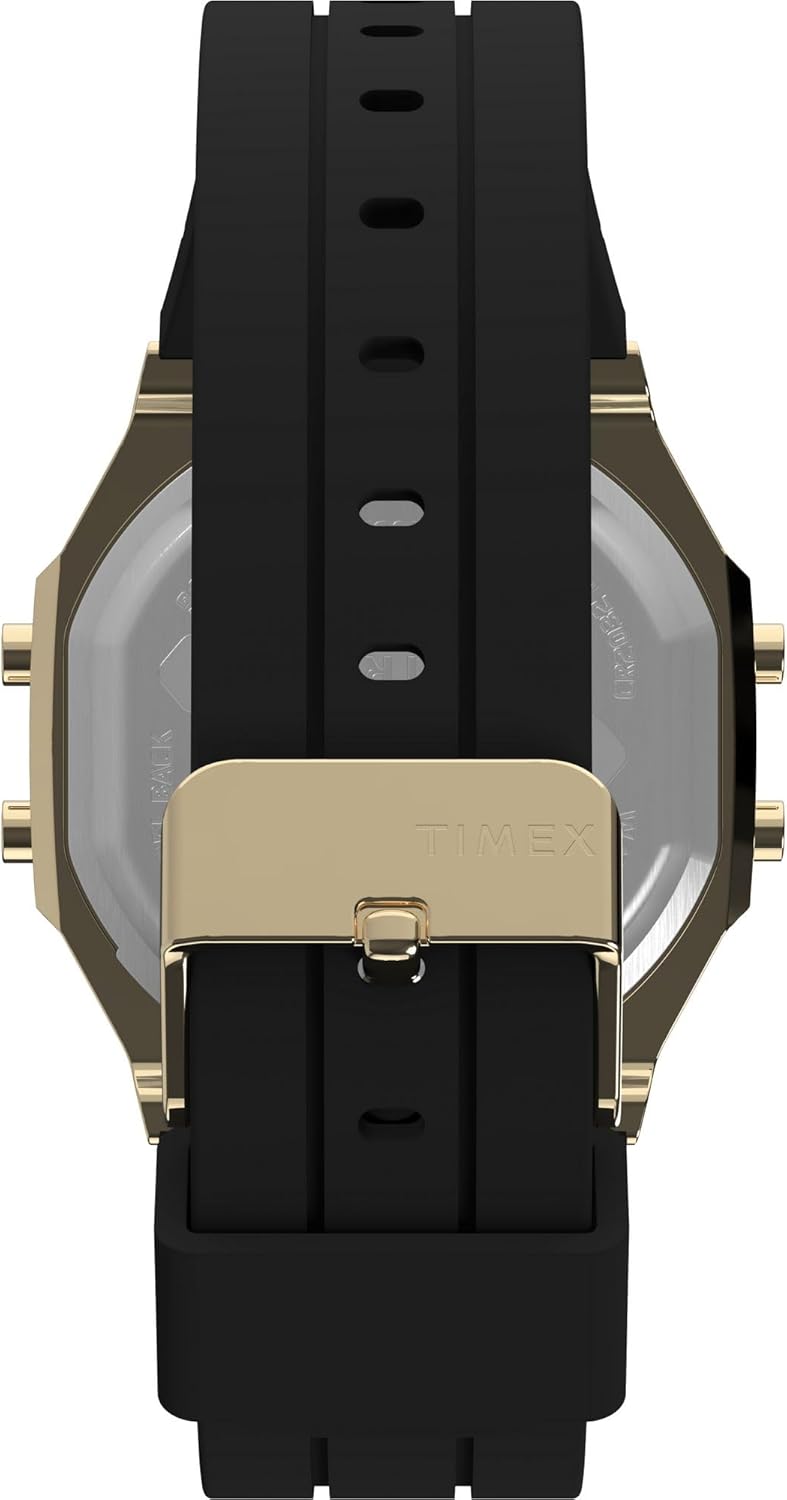
Image: The black silicone strap with a gold-tone buckle, designed for a secure and comfortable fit on the wrist.
Упутство за употребу
1. Функције дугмета
Your Timex TW5M60900 watch typically features multiple buttons for navigation and function control:
- Дугме МОДЕ: Cycles through different display modes (Time, Date, Stopwatch, Alarm, Activity Tracker).
- SET/ADJUST Button: Used to enter setting modes and adjust values (e.g., hours, minutes, date).
- Дугме СТАРТ/СТОП: Activates and pauses functions like the stopwatch or timer.
- Дугме ЛИГХТ: Activates the Indiglo backlight for improved visibility in low light conditions.

Слика: Са стране view of the watch, highlighting the gold-tone case and the functional buttons on the side, used for navigating modes and settings.
2. Навигација кроз режиме приказа
Press the 'MODE' button to cycle through the available display screens. Common modes include:
- Приказ времена: Shows current time (hours, minutes, seconds) and often the day of the week.
- Приказ датума: Приказује месец, дан и годину.
- Штоперица: For timing events. Use 'START/STOP' to begin/pause and 'RESET' (often a long press of 'SET') to clear.
- Аларм: Подесите дневне аларме.
- Праћење активности: Displays your daily activity data.

Слика: Фронт view of the Timex TW5M60900 watch, showcasing its black digital display within a rectangular gold-tone brass case.
Activity Tracking Features
The Timex TW5M60900 includes basic activity tracking capabilities to help you monitor your daily movement.
1. Viewing Activity Data
Press the 'MODE' button until you reach the 'ACTIVITY TRACKER' display. This mode typically shows:
- Кораци: Your total steps taken for the day.
- Удаљеност: Estimated distance covered based on your steps.
- Калорије: Процењене сагореле калорије.
2. Resetting Activity Data
Activity data typically resets automatically at midnight. If you need to manually reset your daily activity, consult the specific instructions for your watch model, usually involving a long press of the 'SET' or 'MODE' button while in the activity tracking display.
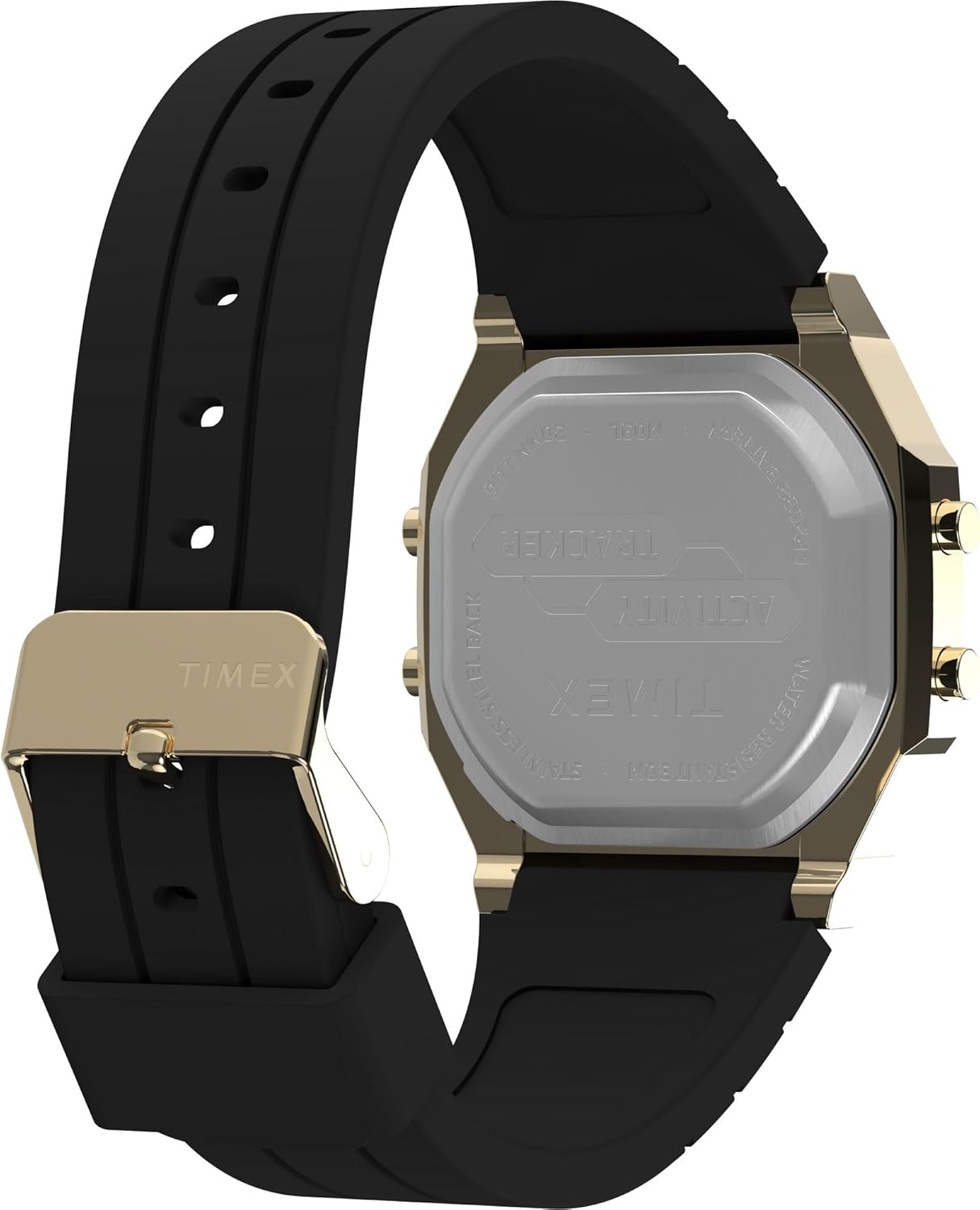
Image: The back of the watch, made of stainless steel, clearly engraved with 'TIMEX', 'ACTIVITY TRACKER', 'WATER RESISTANT 30M', and 'CR2032 BATTERY'.
Одржавање
1. Чишћење сата
Да бисте одржали изглед и функционалност вашег сата:
- Wipe the case and crystal with a soft, damp тканина.
- For the silicone strap, use mild soap and water, then rinse thoroughly and dry.
- Избегавајте јаке хемикалије или абразивна средства за чишћење.
2. Отпорност на воду
Your watch is marked as 'WATER RESISTANT 30M'. This means it is suitable for splashes, rain, or brief immersion in water. It is не recommended for swimming, showering, or diving. Do not operate buttons while the watch is wet.
3. Замена батерије
The watch uses a CR2032 battery. When the display dims or functions become erratic, it's time to replace the battery. It is recommended to have the battery replaced by a qualified watch technician to ensure proper sealing and maintain water resistance.
Решавање проблема
Ако наиђете на проблеме са сатом, погледајте следећа уобичајена решења:
- Display is Blank or Dim: Check if the battery saver tab has been removed. If so, the battery may need replacement.
- Нетачно време/датум: Re-enter the time and date setting mode and adjust as per the 'Setup' section.
- Activity Data Inaccurate: Ensure the watch is worn snugly on your wrist. Movement patterns can affect accuracy. Try resetting the activity data.
- Дугмад не реагују: Ensure no debris is lodged around the buttons. If the issue persists, a soft reset (removing and reinserting the battery, if accessible, or a factory reset if available) might be necessary. Consult a professional if unsure.
Спецификације
| Број модела | ТВ5М60900 |
| Бранд | ТИМЕКС |
| Дисплаи Типе | Дигитал |
| Мовемент Типе | кварц |
| Материјал кућишта | Месинг |
| Цристал Материал | Акрил |
| Банд Материал | Силицоне |
| Тип копче | Копча |
| Пречник кућишта | 40 милиметара |
| Цасе Тхицкнесс | 10 милиметара |
| Отпорност на воду | 30 Meters (Splash Resistant) |
| Извор напајања | Напајање батеријама (CR2032) |
| Боја бирања | Црно |
| Банд Цолор | Црно |
Гаранција и подршка
Your Timex watch is covered by a limited warranty against manufacturing defects. Please refer to the warranty card included with your purchase for specific terms, conditions, and duration. For technical support, service, or warranty claims, please visit the official Timex website or contact their customer service department through the contact information provided in your product packaging.