
Производ је завршенview
The JTEMAN 360 Rotating Cell Phone Stand with Wireless Bluetooth Speaker with Light is a versatile device designed to enhance your mobile experience. It integrates a rotatable phone stand, a Bluetooth speaker, and an atmosphere light into a single unit. This manual provides detailed instructions for its setup, operation, and maintenance.
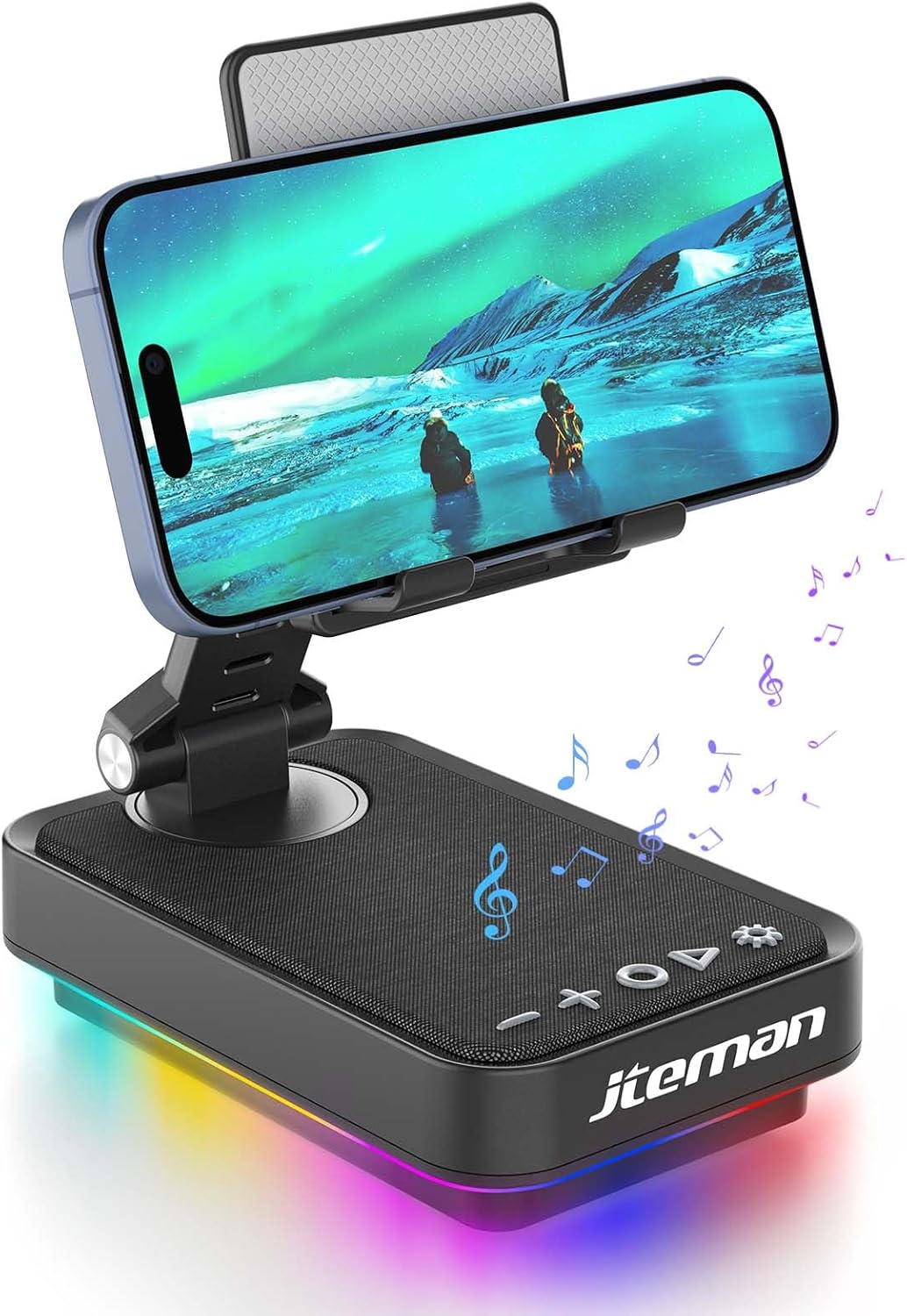
Figure 1: JTEMAN 360 Rotating Cell Phone Stand with Wireless Bluetooth Speaker with Light.
Укључене компоненте:
- Bluetooth Speaker (with integrated phone stand and light)
- Кабл типа Ц
- Упутство за употребу
Водич за подешавање
1. Распакивање и почетни преглед:
Carefully remove all components from the packaging. Inspect the device and accessories for any signs of damage. Ensure all listed components are present.
Video 1: Unboxing and initial setup of the JTEMAN phone stand and Bluetooth speaker.
2. Preparing the Phone Stand:
Before first use, locate and remove the silicone protective patch from the device's base. This patch protects the surface during shipping.
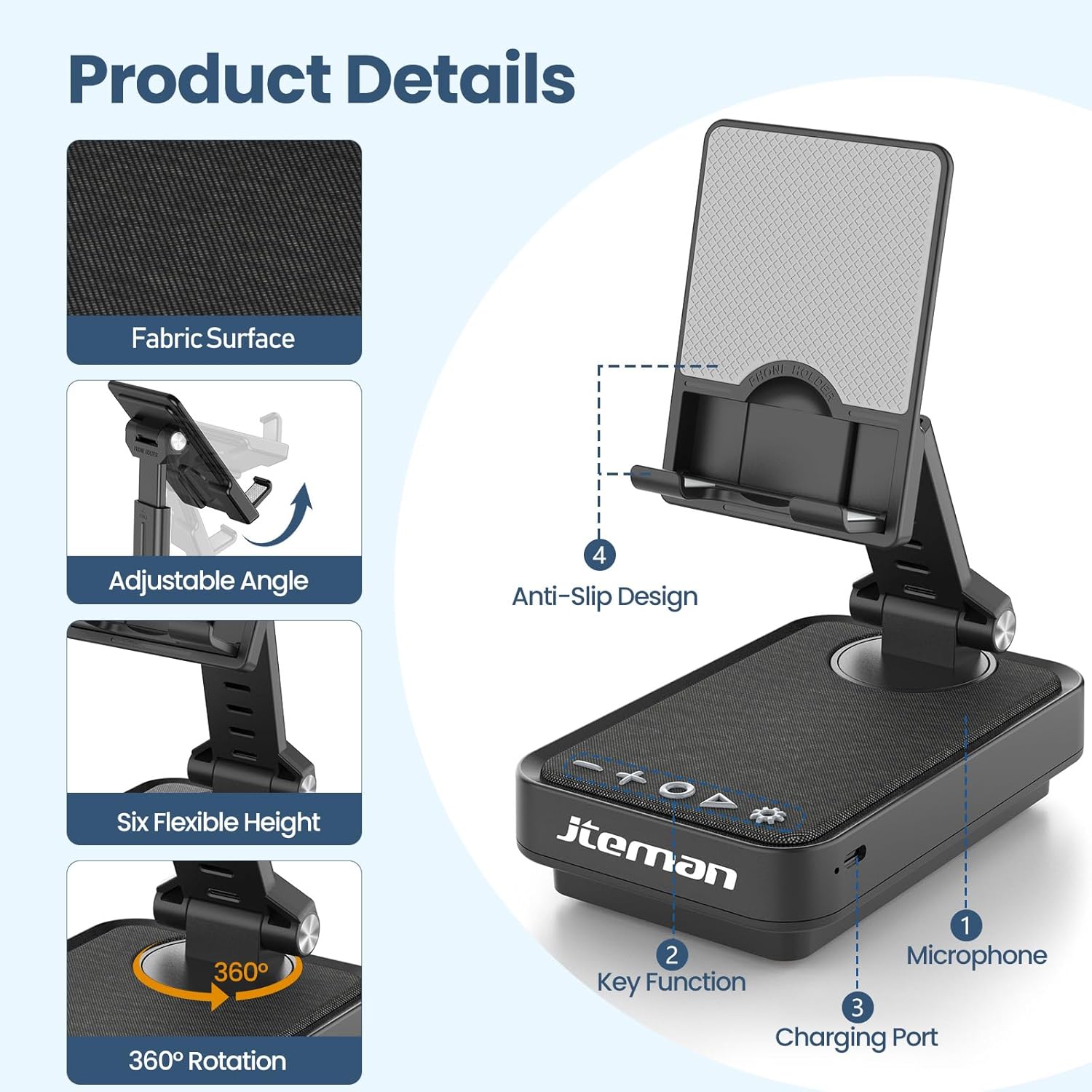
Figure 2: Product details and components. Note the anti-slip design and key functions.
3. Пуњење уређаја:
Connect the provided Type-C cable to the charging port on the device and the other end to a compatible USB power adapter (not included). The power indicator light will show red during charging and turn green when fully charged.
- црвено светло: Батерија се пуни.
- зелено светло: Батерија је потпуно напуњена.

Слика 3: Капацитет батерије и процењено време коришћења.
4. Блуетоотх упаривање:
- Long press the Power ON/OFF button (3) for 3 seconds to turn on the speaker. The speaker will enter pairing mode, indicated by a flashing blue light.
- On your smartphone or tablet, navigate to Bluetooth settings.
- Select "L39-1" from the list of available devices.
- Once connected, the blue light will become solid.

Figure 4: Bluetooth connection with a laptop, demonstrating wireless audio playback.
Упутство за употребу
Контролна табла је завршенаview:

Слика 5: Детаљно view контролне табле и њених функција.
- VOL- (1): Притисните да бисте смањили јачину звука.
- VOL+ (2): Притисните за појачавање јачине звука.
- Answer/Hang up/Play/Pause/Next (4):
- Кратак притисак за репродукцију/паузирање музике.
- Short press to answer/hang up calls.
- Дуго притисните да бисте прешли на следећу нумеру.
- Power ON/OFF (3):
- Притисните и држите 3 секунде да бисте укључили/искључили звучник.
- Double press to switch between Bluetooth and AUX modes.
- Short press to adjust the brightness of the atmosphere lights (4 levels).
- Atmosphere Light (5):
- Long press for 3 seconds to turn on/off the light.
- Short press to switch lighting mode (11 modes available, 3 modes sync with music).
- Микрофон (6): За позивање без употребе руку.
- Порт за пуњење (7): Type-C input for charging.
- Power Indicator Light (8): Shows charging status and Bluetooth connection status.
Phone Stand Adjustment:
The phone stand features 360° rotation and adjustable height and angle to suit various viewing needs. The anti-slip silicone pads ensure device stability.

Figure 6: The phone stand supports a wide range of devices, including smartphones and tablets (4-13 inches).
The stand is foldable for easy portability.

Figure 7: The foldable design allows for easy storage and transport.
Одржавање
Чишћење:
Wipe the device with a soft, dry cloth. Do not use abrasive cleaners, solvents, or harsh chemicals, as these may damage the surface or internal components. Avoid exposing the device to excessive moisture.
Складиштење:
When not in use for extended periods, store the device in a cool, dry place away from direct sunlight and extreme temperatures. Ensure the device is fully charged before storing to prolong battery life.
Одржавање батерије:
To maximize battery lifespan, avoid fully discharging the battery frequently. Charge the device regularly, even if not in constant use. Do not expose the battery to high temperatures.
Решавање проблема
| Проблем | Могући узрок | Решење |
|---|---|---|
| Уређај се не укључује. | Ниска батерија. | Пуните уређај помоћу приложеног Type-C кабла. |
| Не могу се повезати преко Bluetooth-а. | Bluetooth not enabled on device; speaker not in pairing mode; too far from speaker. | Ensure Bluetooth is enabled on your phone/tablet. Long press Power ON/OFF button to enter pairing mode (flashing blue light). Move device closer to the speaker. |
| Нема звука из звучника. | Volume too low; device not connected; AUX mode active. | Increase volume on both the speaker and your connected device. Verify Bluetooth connection. Double press Power ON/OFF button to switch to Bluetooth mode if in AUX mode. |
| Atmosphere lights not working. | Светла су искључена; батерија је празна. | Long press the Atmosphere Light button (5) to turn on. Charge the device. |
Спецификације
| Феатуре | Детаљ |
|---|---|
| Назив модела | Л39-1 |
| Тип монтаже | Таблетоп Моунт |
| Спеакер Типе | Сурроунд Соунд |
| Посебна карактеристика | ЛЕД светло |
| Препоручена употреба | За паметне телефоне или таблете |
| Компатибилни уређаји | Smartphone, Tablet (4-13 inches) |
| Тип контролера | Дугме, додир |
| Сурроунд Соунд Цханнел | 2.0 |
| Димензије производа | 5.3"Д к 3.5"Ш к 2.3"В |
| Је водоотпоран | ФАЛСЕ |
| Извор напајања | Баттери Поверед |
| Тип батерије | 1 литијум јон (укључено) |
| Тип аудио драјвера | Динамички возач |
| Бежично повезивање | Блуетоотх 5.3 |
| Максимална излазна снага звучника | 5 Ваттс |
| Фреквенцијски одзив | 1 КХз |
| Тежина артикла | 15.5 унци |
Информације о гаранцији
This JTEMAN product comes with a Једногодишња гаранција from the date of purchase. This warranty covers manufacturing defects and malfunctions under normal use. It does not cover damage caused by misuse, accidents, unauthorized modifications, or normal wear and tear.
Please retain your proof of purchase for warranty claims. For detailed warranty terms and conditions, refer to the official JTEMAN webсајту или контактирајте корисничку подршку.
Корисничка подршка
If you encounter any issues or have questions not covered in this manual, please contact JTEMAN customer support. Provide your product model number (L39-1) and a detailed description of the issue to assist our support team.
For the most up-to-date contact information, please visit the official JTEMAN webсајт: JTEMAN Store on Amazon