
1. Увод
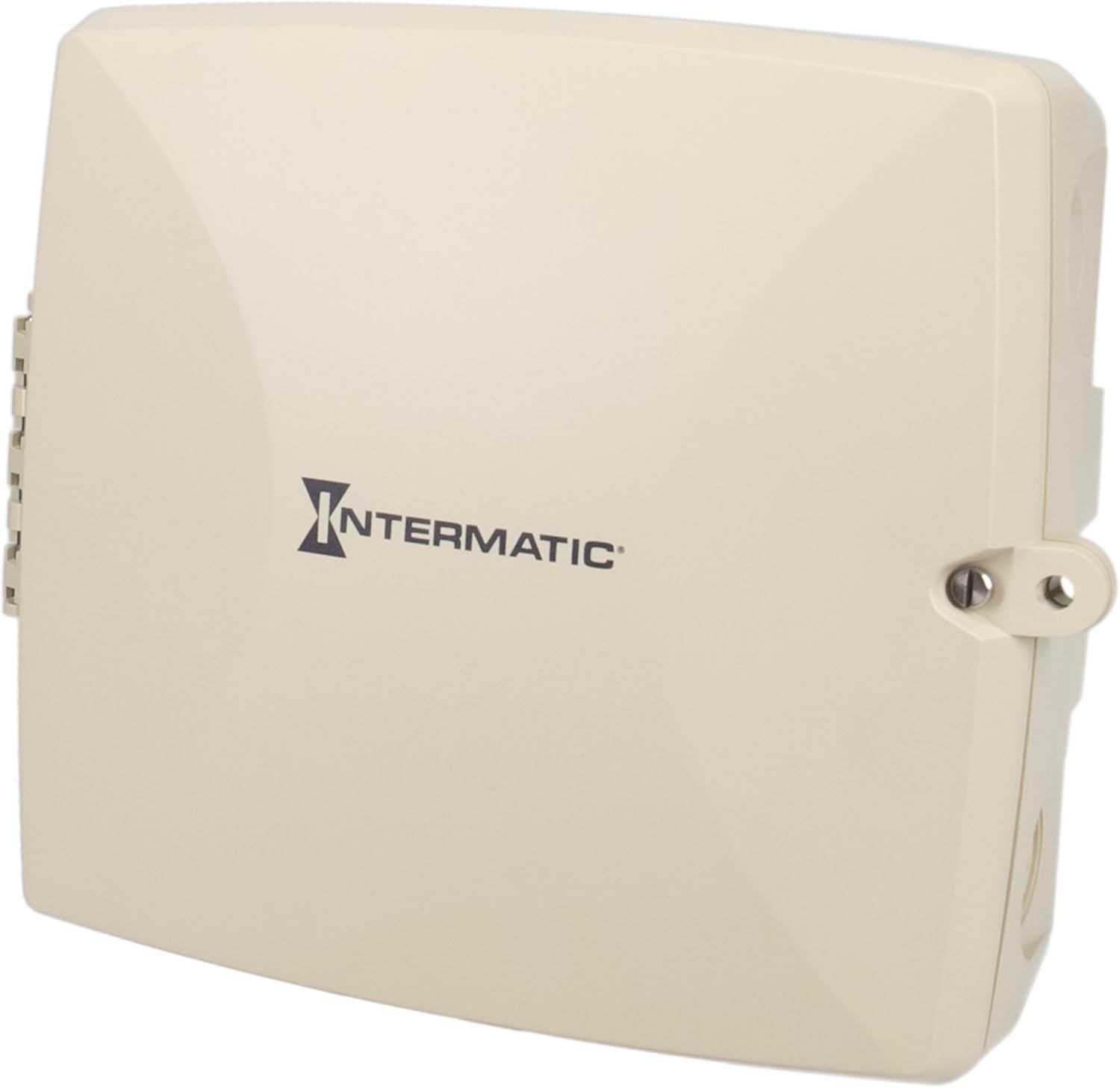
The Intermatic PE723P is a 7-day electronic Wi-Fi pool timer designed for automated control of pool and spa equipment. This device allows for precise scheduling of pumps, lighting, sanitizers, and auxiliary devices across two independent circuits. Remote management is available via the Intermatic Connect mobile application and voice control integration. The PE723P features a durable, weather-resistant enclosure and automatic voltage detection for versatile installation.
2. Важне информације о безбедности
WARNING: Risk of Electric Shock. Disconnect power at the circuit breaker or disconnect switch before installing or servicing this device.
- Инсталацију мора да изврши квалификовани електричар у складу са свим локалним и националним електричним прописима.
- Уверите се да је уређај правилно уземљен.
- Do not operate if the enclosure is damaged.
- Keep the enclosure door closed and secured when not servicing.
- This device is intended for outdoor use and is rated Type 3R for protection against rain, sleet, and external ice formation.
3. Садржај пакета
Пре почетка инсталације проверите да ли су све компоненте присутне:
- Intermatic PE723P Wi-Fi Pool Timer Unit
- Монтажни прибор (вијци, анкери)
- Упутство за употребу (овај документ)
4. Карактеристике производа
- 7-Day Digital Programming: Allows for up to 96 ON/OFF events per day.
- Ви-Фи повезивање: Remote control and scheduling via the Intermatic Connect mobile app.
- Контрола гласом: Compatible with Amazon Alexa for convenient operation.
- 2-Circuit Control: Independently manage two 30A circuits for various pool/spa equipment.
- Ауто-Волtagе Детекција: Automatically adjusts to 120–277 VAC (50/60 Hz) input.
- Издржљиво кућиште: Type 3R plastic enclosure for outdoor environments, operating from -40°F to 158°F.
- Трајна меморија: Retains programmed schedules during power outagес.
- ЛЕД индикатори статуса: Provides real-time feedback on device status and network connectivity.
5. Инсталација
5.1 Монтажа кућишта
The PE723P is designed for wall mounting. Select a suitable location near the pool/spa equipment, ensuring it is accessible for wiring and operation, and protected from direct sunlight if possible to prolong component life.
- Отворите врата кућишта.
- Mark the desired mounting points on the wall using the pre-drilled holes on the back of the enclosure as a template.
- Drill pilot holes and insert appropriate anchors if mounting into masonry or drywall.
- Secure the enclosure to the wall using the provided mounting screws.

Слика 1: Задња страна view of the PE723P enclosure, illustrating the mounting points for wall installation.
5.2 Wiring the Timer
WARNING: Ensure power is disconnected at the main breaker before proceeding with any wiring.
The PE723P features two independent circuits and auto-voltage detection. Refer to the internal wiring diagram and terminal block for correct connections.
- Route electrical conduits into the appropriate knockouts on the enclosure.
- Connect the incoming power supply (120-277 VAC) to the designated LINE terminals.
- Connect the load wires for Circuit 1 (e.g., pump) to the CIRCUIT 1 terminals.
- Connect the load wires for Circuit 2 (e.g., lights) to the CIRCUIT 2 terminals.
- Уверите се да су све везе чврсте и безбедне.
- Close and secure the enclosure door.

Слика 2: Унутрашњи view of the PE723P, showing the terminal block for power and load connections, along with control buttons and LED indicators.
Слика 3: Детаљан view of the PE723P's internal control panel, highlighting the MODE button, SERVICE, MANUAL, AUTO, and NETWORK LEDs, RESET button, and circuit control buttons.
6. Почетно подешавање и Wi-Fi веза
6.1 Укључивање
After completing all wiring, restore power to the timer at the circuit breaker. The timer will power on and the LED indicators will illuminate.
6.2 Intermatic Connect App Installation
- Преузмите Intermatic Connect апликацију из продавнице апликација на вашем мобилном уређају (iOS или Android).
- Направите налог или се пријавите ако га већ имате.
6.3 Повезивање на Ви-Фи
Follow the in-app instructions to add your PE723P timer to your Wi-Fi network. This typically involves:
- Placing the timer in pairing mode (often by pressing and holding the MODE button or a combination of buttons).
- Selecting your Wi-Fi network and entering the password within the app.
- The NETWORK LED on the timer will indicate connection status (e.g., blinking during pairing, solid green when connected).
The PE723P supports long-range Wi-Fi connectivity up to 180 ft (line of sight).
7. Операција
7.1 Распореди програма
All scheduling and programming are managed through the Intermatic Connect mobile app. The app allows you to:
- Set up to 96 ON/OFF events daily for each of the two circuits.
- Create custom 7-day schedules.
- Adjust schedules remotely from anywhere with an internet connection.
7.2 Ручна контрола
The PE723P offers manual control options directly on the unit:
- Дугме МОДЕ: Press the MODE button to cycle through operating modes: SERVICE, MANUAL, and AUTO.
- Circuit Buttons (1 and 2): In MANUAL mode, press the corresponding circuit button to toggle the connected equipment ON or OFF.
7.3 ЛЕД индикатори
The LEDs on the control panel provide status information:
- СЕРВИС: Indicates service mode.
- ПРИРУЧНИК: Означава ручни режим рада.
- АУТО: Indicates automatic schedule operation mode.
- МРЕЖА: Indicates Wi-Fi connection status (e.g., solid for connected, blinking for pairing/disconnected).
8. Одржавање
The Intermatic PE723P is designed for minimal maintenance. Regular checks can help ensure optimal performance:
- Периодични преглед: Annually inspect the enclosure for any signs of damage or wear.
- чистоћа: Keep the exterior of the enclosure clean and free of debris. Use a soft, damp крпа за чишћење; немојте користити абразивна средства за чишћење или раствараче.
- Прикључци терминала: Periodically check electrical terminal connections to ensure they remain tight. Увек искључите напајање пре него што прегледате унутрашње компоненте.
КСНУМКС. Решавање проблема
| Проблем | Могући узрок | Решење |
|---|---|---|
| Timer does not power on. | Нема напајања; осигурач је искључен; ожичење је лабаво. | Check circuit breaker. Verify power connections. Consult a qualified electrician. |
| Equipment does not turn ON/OFF as scheduled. | Incorrect programming; timer in MANUAL or SERVICE mode; Wi-Fi disconnected. | Verify schedules in the app. Ensure timer is in AUTO mode. Check Wi-Fi connection. |
| NETWORK LED is blinking or OFF. | No Wi-Fi connection; incorrect Wi-Fi credentials; router issue. | Re-attempt Wi-Fi pairing via the app. Check router status and signal strength. Ensure correct Wi-Fi password. |
| Cannot control via app. | No internet connection on phone or timer; app issue. | Check phone's internet connection. Verify timer's NETWORK LED is solid. Restart app or phone. |
| Timer loses settings after power outage. | This should not occur. The PE723P has non-volatile memory. | If settings are lost, contact Intermatic customer support. |
For further assistance, refer to the Intermatic Connect app's help section or contact customer support.
10. Спецификације
| Атрибут | Валуе |
|---|---|
| Број модела | PE723P |
| Бранд | Интерматиц |
| Волtage | 120-277 VAC, 50/60 Hz (Auto-Voltage) |
| Капацитет оптерећења | 30А по колу |
| Број кола | 2 |
| Енцлосуре Типе | Type 3R Outdoor Plastic |
| Радна температура | -40°Ф до 158°Ф (-40°Ц до 70°Ц) |
| Димензије производа | 11"Д к 14"Ш к 10.75"В |
| Тежина артикла | 4.59 фунти |
| Материјал | Пластика |
| Боја | Греи |
| Повезивање | Wi-Fi, Voice Control (Alexa) |
11. Гаранција и корисничка подршка
For warranty information, please refer to the documentation included with your product or visit the official Intermatic website. If you encounter any issues or require technical assistance, please contact Intermatic customer support:
- Интерматиц Webсајт: ввв.интерматиц.цом
- Служба за кориснике: Погледајте на website for current contact information (phone, email, or online support portal).