
1. Увод
Хвала вам на куповиниasing the plplaaoo Cordless Table Lamp. This manual provides essential information for the safe and efficient operation of your new lampМолимо вас да га пажљиво прочитате пре употребе и сачувате га за будуће потребе.
2. Безбедносна упутства
- Не излажите лamp води или прекомерној влази.
- Avoid disassembling or modifying the lamp, јер то може поништити гаранцију и представљати безбедносне ризике.
- Користите само приложени USB Type-C кабл за пуњење.
- Задржи лamp away from heat sources and direct sunlight to prevent battery damage.
- Уверите се да је лamp поставља се на стабилну, равну површину како би се спречило превртање.
- Ово лamp је дизајниран само за унутрашњу употребу.
3. Садржај пакета
Проверите да ли су све ставке присутне у вашем пакету:
- 1 x Cordless Table Lamp
- КСНУМКС к УСБ кабел за пуњење типа Типе-Ц

4. Производ је готовview
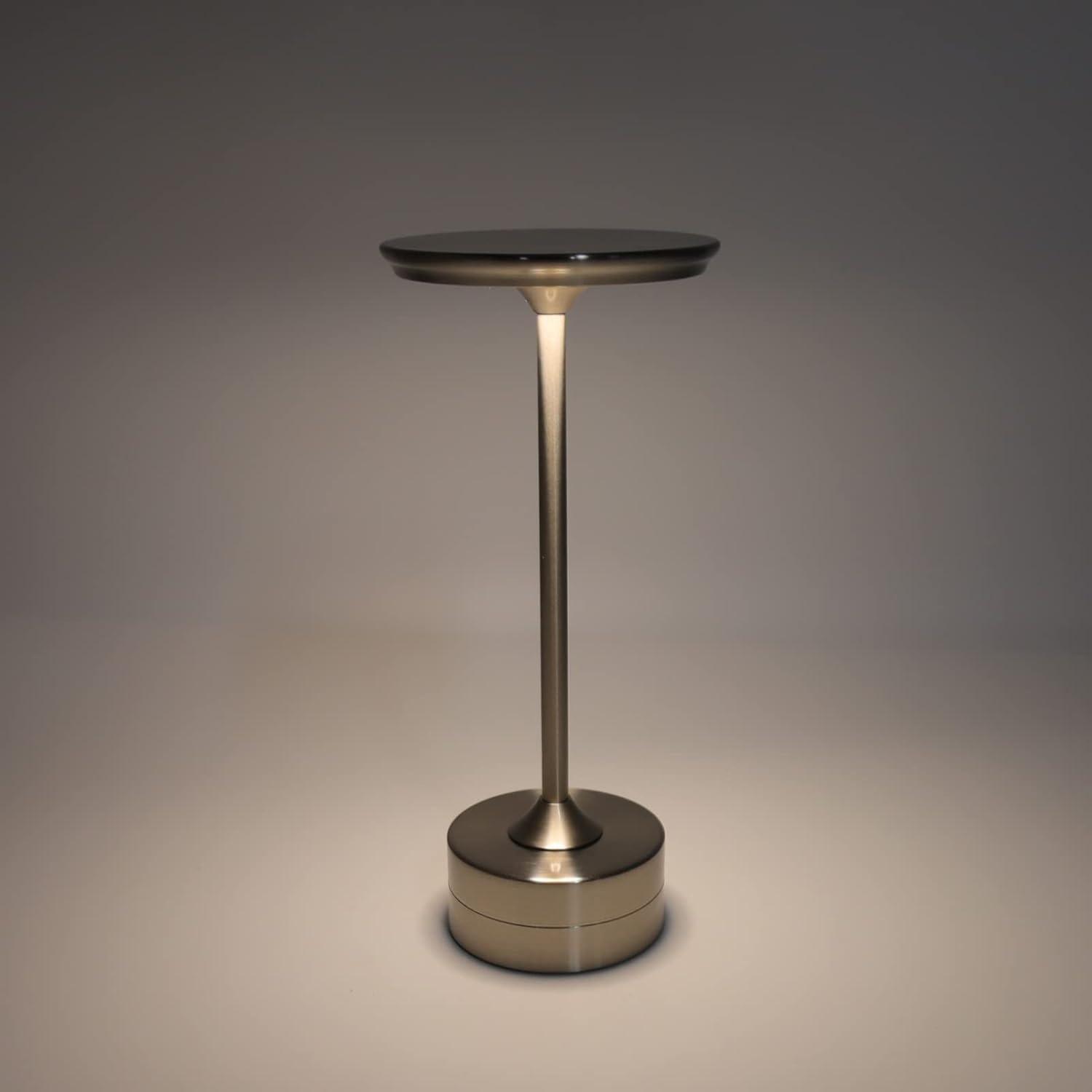
The plplaaoo Cordless Table Lamp features a sleek design with a durable iron, aluminum, and acrylic construction. It includes a built-in 2000mAh rechargeable lithium battery, offering 10-15 hours of working time on a full charge. The lamp provides three light sources: white light, warm light, and ordinary light, with adjustable brightness up to 150lm.


5. Подешавање
Почетно пуњење
Пре прве употребе, потпуно напуните лamp. Connect the provided USB Type-C cable to the charging port on the lamp's base and plug the other end into a compatible USB power adapter (not included).
- Locate the USB Type-C charging port on the base of the lamp.
- Insert the USB Type-C cable into the lampпорт за пуњење.
- Connect the USB-A end of the cable to a standard USB power adapter (e.g., phone charger, computer USB port).
- The charging indicator (if present) will show the charging status. Allow several hours for a full charge.
6. Упутство за употребу
Укључивање/искључивање и подешавање осветљености
Тхе лamp features both a bottom switch and a top touch control for operation.
- Доњи прекидач: Flip the switch on the bottom of the lamp to the 'ON' position to enable the touch control function.
- Top Touch Control: Gently touch the top surface of the lamp to cycle through the three light modes: white light, warm light, and ordinary light. Continue touching to adjust brightness levels within each mode.
- Да бисте искључили лamp, either cycle through all light modes until it turns off via touch control, or flip the bottom switch to the 'OFF' position.


7. Одржавање
- Чишћење: Обришите лamp меком, сувом крпом. Не користите абразивна средства за чишћење или раствараче.
- Складиштење: Када се не користи дуже време, чувајте гаamp in a cool, dry place. Ensure the battery is partially charged before storage to prolong its lifespan.
- Одржавање батерије: To maintain battery health, avoid completely draining the battery frequently. Recharge the lamp when the light output becomes noticeably dim.
КСНУМКС. Решавање проблема
| Проблем | Могући узрок | Решење |
|---|---|---|
| Lamp се не укључује. | Battery is depleted. Bottom switch is off. | Напуните лamp using the USB Type-C cable. Ensure the bottom switch is in the 'ON' position. |
| Светло је слабо или трепери. | Ниска батерија. | Напуните лamp. |
| Cannot change light mode/brightness. | Bottom switch is off. Touch control malfunction. | Ensure the bottom switch is 'ON'. Try restarting the lamp by turning the bottom switch off and on again. |
| Lamp не наплаћује. | Faulty cable or adapter. Charging port issue. | Try a different USB Type-C cable and power adapter. Ensure the cable is fully inserted. |
9. Спецификације
| Феатуре | Детаљ |
|---|---|
| Модел | B0D2LG61MQ |
| Материјал | Iron, Aluminum, Acrylic |
| Висина | Прибл. 28.5 цм / 11.2 ин |
| Пречник | Прибл. 13 цм / 5.1 ин |
| Тежина | Approx. 0.66 kg / 23.4 oz |
| Уграђена батерија | Литијум 2000мАх |
| Извор светлости | White light, Warm light, Ordinary light (3 levels brightness) |
| Мак Бригхтнесс | 150лм |
| Цхаргинг Метход | УСБ Типе-Ц |
| Контрола | Bottom switch, Top touch control |

10. Гаранција и подршка
This product is covered by a standard manufacturer's warranty. For specific warranty details, please refer to the product packaging or contact the retailer where you purchased the item. For technical support or inquiries, please visit the official plplaaoo store or contact customer service.