
1. Производ је готовview
The ZTE U50 is a portable 5G WiFi hotspot designed to provide high-speed internet connectivity for multiple devices. It features an unlocked SIM slot, supporting 5G and 4G+ networks, and utilizes AX1800 WiFi 6 technology. This device is suitable for home, business, and travel use, allowing up to 32 devices to connect simultaneously.

Image: ZTE U50 5G WiFi Hotspot shown from various perspectives, highlighting its compact design and ports.
2. Кључне карактеристике
- High-Speed 5G Connectivity: Equipped with Qualcomm Snapdragon X55, supporting all 5G networks for fast internet access. LTE downlink speed reaches 5G+ EN-DC 2.63 Gbit/s.
- Опсежна подршка за уређаје: Connects up to 32 WiFi-enabled devices, including laptops, tablets, phones, and gaming consoles.
- Дуг век трајања батерије: Features a 4500 mAh battery, providing approximately 8 hours of stable 5G network service with high speed and low latency.
- Enhanced Signal & Security: Integrated 4x4 MIMO high-gain antennas improve speed by 15% compared to standard 5G hotspots. A security firewall with PP2P/L2TP protection ensures network safety.
- Лако подешавање: No complex configuration required. Simply insert a 5G nano-SIM card. Manage the device using the ZTE Link app on iOS and Android.

Image: Visual summary of ZTE U50 features, including 5G speed, Qualcomm Snapdragon X55 processor, support for 32 devices, and secure network encryption.
3. Садржај пакета
Уверите се да су све ставке присутне у пакету:
- ZTE U50 5G WiFi Hotspot Device
- УСБ-Ц кабл за пуњење
- Водич за брзи почетак (ово упутство)
- Гарантни лист
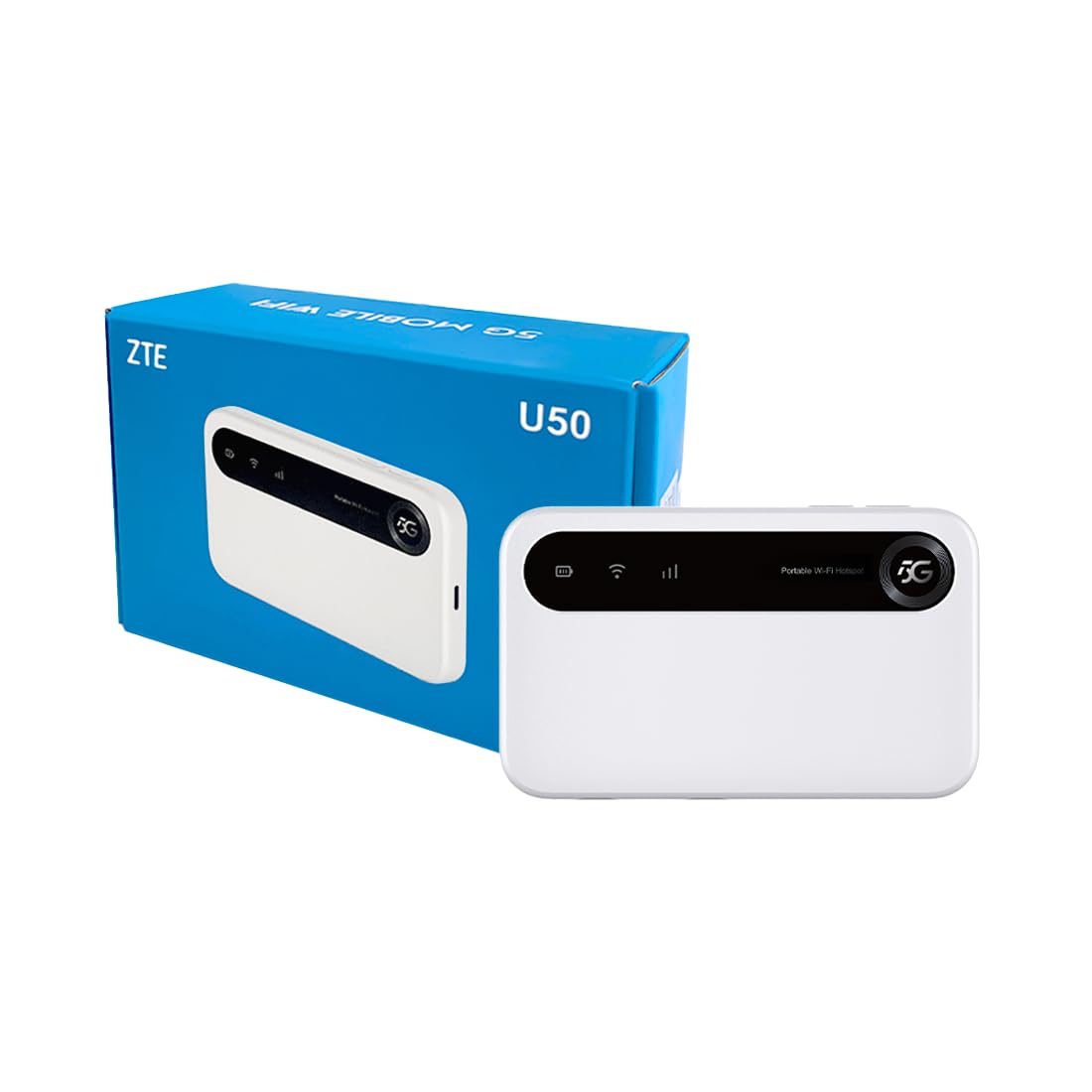
Image: The ZTE U50 device and its accompanying USB-C cable, representing the typical package contents.
4. Водич за подешавање
4.1. Уметање СИМ картице
- Locate the SIM card slot on the device. Refer to the device diagram in the Product Overview одељак.
- Пажљиво отворите поклопац слота за СИМ картицу.
- Insert a 5G nano-SIM card into the slot with the gold contacts facing down and the notched corner aligned correctly.
- Чврсто затворите поклопац слота за СИМ картицу.
4.2. Укључивање уређаја
Press and hold the Power button for a few seconds until the screen illuminates. The device will begin to search for a network connection.
4.3. Повезивање уређаја путем Wi-Fi мреже
- Once the device is powered on and connected to a mobile network, the Wi-Fi network name (SSID) and password will be displayed on the device screen.
- На уређају са омогућеним Wi-Fi-јем (лаптоп, паметни телефон, таблет) потражите доступне Wi-Fi мреже.
- Select the SSID corresponding to your ZTE U50 hotspot.
- Унесите лозинку за Ви-Фи када се то од вас затражи.
- Your device should now be connected to the internet through the ZTE U50 hotspot.

Image: Illustration showing the ZTE U50 hotspot wirelessly connecting to various devices like laptops, phones, and gaming consoles.
5. Упутство за употребу
5.1. Device Management via ZTE Link App
The ZTE Link app (available on iOS and Android) allows you to manage your U50 hotspot settings, monitor data usage, change Wi-Fi passwords, and more. Download the app from your device's app store and follow the on-screen instructions to connect to your U50.
5.2. Checking Device Status
The device's screen displays important information such as signal strength, battery level, connected devices, and data usage. Periodically check the screen for updates on your hotspot's status.
5.3. Управљање батеријом
The ZTE U50 is equipped with a 4500 mAh battery. To maximize battery life:
- Charge the device using the provided USB-C cable and a compatible power adapter.
- Reduce the number of connected devices if extended battery life is needed.
- Искључите уређај када се не користи.
6. Одржавање
6.1. Ажурирања софтвера
Regularly check for and install software updates for your ZTE U50. Updates can improve performance, enhance security, and add new features. You can typically check for updates via the ZTE Link app or the device's web интерфејс за управљање.
6.2. Чишћење уређаја
Use a soft, dry cloth to clean the exterior of the device. Avoid using liquid cleaners or abrasive materials, as these can damage the device.
6.3. Складиштење
When storing the device for extended periods, ensure it is fully charged and then powered off. Store it in a cool, dry place away from direct sunlight and extreme temperatures.
КСНУМКС. Решавање проблема
| Проблем | Могући узрок | Решење |
|---|---|---|
| Нема интернет везе | No SIM card, incorrect SIM, no network signal, data plan expired. | Ensure SIM is correctly inserted and active. Check for network signal. Verify data plan status with your provider. Restart the device. |
| Спора брзина интернета | Слаб сигнал, превише повезаних уређаја, загушење мреже. | Move to an area with better signal. Disconnect unnecessary devices. Contact your service provider if congestion is suspected. |
| Повезивање на Ви-Фи није могуће | Incorrect Wi-Fi password, device out of range, Wi-Fi disabled. | Verify Wi-Fi password. Move closer to the hotspot. Ensure Wi-Fi is enabled on both the hotspot and your connecting device. |
| Уређај се не укључује | Low battery, faulty power button. | Пуните уређај најмање 30 минута. Ако се и даље не укључује, контактирајте подршку. |
8. Спецификације
| Феатуре | Детаљ |
|---|---|
| Бранд | ЗТЕ |
| Назив модела | У50 |
| Технологија повезивања | 5G, WiFi 6 |
| Стандард бежичне комуникације | КСНУМКСак |
| Класа фреквенцијског опсега | Dual-band (2.4 GHz) |
| Брзина преноса података | 150 Megabits per second (Upstream) |
| Пропусни опсег LAN порта | 1000 Мбпс |
| Број антена | 4 (Internal) |
| Посебне карактеристике | Режим приступне тачке |
| Компатибилни уређаји | Laptop, Smartphone, Game Console, Tablet |
| Препоручена употреба | Gaming, Business, Home |
| Укључене компоненте | Рутер |
| Сигурносни протокол | ВПА2-ПСК |
| Контролни метод | App (iOS & Android) |
| Боја | Бела |
| Тежина артикла | 163.7 грама |
| Капацитет батерије | 4500 mAh (Built-in rechargeable) |
9. Гаранција и подршка
9.1. Информације о гаранцији
The ZTE U50 5G WiFi Hotspot comes with a Двогодишња гаранција произвођача. Please retain your proof of purchase for warranty claims. The warranty covers defects in materials and workmanship under normal use. It does not cover damage caused by misuse, accidents, unauthorized modifications, or external causes.
9.2. Корисничка подршка
For technical assistance, troubleshooting, or warranty inquiries, please contact ZTE customer support through their official website or the contact information provided in your product packaging. You can also refer to the ZTE Link app for additional support resources.