
Увод
This manual provides detailed instructions for the setup, operation, and maintenance of your AT&T GL2101-4 DECT 6.0 4-Handset Cordless Home Phone. Please read this manual thoroughly to ensure proper use and to take full advantagсвих доступних функција.
Шта је у кутији
Проверите да ли ваш пакет садржи следеће ставке:
- Основна јединица
- 4 Телефони
- 3 пуњача (за додатне телефоне)
- 4 АЦ адаптера
- 4 батерије
- Кабл за телефонску линију
- Водич за брзи почетак
Сетуп
Пратите ове кораке да бисте подесили свој нови бежични телефонски систем.
1. Connect the Base Unit
Plug one end of the telephone line cord into the TEL LINE jack on the back of the base unit. Plug the other end into a telephone wall jack. Plug the small end of the base unit AC adapter into the POWER jack on the back of the base unit. Plug the large end into an electrical outlet.
2. Install and Charge Handset Batteries
Open the battery compartment cover on each handset. Connect the battery pack connector securely into the jack inside the compartment. Place the battery pack inside the compartment and close the cover. Place each handset in its respective charger or the base unit. Allow the handsets to charge for at least 10 hours before first use. The CHARGE light on the handset will illuminate when properly placed in the charger.

Image: A handset placed in its charging base, indicating proper charging setup.
Упутство за употребу
Learn how to use the various features of your AT&T cordless phone.
Упућивање и примање позива
- Да бисте упутили позив: Притисните ТЕЛЕФОН, затим позовите број.
- Да одговорите на позив: Притисните ТЕЛЕФОН или било који тастер за бирање.
- Да бисте завршили позив: Притисните ОФФ или ставите слушалицу у пуњач.
Фул-дуплекс телефонски спикерфон
The built-in full-duplex speakerphone allows both parties to speak and be heard simultaneously for more natural conversations. During a call, press СПЕАКЕР to activate the speakerphone. Press СПЕАКЕР again to return to normal handset use.
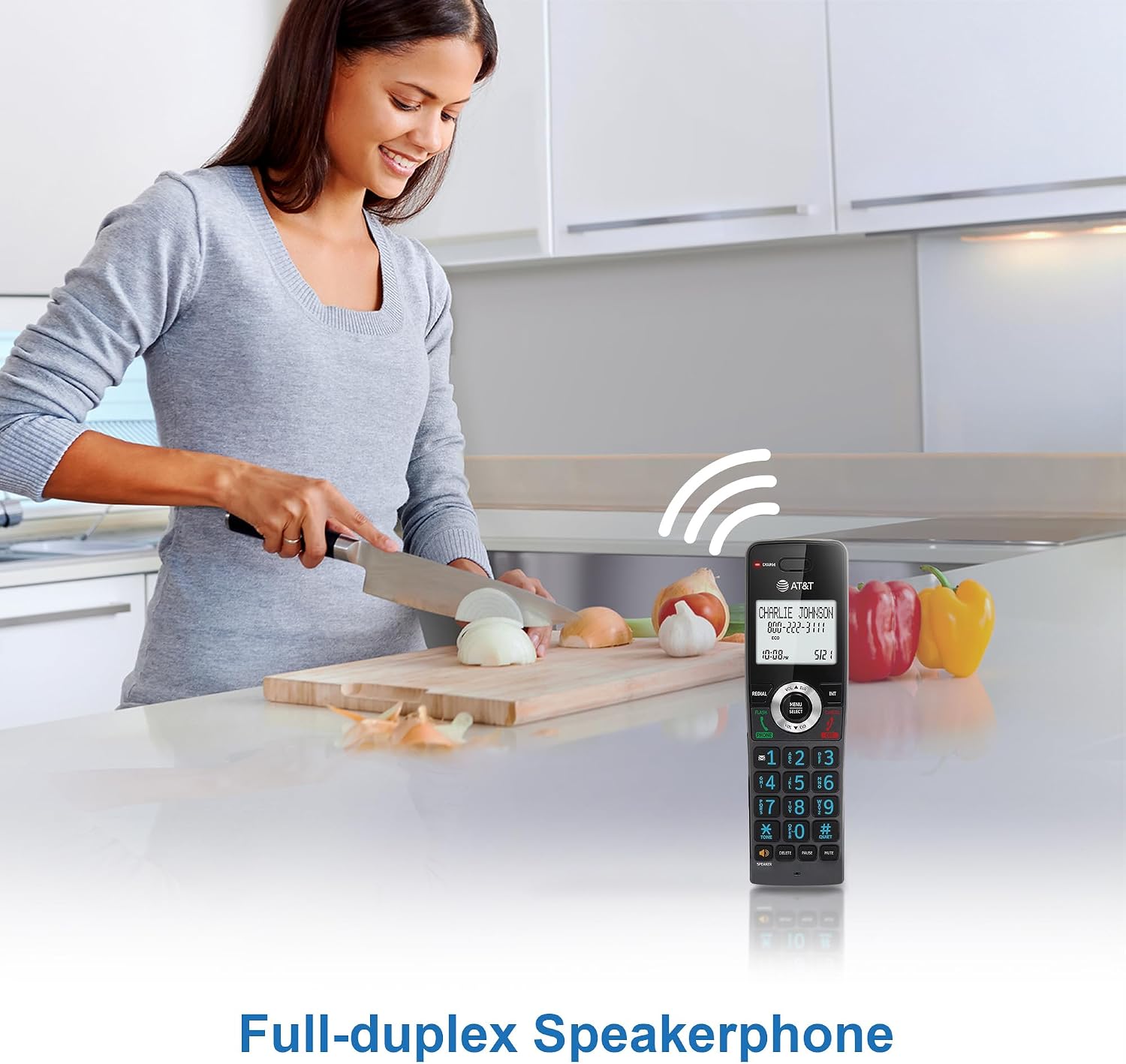
Image: A user demonstrating the full-duplex speakerphone feature, allowing hands-free communication.
ИД позиваоца / Позив на чекању
The handset's 2-inch white backlit display shows the caller's name and number (if available) for incoming calls. This feature requires a subscription from your telephone service provider. If you have call waiting, the display will show the incoming caller's information while you are on another call.

Image: The phone's display clearly showing caller ID information, including name and number.
Блок позива
Block unwanted calls by adding up to 20 names and numbers to the call block directory. When an incoming call is received, press the ПОЗИВНИ БЛОК button to add the number to the block list. This feature requires Caller ID subscription.

Image: The call block feature allows users to easily block unwanted callers, enhancing privacy.
Слушалица на слушалицу интерком
Користите функцију интерфона за комуникацију између слушалица. Притисните ИНТ on one handset, then dial the number of the desired handset (e.g., 2 for Handset 2). The receiving handset will ring, and you can begin an intercom conversation.

Image: Visual representation of the intercom function, enabling communication between multiple handsets.
Телефонски именик
Store up to 50 names and numbers in the phonebook directory for quick dialing. To add an entry, press МЕНУ/СЕЛЕЦТ, navigate to 'Phonebook', and follow the on-screen prompts. To dial from the phonebook, press ДИР and select the desired entry.

Image: The phonebook feature allows storage and quick access to frequently called contacts.
Позадинско осветљење тастатуре и екрана
The handset features a 2-inch white backlit display and an orange backlit keypad, making it easy to read caller information and dial numbers in low-light conditions.

Image: The 2-inch white backlit display provides clear visibility of information.

Image: The backlit keypad ensures easy dialing even in dim lighting.
Куиет Моде
Activate Quiet Mode to silence all handset and base unit ringers for a set period. Press and hold the #КУИЕТ button to toggle Quiet Mode on or off. You can configure the duration in the phone settings.

Image: The Quiet Mode feature allows users to silence ringers for undisturbed periods.
Battery Life and ECO Mode
The rechargeable handset battery provides up to 10 hours of talk time or 5 days of standby time on a single charge. ECO mode automatically manages power consumption, optimizing battery life and reducing energy usage.

Image: Illustration of the phone's long-lasting battery, offering extended talk and standby times.
Одржавање
To ensure optimal performance and longevity of your phone system, follow these maintenance guidelines:
- Чишћење: Обришите телефон и базну јединицу меком крпомamp крпа. Не користите спрејеве за чишћење или јаке хемикалије.
- Одржавање батерије: Replace batteries when they no longer hold a charge effectively. Use only the specified replacement battery packs.
- Локација: Avoid placing the phone system near heat sources, direct sunlight, or areas with excessive moisture.
Решавање проблема
If you encounter any issues with your phone system, refer to the table below for common problems and solutions.
| Проблем | Решење |
|---|---|
| Нема тона за бирање | Ensure the base unit is properly connected to the telephone wall jack and power outlet. Check the telephone line cord for damage. |
| Телефон се не пуни | Make sure the handset is correctly seated in the charger. Verify the charger's AC adapter is plugged into a working electrical outlet. Clean the charging contacts on the handset and charger. |
| Лош квалитет звука/статични звук | Move closer to the base unit. Avoid placing the phone near other electronic devices that may cause interference. Check for loose connections. |
| Не могу да упућујем/примам позиве | Check if the telephone line is active. Ensure the handset battery is charged. Reset the base unit by unplugging it from power for a few minutes, then plugging it back in. |
Спецификације
Key technical specifications for the AT&T GL2101-4 DECT 6.0 4-Handset Cordless Home Phone:
| Феатуре | Детаљ |
|---|---|
| Димензије производа | 4.25 x 3.23 x 7.24 инча (основна јединица) |
| Тежина артикла | 2.55 фунти |
| Број модела | ГЛ2101-4 |
| Бранд | АТ&Т |
| Боја | Графит |
| Тип телефона | Бежични |
| Материјал | Пластика |
| Извор напајања | Цордед Елецтриц |
| Тип система за одговор | бр |
| Компатибилни уређаји | Standard Landline Networks |
| Вишелинијски рад | Једнолинијски рад |
Гаранција и подршка
For warranty information or technical support, please refer to the documentation included with your product or visit the official AT&T support webсајт. Сачувајте рачун као доказ о куповини за потребе гаранције.