
MACALLY BTZKEY
MACALLY BTZKEY Bluetooth Full-size Keyboard User Manual
Model: BTZKEY
1. Увод
This manual provides detailed instructions for the MACALLY BTZKEY Bluetooth Full-size Keyboard, designed for seamless integration with Apple devices. It features a Japanese layout, a numeric keypad, and multi-pairing capabilities for up to three devices. Please read this manual thoroughly before using the product to ensure proper operation and longevity.

Figure 1: MACALLY BTZKEY Bluetooth Full-size Keyboard
2. Садржај пакета
Молимо вас да проверите садржај пакета како бисте били сигурни да су сви предмети присутни:
- MACALLY BTZKEY Bluetooth Full-size Keyboard
- УСБ-Ц кабл за пуњење
- Упутство за употребу
3. Подешавање
3.1 Пуњење тастатуре
The keyboard comes with a built-in 780mAh rechargeable battery. Before initial use, it is recommended to fully charge the keyboard.
- Connect the included USB-C cable to the charging port on the keyboard.
- Connect the other end of the USB-C cable to a USB power adapter (not included) or a powered USB port on your computer.
- Индикаторска лампица пуњења ће светлети током пуњења и искључити се када се потпуно напуни.
Напомена: The USB-C cable provided is for charging only and does not support data transfer.

Figure 2: Charging the MACALLY BTZKEY Keyboard
3.2 Упаривање са уређајима
The MACALLY BTZKEY keyboard supports pairing with up to three Bluetooth-enabled devices (MacBook, iMac, iPhone, iPad). You can easily switch between these devices.
- Уверите се да је тастатура напуњена и укључена.
- Enable Bluetooth on your device (Mac, iPad, iPhone).
- On the keyboard, press and hold one of the dedicated device keys (B1, B2, or B3) for 3-5 seconds until the corresponding indicator light above the key flashes rapidly. This indicates the keyboard is in pairing mode.
- On your device, go to Bluetooth settings and select "BTZKEY" from the list of available devices.
- Once connected, the indicator light will stop flashing and remain solid for a few seconds, then turn off.
- To switch between paired devices, simply press the corresponding device key (B1, B2, or B3). The keyboard will automatically connect to the last paired device on that channel.
Савет за решавање проблема: If pairing fails, it is recommended to delete all existing pairing records for the keyboard on your device and attempt to reconnect.

Figure 3: Multi-Sync Bluetooth Functionality
4. Упутство за употребу
4.1 Mac-Specific Layout and Shortcut Keys
This keyboard is designed with a 111-key macOS-specific layout, providing a familiar and efficient typing experience for Apple users. It includes 14 dedicated shortcut keys for quick access to common Mac functions.
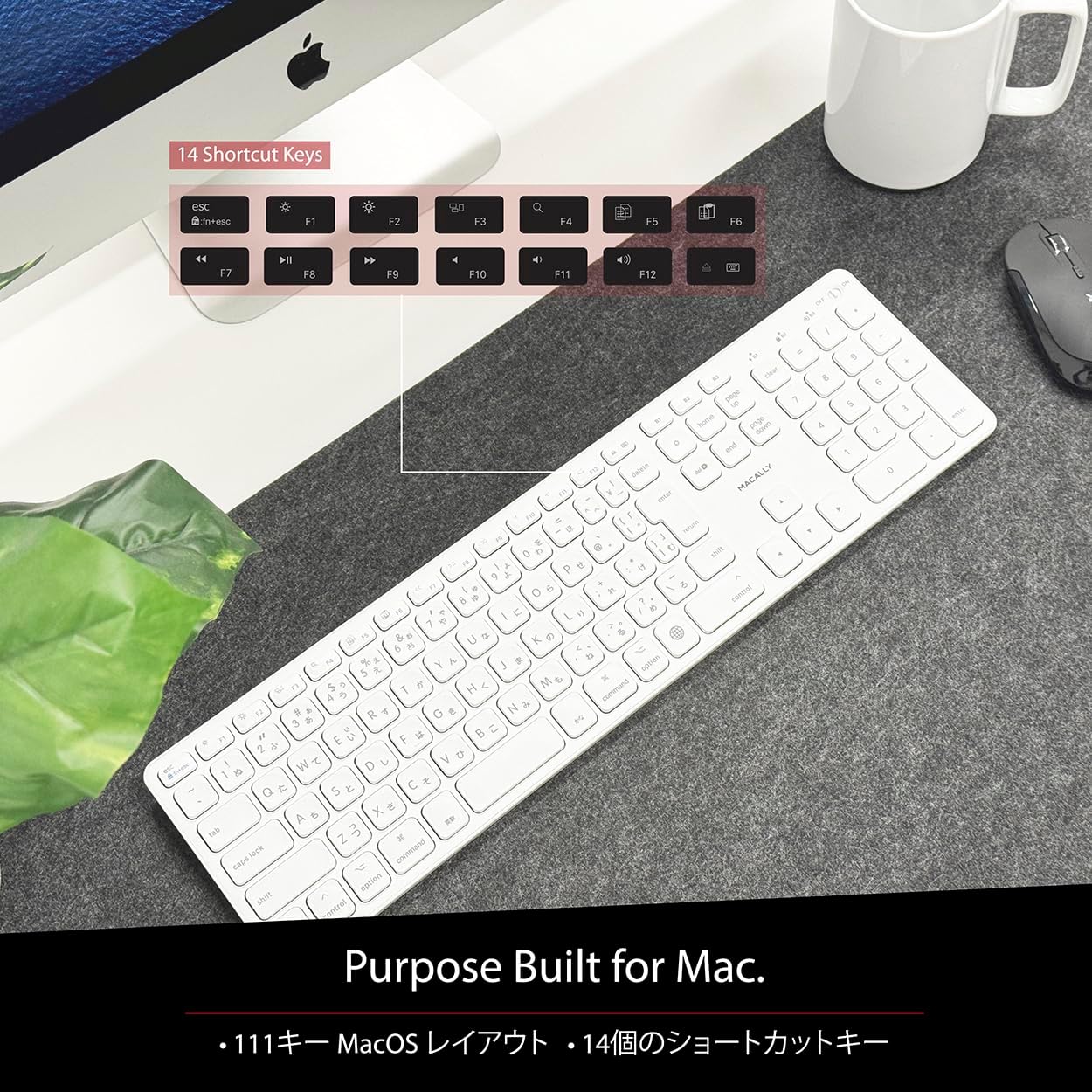
Figure 4: Mac-Specific Layout and Shortcut Keys
4.2 Scissor-Switch Keycaps
The keyboard utilizes quiet scissor-switch keys, offering a smooth, tactile, and quiet typing experience. This design ensures comfortable and efficient typing, whether for extended periods or quick tasks.
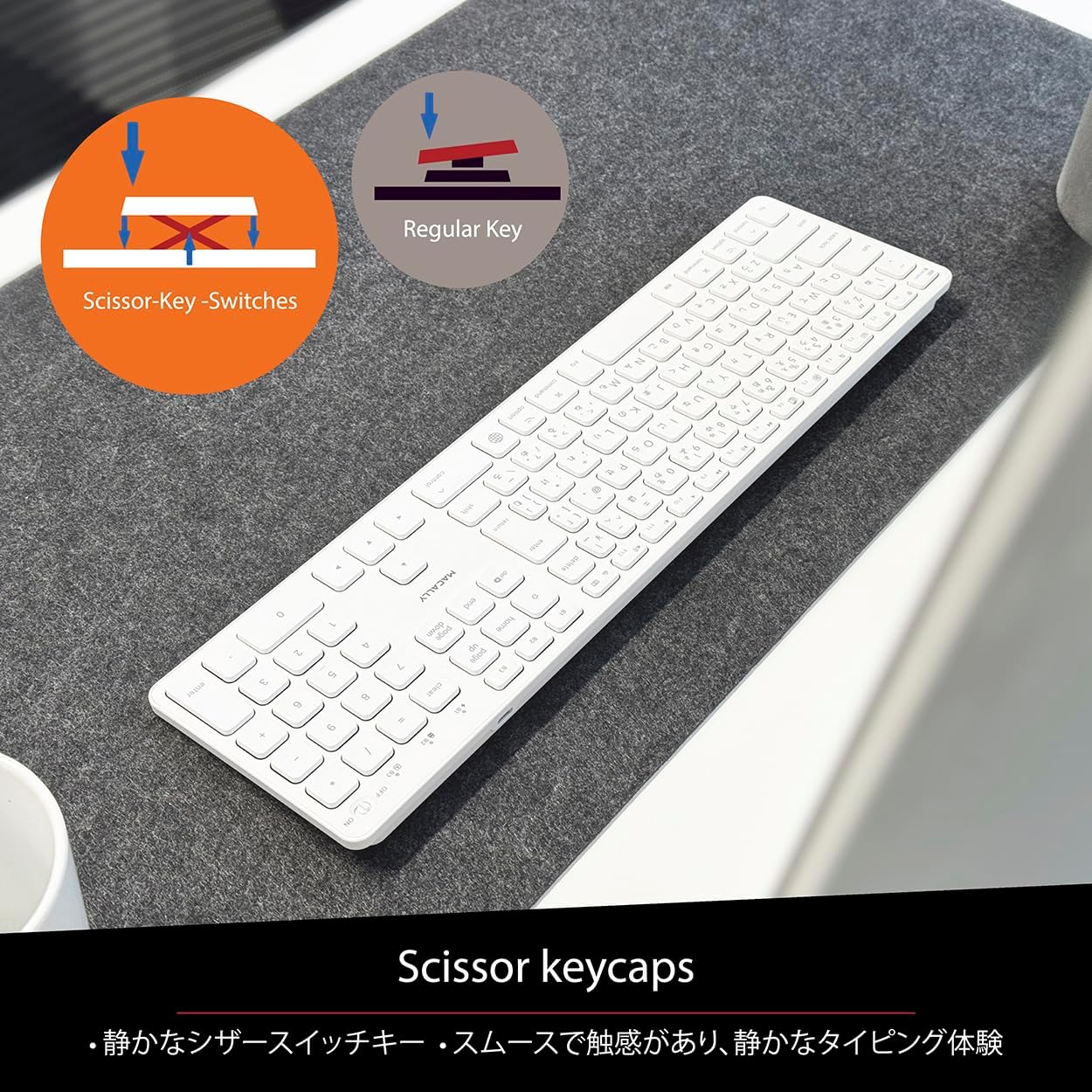
Figure 5: Scissor-Key-Switches Mechanism
4.3 Ергономија и дизајн
The keyboard features an integrated kickstand for comfortable typing angles, reducing strain during use. Its slim profile, approximately 0.8 inches (2cm) thick, ensures portability and ergonomic use, complementing any workspace.
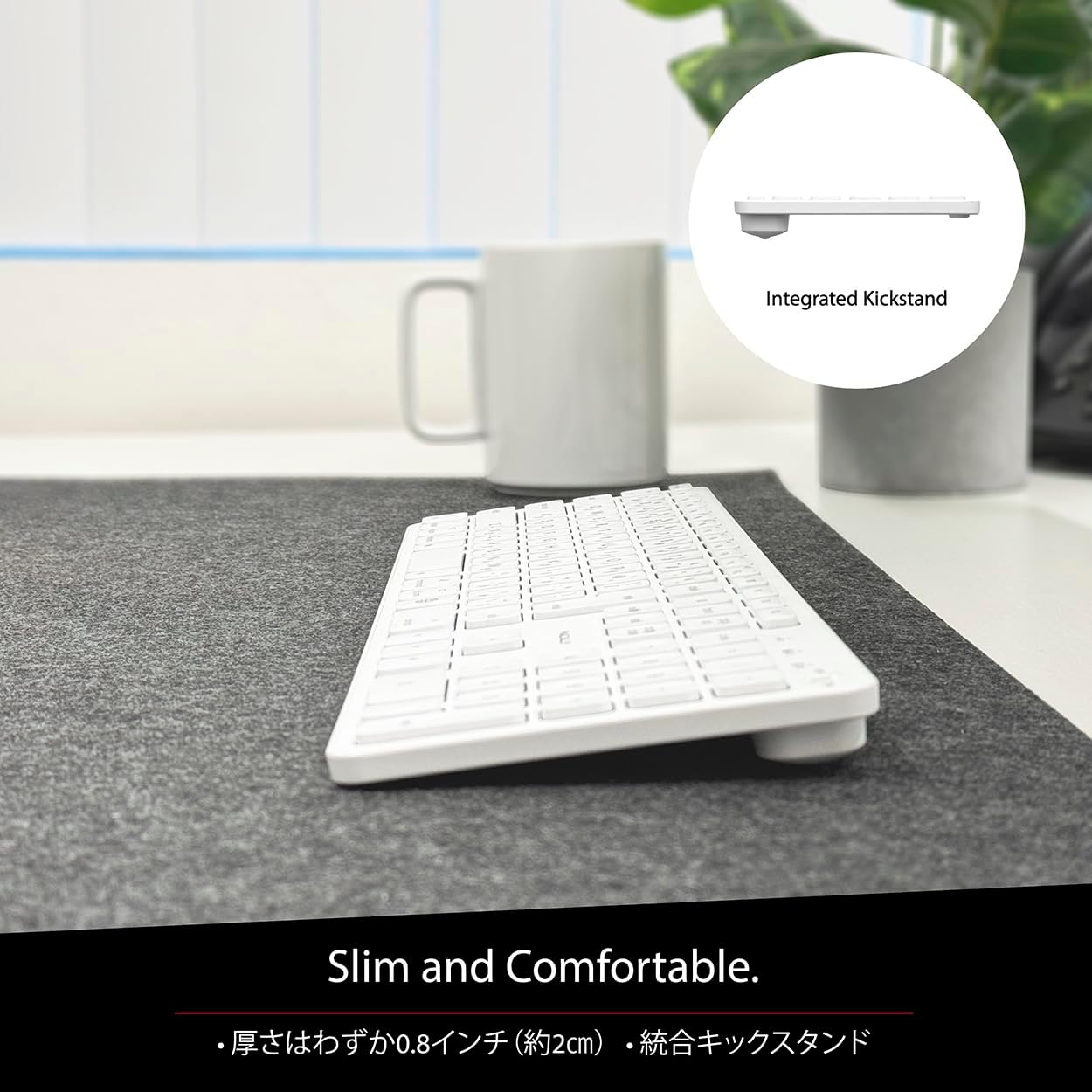
Figure 6: Slim Design with Integrated Kickstand
5. Одржавање
Да бисте осигурали дуготрајност и оптималне перформансе ваше тастатуре, пратите ова упутства за одржавање:
- Чишћење: Користите меку крпу која не оставља длачицеampОпрати водом или благим средством за чишћење да бисте обрисали површину тастатуре. Избегавајте јаке хемикалије или абразивне материјале.
- Уклањање прашине: Користите компримовани ваздух да уклоните прашину и остатке између тастера.
- Одржавање батерије: Avoid exposing the keyboard to extreme temperatures. Charge the keyboard regularly, even if not in frequent use, to maintain battery health.
- Складиштење: When not in use for extended periods, store the keyboard in a cool, dry place away from direct sunlight.
КСНУМКС. Решавање проблема
If you encounter issues with your MACALLY BTZKEY keyboard, please refer to the following common problems and solutions:
| Проблем | Могући узрок | Решење |
|---|---|---|
| Keyboard not connecting/pairing | Bluetooth off, low battery, pairing conflict | Ensure Bluetooth is enabled on device. Charge keyboard. Delete existing pairing records on device and re-pair. |
| Keys unresponsive or repeating characters | Low battery, software glitch, interference | Charge keyboard. Restart device. Re-pair keyboard. Minimize interference from other wireless devices. |
| Не могу да прелазим између уређаја | Device not properly paired to channel | Ensure each device is paired to a unique channel (B1, B2, B3). Re-pair if necessary. |
| Кратко трајање батерије | Frequent use, aging battery | Ensure full charge before use. Reduce backlight usage if applicable (not on this model). Battery life may decrease over time. |
Ако проблем и даље постоји након што сте испробали ова решења, обратите се корисничкој подршци.
7. Спецификације
| Феатуре | Опис |
|---|---|
| Бранд | Макално |
| Произвођач | МАЦАЛЛИ |
| Сериес | BTZKEY |
| Димензије производа (Д к Ш к В) | 42 к 14 к 2 цм |
| Број модела производа | BTZKEY |
| Боја | Бела |
| Батерије укључене | Да |
| Литијумска батерија | Батерије садржане у опреми |
| Тежина литијумске батерије | 2 г |
| Тежина артикла | 610 г |
| Компатибилни уређаји | Laptop (MacBook Pro/Air, iMac, Mac Mini, Mac Pro, iPad, iPhone) |
| Технологија повезивања | Блуетоотх |
| Опис тастатуре | Оффице тастатура |
| Препоручена употреба за производ | Посао |
| Посебна карактеристика | Пуњива |
| Број кључева | 111 |
| Укључене компоненте | УСБ кабл |
8. Гаранција и подршка
For detailed warranty information, technical support, and customer service, please refer to the official MACALLY website or contact their support channels directly. It is recommended to keep your purchase receipt as proof of purchase for any warranty claims.
9. Званични видео снимци производа
Official product videos, if available and relevant, would be embedded here to provide visual guidance on setup, features, or troubleshooting. Please note that video content is subject to availability and may require an internet connection to view.
(No official seller videos were available in the provided product data to embed at this time.)
Ask a question about this manual
Ask about setup, troubleshooting, compatibility, parts, safety, or missing instructions. Manuals+ will review the question and use this page’s manual context to help answer it.