
W26 Pro Max
Паметни сат W26 Pro Max са Bluetooth слушалицама и микрофоном, компатибилан са серијом 8, плави, кориснички водич
Model: W26 Pro Max
Увод
This manual provides comprehensive instructions for the W26 Pro Max Smart Watch with Bluetooth Earphones. It covers setup, operation, maintenance, and troubleshooting to ensure optimal use of your device. The W26 Pro Max is a versatile 2-in-1 device, combining a smartwatch with integrated wireless Bluetooth earphones, designed to keep you connected and active.
Садржај пакета
Након отварања паковања, проверите да ли су све компоненте присутне:
- W26 Pro Max Smart Watch
- Integrated Wireless Bluetooth Earphones
- Кабл за пуњење
- Кориснички приручник (овај документ)
- Additional Watch Strap (if included as a free gift)

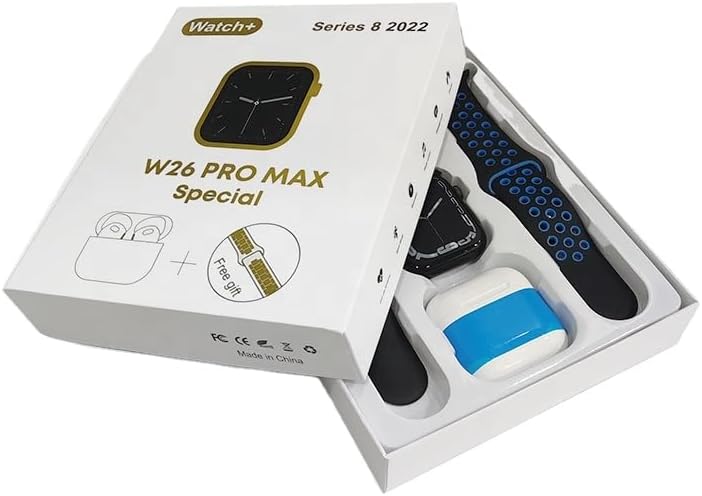
Image: The W26 Pro Max Smart Watch and its accompanying Bluetooth earphones, along with an extra watch strap, are neatly arranged within their retail packaging. The watch face is visible, and the earphones are housed in their charging case.

Слика: Одозго надоле view of the W26 Pro Max Smart Watch and Bluetooth Earphones within their packaging. The watch, earphones, and an additional strap are clearly visible, indicating the complete product set.
Водич за подешавање
1. Почетно пуњење
Before first use, fully charge both the smartwatch and the integrated earphones. Connect the provided charging cable to the watch and a compatible USB power source. The watch display will indicate charging status. Ensure the earphones are properly seated in their charging case within the watch.
2. Укључивање/искључивање
- Укључено: Press and hold the side button on the smartwatch until the screen illuminates.
- Искључивање: Притисните и држите бочно дугме, а затим изаберите опцију „Искључивање“ на екрану.
3. Упаривање са вашим паметним телефоном
To unlock full functionality, pair your W26 Pro Max with your smartphone via Bluetooth.
- Уверите се да је Блуетоотх омогућен на вашем паметном телефону.
- On the W26 Pro Max, navigate to the Bluetooth settings.
- On your smartphone, search for available Bluetooth devices and select "W26 Pro Max" from the list.
- Потврдите захтев за упаривање на оба уређаја ако се то од вас затражи.
- For optimal performance, download and install the recommended companion application (e.g., "FitPro app" as mentioned in product description) from your smartphone's app store.
4. Earphone Pairing
The integrated earphones automatically pair with the smartwatch when removed from their charging slots. To pair them with another device (e.g., directly with your phone):
- Remove the earphones from the smartwatch.
- Омогућите Блуетоотх на уређају са којим желите да се упарите.
- Тражи "W26 Pro Max Earphones" (or similar name) in the Bluetooth device list and select to connect.
Упутство за употребу
Навигација по паметном сату
- екран осетљив на додир: Превуците прстом лево/десно, горе/доле да бисте се кретали кроз меније и приступали функцијама. Додирните да бисте изабрали.
- Бочно дугме: Press to return to the home screen or wake the device. Long press for power options or voice assistant.
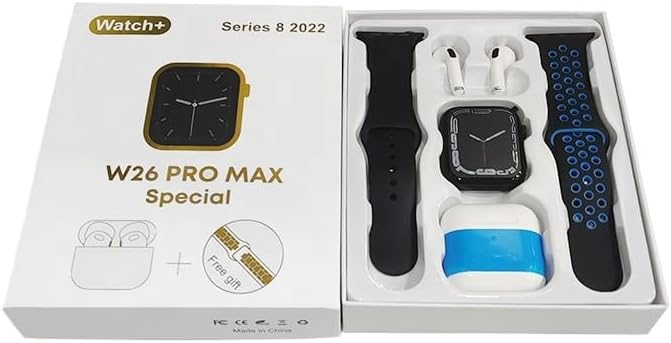
Image: The W26 Pro Max Smart Watch screen shows a voice assistant interface, with text bubbles indicating "Call Linda!" and "What's the weather like today?". This illustrates the voice command functionality.
Кључне карактеристике
Праћење кондиције и здравља
The W26 Pro Max is equipped with sensors to monitor various health metrics.
- Мониторинг срчане фреквенције: The optical heart rate sensor continuously tracks your heart rate. View real-time data on the watch or in the companion app.
- Педометар: Прати ваше дневне кораке, пређену удаљеност и потрошене калорије.
- Праћење спавања: Monitors your sleep patterns, including deep sleep, light sleep, and wake times.

Image: The W26 Pro Max Smart Watch screen displays heart rate information, showing a graph of heart rate over time, current beats per minute (bpm), and blood pressure readings. This demonstrates the health monitoring capabilities.
Слика: Детаљна view of the W26 Pro Max Smart Watch screen showing heart rate and blood pressure monitoring. The text explains that an optical heart rate sensor is used for precise calculation and data can be viewed on the watch or via the FitPro app.
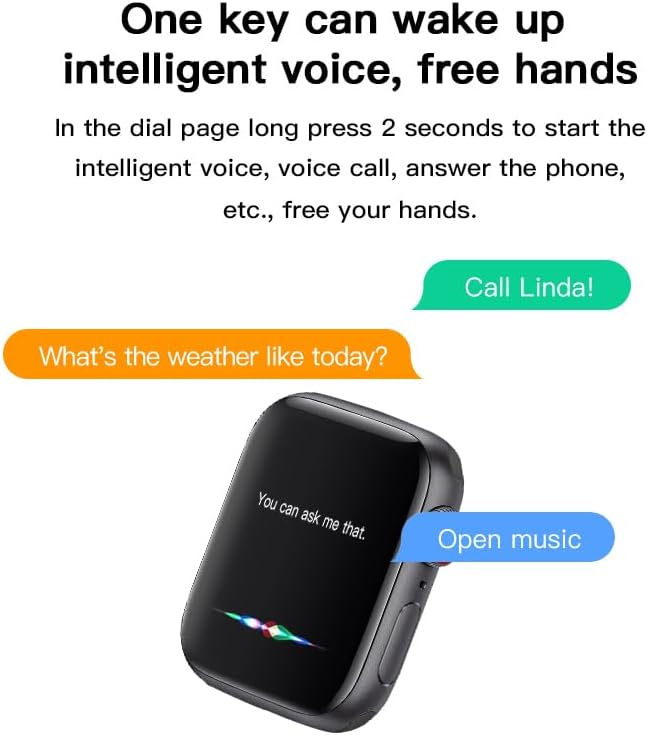
Image: The W26 Pro Max Smart Watch screen displays sleep monitoring data, showing sleep quality (Excellent), percentages of deep sleep, light sleep, and awake time, along with total sleep duration. This highlights the sleep tracking feature.
Communication and Media
- Блуетоотх позиви: Make and receive calls directly from your smartwatch using the integrated microphone and speaker.
- Обавештења: Примајте обавештења о позивима, порукама и обавештењима апликација са упареног паметног телефона.
- Репродукција музике: Control music playing on your smartphone or listen directly via the integrated earphones.

Image: The W26 Pro Max Smart Watch screen shows music playback controls, including play/pause and skip track buttons, along with a visualizer. This indicates the watch's capability to control audio.
Гласовни асистент
Long press the side button to activate the intelligent voice assistant. Use voice commands for calls, weather inquiries, music control, and more, providing hands-free operation.
Одржавање и њега
- Чишћење: Wipe the watch and earphones with a soft, dry, lint-free cloth. For stubborn dirt, slightly dampНатопите крпу водом. Избегавајте јаке хемикалије или абразивне материјале.
- Отпорност на воду: The W26 Pro Max has an IP68 rating, meaning it is resistant to dust and can withstand immersion in water up to 1.5 meters for 30 minutes. However, it is not suitable for diving, hot showers, or saunas. Always dry the device thoroughly after exposure to water.
- Одржавање батерије: To prolong battery life, avoid fully discharging the device frequently. Charge it regularly and store it in a cool, dry place when not in use for extended periods.
- Складиштење: Store the device in a cool, dry environment away from direct sunlight and extreme temperatures.
Решавање проблема
| Проблем | Могући узрок | Решење |
|---|---|---|
| Уређај се не укључује. | Ниска батерија. | Charge the device for at least 30 minutes before attempting to power on again. |
| Не може се упарити са паметним телефоном. | Bluetooth is off on phone/watch; device not in pairing mode; interference. | Ensure Bluetooth is enabled on both devices. Restart both devices. Move closer to the phone. Forget previous pairings and try again. |
| Earphones not connecting. | Earphones not properly seated; low earphone battery. | Ensure earphones are fully seated in their charging slots within the watch. Charge the watch to ensure earphones are charging. |
| Нетачни здравствени подаци. | Improper fit; sensor obstruction. | Уверите се да сат чврсто приања на зглоб, не превише стегнут или превише лабав. Очистите сензор на полеђини сата. |
| Кратко трајање батерије. | Frequent use of power-intensive features; old battery. | Reduce screen brightness, limit notifications, disable unnecessary features. Ensure full charge cycles. |
Спецификације
| Феатуре | Детаљ |
|---|---|
| Број модела | W26 Pro Max |
| Дисплаи | 1.78-инчни АМОЛЕД екран осетљив на додир |
| Оперативни систем | Веар ОС |
| Повезивање | Блуетоотх |
| Капацитет батерије | 280mAh (watch) |
| Трајање батерије | До 3 дана (типична употреба) |
| Отпорност на воду | ИП68 |
| Посебне карактеристике | Integrated Bluetooth Earphones, Heart Rate Sensor, Pedometer, Sleep Tracker, Microphone, Speaker, Voice Assistant |
| Капацитет меморије | 16 МБ |
| Димензије пакета | 16.8 к 12.8 к 3 цм |
| Тежина | 170 г |
Гаранција и подршка
For information regarding warranty coverage and customer support, please refer to the documentation provided with your purchase or contact the retailer where the product was acquired. As this product is manufactured by "Generic", specific warranty details may vary by region and seller.
For technical assistance or further inquiries, please reach out to the customer service channels provided by your point of purchase.
Ask a question about this manual
Ask about setup, troubleshooting, compatibility, parts, safety, or missing instructions. Manuals+ will review the question and use this page’s manual context to help answer it.