
Увод
The Sonodyne Antara is a 40W wireless portable Bluetooth speaker designed to deliver high-quality stereo sound. It features a robust design with IP65 water and dust resistance, making it suitable for various environments. This manual provides essential information for setting up, operating, maintaining, and troubleshooting your Antara speaker.
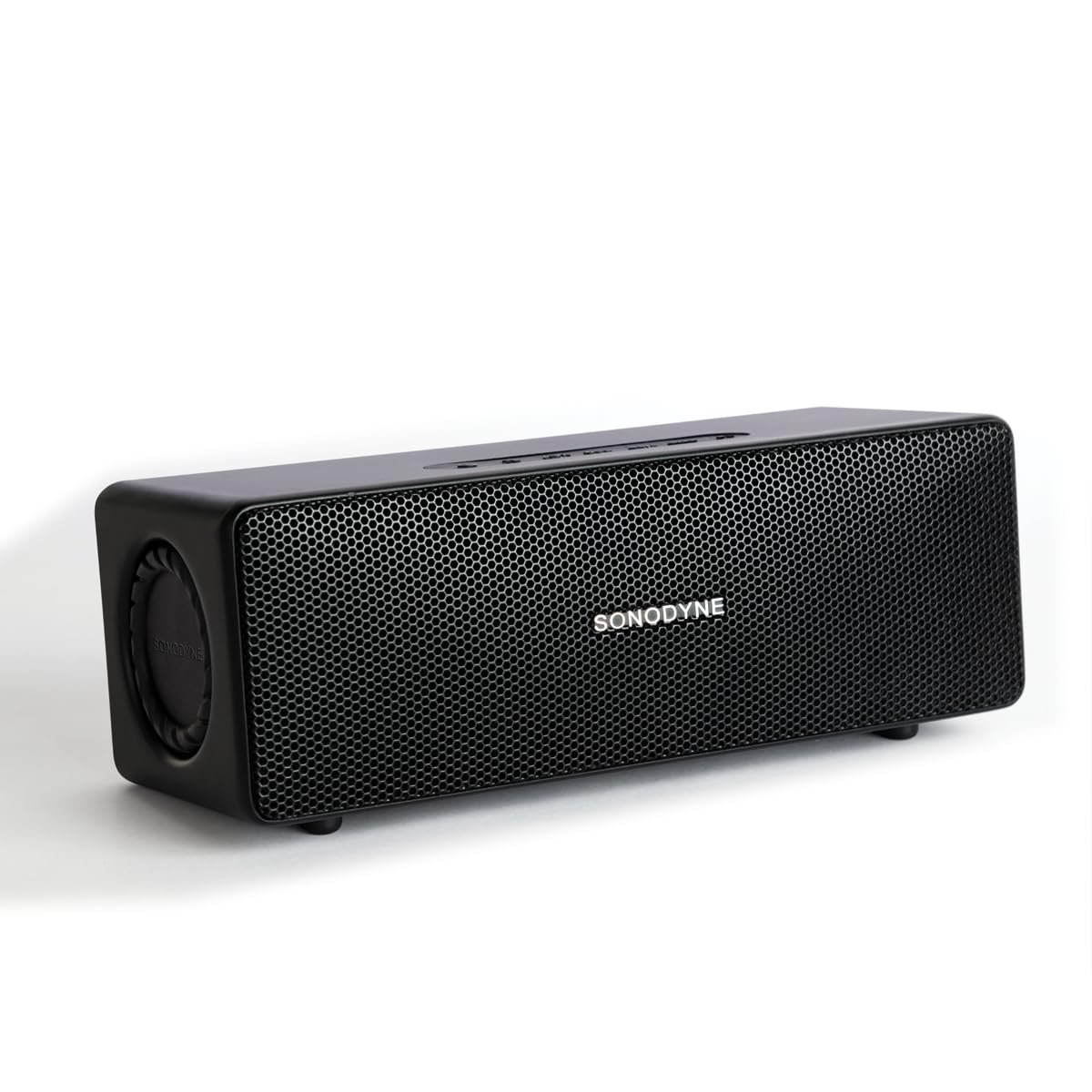
Figure 1: Sonodyne Antara Speaker - Front View
Video 1: Sonodyne Antara Bluetooth Speaker Overview. This video provides a general introduction to the speaker's features and design.
Шта је у кутији
Carefully unpack your Sonodyne Antara speaker and ensure all items are present:
- Sonodyne Antara Speaker
- Кабл за пуњење типа Ц
- High Current Charger
- Кориснички приручник (овај документ)
Производ је завршенview
Контроле и индикатори

Слика 2: Контроле на горњем панелу
The top panel features soft-touch controls for easy operation:
- Дугме за напајање: Притисните и држите за укључивање/искључивање.
- Појачавање/утишавање: Подесите јачину звука репродукције.
- Дугме за репродукцију/паузу: Контролишите репродукцију медија.
- Дугме за Блуетоотх упаривање: Покрените режим упаривања путем Bluetooth-а.
- Дугме за режим: Switch between input sources (Bluetooth, Aux-in, USB).
Портови на задњој плочи

Слика 3: Портови на задњој плочи
Задњи панел нуди разне опције повезивања:
- УСБ порт: За репродукцију звука fileс са УСБ диска.
- ПРЕДИЗЛАЗ: Audio output for connecting to a powered subwoofer.
- АУКС ИН: 3.5mm analog line input for wired connections.
- ДЦ ИН 5В: Порт за пуњење типа Ц.
Сетуп
Пуњење звучника
- Connect the provided Type-C charging cable to the DC IN 5V port on the speaker's rear panel.
- Connect the other end of the cable to the Sonodyne high current USB charger.
- Укључите пуњач у утичницу.
- The charging indicator will illuminate. The speaker is fully charged when the indicator changes color or turns off (refer to specific indicator behavior in the quick start guide). A full charge takes approximately 4.5 hours and provides up to 12 hours of playtime.
Укључивање/искључивање
- За укључивање: Press and hold the Power button on the top panel until the indicator light illuminates.
- За искључивање: Press and hold the Power button again until the indicator light turns off.
Блуетоотх упаривање

Слика 4: Карактеристике повезивања
- Уверите се да је звучник укључен.
- Press the Bluetooth Pairing button on the top panel. The Bluetooth indicator will flash, indicating it's in pairing mode.
- On your smartphone or other Bluetooth-enabled device, go to the Bluetooth settings and search for available devices.
- Select "Sonodyne Antara" from the list.
- Када се једном повеже, Bluetooth индикатор на звучнику ће престати да трепери и остати непрекидно упаљен.
Аук-ин веза
- Connect a 3.5mm audio cable (not included) from your audio source to the AUX IN port on the speaker's rear panel.
- Press the Mode button on the top panel to switch to Aux-in mode.
УСБ репродукција
- Уметните УСБ диск који садржи аудио files into the USB port on the speaker's rear panel.
- Press the Mode button on the top panel to switch to USB mode. The speaker will automatically begin playing audio fileс из погона.
Duet Mode (True Stereo Pairing)

Figure 5: Duet Mode Feature
To pair two Antara speakers for a true stereo experience:
- Ensure both Antara speakers are powered on and not connected to any Bluetooth device.
- On one speaker (this will be the primary speaker), press and hold the Bluetooth Pairing button until you hear a confirmation tone.
- Repeat the same step on the second speaker (secondary speaker).
- The speakers will automatically search and connect to each other. Once connected, the primary speaker's Bluetooth indicator will flash slowly, and the secondary speaker's indicator will be solid.
- Now, connect your device to the primary speaker via Bluetooth as described in the "Bluetooth Pairing" section. Audio will play in true stereo across both speakers.
Упутство за употребу
Основне контроле репродукције
- Пусти/паузирај: Притисните дугме Плаи/Паусе једном.
- Појачавање звука: Притисните дугме за појачавање јачине звука.
- Смањивање јачине звука: Притисните дугме за смањивање јачине звука.
- Следећа нумера: Press and hold the Volume Up button (or double-press, refer to quick start guide for exact behavior).
- Претходни запис: Press and hold the Volume Down button (or triple-press, refer to quick start guide for exact behavior).
Call Management (when connected via Bluetooth)
- Одговори на позив: Притисните дугме Плаи/Паусе једном.
- Заврши позив: Притисните дугме Репродукуј/Паузирај једном током позива.
- Одбиј позив: Притисните и држите дугме за репродукцију/паузу.
Одржавање
Чишћење
- Wipe the speaker with a soft, dry, lint-free cloth.
- Do not use abrasive cleaners, alcohol, benzene, or other chemical solvents, as these may damage the surface.
Складиштење
- Чувајте звучник на хладном и сувом месту, даље од директне сунчеве светлости и екстремних температура.
- Ако складиштите батерију дуже време, пуните је до приближно 50% сваких неколико месеци како бисте продужили њен век трајања.
Отпорност на воду и прашину (ИП65)
The Sonodyne Antara speaker is rated IP65, meaning it is protected against dust ingress and low-pressure water jets from any direction. This makes it suitable for outdoor use in light rain or dusty conditions.
- Не потапајте звучник у воду.
- Avoid exposing the speaker to powerful water jets.
- Ensure all port covers are securely closed before exposing the speaker to water or dust.
- If the speaker gets wet, wipe it dry with a soft cloth before charging or using it again.
Решавање проблема
| Проблем | Могући узрок | Решење |
|---|---|---|
| Звучник се не укључује. | Ниска батерија. | Charge the speaker using the provided charger and Type-C cable. |
| Није могуће упаривање преко Bluetooth-а. | Speaker not in pairing mode; device too far; previously paired device connected. | Ensure speaker is in pairing mode (flashing indicator). Move device closer. Disconnect from other devices or reset speaker's Bluetooth. |
| Нема звука. | Јачина звука је прениска; погрешан улазни извор; уређај не репродукује звук. | Increase speaker and device volume. Press Mode button to select correct input (Bluetooth, Aux, USB). Ensure audio is playing on your source device. |
| Лош квалитет звука/дисторзија. | Source audio quality; speaker too far from source (Bluetooth); interference. | Try a different audio source. Move Bluetooth device closer to the speaker. Avoid obstacles between speaker and device. |
| Duet Mode not working. | Speakers not properly paired in Duet Mode. | Ensure both speakers are disconnected from other devices before initiating Duet Mode pairing. Follow Duet Mode instructions carefully. |
Спецификације
| Феатуре | Детаљ |
|---|---|
| Бранд | Sonodyne |
| Назив модела | Антара |
| Спеакер Типе | Stereo, Portable Bluetooth Speaker |
| Максимална излазна снага звучника | 40 Ваттс |
| Режим аудио излаза | Stereo (2.0 Channels) |
| Технологија повезивања | Bluetooth 5.4, Aux-in (3.5mm), USB |
| Тип аудио драјвера | Dynamic Driver (4 transducers, 2 passive radiators) |
| Woofer Driver Diameter | 2.5 инча |
| Tweeter Driver Diameter | 0.5 инча |
| Однос сигнала и шума | 85 дБ |
| Фреквенцијски одзив | Up to 20 KHz (typical range for full-range speakers) |
| Извор напајања | Напаја се батеријама (1 литијум-јонска батерија је укључена) |
| Капацитет батерије | 3350 мАх |
| Просечан век трајања батерије | До 12 сати |
| Време пуњења батерије | 4.5 сата |
| Контролни метод | Контрола додиром |
| Ниво отпорности на воду | IP65 (Water Resistant, Dustproof) |
| Материјал кућишта | акрилонитрил бутадиен стирен (АБС) |
| Димензије артикла (Д к Ш к В) | 9.8 Д x 25 Ш x 8.6 В центиметара |
| Тежина артикла | 1.5 килограма |
Гаранција и подршка
Гаранција произвођача
The Sonodyne Antara speaker comes with a Двогодишња ограничена гаранција произвођачаОва гаранција покрива недостатке у материјалу и изради при нормалној употреби. Молимо вас да сачувате доказ о куповини за потребе подношења захтева за гаранцију.
Корисничка подршка
For technical assistance, warranty claims, or any other inquiries, please contact Sonodyne customer support:
- Контакт информације произвођача: Sonodyne Technologies Pvt. Ltd. 98 NB Block E New Alipore, Kolkata 700053
- Refer to the official Sonodyne website or your purchase documentation for the most current contact details and support options.