
1. Производ је готовview
The SJOYBRING Wireless Double Din Carplay & Android Auto Car Stereo is a 7-inch full HD capacitive touchscreen unit designed to enhance your in-car entertainment and connectivity. It features wireless Apple CarPlay and Android Auto, Bluetooth, 4-channel RCA output, high power output, subwoofer support, and includes a backup camera.
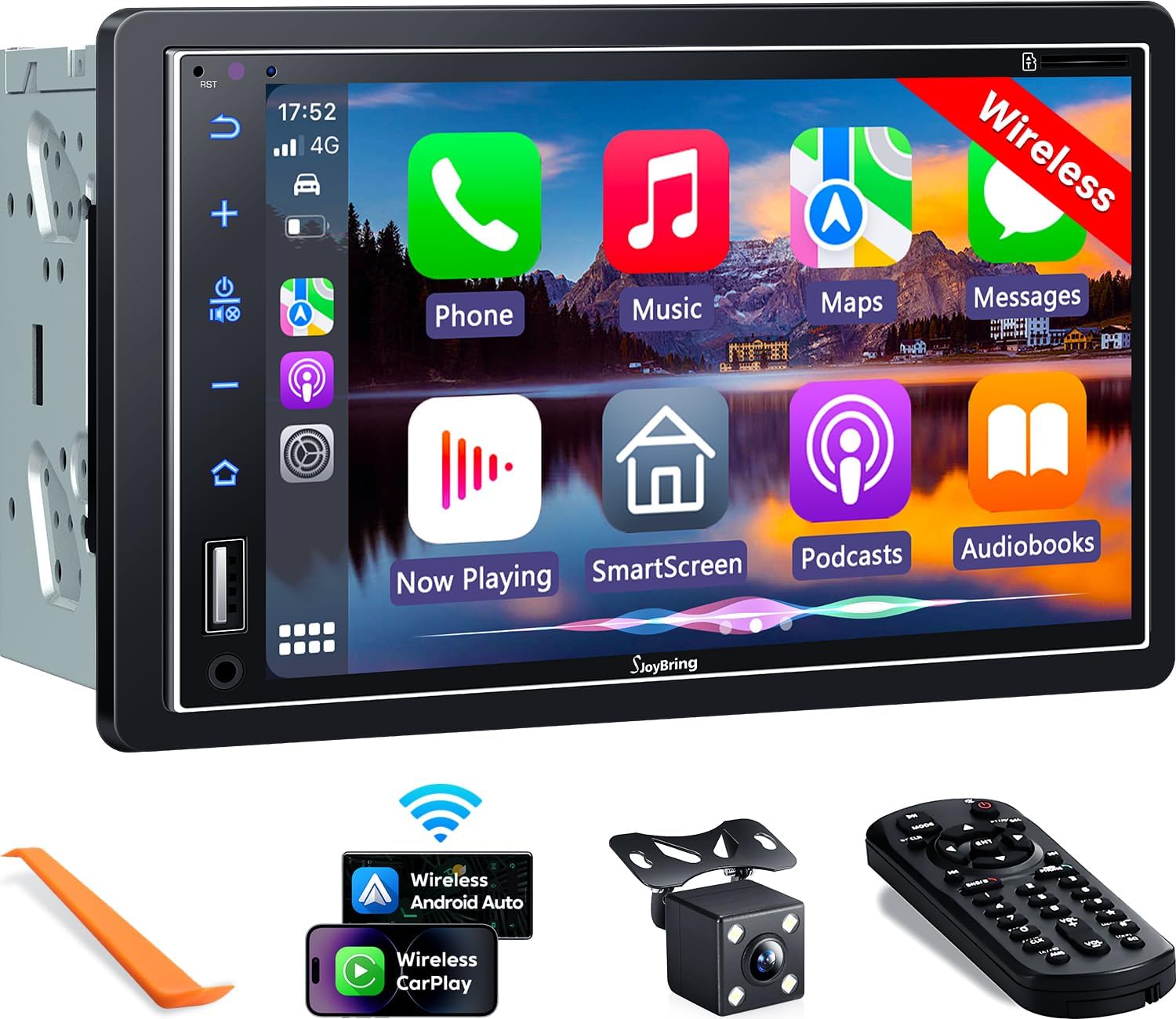
Слика 1.1: Предња страна view of the SJOYBRING car stereo displaying the CarPlay interface.
2. Садржај пакета
Проверите да ли су све ставке наведене у наставку укључене у ваш пакет:
- Head Unit (Car Stereo)
- Фраме
- Позади View Камера
- Кабл за резервну камеру
- Електрична инсталација
- Ремоте Цонтрол
- Кориснички приручник (овај документ)
- Монтажни носачи
- Алат за демонтажу
- Вијци (разних величина)

Image 2.1: Visual representation of the SJOYBRING car stereo package contents.
3. Подешавање и инсталација
3.1 Важни савети за инсталацију
- The standard size of this unit is 170mm x 97mm. Ensure your vehicle's dashboard opening matches this size.
- If the stereo size does not fit your dash, an additional suitable dash kit may be required (not included).
- Read this instruction manual thoroughly before beginning installation.
- Some vehicles may require additional accessories for installation, such as a wire harness adapter and a radio antenna adapter specific to your car model (not included).
3.2 Дијаграм ожичења
Погледајте следећи дијаграм за правилно повезивање ожичења. Неправилно ожичење може оштетити уређај или електрични систем вашег возила.

Image 3.1: ISO Standard Double DIN wiring and dimension diagram.
3.3 Реар View Повезивање камере
Укључен HD ноћни вид позади view camera provides a 170° ultra-wide viewing angle and is waterproof. Connect the camera as shown in the diagram below. The display will automatically switch to the rear view када се возило налази у брзини за ход уназад.

Image 3.2: One-step wiring connection for the rear camera.
4. Упутство за употребу
4.1 Бежични Apple CarPlay и Android Auto
Connect your smartphone to the car stereo via Bluetooth and Wi-Fi for wireless Apple CarPlay or Android Auto functionality. This allows access to navigation, music, messages, and other phone features directly on the stereo's screen. Voice control via Siri or Google Assistant is supported for safer operation.
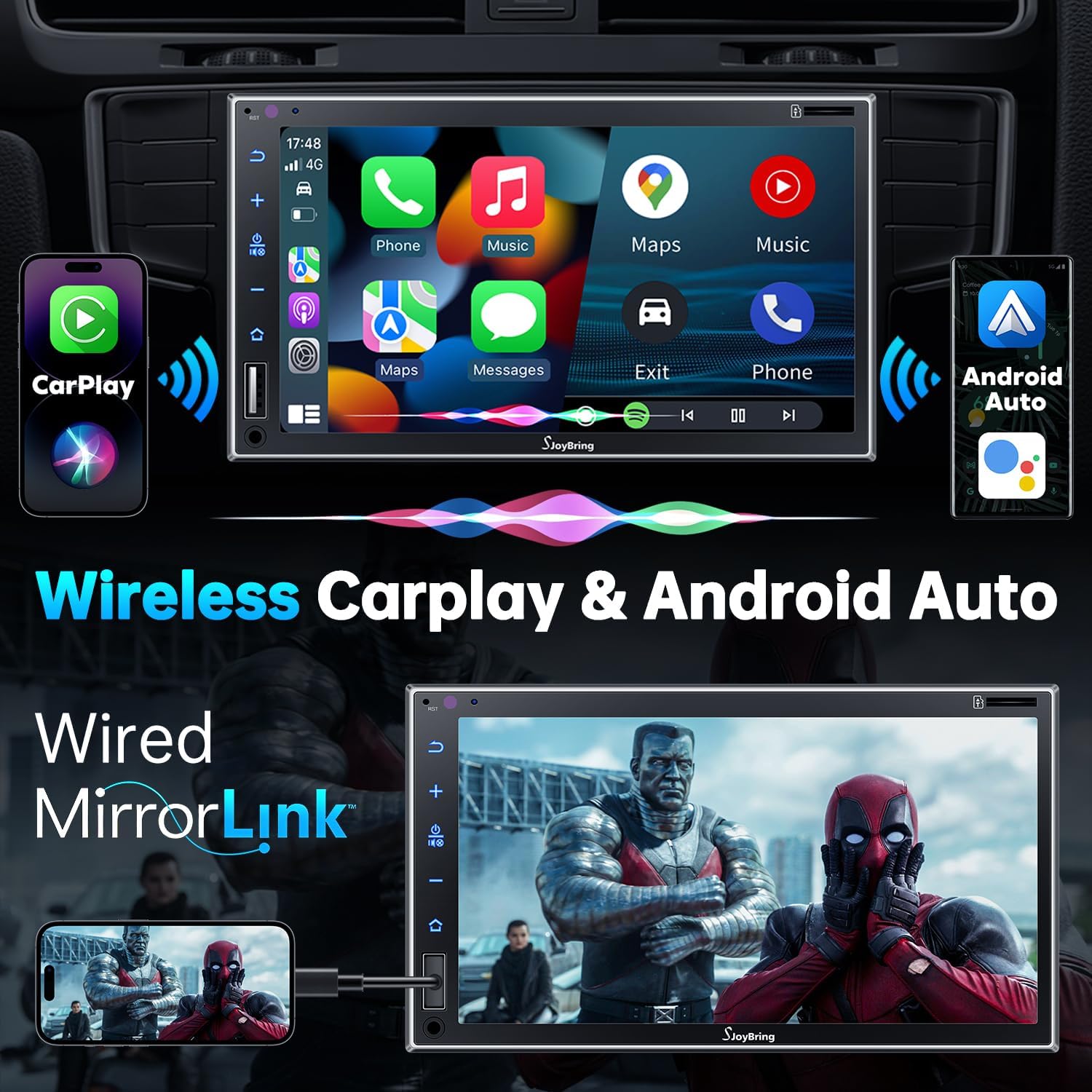
Image 4.1: Wireless Apple CarPlay and Android Auto in operation.
4.2 Wired Mirror Link
The unit supports wired mirror link for both iOS and Android phones (no version limit). Use a USB connection to mirror your smartphone's screen, displaying apps like Google Maps, Spotify, or YouTube on the 7-inch HD touchscreen.

Image 4.2: Wired Mirror Link functionality.
4.3 Аудио функције
- 4.2-Channel Audio Output: Features 4 channels of pre-amplifier (RCA) for front right, front left, rear right, and rear left speakers, allowing for precise sound adjustment.
- Излаз субвоофера: Includes two high RMS power subwoofer outputs for enhanced bass effects.
- 10-појасни ЕК: An integrated 10-band audio equalizer allows customization of the music effect.

Image 4.3: 4.2 Channel Audio Output diagram.

Image 4.4: 10-Band Equalizer interface.
4.4 Bluetooth повезивање
Utilizes the latest Bluetooth technology with an independent Bluetooth module and antenna for a strong and stable connection, ensuring clear calls and uninterrupted music playback.

Image 4.5: Latest Bluetooth technology for stable connection.
4.5 Управљање воланом (SWC)
The unit supports steering wheel controls, allowing you to manage audio functions without taking your hands off the wheel. Refer to the wiring diagram for SWC connections and the unit's settings for programming.

Image 4.6: Steering Wheel Control setup interface.
4.6 FM & AM Radio
Access FM radio frequencies from 87.5 to 107.9 MHz and AM radio frequencies from 530 to 1710 KHz. The unit allows for station presets and scanning.

Image 4.7: FM & AM Radio interface.
5. Одржавање
To ensure the longevity and optimal performance of your SJOYBRING car stereo, follow these maintenance guidelines:
- Чишћење екрана: Користите меку крпу која не оставља влакна да нежно обришете екран осетљив на додир. За тврдокорне мрље, благо обришитеampОбришите крпу водом или средством за чишћење екрана. Избегавајте јаке хемикалије или абразивне материјале.
- Уклањање прашине: Regularly clean dust from the unit's vents and buttons using a soft brush or compressed air.
- Контрола температуре: Избегавајте излагање уређаја екстремним температурама током дужег временског периода.
- Инспекција ожичења: Periodically check all wiring connections to ensure they are secure and free from damage.
КСНУМКС. Решавање проблема
If you encounter issues with your SJOYBRING car stereo, refer to the following common troubleshooting steps:
- Нема напајања: Check all power connections, including the ACC (accessory) and 12V constant power wires. Ensure the vehicle's fuse for the stereo is not blown.
- Нема звука: Verify speaker connections are correct. Check the volume level and ensure the mute function is not activated. Confirm the audio source is properly selected.
- Проблеми са Блуетоотх везом: Ensure Bluetooth is enabled on both the stereo and your smartphone. Delete previous pairings and attempt to re-pair. Move closer to the unit if interference is suspected.
- CarPlay/Android Auto се не повезује: For wireless connection, ensure both Bluetooth and Wi-Fi are active on your phone and the stereo. For wired mirror link, try a different USB cable or port.
- Камера за вожњу уназад се не приказује: Check the camera's power and video signal connections. Ensure the reverse gear trigger wire is correctly connected to the vehicle's reversing light circuit.
- Екран осетљив на додир не реагује: Try restarting the unit. If the issue persists, contact customer support.
If these steps do not resolve the issue, please contact SJOYBRING customer support for further assistance.
7. Спецификације
| Број модела | 7825d65e-cac9-443c-8d2b-17a564819d91 |
| Дисплаи | 7 Inch Full HD Capacitive Touchscreen (1024 x 600 resolution) |
| Повезивање | Wireless Apple CarPlay, Wireless Android Auto, Bluetooth, Wired Mirror Link (USB) |
| Режим аудио излаза | Стерео |
| Конфигурација канала сурроунд звука | 4 Channel (RCA Pre-amp излази) |
| Субвоофер Оутпут | 2 High RMS Power Outputs |
| Еквилајзер | 10-Банд ЕК |
| Максимална излазна снага | КСНУМКСВ к КСНУМКС |
| Воркинг Волtage | ДЦ 12В |
| Радио фреквенције | FM: 87.5~107.9MHz, AM: 530~1710KHz |
| Видео Енцодинг | H.264, H.265/HEVC, MPEG-4 |
| Тежина артикла | 2.7 фунти |
| Димензије пакета | 9.25 к 6.3 к 5.94 инча |
| Произвођач | СЈОИБРИНГ |
8. Гаранција и подршка
8.1 Информације о гаранцији
For specific warranty details regarding your SJOYBRING car stereo, please refer to the warranty card included in your product packaging or contact SJOYBRING customer support directly. Warranty terms typically cover manufacturing defects for a specified period from the date of purchase.
8.2 Корисничка подршка
If you have any questions, require technical assistance, or need to report an issue, please contact SJOYBRING customer support. Contact information can usually be found on the manufacturer's official webсајту или на паковању производа.
Manufacturer: SJOYBRING
For the most up-to-date support information, visit the official SJOYBRING store on Amazon: SJOYBRING Store