
Увод
The Noise Buds Connect 2 are true wireless earbuds designed to provide a high-quality audio experience with advanced features. This manual provides detailed instructions for setting up, operating, maintaining, and troubleshooting your earbuds to ensure optimal performance.
Шта је у кутији
Upon unboxing your Noise Buds Connect 2, you will find the following items:
- 1N Bluetooth Headphone (Earbuds)
- 1Н кућиште за пуњење
- 1N Charging Cable
- 1Н упутство за употребу
- 1N Warranty Registration Card
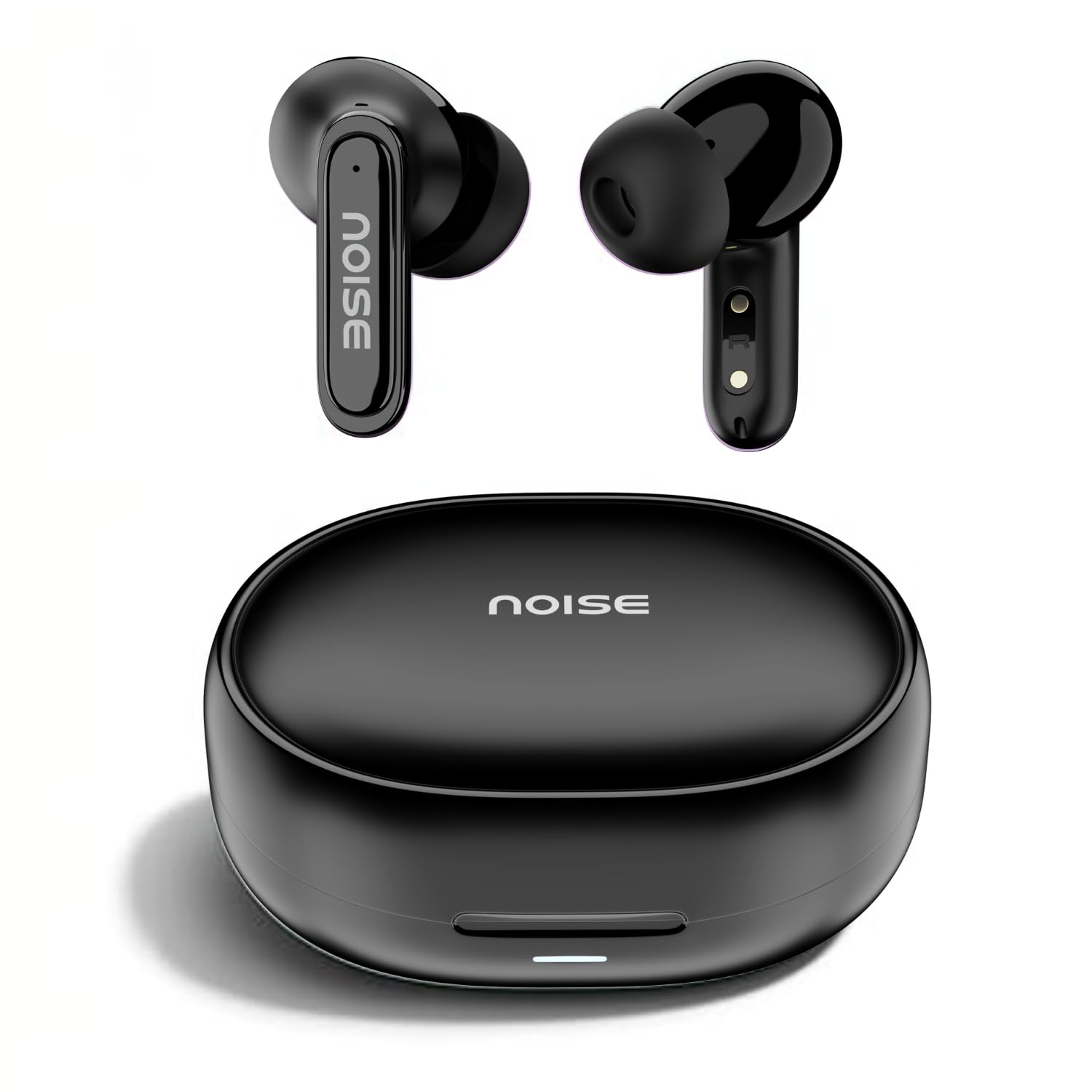
Image: Noise Buds Connect 2 earbuds and their charging case.
Сетуп
1. Пуњење слушалица
Before first use, fully charge the earbuds and the charging case. Connect the provided charging cable to the charging case and a power source. The indicator light on the case will show the charging status.
- Просечан век трајања батерије: До 50 сати (са футролом за пуњење)
- Време пуњења батерије: Приближно 1.5 сата за потпуно пуњење.
- Instacharge: 10 minutes of charge provides up to 120 minutes of playtime.

Image: Noise Buds Connect 2 earbuds placed inside their charging case.
2. Почетно упаривање
- Отворите кућиште за пуњење. Слушалице ће аутоматски ући у режим упаривања.
- На свом уређају (паметном телефону, таблету, лаптопу) омогућите Блутут.
- Тражи 'Noise Buds Connect 2' in the list of available Bluetooth devices.
- Select 'Noise Buds Connect 2' to connect. A voice prompt will confirm successful pairing.

Image: Earbuds connected to a device via Bluetooth 5.3, showing music playback.
3. Dual Device Pairing
The Noise Buds Connect 2 support dual device pairing, allowing you to connect to two devices simultaneously and switch between them seamlessly.
- Упарите слушалице са својим првим уређајем као што је горе описано.
- Disconnect the earbuds from the first device's Bluetooth settings.
- Упарите слушалице са другим уређајем.
- Reconnect the earbuds to the first device from its Bluetooth settings. The earbuds are now paired with both devices.

Image: Noise Buds Connect 2 earbuds shown with a smartphone and a laptop, illustrating dual device pairing.
Упутство за употребу
Додирните контроле
The earbuds feature touch controls for easy management of music and calls. Specific gestures for play/pause, track skipping, volume adjustment, and call handling are typically detailed in the quick start guide included with your product. Refer to that guide for precise touch commands.
Откривање у ушима
The earbuds are equipped with in-ear detection. Music playback will automatically pause when you remove an earbud from your ear and resume when you place it back in.

Image: A person wearing Noise Buds Connect 2, demonstrating the in-ear detection feature.
Карактеристике
- Quad Mic with Environmental Noise Cancellation (ENC): Ensures clear voice calls by filtering out ambient noise.
- ИПКС5 отпорност на воду: Protects your earbuds from sweat and light splashes, making them suitable for workouts and outdoor activities.
- Low Latency (up to 40ms): Provides a synchronized audio-visual experience, ideal for gaming and video playback.
- Блуетоотх в5.3: Offers stable and efficient wireless connectivity with a range of up to 10 meters.
Image: Noise Buds Connect 2 earbuds highlighting the Quad Mic with ENC feature for enhanced call clarity.

Image: Noise Buds Connect 2 showcasing its IPX5 water resistance feature.
Одржавање
Чишћење
- Нежно обришите слушалице и кућиште за пуњење меком, сувом крпом која не оставља влакна.
- Немојте користити јаке хемикалије, раствараче за чишћење или јаке детерџенте.
- Clean the charging contacts on both the earbuds and the case regularly to ensure proper charging.
Складиштење
- Чувајте слушалице у футроли за пуњење када се не користе да бисте их заштитили и одржали напуњеним.
- Избегавајте излагање слушалица екстремним температурама, влази или директној сунчевој светлости.
Решавање проблема
- Слушалице се не упарују: Ensure both earbuds are in the charging case, then open the lid to initiate pairing mode. Check your device's Bluetooth settings and try re-pairing.
- Једна слушалица не ради: Place both earbuds back in the case, close the lid, wait a few seconds, then open it again. This often resets the connection.
- Проблеми са пуњењем: Clean the charging contacts on both the earbuds and the case. Ensure the charging cable is securely connected and the power source is active.
- Ниска јачина звука или лош квалитет звука: Check the volume on both your device and the earbuds. Ensure the earbuds are properly seated in your ears. Clean any debris from the earbud nozzles.
- In-ear detection not working: Ensure the sensors are clean and unobstructed.
Спецификације
| Феатуре | Спецификација |
|---|---|
| Бранд | Бука |
| Назив модела | Buds Connect 2 |
| Број модела | AUD-HDPHN-BUDSCONNECT-2-BLK |
| Боја | Цхарцоал Блацк |
| Постављање уха | Ин Еар |
| Форм Фацтор | Труе Вирелесс |
| Контрола буке | Уклањање буке из околине (ЕНЦ) |
| Просечан век трајања батерије | 50 сата |
| Време пуњења батерије | 1.5 сата |
| Фреквенцијски опсег | 20 Hz - 20 kHz |
| Тип аудио драјвера | Динамички возач |
| Карактеристике производа | Fast Charging, Lightweight, Microphone Included, Rechargeable Battery, Sweatproof |
| Материјал кућишта | Поликарбонат (ПЦ) |
| Ниво отпорности на воду | ИПКС5 водоотпоран |
| Блуетоотх верзија | 5.3 |
| Блуетоотх домет | 10 метара |
| Тип контроле | Контрола медија |
| Контролни метод | Додирните |
Гаранција и подршка
The Noise Buds Connect 2 come with a 1-year assured warranty from the date of purchase, provided by the manufacturer. For warranty claims, technical support, or further information, please refer to the warranty registration card included in your package or visit the official Noise brand store.
Званична продавница бренда: Noise Store on Amazon.in
Видео производа прекоview
Погледајте овај видео за кратак прегледview of the Noise Buds Connect 2 features and contents.
Видео: Кратак уводview highlighting key features of the Noise Buds Connect 2 earbuds.