
1. Увод
This manual provides detailed instructions for the Headwolf WPad5 Android 14 Tablet. Please read this guide thoroughly before using your device to ensure proper operation and to maximize its features. Keep this manual for future reference.
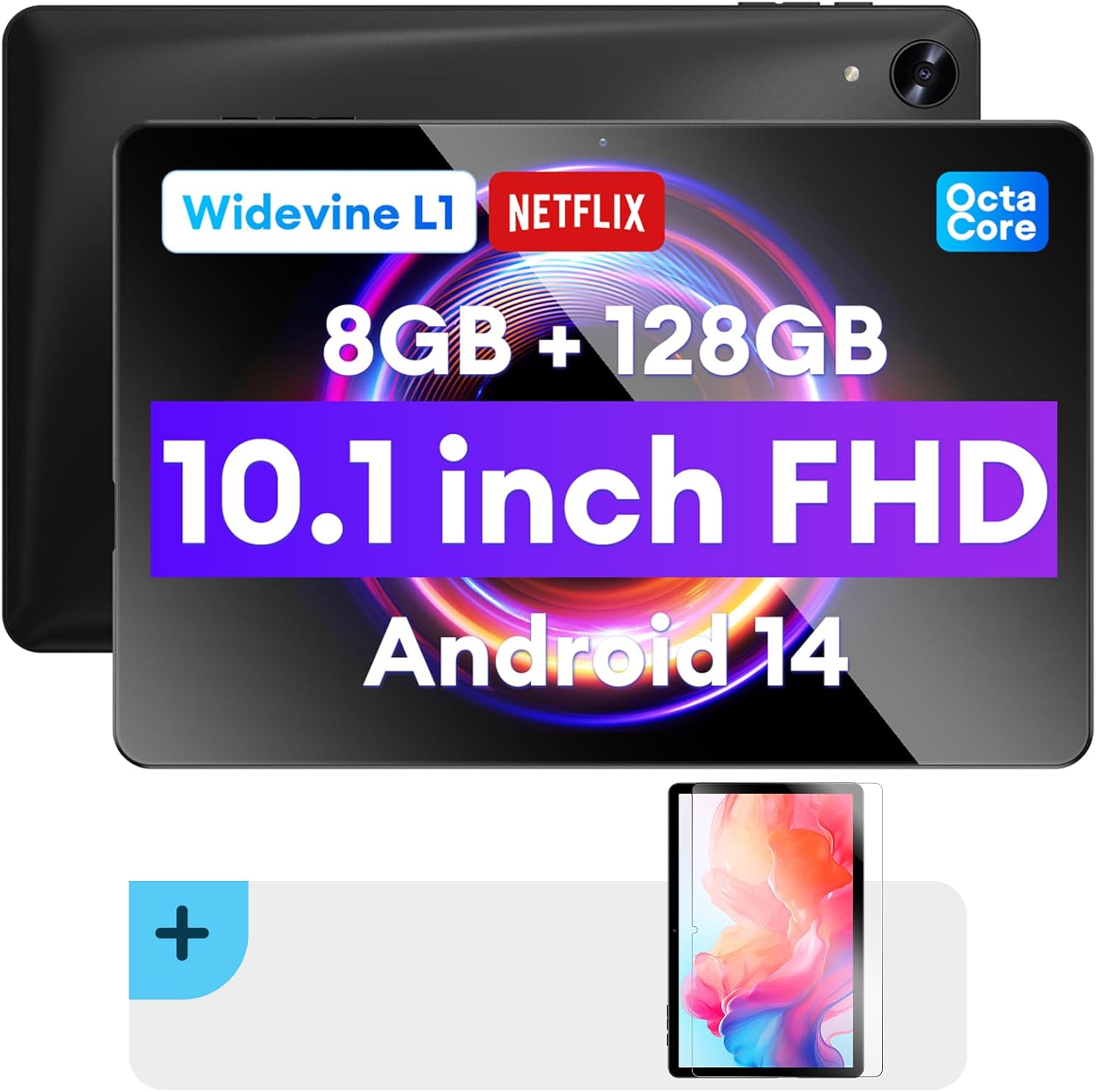
Слика: Предња и задња страна view of the Headwolf WPad5 tablet, showcasing its 10.1-inch FHD display, 8GB RAM + 128GB ROM, Widevine L1 support, Octa-Core processor, and Android 14 operating system.

Слика: Оверview of the Headwolf WPad5 tablet's main features, including its 10.1-inch 1920x1200 IPS FHD display, Unisoc T606 Octa-Core CPU, 8GB RAM + 128GB ROM, 5500mAh battery, 2.4G/5G WiFi, Android 14, dual stereo speakers, dual camera, and Widevine L1 support for Netflix.
2. Подешавање
2.1 Шта је у кутији
Upon unboxing your Headwolf WPad5 tablet, please verify that all the following items are included:
- Headwolf WPad5 Tablet
- Кабл типа Ц
- АЦ адаптер
- Упутство за употребу
- 2-pack Screen Protector

Image: A visual representation of the Headwolf WPad5 tablet and its accessories (manual, Type-C cable, AC adapter). It also highlights the tablet's physical features such as the 3.5mm headphone jack, rear camera, power button, volume buttons, TF card slot, and Type-C port.
2.2 Пуњење таблета
Before initial use, fully charge your tablet. Connect the Type-C cable to the tablet's Type-C port and the other end to the AC adapter. Plug the AC adapter into a power outlet. The battery indicator on the screen will show charging status.
2.3 Укључивање/искључивање
- За укључивање: Притисните и држите дугме за напајање које се налази са стране таблета док се на екрану не појави лого Headwolf.
- За искључивање: Притисните и држите дугме за напајање док се не појави мени за напајање. Изаберите „Искључивање“ из опција.
- Рестартовати: Из менија за напајање изаберите „Поново покрени“.
2.4 Инсталација заштитне фолије за екран
Your tablet comes with two screen protectors. Follow these steps for installation:
- Clean the tablet screen thoroughly with a microfiber cloth to remove dust and smudges.
- Peel off the protective film from the adhesive side of the screen protector.
- Carefully align the screen protector with the tablet's screen, ensuring the cutouts for the camera and sensors match.
- Gently lay the protector onto the screen, starting from one edge and slowly lowering it.
- Use a soft card (e.g., a credit card wrapped in cloth) to smooth out any air bubbles, pushing them towards the edges.
- Remove the top protective film (if present).

Image: The Headwolf WPad5 tablet with an "Ultra Clear" advanced HD clarity tempered glass screen protector being shown, indicating its protective function and clear display.
3. Управљање таблетом
3.1 Андроид 14 оперативни систем
The Headwolf WPad5 runs on the latest Android 14 operating system, offering enhanced performance, improved privacy features, and a customizable user interface.
- GMS Free App Download: Access millions of applications through the Google Play Store.
- Функција подељеног екрана: Enhance productivity by using two apps simultaneously.
- Прилагођавање корисничког интерфејса: Personalize your interface with various themes, widgets, and settings.
- Заштита приватности: Advanced features to ensure your personal data remains secure and confidential.
- Personalized Screen Settings: Empower all users with enhanced usability options.

Image: A graphic illustrating the key features of the Android 14 system on the Headwolf WPad5, such as GMS free app download, UI customization, personalized screen settings, and privacy protection, enhancing user experience.
3.2 Display and Widevine L1 Certification
The tablet features a 10.1-inch FHD 1920x1200 IPS display, providing clear and vibrant visuals. With Widevine L1 certification, you can stream high-definition content from popular platforms like Netflix, Amazon Prime Video, Disney+, and YouTube without interruptions or quality degradation.

Image: A visual demonstrating the Widevine L1 certification on the Headwolf WPad5 tablet, showing high-quality streaming from services like YouTube, Netflix, Amazon Prime Video, Disney+, and Hulu, ensuring a premium viewинг искуство.
3.3 Перформансе и складиштење
Powered by an octa-core Unisoc T606 CPU, the WPad5 ensures smooth multitasking and gaming. It comes with 8GB RAM (achieved via 4GB physical RAM + 4GB expansion) and 128GB of internal storage. The storage can be expanded up to 2TB using a microSD card (not included).

Image: A diagram detailing the Unisoc T606 Octa-Core CPU with 2.0 GHz peak frequency and Mali-G57 GPU, highlighting its high performance, efficient processing, and low heat generation for gaming and high-quality display.

Image: A graphic illustrating the generous storage capacity of the Headwolf WPad5, featuring 8GB RAM (4+4GB) and 128GB ROM, expandable up to 2TB via TF card, suitable for storing software, photos, music, videos, and e-books.
3.4 Повезивање
The WPad5 offers versatile connectivity options:
- Ви-Фи: Dual-band (2.4GHz/5GHz) 802.11ac for fast and stable internet connection.
- Блуетоотх: Верзија 5.0 за повезивање бежичних додатака.
- 3.5 мм прикључак за слушалице: За жични аудио излаз.
- ГПС: 4-mode satellite positioning for precise location services. For offline navigation, download maps via Wi-Fi before traveling to areas without internet access.

Image: The Headwolf WPad5 tablet displaying a navigation map, illustrating its 4-mode satellite positioning capability for precise location services and route guidance.
3.5 камере
Таблет је опремљен са две камере:
- Задња камера: 8MP за снимање фотографија и видео записа.
- Предња камера: 5MP, ideal for video calls and online meetings.

Слика: Изложба колажаasing the capabilities of the Headwolf WPad5's 8MP rear camera for capturing landscapes and moments, and the 5MP front camera for video conferencing and meetings, demonstrating its versatility.
3.6 Трајање батерије
The WPad5 is powered by a 5500mAh battery, providing approximately 6-8 hours of playtime per charge, depending on usage.
3.7 Додатне функције
- Подели екран: Run two applications side-by-side for enhanced productivity.
- Откључавање лицем: Securely unlock your tablet using facial recognition.
- Пресликавање екрана: Cast your tablet's display to a larger screen wirelessly.
- Dual Box Stereo Speakers: Enjoy immersive audio with enhanced sound quality.
Слика: Графичка презентацијаasing various features of the Headwolf WPad5 tablet, including Split Screen functionality for multitasking, 2.4G/5G Dual Band WiFi for connectivity, Face Unlock for security, and Screen Mirroring for casting content to external displays.
4. Одржавање
4.1 Одржавање батерије
- Избегавајте често потпуно пражњење батерије.
- Не излажите таблет екстремним температурама.
- Користите само приложени пуњач или сертификовани компатибилни пуњач.
- The 5500mAh battery includes overcurrent, short circuit, over-discharge, and output protection for safety.

Image: A visual highlighting the 5500mAh battery of the Headwolf WPad5 and its built-in protection features: overcurrent protection, short circuit protection, over-discharge protection, and output protection, ensuring safe and reliable power.
4.2 Чишћење таблета
- Користите меку крпу која не оставља влакна да бисте очистили екран и кућиште таблета.
- За тврдокорне мрље, благо дampОперите крпу водом или средством за чишћење екрана посебно дизајнираним за електронику.
- Избегавајте употребу јаких хемикалија, абразивних материјала или аеросолних спрејева.
4.3 Ажурирања софтвера
Regularly check for and install software updates to ensure your tablet has the latest features, security patches, and performance improvements. You can usually find this option in the tablet's Settings menu under "System" or "About tablet".
КСНУМКС. Решавање проблема
5.1 Уобичајена питања и решења
| Иссуе | Могуће решење |
|---|---|
| Таблет се не укључује | Уверите се да је батерија напуњена. Прикључите пуњач и сачекајте неколико минута пре него што поново покушате да га укључите. Ако не реагује, притисните и држите дугме за напајање 10-15 секунди да бисте поново покренули уређај. |
| Проблеми са Ви-Фи везом | Restart your Wi-Fi router and the tablet. Forget the Wi-Fi network on your tablet and reconnect. Ensure you are within range of the Wi-Fi signal. |
| Апликације се руше или замрзавају | Обришите кеш меморију и податке апликације у Подешавањима > Апликације. Ажурирајте апликацију на најновију верзију. Ако проблем и даље постоји, деинсталирајте и поново инсталирајте апликацију. |
| Споро перформансе | Close unnecessary background apps. Clear cache data regularly. Consider uninstalling unused apps. Ensure sufficient free storage space. |
| Екран не реагује | Restart the tablet. If the issue persists, perform a factory reset (data will be lost). |
5.2 Ресетовање на фабричка подешавања
A factory reset will erase all data from your tablet and restore it to its original factory settings. Направите резервну копију свих важних података пре него што наставите.
- Иди на Подешавања.
- Дођите до Систем > Опције ресетовања.
- Изаберите Обриши све податке (ресетовање на фабричка подешавања).
- Потврдите свој избор и пратите упутства на екрану.
6. Спецификације
| Феатуре | Детаљ |
|---|---|
| Назив модела | WPad5 |
| Оперативни систем | Андроид 14 |
| Величина екрана | 10.1 инча |
| Резолуција екрана | 1920 к 1200 (ФХД) |
| Процесор | Unisoc T606 осмојезгарни |
| РАМ | 8 ГБ (4 ГБ + 4 ГБ проширења) |
| Интерна меморија | 128ГБ |
| Екпандабле Стораге | До 2TB преко microSD картице |
| Задња камера | 8 МП |
| Предња камера | 5 МП |
| Капацитет батерије | 5500мАх |
| Бежично повезивање | 802.11ac (Dual-band 2.4GHz/5GHz) |
| Блуетоотх | Блуетоотх 5.0 |
| Портс | Тип-C, 3.5 мм прикључак за слушалице |
| Боја | Црно |
| Посебне карактеристике | Widevine L1, GPS, Face Unlock, Dual Stereo Speakers, Split Screen, Screen Mirroring |
7. Гаранција и подршка
Headwolf provides a one-year repair and replacement warranty for your WPad5 tablet. For any technical assistance, product inquiries, or warranty claims, please contact our dedicated customer service and technical support team.
- Служба за кориснике: Available 24 hours. Please refer to the contact information provided with your purchase or on the official Headwolf webсајту.
- техничка подршка: Available for assistance with setup, troubleshooting, and feature usage.
- Онлине ресурси: Посетите Хедволф продавница на Амазону за додатне информације о производу и подршку.