
Увод
This manual provides comprehensive instructions for the ARTIX CL750 On-Ear Headphones and Silent Wireless Mouse bundle. It covers setup, operation, maintenance, and troubleshooting to ensure you get the most out of your devices. Designed for productivity and comfort, this bundle is ideal for study, work, and everyday use.
Шта је у кутији
- ARTIX CL750 On-Ear Headphones
- Тихи бежични миш
- 3.5mm Audio Cable (for headphones)
- USB Receiver (for wireless mouse)
- Упутство за употребу
Производ је завршенview
ARTIX CL750 On-Ear Headphones
The ARTIX CL750 headphones are designed for immersive audio with comfort and convenience. They feature 40mm drivers for rich bass and noise-blocking cushions for focused listening. A built-in microphone and inline controls allow for hands-free calls and easy volume adjustment.

Figure 1: ARTIX CL750 Headphones featuring a built-in microphone and inline volume controls on the cable.

Figure 2: The foldable design of the ARTIX CL750 Headphones allows for compact storage and portability.
Тихи бежични миш
The Silent Wireless Mouse offers a quiet clicking experience with an ergonomic design for comfortable, extended use. Its advanced optical sensors provide high-precision cursor control, and plug-and-play functionality ensures easy setup.
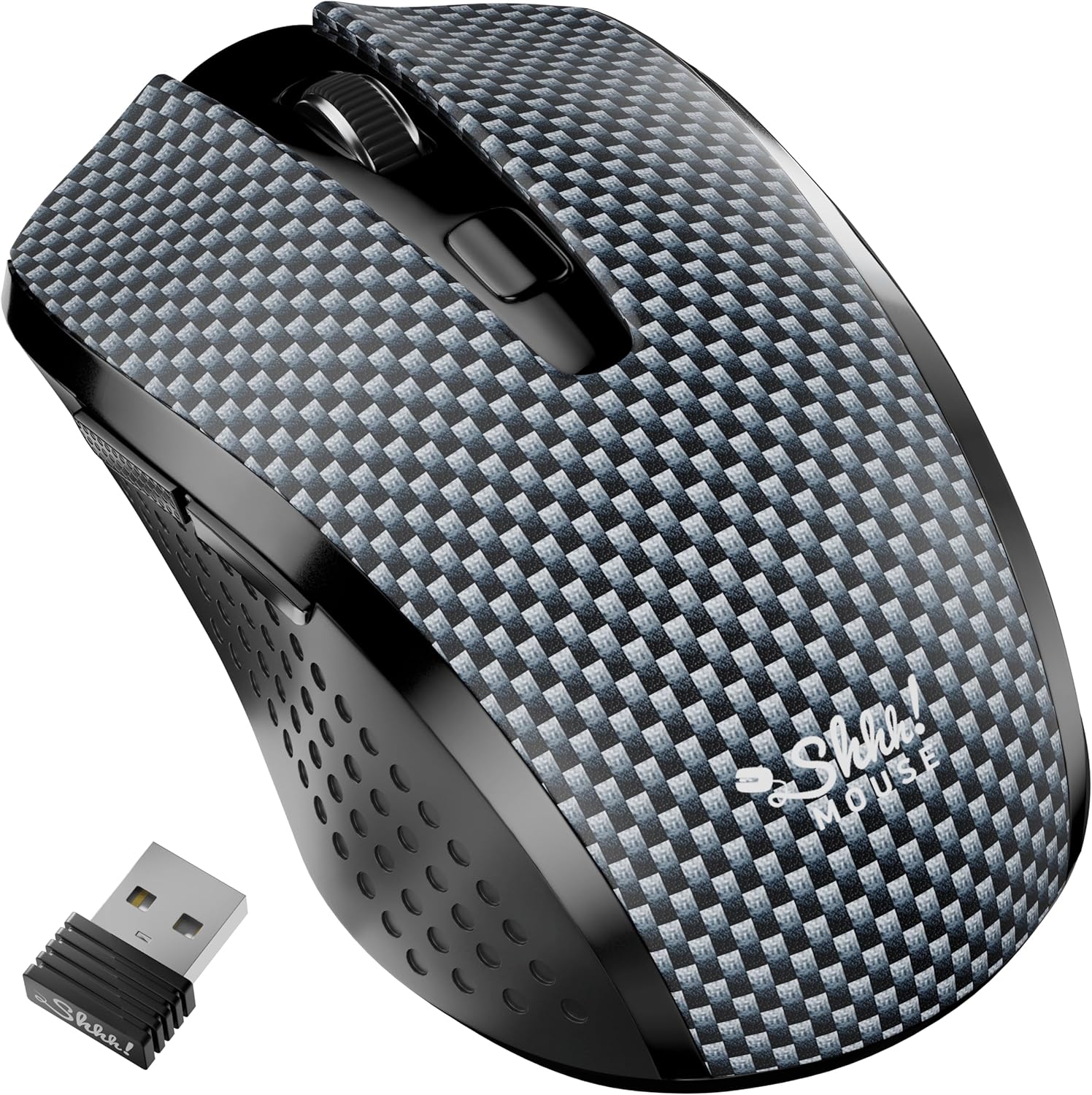
Figure 3: The Silent Wireless Mouse shown with its compact USB receiver for wireless connectivity.

Figure 4: An illustration highlighting the ambidextrous design and multi-function buttons of the Silent Wireless Mouse.
Сетуп
Headphones Setup
- Raspakujte: Remove the ARTIX CL750 headphones from their packaging.
- Повежите се: Plug the 3.5mm audio jack into the audio port of your laptop, computer, tablet, or smartphone.
- Подеси: Extend or retract the headband to achieve a comfortable fit over your ears.
Подешавање бежичног миша
- Уметните батерију: Open the battery compartment on the underside of the mouse and insert the included AA battery (if not pre-installed).
- Повежите УСБ пријемник: Укључите УСБ пријемник у слободан УСБ порт на рачунару или лаптопу.
- Укључено: Turn on the mouse using the power switch located on its underside. The mouse is plug-and-play and should connect automatically.
Упутство за употребу
Using the ARTIX CL750 Headphones
- Аудио репродукција: Once connected, audio from your device will play through the headphones.
- Контрола јачине звука: Use the inline controls on the cable to adjust the volume (+ for increase, - for decrease).
- микрофон: The built-in microphone allows for hands-free communication during calls or online meetings. Ensure your device's audio settings are configured to use the headphone microphone.
- Управљање позивима: Use the central button on the inline control to answer/end calls or play/pause music.
Using the Silent Wireless Mouse
- Кретање: Померајте миш по равној површини да бисте контролисали курсор на екрану.
- Кликом на: The left and right buttons provide silent clicking for a quiet work environment.
- Точак за померање: Користите точкић за скроловање за вертикално скроловање.
- ДПИ прекидач: (If applicable) Some models may include a DPI switch to adjust cursor sensitivity. Refer to the mouse's specific markings for this feature.
- Функција аутоматског спавања: The mouse features an auto-sleep mode (e.g., after 13 minutes of inactivity) to conserve battery life. Move the mouse or click a button to wake it up.
Одржавање
- Cleaning Headphones: Use a soft, dry cloth to wipe down the ear cushions and headband. Avoid harsh chemicals or abrasive materials.
- Cleaning Mouse: Wipe the mouse surface with a soft, damp крпа. Уверите се да течност не уђе у унутрашње компоненте.
- Складиштење: When not in use, store the headphones folded in a protective bag to prevent damage. Store the mouse in a dry, cool place.
- Замена батерије (миш): Replace the AA battery when the mouse performance degrades.
Решавање проблема
Headphones Issues
- Нема звука:
- Ensure the 3.5mm jack is fully inserted into both the headphones and your device.
- Check your device's volume settings and the inline volume control on the headphone cable.
- Тестирајте слушалице са другим уређајем да бисте искључили проблем специфичан за уређај.
- Микрофон не ради:
- Verify your device's audio input settings are configured to use the external microphone.
- Ensure the microphone is not muted via the inline controls or device settings.
Wireless Mouse Issues
- Миш не реагује:
- Проверите да ли је миш укључен.
- Уверите се да је USB пријемник безбедно прикључен у исправан USB порт. Покушајте са другим USB портом.
- Замените АА батерију.
- If the mouse has an auto-sleep feature, move it or click a button to wake it up.
- Интермитентна веза:
- Померите миш ближе УСБ пријемнику.
- Избегавајте коришћење миша на јако рефлектујућим или провидним површинама.
Спецификације
| Феатуре | Детаљ |
|---|---|
| Бранд | ARTIX |
| Назив модела | ЦЛ750 |
| Јацк за слушалице | 3.5 мм прикључак |
| Технологија повезивања | Wired (Headphones), Wireless (Mouse) |
| Величина аудио драјвера | 40 Millimeters (Headphones) |
| Посебне карактеристике | Microphone Included, Noise Isolation (Headphones), Silent Click, Ergonomic Design (Mouse) |
| Компатибилни уређаји | Laptops, Computers, Tablets, Smartphones |
| Трајање батерије миша | До 18 месеци |
Гаранција и подршка
For warranty information and customer support, please refer to the official ARTIX webсајт или контактирајте продавца. Сачувајте рачун за куповину за потребе гаранције.
Видео снимци производа
ARTIX CL750 Wired Headphones Product Overview
Овај видео пружа кратак прегледview of the ARTIX CL750 Wired Headphones, showcasinњихов дизајн и кључне карактеристике.
AILIHEN C8 Wired Headphones with Microphone and Volume Control
This video demonstrates the features of AILIHEN C8 Wired Headphones, including the microphone and volume controls, which are similar to the ARTIX CL750 model.