
1. Увод
This manual provides detailed instructions for the proper use and maintenance of your Sandberg Pocket Radio FM+AM Recharge, Model 421-02. Please read this manual thoroughly before operating the device to ensure optimal performance and longevity.
2. Производ је готовview
The Sandberg Pocket Radio is a compact, portable device designed for receiving FM and AM radio broadcasts. It features a built-in rechargeable battery and a digital display for easy tuning.
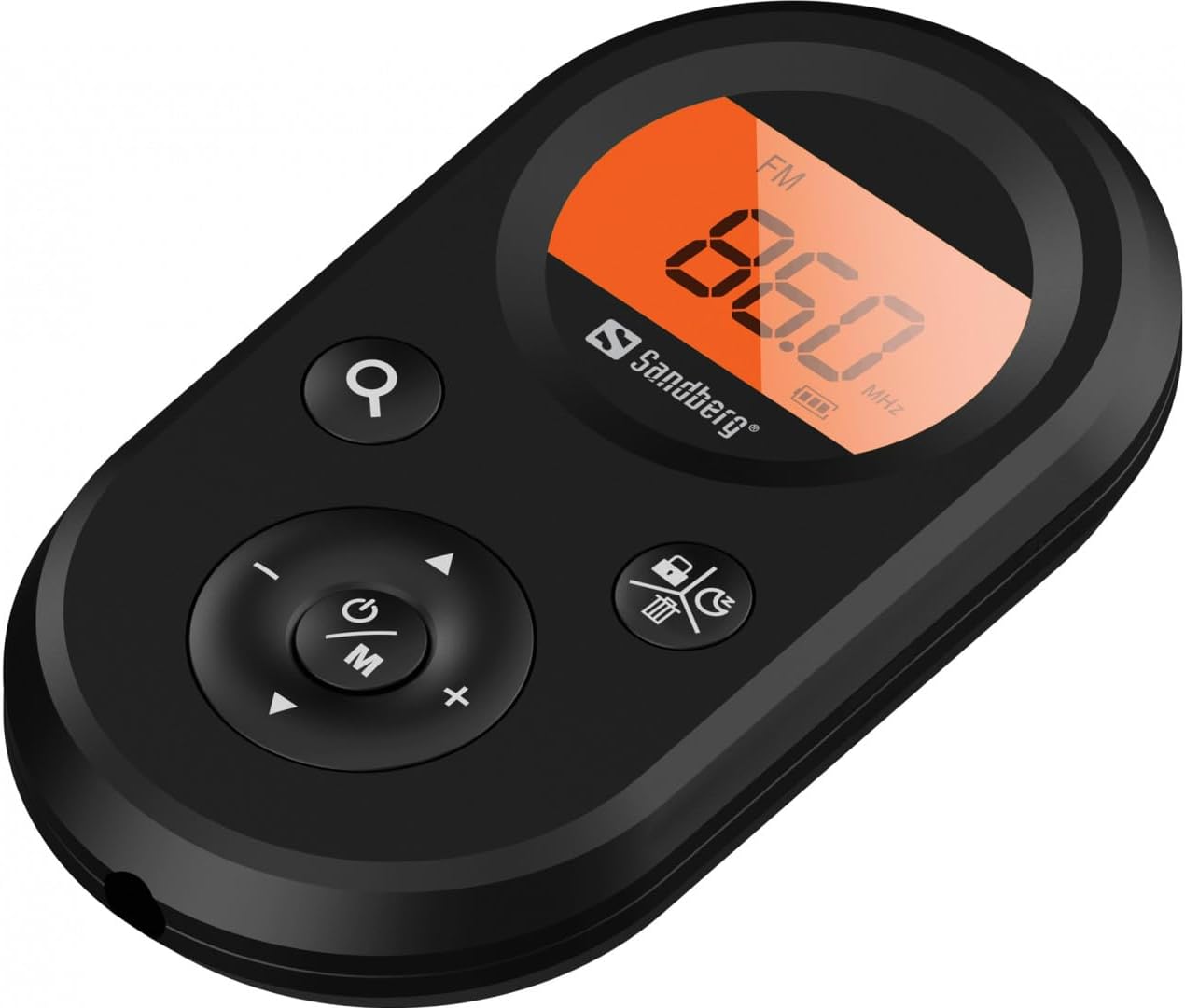
Слика 1: Предња страна view of the Sandberg Pocket Radio, displaying the frequency and controls.
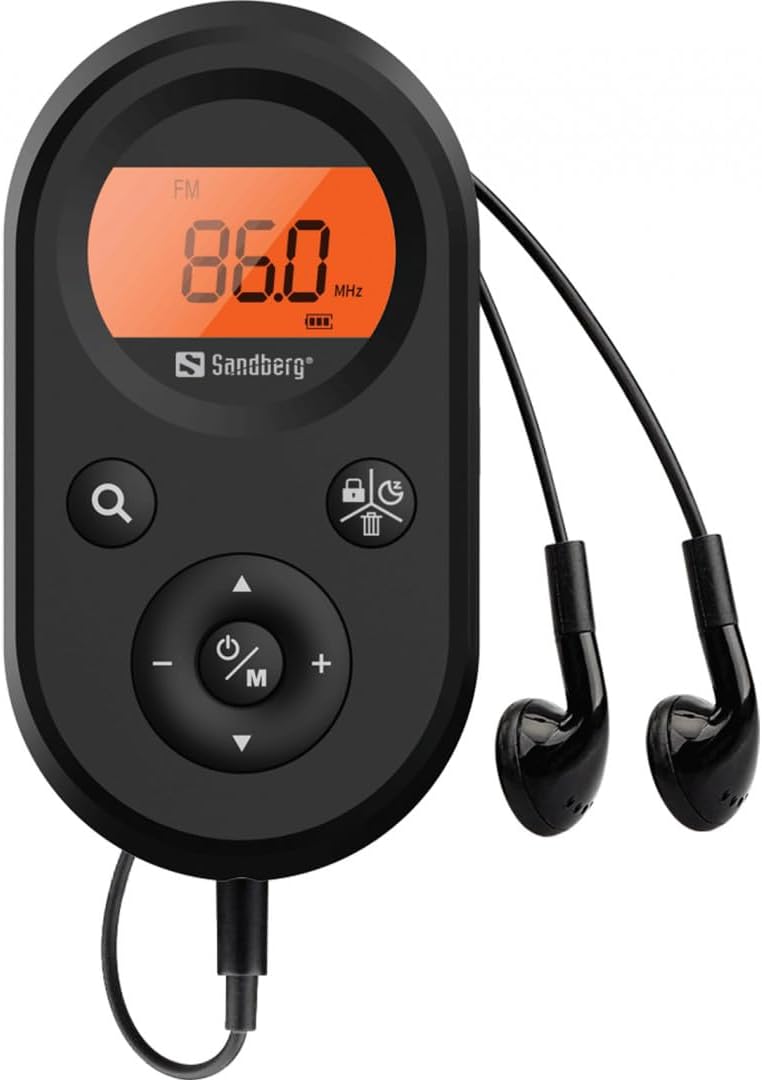
Figure 2: The radio connected to the included earphones, which also function as the FM antenna.
Садржај пакета:
- 1 x Sandberg Pocket Radio FM+AM Recharge (Model 421-02)
- 1 к слушалица
- 1 x Charging cable (USB-A to USB-C, 50 cm)
3. Подешавање
3.1 Пуњење батерије
- Connect the small end of the included USB-C charging cable to the charging port on the radio.
- Повежите стандардни USB-A крај кабла са USB адаптером за напајање (није укључен) или USB портом рачунара.
- The radio's display will indicate charging status. A full charge typically takes a few hours.
- Disconnect the charging cable once the battery is fully charged.
3.2 Повезивање слушалица
The included earphones are essential for operation as they serve as the antenna for FM reception. Without them, FM reception will be severely limited or non-existent.
- Insert the 3.5mm jack of the earphones into the earphone port on the radio.
- Уверите се да је веза сигурна.
4. Упутство за употребу
4.1 Укључивање/искључивање
- Да бисте укључили радио, притисните и држите Power/Mode (ⓘ/M) button for approximately 2-3 seconds. The display will light up.
- To power off the radio, press and hold the Power/Mode (ⓘ/M) button again for approximately 2-3 seconds. The display will turn off.
4.2 Mode Selection (FM/AM)
- While the radio is powered on, short press the Power/Mode (ⓘ/M) button to switch between FM and AM radio bands. The current band will be indicated on the display.
4.3 Подешавање станица
- Аутоматско скенирање: To automatically scan for and store available stations, press and hold the Search (⌕) button. The radio will scan through the frequency range and save stations with strong signals.
- Ручно подешавање: To manually tune to a specific frequency, short press the Горе (▲) or Доле (▼) buttons to adjust the frequency incrementally.
4.4 Контрола јачине звука
- Да бисте повећали јачину звука, притисните Јачина звука (+) дугме.
- Да бисте смањили јачину звука, притисните Смањивање јачине звука (-) дугме.
4.5 Приказ информација
The digital display shows the current radio band (FM or AM), the tuned frequency, and the battery level indicator.
5. Одржавање
5.1 Чишћење
- Обришите спољашњост радија меком, сувом крпом.
- Do not use abrasive cleaners, solvents, or strong chemicals, as these can damage the surface.
- Избегавајте улазак влаге у било какве отворе.
5.2 Одржавање батерије
- Да бисте продужили век трајања батерије, избегавајте често потпуно пражњење батерије.
- Чувајте радио на хладном и сувом месту када га не користите дуже време.
- Периодично пуните батерију ако је складиштена дуже време како бисте спречили дубоко пражњење.
КСНУМКС. Решавање проблема
- Нема напајања: Ensure the battery is charged. Connect the radio to a power source using the USB-C cable.
- Нема звука: Check that the earphones are securely plugged in. Adjust the volume using the Јачина звука (+) дугме.
- Слаб ФМ пријем: Ensure the earphones are fully plugged in, as they function as the FM antenna. Try repositioning the radio or the earphone cable for better signal.
- Cannot Save Favorite Stations: This model does not support saving favorite radio stations. Stations are found via automatic scan or manual tuning each time.
- Дисплеј не ради: If the display is blank or flickering, try recharging the battery. If the issue persists, contact customer support.
7. Спецификације
| Феатуре | Спецификација |
|---|---|
| Број модела | 421-02 |
| АМ фреквенцијски опсег | 522-1710 KHz (9KHz) / 520-170KHz (10KHz) |
| ФМ Фреквенцијски опсег | 76-108 МХз |
| АМ Сенситивити | <20mV/m |
| FM Signal to Noise Ratio | >40дб |
| Максимална излазна снага | 6.5мВ |
| Капацитет батерије | 5000 mAh, 3.7V (1.85 Wh) |
| Технологија повезивања | Auxiliary (for earphones/antenna) |
| Извор напајања | Баттери Поверед |
| Тежина артикла | 60 грама (2.12 унци) |
8. Гаранција и подршка
Sandberg products are manufactured to high quality standards. For information regarding warranty terms and conditions, or for technical support, please refer to the official Sandberg webсајт или директно контактирајте њихову корисничку службу. Сачувајте рачун као доказ о куповини.