
1. Увод
This manual provides detailed instructions for the setup, operation, and maintenance of your BOIFUN Split Screen Video Baby Monitor WiFi, Model Baby 7SM. This system is designed to help you monitor your baby with dual cameras, a 4.3-inch LCD monitor, and mobile application control, ensuring peace of mind and enhanced safety.
2. Шта је у кутији
- 1 x 4.3-inch LCD Parent Unit (Monitor)
- 2 x Baby Cameras (Camera Units)
- 3 x Power Adapters (for Monitor and Cameras)
- 1 к Упутство за употребу
- Mounting Accessories (e.g., wall mounts, screws)

3. Упутства за подешавање
3.1 Укључивање и почетно упаривање
- Connect each baby camera to a power outlet using the provided power adapters.
- Connect the parent unit (monitor) to a power outlet using its dedicated power adapter.
- The cameras and monitor should automatically pair. If not, refer to the 'Pairing Cameras' section in the full user manual.
3.2 Mobile App Connection (2.4 GHz Wi-Fi Required)
For remote monitoring and advanced features, connect your system to the mobile application. Ensure your Wi-Fi network is 2.4 GHz.
- Download the BOIFUN mobile application from your device's app store.
- Follow the in-app instructions to register an account and add your device. This typically involves scanning a QR code displayed on the camera or monitor.
Video: A buyer's experience sharing the setup and features of the BOIFUN baby monitor.
4. Упутство за употребу
4.1 Split-Screen Viewинг
The 4.3-inch monitor supports split-screen functionality, allowing you to view feeds from both cameras simultaneously.
- To enter full-screen view for a selected camera, press the OK дугме.
- To return to split-screen view, притисните тастер Назад дугме.

4.2 Pan, Tilt, and 4X Zoom
Контролишите камеру viewing angle and zoom level directly from the parent unit or mobile app.
- Use the directional buttons on the parent unit or the app's interface to pan (move horizontally) and tilt (move vertically) the camera.
- Activate the 4x zoom function to get a closer look at your baby without disturbing them.

4.3 Двосмерна аудио комуникација
Speak to your baby or communicate with someone in the baby's room using the two-way audio feature.
- Press and hold the microphone button on the parent unit or use the intercom function in the mobile app to speak.
- Отпустите дугме да слушате.

4.4 Smart Care Features (AI Motion & Sound Detection, Area Alarm)
The monitor is equipped with intelligent detection features to alert you to your baby's activity.
- Детекција покрета: Receive notifications on your phone and monitor when movement is detected. The screen will automatically switch to the camera's view.
- Детекција звука: Get alerts when your baby cries or makes significant noise.
- Area Alarm: Customize a safe area within the camera's view. If your baby moves outside this area, you will receive a notification.
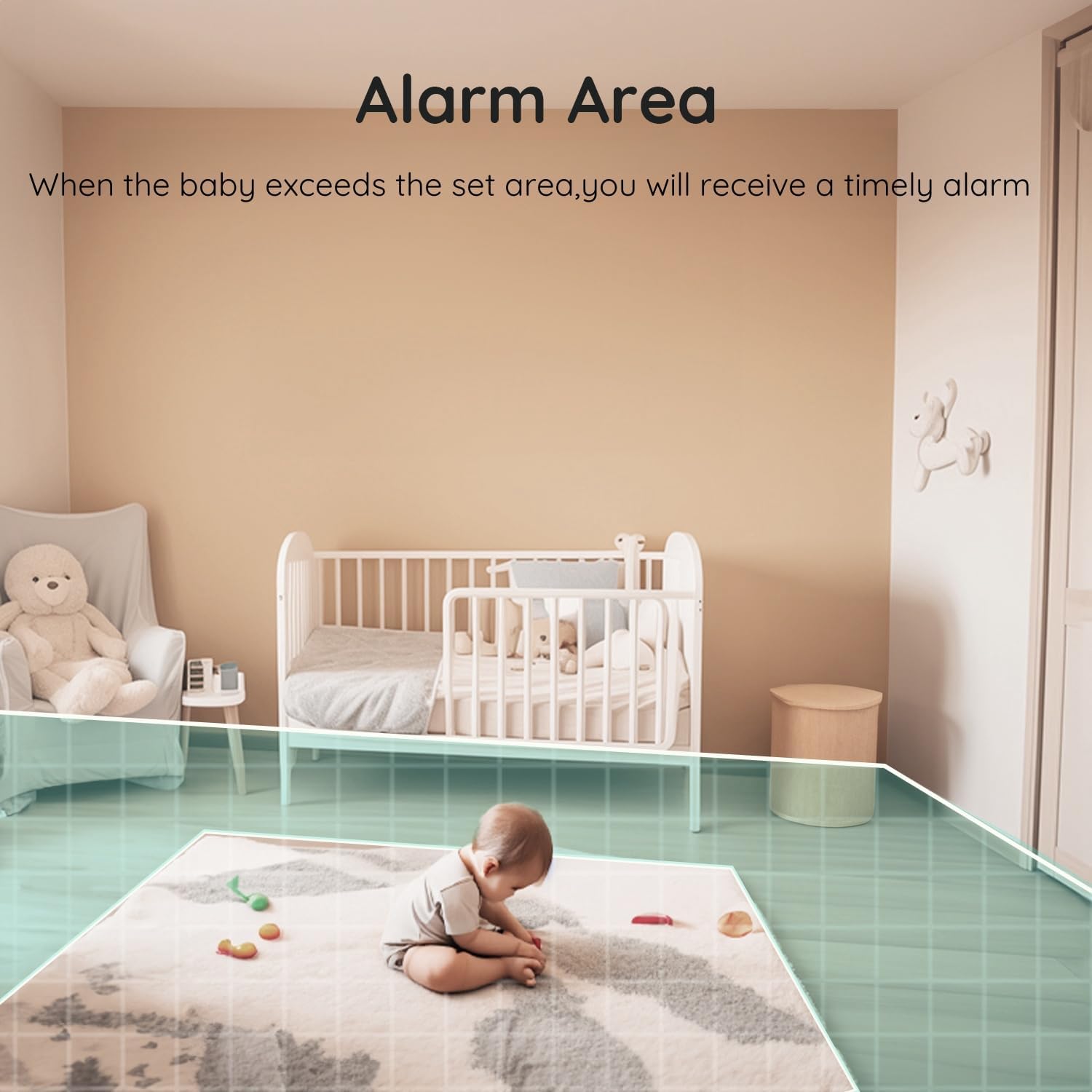

4.5 Night Vision and Invisible Infrared Light
Monitor your baby clearly in low-light conditions with 1080P HD night vision. The invisible infrared light ensures your baby's sleep is undisturbed.

4.6 Lullabies and Sleep Mode
- Успаванке: Пустите уграђене успаванке да бисте умирили бебу да заспи.
- Режим спавања: Activate sleep mode to turn off the monitor's screen while keeping audio monitoring active. The camera's status indicator light can also be turned off to avoid disturbing your baby.
4.7 Подсетник за храњење
Set feeding reminders through the monitor's settings to help maintain your baby's feeding schedule.
4.8 Local Storage (SD Card)
The camera supports local SD card recording, eliminating the need for monthly cloud subscription fees for saving footage.
Video: Another buyer's experience demonstrating various features and usage scenarios.
5. Одржавање
- Чишћење: Use a soft, dry cloth to clean the camera lens and monitor screen. Avoid abrasive cleaners or solvents.
- Складиштење: Store the monitor and cameras in a cool, dry place when not in use.
- Управљање кабловима: Ensure all cables are securely placed and out of reach of children to prevent entanglement hazards.
КСНУМКС. Решавање проблема
| Проблем | Могуће решење |
|---|---|
| Нема слике на монитору | Ensure both the camera and monitor are powered on and within range. Re-pair if necessary. |
| Лош квалитет видеа | Check for Wi-Fi interference or obstructions between the camera and monitor. Ensure the camera lens is clean. |
| Нема звука | Check the volume settings on the parent unit. Ensure the camera's microphone is not muted. |
| Проблеми са везом апликације | Verify your Wi-Fi is 2.4 GHz. Restart your router, camera, and mobile device. Re-add the device in the app. |
7. Спецификације
| Феатуре | Детаљ |
|---|---|
| Бранд | БОИФУН |
| Број модела | Baby 7SM |
| Посебне карактеристике | Dual Cameras, Split-Screen, Monitor and Mobile App Control |
| Величина монитора | 4.3 инча |
| Резолуција фото сензора | 1080 Пикелс |
| Зоом | 4X |
| Водоотпорна оцена | ИП65 |
| Димензије артикла (Д к Ш к В) | 7.1 x 6.5 x 12.5 центиметара |
| Батерије су потребне | Да |
8. Гаранција и подршка
The BOIFUN Split Screen Video Baby Monitor (Model Baby 7SM) comes with a 2-year manufacturer warranty. Additionally, BOIFUN offers 24/7 after-sales support and a 3-year quality guarantee with free 30-day returns.
For any questions or support regarding your product, please contact:
- Емаил: админ@боифун.нет