
1. Увод
This manual provides essential information for setting up, operating, and maintaining your HP Series 5 27-inch FHD Monitor. Please read these instructions carefully before using your monitor to ensure optimal performance and safety.
The HP Series 5 27-inch FHD Monitor is designed for comfortable viewing with features like Eye Safe certification, 99% sRGB color accuracy, IPS technology for wide viewing angles, a 100 Hz refresh rate, and an anti-glare screen. Its micro-edge design offers an immersive visual experience.
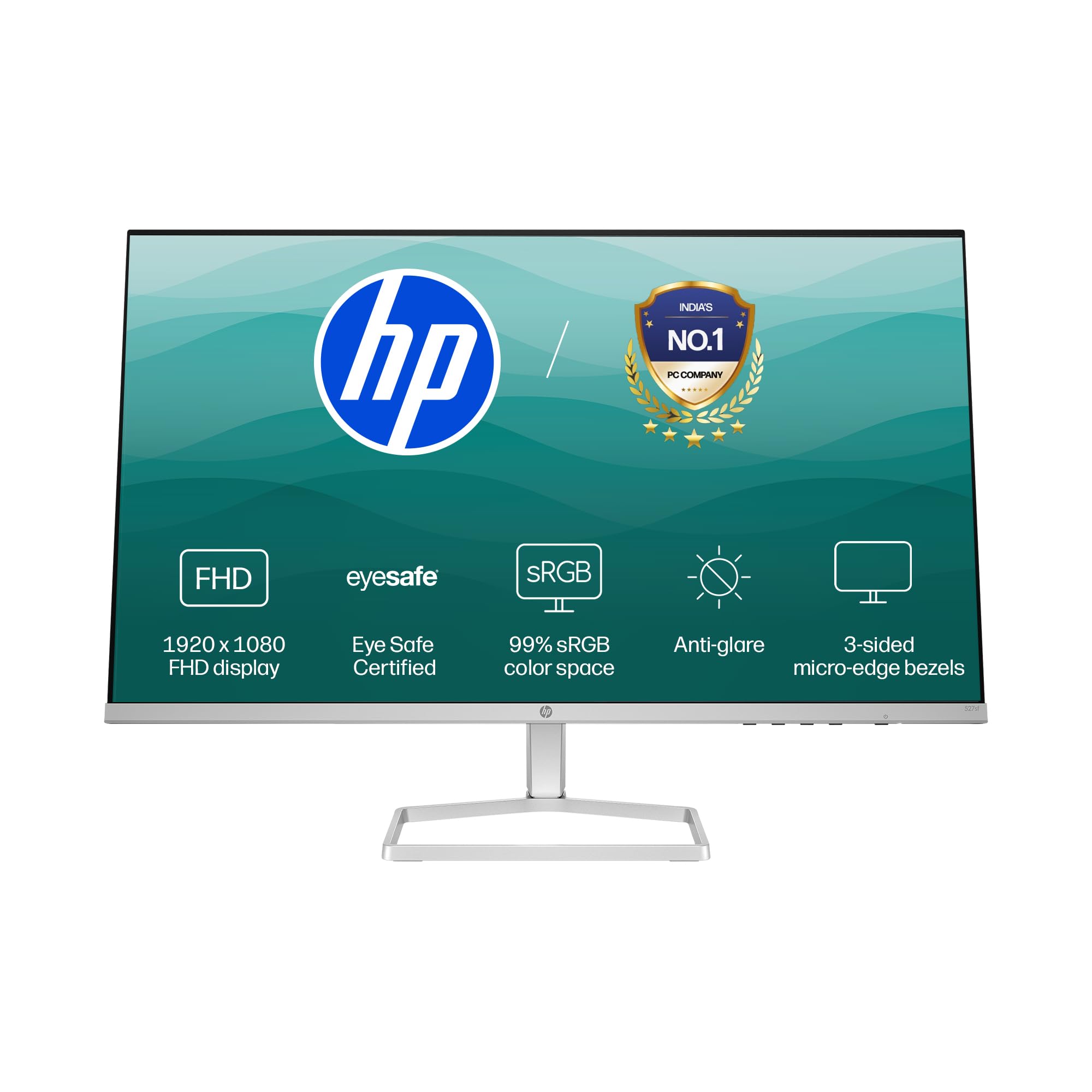
Image: HP Series 5 27-inch FHD Monitor, showcasing its sleek design on a desk.
2. Шта је у кутији
Проверите да ли су све компоненте присутне у паковању:
- HP Series 5 27-inch FHD Monitor
- Постоље за монитор (база и врат)
- ХДМИ кабл
- Повер Адаптер
- Кабл за напајање наизменичном струјом
- Документација (Упутство за брзо подешавање, Гарантни лист)

Image: Illustration of the monitor and its included accessories: monitor, HDMI cable, power adapter, and AC power cord.
3. Упутства за подешавање
3.1 Састављање постоља за монитор
- Пажљиво извадите компоненте монитора и постоља из паковања.
- Причврстите врат постоља на панел монитора. Уверите се да је сигурно закачио на своје место.
- Attach the stand base to the stand neck. Tighten any screws if provided, typically located on the underside of the base.
- Поставите састављени монитор на стабилну, равну површину.
3.2 Повезивање монитора
The monitor supports both HDMI and VGA connections.
- Прикључак за напајање: Connect the power adapter to the monitor's power input port, then plug the AC power cord into the adapter and a wall outlet.
- Видео веза:
- For HDMI: Connect one end of the HDMI cable to an HDMI port on your computer and the other end to one of the two HDMI 1.4 ports on the monitor.
- For VGA: Connect one end of the VGA cable to the VGA port on your computer and the other end to the VGA port on the monitor.
- Уверите се да су сви каблови безбедно повезани.

Слика: Позади view of the HP Series 5 monitor, highlighting the VGA port and two HDMI 1.4 ports for device connectivity.
4. Руковање монитором
4.1 Укључивање/искључивање
Press the power button, usually located on the bottom right bezel or rear of the monitor, to turn the monitor on or off. The power indicator light will illuminate when the monitor is on.
4.2 Навигација кроз мени на екрану (OSD)
Use the physical buttons on the monitor (typically on the bottom right or rear) to access and navigate the On-Screen Display (OSD) menu. This menu allows you to adjust various display settings.
- Избор улаза: Use the OSD or a dedicated input button to switch between connected devices (e.g., HDMI 1, HDMI 2, VGA). The monitor may also auto-detect active inputs.
- Осветљеност/контраст: Прилагодите ова подешавања својим viewing environment. The monitor offers 300 nits brightness for clear visuals.
- Подешавања боја: Fine-tune color temperature, gamma, and other color parameters. The monitor provides 99% sRGB color accuracy for vivid and realistic colors.
- Режими слике: Select from preset picture modes optimized for different content types (e.g., Standard, Gaming, Movie).

Image: The HP Series 5 monitor showcasing its bright display, emphasizing 300 nits brightness for clear visuals.

Image: The HP Series 5 monitor displaying rich and realistic colors, highlighting its 99% sRGB color accuracy.
4.3 Функције за удобност очију
The monitor is equipped with HP Eye Ease and Eyesafe certification, which limits blue light emissions to reduce eye strain without compromising color accuracy. This feature is always-on and does not require OSD adjustments.

Image: The HP Series 5 monitor displaying a dynamic scene, demonstrating its low blue light feature for comfortable extended viewинг.
4.4 IPS Technology and Refresh Rate
IPS (In-Plane Switching) technology ensures consistent image accuracy and vivid colors across wide 178-degree horizontal and vertical viewing angles. The 100 Hz refresh rate provides smooth scrolling and fluid motion, enhancing your viewинг искуство.

Image: The HP Series 5 monitor displaying a colorful jungle scene, highlighting the vivid colors and crystal-clear viewing from all angles due to IPS technology.
5. Одржавање
5.1 Чишћење монитора
- Увек искључите монитор и извуците кабл за напајање пре чишћења.
- Лагано користите меку крпу која не оставља длачице дampиспрати водом или неабразивним средством за чишћење екрана.
- Нежно обришите екран и спољашње површине. Избегавајте прекомерни притисак.
- Do not use alcohol, ammonia-based cleaners, or abrasive materials, as these can damage the anti-glare coating and plastic surfaces.
5.2 Општа нега
- Избегавајте стављање тешких предмета на монитор или његове каблове.
- Држите монитор даље од директне сунчеве светлости, извора топлоте и прекомерне влаге.
- Обезбедите одговарајућу вентилацију око монитора да бисте спречили прегревање.
- Utilize the integrated cable containment features to manage wires and reduce clutter.

Слика: Позади view of the HP Series 5 monitor, illustrating its design for less clutter around the workspace with integrated cable management.
КСНУМКС. Решавање проблема
Ако наиђете на проблеме са монитором, погледајте следећа уобичајена решења:
- Нема напајања: Уверите се да је кабл за напајање безбедно повезан са монитором и исправном утичницом. Проверите везу адаптера за напајање.
- Нема слике/сигнала: Verify that the video cable (HDMI or VGA) is correctly connected to both the monitor and your computer. Ensure the correct input source is selected via the OSD menu. Try restarting your computer.
- Треперење или искривљена слика: Проверите да ли је видео кабл оштећен или да ли су спојеви лабави. Уверите се да су резолуција екрана и брзина освежавања вашег рачунара компатибилне са спецификацијама монитора.
- Display Anomalies (e.g., light bleeding): While minor variations can occur, if you notice significant or distracting light bleeding, especially from the edges, ensure the monitor is properly seated on its stand and that no external pressure is being applied to the screen. If the issue persists, contact HP support.
- Дугмад не реагују: Искључите кабл за напајање монитора, сачекајте 15 секунди, затим га поново укључите и покушајте поново.
7. Спецификације
| Феатуре | Спецификација |
|---|---|
| Бранд | HP |
| Број модела | 94Ф45АА |
| Величина екрана | 27 инча (68.6 цм) |
| Резолуција | FHD 1080p (1920 x 1080) |
| Аспецт Ратио | 16:9 |
| Опис површине екрана | Анти-гларе |
| Однос контраста | 1500:1 |
| Рефресх Рате | 100 Хз |
| Дисплаи Типе | LCD (IPS Panel) |
| Viewинг Англе | 178 степени (хоризонтално/вертикално) |
| Осветљеност слике | 300 нита |
| Време одговора | 5 милисекунди |
| Повезивање | 2 x HDMI 1.4, 1 x VGA |
| Адаптиве Синц | ФрееСинц |
| Карактеристике производа | Flicker-Free, HP Eye Ease with Eyesafe certification |
| Димензије артикла (Д к Ш к В) | 18.8 Д x 60.8 Ш x 43.7 В центиметара |
| Тежина артикла | 3.2 килограма |
| УПЦ | 197498944876 |
8. Информације о гаранцији
This HP Series 5 27-inch FHD Monitor comes with a 3 година гаранције на лицу места. Please retain your proof of purchase for warranty claims. For detailed terms and conditions, refer to the warranty card included in your product packaging or visit the official HP support webсајту.
9. Подршка
For further assistance, technical support, or service inquiries, please contact HP Customer Support. You can find contact information on the official HP webсајту или у документацији која је достављена уз ваш монитор.
For ergonomic setup guidance, refer to the HP Display Center software, which can help you customize your comfort settings.
Произвођач: HP, HP India Sales Pvt. Ltd.
Importer Contact Information: HP India Sales Private Limited, No. 24, Kothari Arena, Hosur Main Road, Adugodi, Bangalore, Karnataka, India, 560030
10. Информације о животној средини
The HP Series 5 monitor is designed with sustainability in mind:
- Designed from recycled materials and ocean-bound plastics.
- EPEAT® registered.
- Сертификовано ENERGY STAR®.

Image: The HP Series 5 monitor displayed with environmental elements, emphasizing its construction from recycled materials and ocean-bound plastics, EPEAT registration, and ENERGY STAR certification.