
1. Увод
This manual provides instructions for the safe and efficient operation of the Chainway C71 Android Barcode Scanner. The C71 is a robust and versatile handheld device designed for various applications, including warehouse inventory management and forklift operations. It features a Zebra SE55 long-range 2D/1D/QR code reader, runs on Android 13, and offers comprehensive connectivity options.
Молимо вас да пажљиво прочитате ово упутство пре употребе уређаја и сачувате га за будуће потребе.
2. Производ је готовview
2.1 Кључне карактеристике
- Durable and Versatile Design: Suitable for both indoor and outdoor environments, ideal for warehouse inventory and forklift scanning.
- Zebra SE55 Long Range Scanner: Capable of scanning 2D, 1D, and QR codes from distances up to 40 feet (depending on barcode size and media).
- Оперативни систем Андроид 13: Provides access to the latest Android features and the Google Play Store for application downloads.
- Бежична повезаност: Features fast and reliable WiFi, Bluetooth 5.0, NFC, and GPS for seamless data transmission and real-time updates.
- Large Vivid Screen: A bright and clear display for easy reading and interaction in various lighting conditions.
- Батерија великог капацитета: Equipped with a 5000mAh battery for extended operational periods.
- Octa-Core Processor: Ensures fast and responsive performance for demanding applications.
2.2 Компоненте уређаја
The Chainway C71 scanner features a robust design with an integrated display, scanning engine, and various ports and buttons.
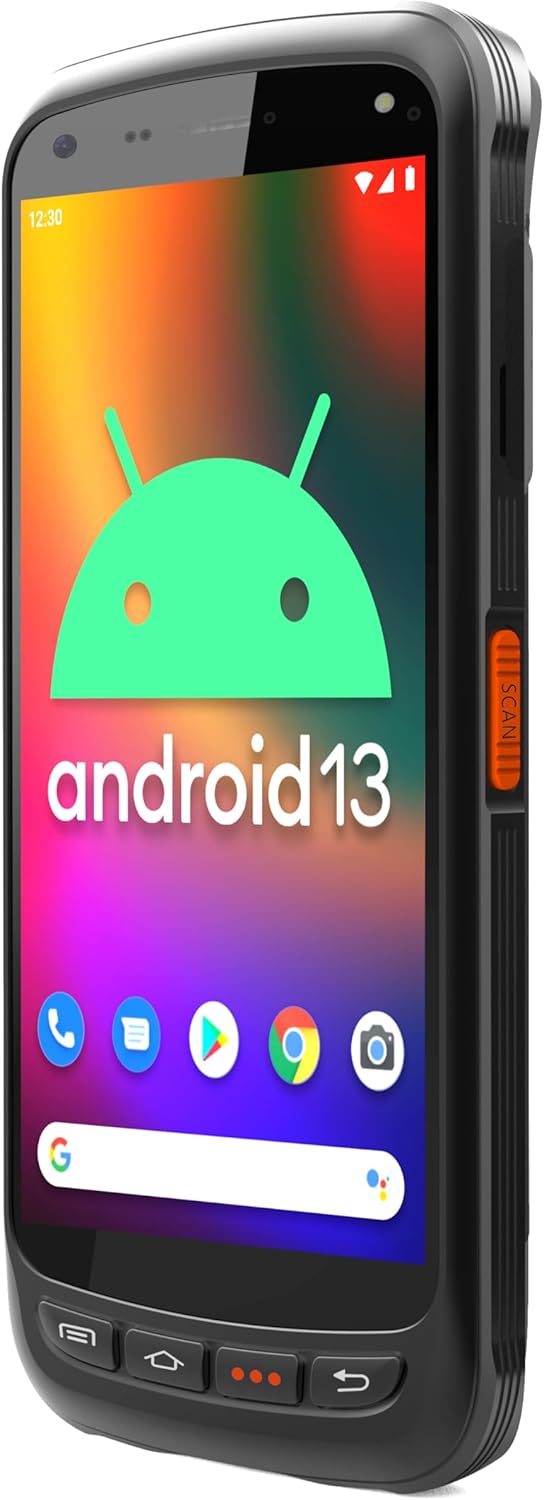
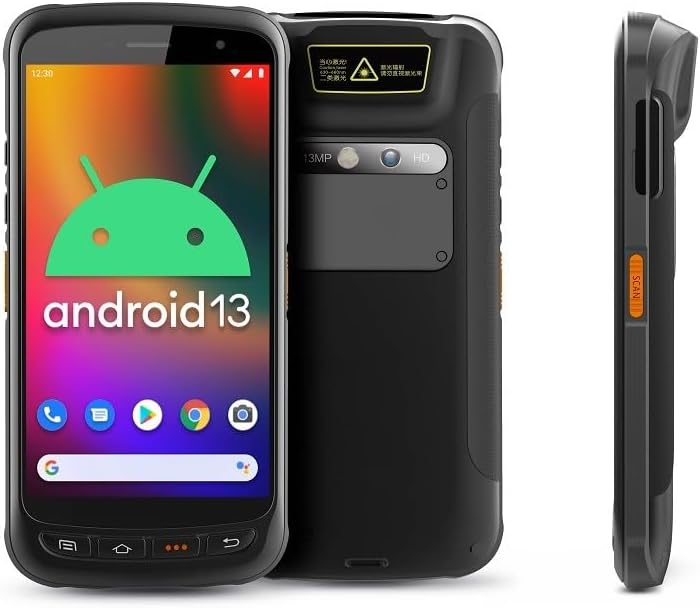
- Приказ: Large vivid touchscreen for user interaction.
- Дугме за скенирање: Located on the side for convenient barcode scanning activation.
- Zebra SE55 Scan Engine: Integrated at the top rear for long-range barcode capture.
- Задња камера: For image capture (13MP).
- Предња камера: For video calls or selfies (5MP).
- Физичка дугмад: Power, volume, and programmable function keys.
- Портови: USB-C for charging and data transfer.
3. Подешавање
3.1 Инсталација и пуњење батерије
The Chainway C71 requires one Lithium Ion battery for operation. Ensure the battery is correctly installed before first use.
- Пронађите поклопац одељка за батерију на задњој страни уређаја.
- Open the cover and insert the Lithium Ion battery, ensuring the contacts align correctly.
- Добро затворите поклопац одељка за батерије.
- Connect the device to a power source using the provided USB-C cable and power adapter. The device will begin charging.

3.2 Почетно укључивање
- Press and hold the Power button (usually on the side) until the device vibrates and the screen illuminates.
- Пратите упутства на екрану да бисте завршили почетно подешавање Андроида 13, укључујући избор језика, Ви-Фи везу и пријаву на Гоогле налог.
4. Упутство за употребу
4.1 Barcode Scanning with Zebra SE55 Engine
The Chainway C71 is equipped with a powerful Zebra SE55 scan engine for efficient barcode capture.
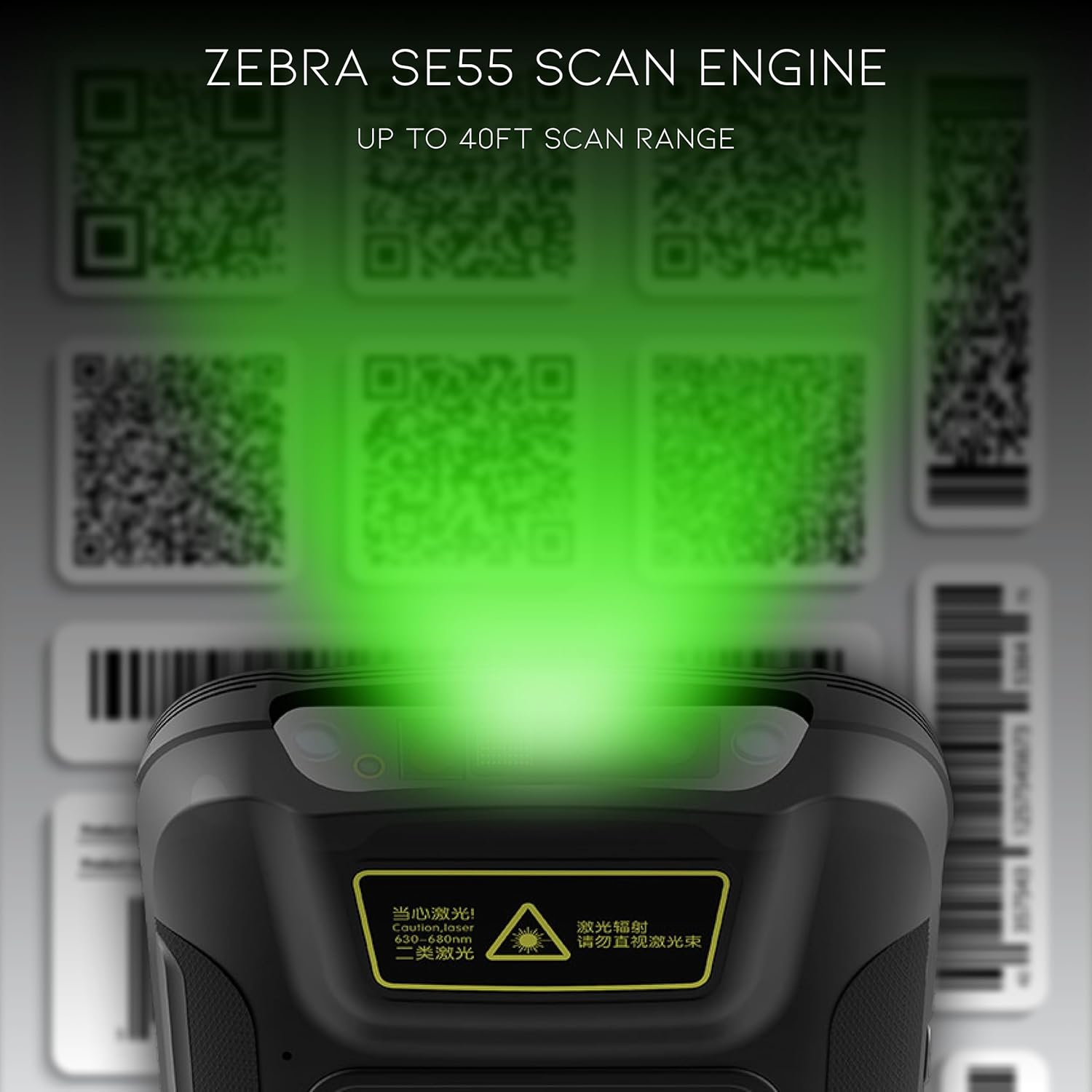
- Open the desired application that requires barcode scanning (e.g., inventory management app).
- Point the top of the device, where the scan engine is located, towards the barcode.
- Press the dedicated scan button on the side of the device. A green aiming pattern will appear.
- Align the aiming pattern with the barcode. The device will emit a sound or vibrate upon successful scan.
- The scanned data will be input into the active field of your application.
Напомена: The Zebra SE55 can scan barcodes from up to 40 feet away, depending on the barcode size and quality. For optimal performance, ensure clear line of sight and adequate lighting.
4.2 Андроид 13 оперативни систем
The C71 runs on Android 13, providing a familiar and intuitive user experience. You can navigate the interface using touch gestures.

- Почетни екран: Access your installed applications and widgets.
- Обавештења: Превуците надоле од врха екрана до view обавештења и брза подешавања.
- Гоогле Плаи продавница: Download and install additional applications relevant to your workflow.
4.3 Повезивање
The device supports multiple connectivity options for data transfer and communication.
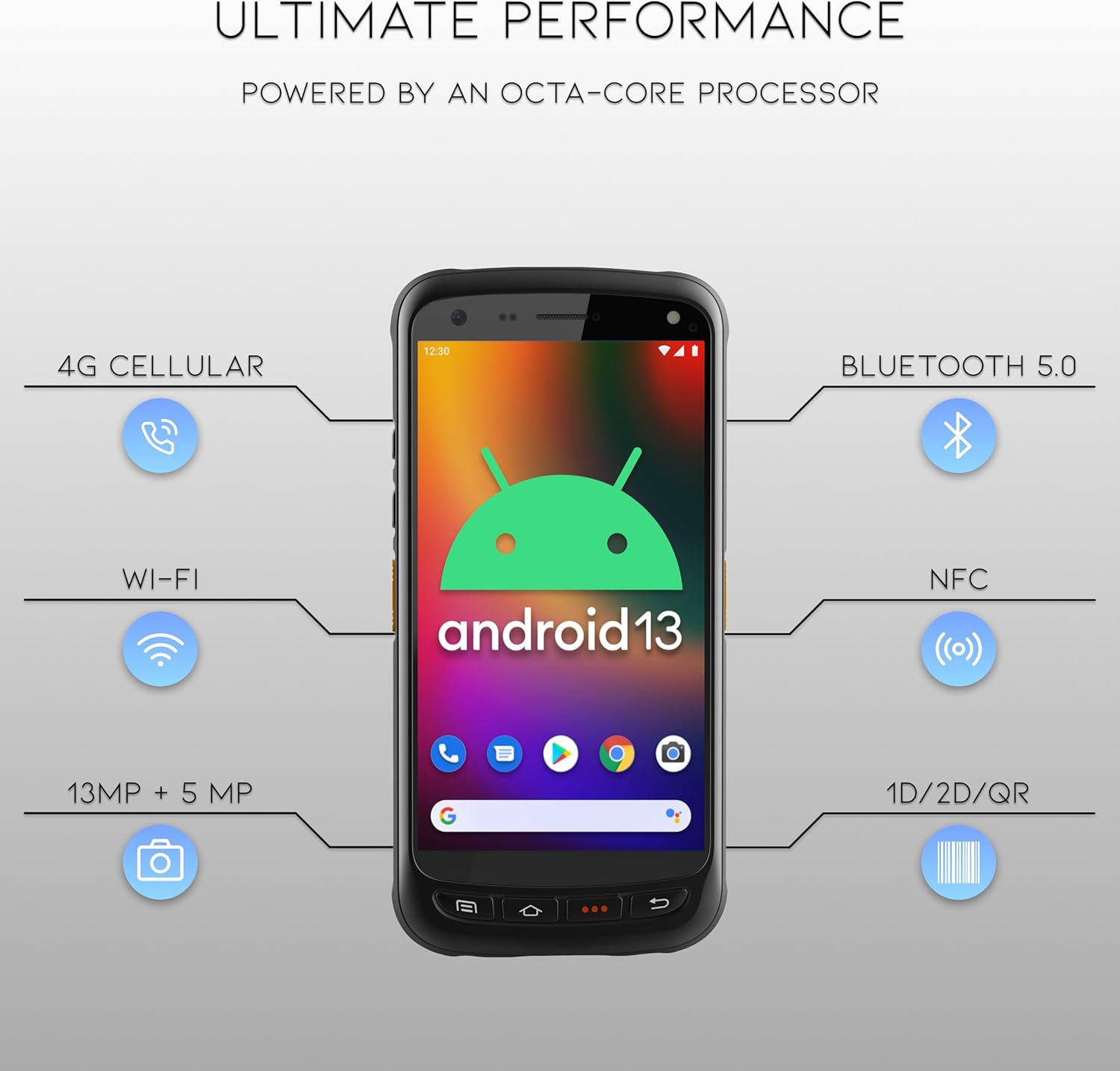
- Ви-Фи: Connect to wireless networks for internet access and data synchronization. Go to Подешавања > Мрежа и интернет > Wi-Fi.
- Блуетоотх КСНУМКС: Pair with Bluetooth-enabled devices such as headsets or printers. Go to Подешавања > Повезани уређаји > Блутут.
- НФЦ: За примене комуникације блиског поља.
- ГПС: For location-based services.
- 4G мобилни: (If equipped with SIM card slot) For mobile data connectivity.
5. Одржавање
5.1 Чишћење уређаја
- Користите меку крпу која не оставља длачицеampened with water or a mild, non-abrasive cleaning solution to clean the screen and exterior.
- Do not use harsh chemicals, solvents, or abrasive materials, as these can damage the device.
- Ensure no liquid enters the ports or openings.
5.2 Одржавање батерије
- Избегавајте излагање батерије екстремним температурама (врућим или хладним).
- Редовно пуните батерију, али избегавајте да је остављате потпуно празну током дужег периода.
- Use only the manufacturer-approved charging accessories.
КСНУМКС. Решавање проблема
This section addresses common issues you might encounter with your Chainway C71 scanner.
6.1 Уређај се не укључује
- Уверите се да је батерија правилно инсталирана и потпуно напуњена.
- Connect the device to the charger and attempt to power it on after a few minutes.
- Ако проблем и даље постоји, контактирајте корисничку подршку.
6.2 Barcode Not Scanning
- Verify that the scanning application is open and ready to receive input.
- Ensure the barcode is clean, undamaged, and within the scanner's range (up to 40 feet).
- Check for adequate lighting; extreme glare or insufficient light can affect scanning performance.
- Confirm the scan engine is pointed directly at the barcode.
6.3 Проблеми са Wi-Fi повезивањем
- Check if Wi-Fi is enabled in the device settings.
- Ensure you are within range of a known Wi-Fi network.
- Verify the Wi-Fi password if connecting to a new network.
- Restart the device and the Wi-Fi router if necessary.
7. Спецификације
Technical specifications for the Chainway C71 Android Barcode Scanner.
| Феатуре | Детаљ |
|---|---|
| Број модела | Ц71 |
| Оперативни систем | Андроид 13 |
| Барцоде Сцаннер | Zebra SE55 (2D/1D/QR, up to 40ft range) |
| Процесор | 2.0 GHz Octa-Core Processor |
| Батерија | 5000mAh литијум-јонска батерија (потребна 1) |
| Повезивање | Wi-Fi, Bluetooth 5.0, NFC, GPS, 4G Cellular (optional) |
| камере | 13МП задња, 5МП предња |
| Компатибилни уређаји | Smartphone, Tablet (as a handheld device) |
| Извор напајања | Баттери Поверед |
| Произвођач | Chainway |

8. Гаранција и подршка
For warranty information and technical support, please contact the seller, BARCODE-USA. Details regarding specific warranty periods and coverage will be provided at the point of purchase or upon request from the seller.
продавац: BARCODE-USA
For assistance, refer to your purchase documentation or visit the BARCODE-USA store page on Amazon: BARCODE-USA Store