
Micsig SM-MHO2504
Micsig MHO 3 Series High Resolution Oscilloscope
Упутство за употребу
Models: MHO2504, MHO3504, MHO5004
1. Увод
This user manual provides comprehensive instructions for the Micsig MHO 3 Series High Resolution Oscilloscopes, including models MHO2504, MHO3504, and MHO5004. These devices are designed for precise signal measurement and analysis in various professional and laboratory environments. Please read this manual thoroughly before operating the instrument to ensure safe and efficient use.
2. Производ је готовview и кључне карактеристике
The Micsig MHO 3 Series Oscilloscope is a high-performance digital oscilloscope featuring a 12-bit vertical resolution and a large 14-inch full touch screen with 1920x1200 resolution. It offers advanced capabilities for capturing and analyzing complex waveforms.
- висока резолуција: 12-bit vertical resolution for capturing fine signal details.
- Wide Bandwidth: Available in 250MHz, 350MHz, and 500MHz bandwidth options.
- Visoka Sampлинг рате: Up to 3GSa/s real-time sampлинг рате.
- Deep Memory Depth: 360Mpts memory depth for extended waveform capture.
- Вишеканални: 4 analog input channels.
- Интуитивни интерфејс: 14-inch anti-glare full touch screen with an ultra-friendly user interface.
- Patented Probe Interface: Features Mic-OPI™ probe interface for automatic probe attenuation matching.
- Low Noise Floor: Noise floor less than 80µVrms, enabling accurate capture of weak signals.
- Повезивање: Includes USB 3.0 Host, USB Type-C, LAN, HDMI, and Trigger out ports.
- Флексибилна контрола: Supports full touch operation and an integrated button panel for versatile control.

Слика 2.1: Предња страна view of the Micsig MHO 3 Series Oscilloscope, showcasing the large display and input channels.
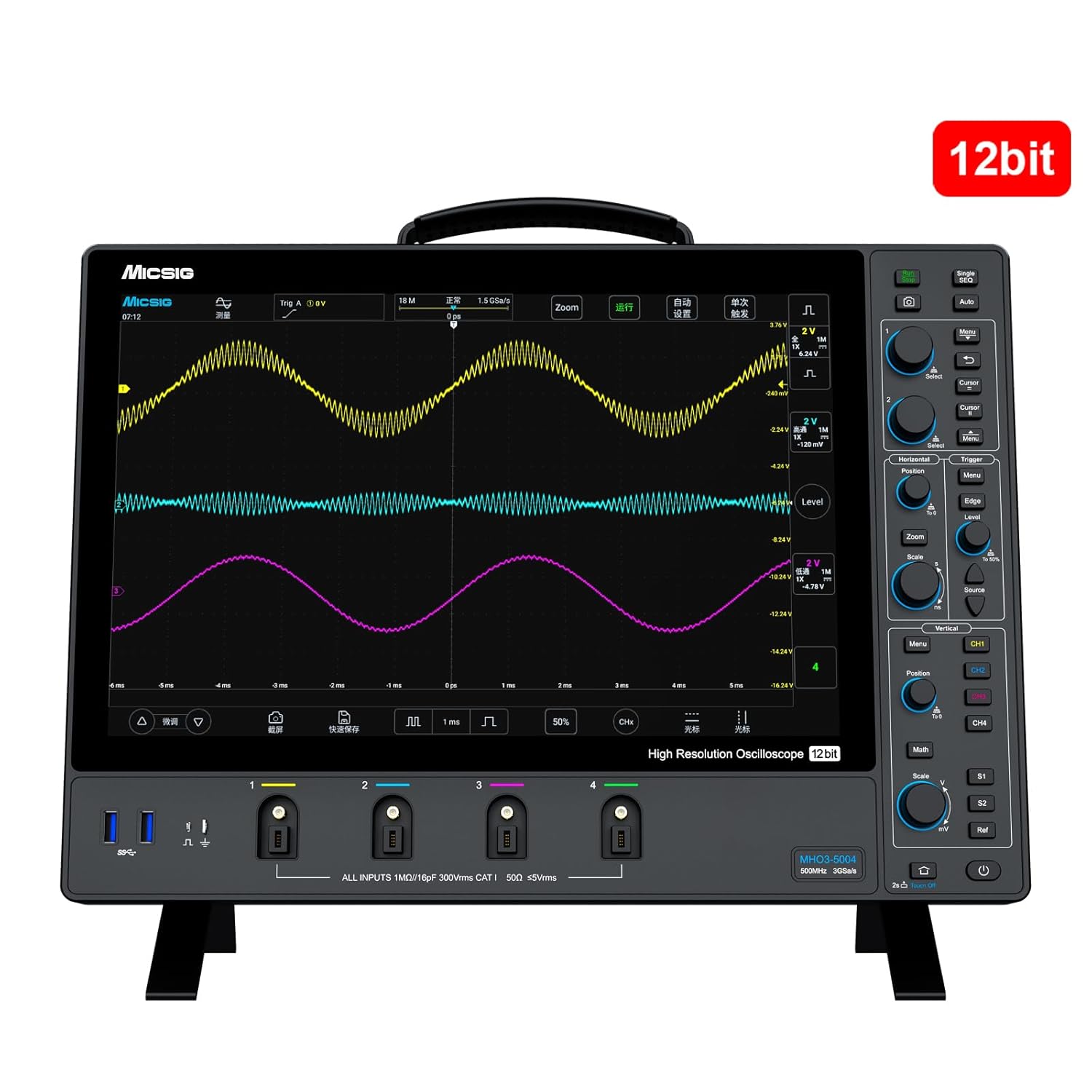
Figure 2.2: The oscilloscope highlighting its 12-bit vertical resolution capability.
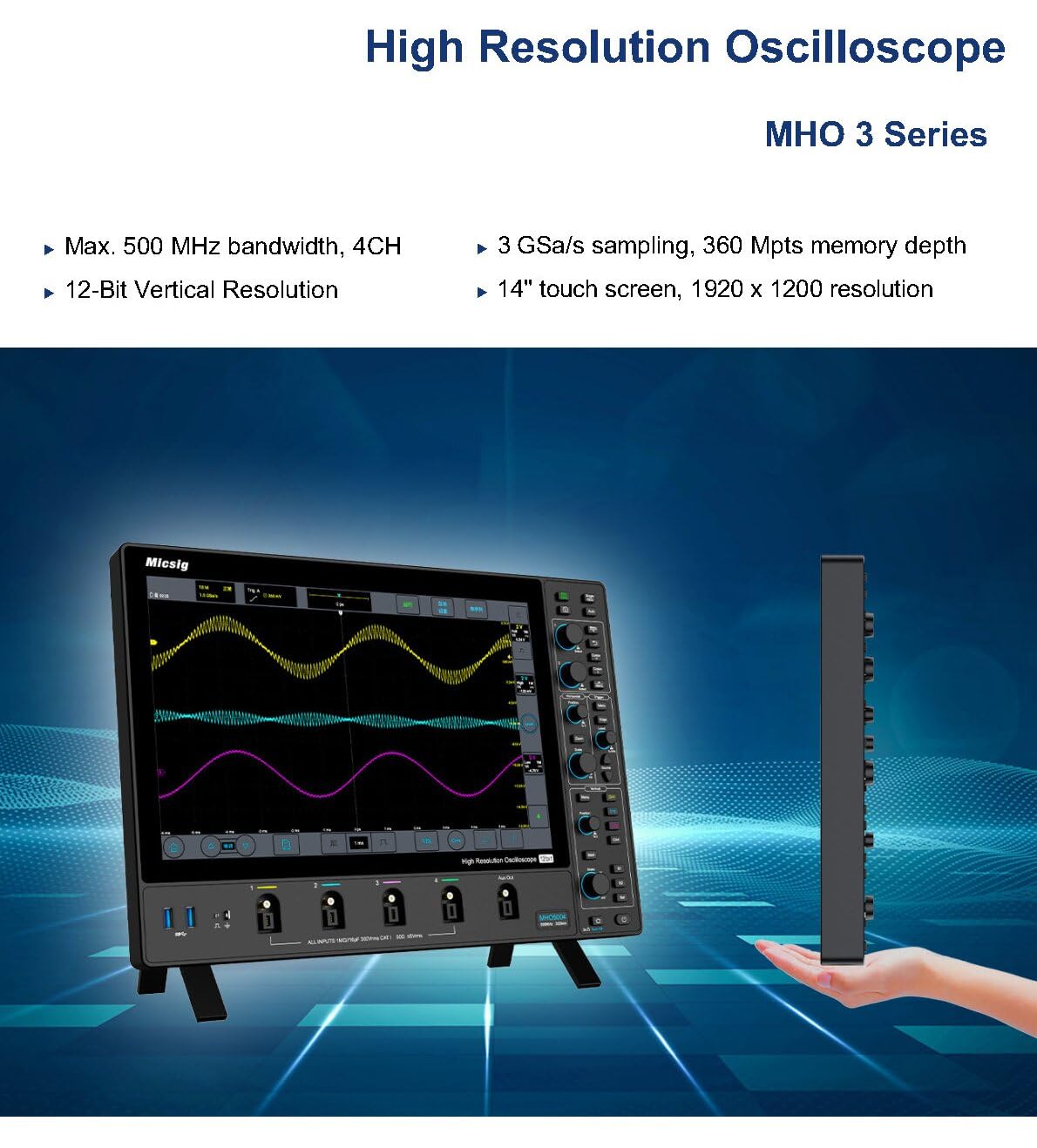
Слика 2.3: Завршеноview of the MHO 3 Series, emphasizing its high resolution, bandwidth, sampling rate, and touch screen.

Figure 2.4: Detailed product features including waveform capture rate, anti-glare screen, and probe interface.
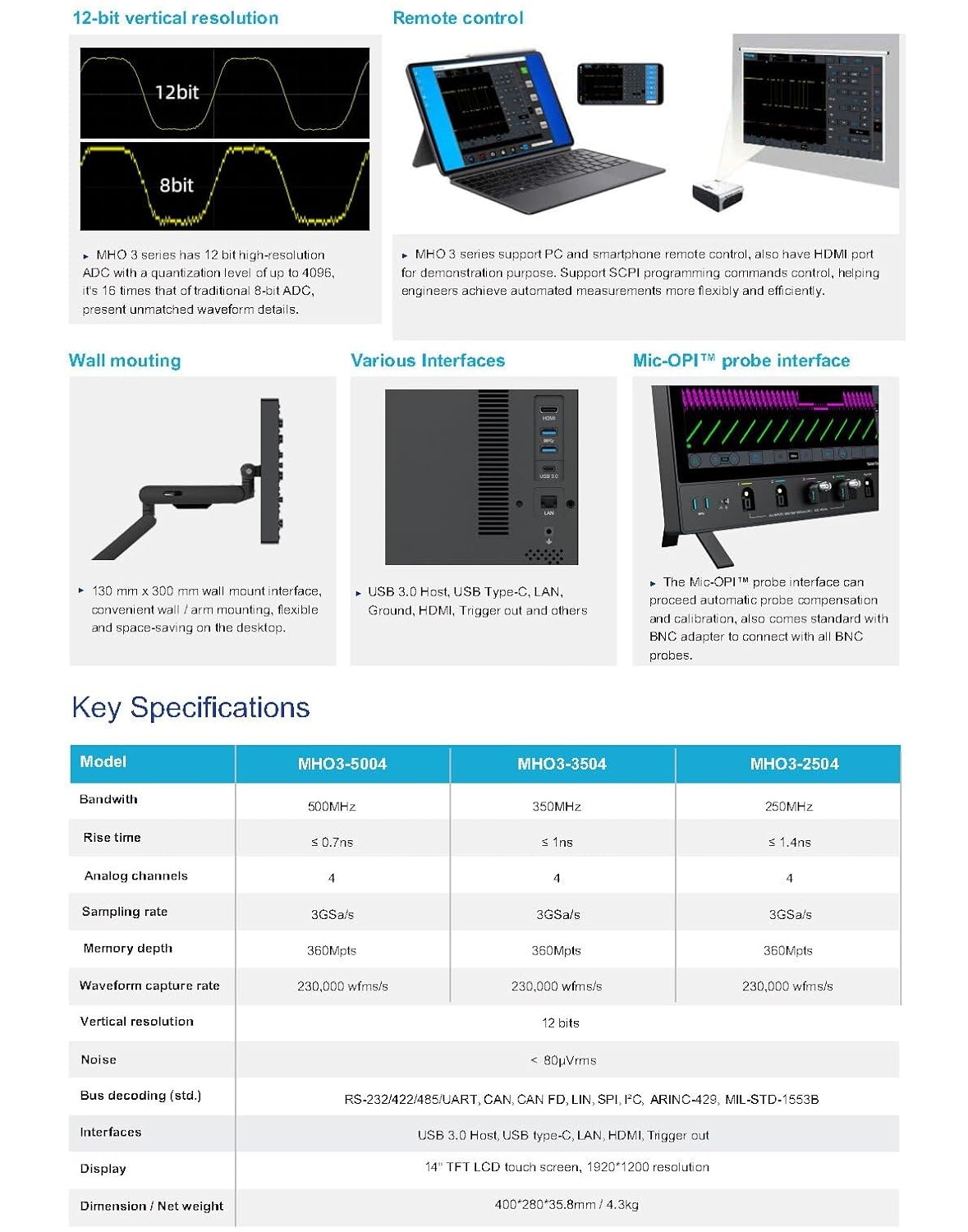
Figure 2.5: Visual representation of the 12-bit vertical resolution, remote control options, wall mounting, various interfaces, and key specifications table.
Video 2.1: An official video demonstrating the Micsig MHO 3 Series Oscilloscope's features, including its large screen, 12-bit vertical resolution, ultra-thin design, full touch and integrated button panel, Mic-OPI™ patented probe interface, and low noise floor for accurate weak signal capture.
3. Подешавање
- Распакивање: Carefully remove the oscilloscope and all accessories from the packaging. Verify all components listed in the packing list are present.
- Прикључак за напајање: Прикључите приложени адаптер за напајање на улаз за напајање осцилоскопа, а затим на одговарајућу утичницу за наизменичну струју.
- Почетно укључивање: Press the power button located on the device. The system will boot up and display the main interface.
- Веза сонде: Connect your desired probes (e.g., passive probes, active probes, current probes) to the appropriate input channels (CH1-CH4) on the front panel. Ensure a secure connection. The Mic-OPI™ interface automatically detects and configures compatible probes.
- Спољашње везе: If needed, connect external devices using the USB 3.0 Host, USB Type-C, LAN, or HDMI ports located on the side/rear panel.
4. Упутство за употребу
The MHO 3 Series oscilloscope offers both touch screen and physical button controls for flexible operation.
4.1 Basic Waveform Acquisition
- Избор канала: Tap on the desired channel (CH1-CH4) on the screen or use the dedicated channel buttons to enable/disable channels.
- Вертикална скала (волти/подела): Adjust the vertical scale using the touch interface or the dedicated vertical scale knob for each channel.
- Хоризонтална скала (Време/Подељак): Adjust the horizontal time base using the horizontal scale knob or by pinching/zooming on the touch screen.
- Trigger Setup: Configure the trigger settings (Edge, Pulse, Video, etc.) to stabilize the waveform. Use the dedicated trigger controls or the touch menu.
- Покрени/Заустави: Press the RUN/STOP button to start or stop waveform acquisition.
4.2 Напредне функције
- мерења: Access automatic measurements (e.g., Vpp, Vrms, Frequency) through the measurement menu.
- Математичке функције: Perform waveform math operations (e.g., Add, Subtract, Multiply, Divide, FFT) using the Math menu.
- Складиштење: Save waveforms, setups, or screenshots to internal memory or a connected USB drive. The segmented storage function allows capturing up to 10,000 segments.
- даљински управљач: Utilize the mobile app or PC remote control software for remote operation via LAN or Wi-Fi (if applicable).
5. Одржавање
- Чишћење: Use a soft, dry cloth to clean the exterior of the oscilloscope. For the screen, use a screen-specific cleaning solution and a microfiber cloth. Avoid abrasive cleaners or solvents.
- Складиштење: When not in use, store the oscilloscope in a clean, dry environment, away from direct sunlight, extreme temperatures, and excessive dust.
- калибрација: Regular calibration by qualified personnel is recommended to maintain measurement accuracy. Refer to the manufacturer's guidelines for recommended calibration intervals.
- Ажурирања софтвера: Periodically check the Micsig official webсајт за ажурирања фирмвера како би се осигурале оптималне перформансе и приступ новим функцијама.
КСНУМКС. Решавање проблема
| Проблем | Могући узрок | Решење |
|---|---|---|
| Нема струје | Power cable disconnected; Power adapter faulty; Internal battery depleted (if applicable) | Check power connections; Try a different power outlet; Ensure battery is charged. |
| Није приказан таласни облик | Channel disabled; Probe not connected correctly; Vertical/Horizontal scale incorrect; Trigger not set properly | Enable channel; Reconnect probe; Adjust scales; Adjust trigger level/mode. |
| Нестабилан таласни облик | Incorrect trigger settings; Signal noise | Adjust trigger level and mode; Check probe compensation; Use averaging or filtering functions. |
| Екран на додир не реагује | Software glitch; Screen calibration issue | Restart the device; Perform screen calibration (refer to on-screen menu). |
If the problem persists after attempting these solutions, please contact Micsig customer support for further assistance.
7. Спецификације
| Феатуре | МХО3-2504 | МХО3-3504 | МХО3-5004 |
|---|---|---|---|
| Бандвидтх | 250МХз | 350МХз | 500МХз |
| Аналогни канали | 4 | ||
| Sampлинг Рате | 3 Гса/с | ||
| Дубина меморије | 360Мптс | ||
| Вертикална резолуција | 12-битни | ||
| Ноисе Флоор | < 80µVrms | ||
| Дисплаи | 14-inch TFT LCD touch screen, 1920x1200 resolution | ||
| Интерфејси | USB 3.0 Host, USB Type-C, LAN, HDMI, Trigger out | ||
| Димензије (Д×Ш×В) | 400*280*35.8 мм | ||
| Тежина | Прибл. 3.5 кг (7.72 лбс) | ||
8. Гаранција и подршка
Micsig products are backed by a manufacturer's warranty. For detailed warranty information, please refer to the warranty card included with your product or visit the official Micsig website. For technical support, troubleshooting assistance beyond this manual, or service requests, please contact Micsig customer service through their official channels.
Micsig Official Store: Посетите продавницу
Ask a question about this manual
Ask about setup, troubleshooting, compatibility, parts, safety, or missing instructions. Manuals+ will review the question and use this page’s manual context to help answer it.