
Увод
Thank you for choosing the TECKNET TK-MS317 Bluetooth Wireless Mouse. This manual provides detailed instructions for setting up, operating, and maintaining your mouse to ensure optimal performance. Please read this manual thoroughly before use and retain it for future reference.
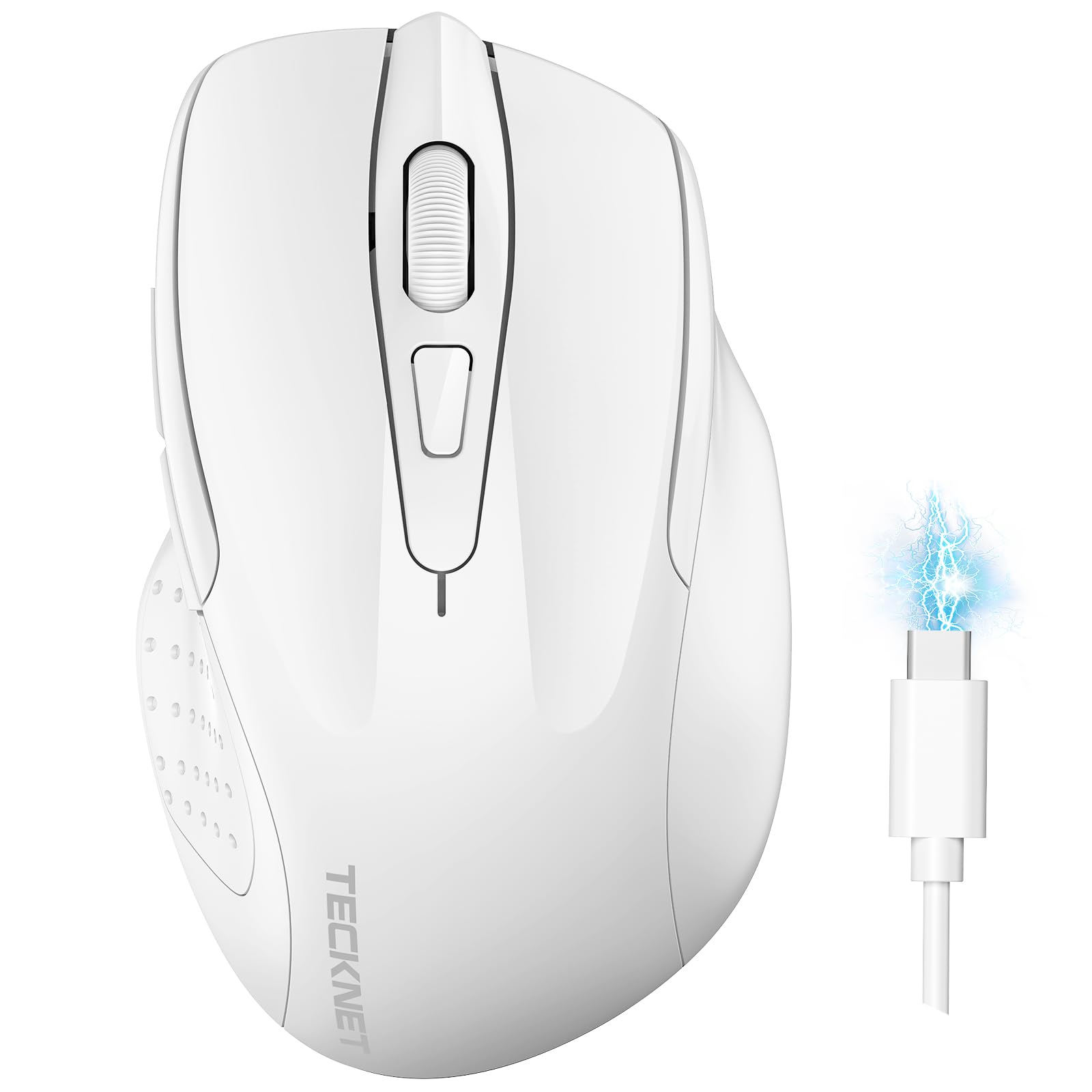
Image: The TECKNET TK-MS317 Bluetooth Wireless Mouse, showcasing its ergonomic design and sleek white finish.
Карактеристике производа
- Троструки режими повезивања: Supports Bluetooth 5.0, Bluetooth 3.0, and 2.4GHz wireless connectivity, allowing seamless switching between up to two devices.
- Подесиви ДПИ: Six adjustable DPI levels (800/1200/1600/2400/3200/4800) for precise control and adaptability to various tasks.
- Пуњива батерија: Equipped with a 700 mAh rechargeable battery, providing extended usage on a single charge. Can be used while charging via USB-C.
- Тихи кликови: Designed for quiet operation, reducing click noise by 90% for a focused work environment.
- Ергономски дизајн: Contoured shape fits comfortably in the palm, reducing hand fatigue during prolonged use.
- Уштеда енергије: Features a key-wake function and automatic sleep mode to conserve battery life.
- Универзална компатибилност: Compatible with Windows 11/10/8/7/XP/Vista, Mac OS, Linux, Android, and iOS (BT 5.0 for iOS 10.4+).

Image: Illustration highlighting the silent click feature of the mouse, showing a quiet work environment.

Image: Diagram illustrating the ergonomic curvature of the TECKNET TK-MS317 mouse, designed for comfortable hand fit.
Упутства за подешавање
1. Пуњење миша
Before first use, or when the battery is low, connect the mouse to a power source using the provided USB-C cable. The charging indicator light will illuminate. A full charge typically takes about two hours and can last for 1 to 2 months of intensive use.

Image: The TECKNET TK-MS317 mouse connected via a USB-C cable for charging, highlighting its 700mAh battery capacity.
2. Повезивање путем бежичне мреже од 2.4 GHz
- Locate the USB 2.4G receiver, usually stored in a compartment on the underside of the mouse.
- Прикључите УСБ пријемник у слободан УСБ-А порт на рачунару.
- Switch the mode selector on the bottom of the mouse to the "2.4G" position.
- The mouse should automatically connect to your computer. If not, try moving the mouse or restarting your computer.
3. Connecting via Bluetooth (BT5.0 / BT3.0)
- Switch the mode selector on the bottom of the mouse to either "BT5.0" or "BT3.0" position.
- Press and hold the Bluetooth pairing button (usually located near the mode switch) for 3-5 seconds until the indicator light starts flashing, indicating pairing mode.
- On your device (computer, laptop, tablet, smartphone), go to Bluetooth settings.
- Тражи new devices. You should see "TECKNET Mouse" or a similar name appear in the list.
- Select the mouse to pair. Once connected, the indicator light on the mouse will stop flashing.
- To switch between paired Bluetooth devices or to the 2.4G mode, simply use the mode selector switch on the bottom of the mouse.

Image: Diagram showing the three connection modes (2.4G, Bluetooth 5.0, Bluetooth 3.0) of the TECKNET TK-MS317 mouse, connecting to a laptop and a tablet.
Упутство за употребу
1. Подешавање DPI-ја
The mouse features a DPI button, typically located behind the scroll wheel. Press this button to cycle through the six available DPI settings: 800, 1200, 1600, 2400, 3200, and 4800. Select the DPI that best suits your task and preference for cursor speed and precision.

Image: Visual representation of the TECKNET TK-MS317 mouse highlighting its 6 levels of adjustable DPI, up to 4800 DPI.
2. Промена режима
Use the physical switch on the underside of the mouse to select your desired connection mode: 2.4G, BT5.0, or BT3.0. This allows you to quickly switch between different devices without re-pairing.
3. Режим уштеде енергије
The mouse will automatically enter sleep mode after a period of inactivity to conserve battery. To wake the mouse, simply move it or click any button.
Одржавање
1. Чишћење
За чишћење миша користите меку, суву крпу. За тврдокорну прљавштину, благоamp cloth with mild soap can be used, ensuring no liquid enters the mouse. Avoid using harsh chemicals or abrasive materials.
2. Брига о батерији
- Избегавајте често потпуно пражњење батерије.
- Чувајте миш на хладном и сувом месту када га не користите дуже време.
- За пуњење користите само приложени USB-C кабл или сертификовани еквивалент.
Решавање проблема
- Миш не реагује:
- Уверите се да је миш напуњен.
- Check if the mode switch is set correctly (2.4G, BT5.0, or BT3.0).
- За 2.4G режим, уверите се да је USB пријемник безбедно прикључен.
- За Bluetooth режим, уверите се да је Bluetooth омогућен на вашем уређају и да је миш упарен. Покушајте поново да упарите ако је потребно.
- Try connecting the mouse to a different USB port or device to rule out port/device issues.
- Повремена веза:
- Move the mouse closer to the receiver/device.
- Избегавајте коришћење миша на металним површинама, које могу ометати бежичне сигнале.
- Ensure there are no other strong wireless interference sources nearby.
- Кретање курсора је неправилно:
- Очистите оптички сензор на доњој страни миша.
- Покушајте да користите миш на другој површини или подлози за миш.
- Adjust the DPI setting to a lower value.
Спецификације
| Број модела | ТК-МС317 |
| Бранд | ТЕЦКНЕТ |
| Режими везе | 2.4GHz Wireless, Bluetooth 5.0, Bluetooth 3.0 |
| ДПИ Левелс | 800, 1200, 1600, 2400, 3200, 4800 |
| Број дугмади | 6 |
| Тип батерије | Built-in 700 mAh Rechargeable Lithium Battery |
| Порт за пуњење | УСБ-Ц |
| Тежина | 150 грама |
| Компатибилност | Windows 11/10/8/7/XP/Vista, Mac OS, Linux, Android, iOS (10.4+ for BT 5.0) |
Гаранција и подршка
TECKNET offers a 36-month warranty for registered users of this product. If you encounter any issues with your TECKNET TK-MS317 Bluetooth Wireless Mouse, please do not hesitate to contact our professional customer service team for assistance.
За рекламације у вези са гаранцијом или техничком подршком, посетите званичну веб страницу TECKNET-а. webсајт или погледајте контакт информације које се налазе на паковању производа.