
1. Увод
This manual provides detailed instructions for the OMOTON Magnetic Keyboard Case, Model KC011. This accessory is designed to enhance the functionality of your iPad Pro 13-inch (M4) 2024, offering a keyboard, multi-touch trackpad, and protective case. Please read this manual thoroughly before use to ensure proper operation and maintenance.
2. Садржај пакета
Проверите да ли се у вашем пакету налазе све ставке наведене у наставку:
- OMOTON Magnetic Keyboard Case
- USB-C кабл за пуњење (1 метар)
- Упутство за употребу
3. Компатибилност
This keyboard case is specifically designed for the Apple iPad Pro 13-inch (M4) 2024 model. It is compatible with iPad models A2925, A2926, and A3007.

Слика 3.1: iPad Pro 13-inch (M4) 2024 compatibility. This image illustrates the 13-inch screen size and lists the compatible iPad model numbers (A2925, A2926, A3007) found on the back of the device.
To confirm your iPad model number:
- Иди на Подешавања на вашем иПад-у.
- Изаберите генерал, онда Абоут, and look for Назив модела.
- Alternatively, locate the model number printed on the back of your iPad.
4. Подешавање
4.1 Attaching the iPad
The keyboard case features strong magnets for secure attachment of your iPad. Align your iPad with the magnetic panel on the case until it snaps into place.

Слика 4.1: Magnetic attachment. This image demonstrates how the iPad magnetically connects to the keyboard case, highlighting the strong magnetic attraction for secure placement.
4.2 Блуетоотх упаривање
Follow these steps to pair your keyboard case with your iPad via Bluetooth:
- Ensure the keyboard is charged (refer to Section 5.4 for charging instructions).
- Turn on the keyboard by pressing the power button. The Bluetooth indicator light will flash.
- На вашем iPad-у идите на Подешавања > Блуетоотх.
- Укључите Bluetooth. Ваш iPad ће тражити доступне уређаје.
- Select "OMOTON Keyboard" (or similar name) from the list of devices.
- If prompted, enter the pairing code displayed on your iPad and press Ентер на тастатури.
- Once paired, the Bluetooth indicator light on the keyboard will turn off, and your iPad will show the keyboard as "Connected."
5. Операција
5.1 Функције тастатуре
The keyboard features a standard QWERTY layout with additional function keys and backlighting.
- Позадинско осветљење: The keyboard offers 12 backlight modes and 4 brightness levels. Use the dedicated backlight key (often represented by a light bulb icon) to cycle through modes and adjust brightness. This feature provides visibility in low-light conditions.
- Мултимедијални тастери: A row of 14 function keys provides quick access to iPadOS features such as screen brightness adjustment, volume control, media playback, and more.
- Кључеви структуре маказа: The 1-millimeter keystroke scissor structure is designed for a quiet and responsive typing experience.
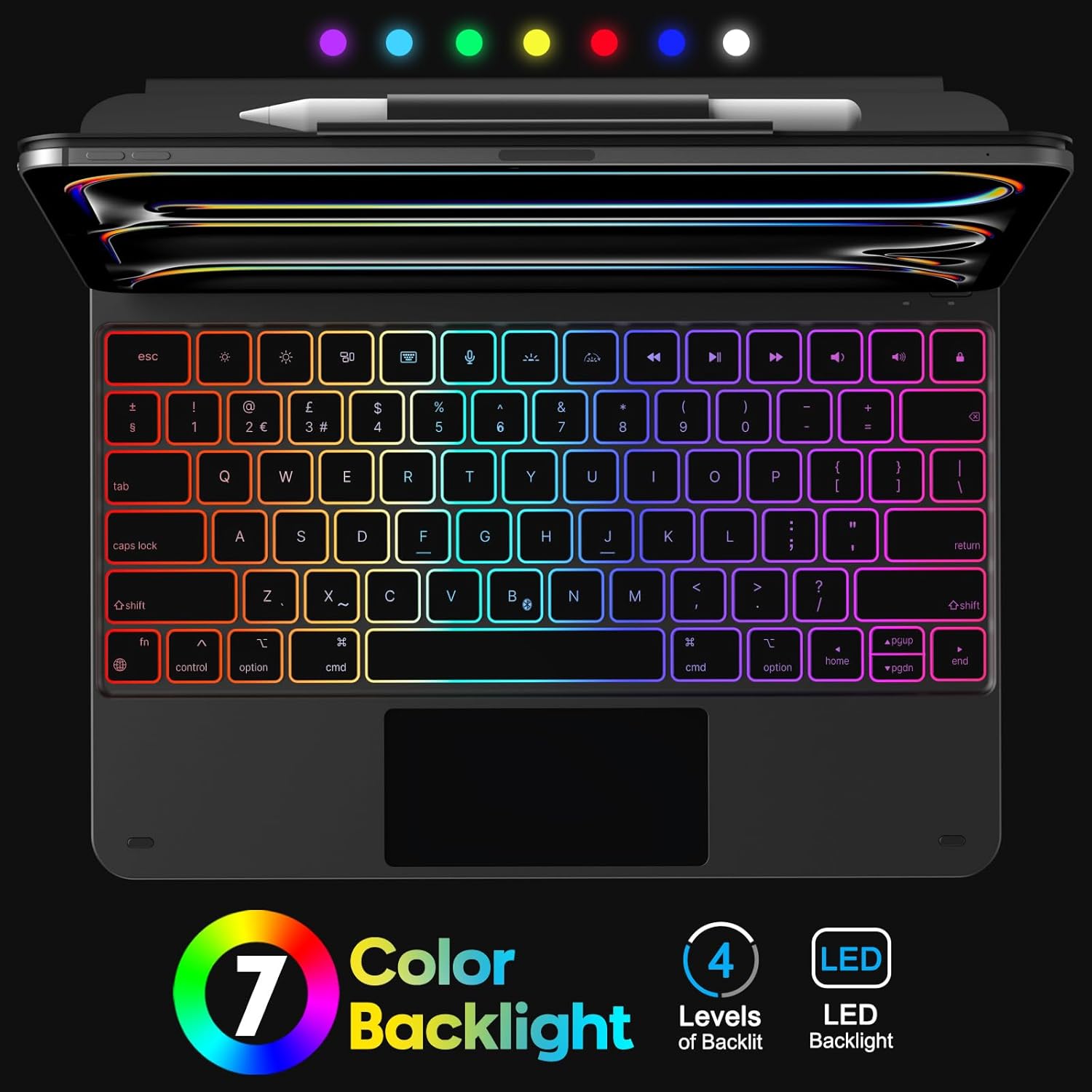
Слика 5.1: Keyboard Backlight. This image displays the keyboard with its customizable 7-color backlight options and indicates the 4 available brightness levels, enhancing typing visibility.

Слика 5.2: Key Mechanism. A close-up view of a keyboard key, illustrating the internal scissor-switch mechanism designed for comfortable and quiet typing.
5.2 Trackpad Usage
The integrated multi-touch trackpad supports various iPadOS gestures for navigation and interaction.
- Један прст: Tap to click, drag to move cursor.
- Два прста: Scroll up/down/left/right, pinch to zoom.
- Три прста: Swipe up to go to the Home screen, swipe up and hold to view app switcher, swipe left/right to switch between open apps.
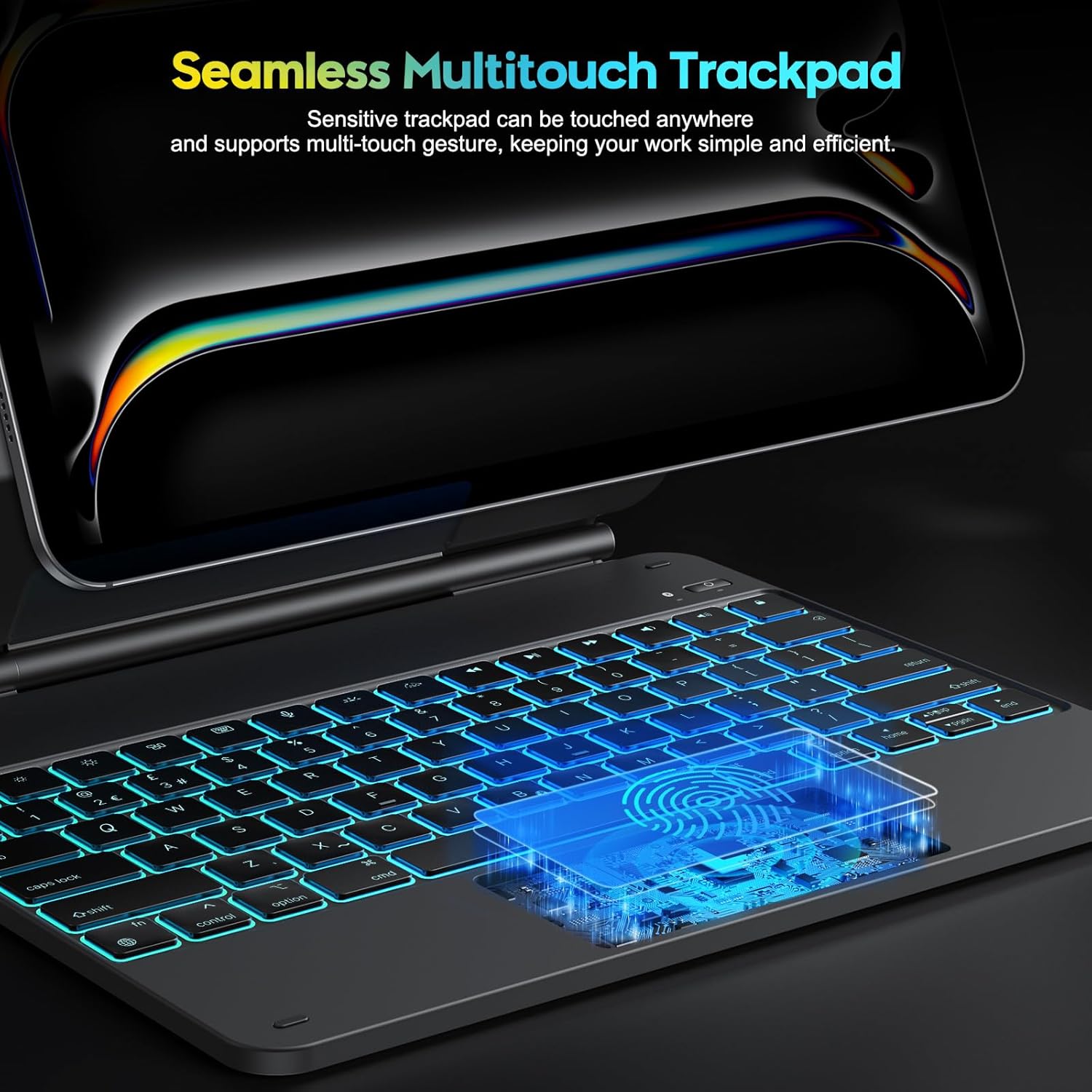
Слика 5.3: Multi-Touch Trackpad. This image highlights the sensitive multi-touch trackpad, indicating its capability to register various gestures for efficient iPadOS interaction.
5.3 Подешавање постоља
The floating stand design allows for flexible viewing angles. Gently adjust the iPad's position on the magnetic stand to achieve your desired angle.

Слика 5.4: Floating Stand Design. This image illustrates the adjustable floating stand, demonstrating how the iPad's viewing angle can be smoothly set to various positions, up to 120 degrees.
5.4 Пуњење тастатуре
The keyboard case is equipped with a built-in rechargeable battery. Use the provided USB-C cable to charge the device.
- Connect the USB-C end of the cable to the charging port on the keyboard.
- Повежите други крај кабла са УСБ адаптером за напајање (није укључен) или УСБ портом рачунара.
- Индикаторска лампица пуњења ће светлети током пуњења и искључити се када се потпуно напуни.
- A full charge takes approximately 3 hours. The battery provides up to 260 hours of use without backlight and 9 hours with backlight.

Слика 5.5: Charging and Battery Life. This image highlights the Type-C charging port on the keyboard and provides information on battery life, including 3 hours fast charging, 800mAh lithium battery, and over 1000 hours standby time.
6. Одржавање
To ensure the longevity and optimal performance of your keyboard case, follow these maintenance guidelines:
- Keep the device away from liquids and extreme temperatures.
- Clean the keyboard and trackpad surfaces with a soft, dry, lint-free cloth. Avoid abrasive cleaners.
- Do not attempt to disassemble the keyboard case, as this may void the warranty and cause damage.
- Store the keyboard case in a clean, dry environment when not in use.
КСНУМКС. Решавање проблема
Ако наиђете на проблеме са кућиштем тастатуре, погледајте следећа уобичајена решења:
- Тастатура се не повезује: Ensure Bluetooth is enabled on your iPad and the keyboard is powered on and charged. Try re-pairing the keyboard (Section 4.2).
- Тастери не реагују: Check if the keyboard is charged. Restart both the keyboard and your iPad.
- Trackpad not working: Ensure the keyboard is connected via Bluetooth. Check iPadOS settings for trackpad functionality. Restart the keyboard and iPad.
- Позадинско осветљење не ради: Ensure the keyboard is charged. Press the backlight key to cycle through modes and brightness levels.
- Lag in keyboard response: Ensure the keyboard is fully charged. Minimize interference from other Bluetooth devices.
If the problem persists after trying these steps, please contact OMOTON customer support.
8. Спецификације
| Феатуре | Спецификација |
|---|---|
| Бранд | ОМОТОН |
| Назив модела | КЦ011 |
| Компатибилни уређаји | iPad Pro 13-inch (M4) 2024 (Models A2925, A2926, A3007) |
| Технологија повезивања | Блуетоотх |
| Распоред тастатуре | QWERTY (UK-Layout) |
| Број кључева | 78 |
| Посебне карактеристике | Backlit (12 modes, 4 brightness levels), Hotkeys, Media Keys, Portable, Rechargeable, Multi-Touch Trackpad, Floating Stand Design |
| Капацитет батерије | 800мАх литијум-јонски |
| Battery Life (No Backlight) | До 260 сати |
| Battery Life (With Backlight) | До 9 сати |
| Порт за пуњење | УСБ-Ц |
| Боја | Црно |
9. Гаранција и подршка
OMOTON products are designed for reliability and performance. For warranty information or technical support, please refer to the contact details provided with your purchase or visit the official OMOTON webсајт. Молимо вас да сачувате доказ о куповини за потребе гаранције.