
1. Увод
Хвала вам на куповиниasing the Jectse USB Computer Speakers. These speakers are designed to provide clear, high-fidelity audio for your PC, laptop, tablet, and other devices with a 3.5mm AUX output. This manual will guide you through the setup, operation, and maintenance of your new speakers to ensure optimal performance.
2. Безбедносне информације
- Не излажите звучнике води или прекомерној влази.
- Избегавајте постављање звучника у близини извора топлоте или на директној сунчевој светлости.
- Do not attempt to disassemble or repair the speakers yourself. Refer all servicing to qualified personnel.
- Обезбедите одговарајућу вентилацију око звучника.
- Use only the provided cables or compatible replacements.
3. Садржај пакета
Молимо вас да проверите пакет за следеће ставке:
- Jectse USB Computer Speakers (1 unit)
- Integrated USB Power Cable (1 unit)
- Integrated 3.5mm AUX Audio Cable (1 unit)
- Упутство за употребу (овај документ)
4. Производ је готовview
The Jectse USB Computer Speakers feature a compact design with advanced audio technology for an enhanced listening experience.
Кључне карактеристике:
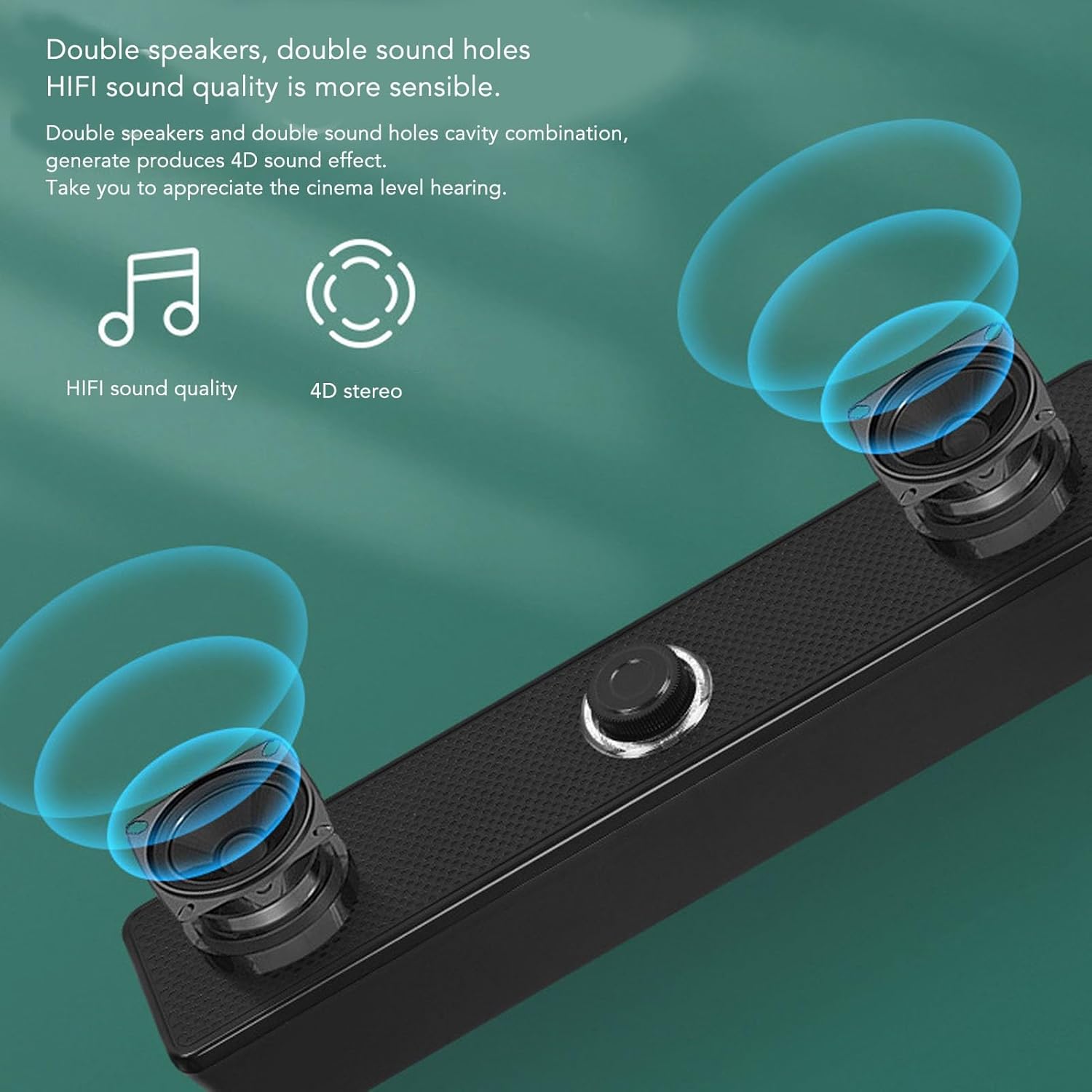
- HiFi Clear Sound: Equipped with 5W active full-frequency drivers and anti-magnetic technology to minimize static noise and deliver vivid, clear audio.
- Компактан и модеран дизајн: Measuring 31.5x6x5.6cm (12.4x2.36x2.2 inches), these speakers are designed to fit seamlessly into any desk setting.
- Intuitive Volume Control: Features a digital volume knob for precise adjustment, which can also synchronize with your computer's system volume.
- Свестрано повезивање: Utilizes a 3.5mm AUX input for compatibility with various devices including PCs, laptops, tablets, and mobile phones.
- Intelligent EQ Tuning: Built-in smart chip automatically identifies and switches between optimized sound modes for music, games, and movies.
Компоненте:
Refer to the images below for a visual guide to the speaker components.
Слика 4.1: Фронт view of the Jectse USB Computer Speakers, showing the dual speaker grilles and the central volume knob with LED illumination.

Слика 4.2: Close-up of the speaker's integral honeycomb decorative cover, designed for durability and heat dissipation.
5. Подешавање
Follow these steps to connect your Jectse USB Computer Speakers:
- Пласман: Place the speakers on a stable, flat surface near your computer or audio source. Ensure there is adequate space for sound dispersion.
- Повежите УСБ напајање: Plug the integrated USB cable from the speakers into an available USB port on your computer, laptop, or a compatible USB power adapter (5V/1A recommended). The speakers will power on, and the volume knob LED will illuminate.
- Connect 3.5mm AUX Audio: Plug the integrated 3.5mm AUX audio cable into the headphone jack or audio output port of your device (PC, laptop, tablet, mobile phone).
- Потврдите везу: Once both cables are connected, your speakers are ready for use. You may need to select the correct audio output device in your computer's sound settings.
6. Упутство за употребу
Контрола јачине звука:

Слика 6.1: The LED illuminated volume knob for adjusting audio levels.
- Повећајте јачину звука: Окрените дугме за јачину звука у смеру казаљке на сату.
- Смањи јачину звука: Turn the volume knob counter-clockwise.
- Укључивање/искључивање: The speakers power on automatically when connected via USB. To turn off the speakers, turn the volume knob fully counter-clockwise until it clicks or the LED light turns off.
- The built-in sound decoding chip allows the digital volume knob to synchronously control the computer system's volume.
Intelligent EQ Tuning:

Слика 6.2: The speaker's intelligent EQ tuning automatically optimizes sound for different content types.
The smart chip within the speakers automatically identifies the sound field environment and adjusts the audio output for optimal listening. It presets and switches between three exclusive sound modes:
- Музички режим: Оптимизовано за слушање музике.
- Режим игре: Enhanced audio for gaming experiences.
- ViewРежим рада: Tailored for watching movies and videos.
This automatic adjustment ensures the best possible sound quality for your current activity.
Антимагнетско смањење шума:

Слика 6.3: Anti-magnetic noise reduction technology helps eliminate interference from other electronic devices.
The speakers incorporate anti-magnetic technology to suppress static noise and avoid interference from other electronic products in the surrounding environment, ensuring a cleaner audio output.
7. Одржавање
- Чишћење: Use a soft, dry cloth to clean the exterior of the speakers. Do not use liquid cleaners or abrasive materials.
- Складиштење: Када се звучници не користе дуже време, чувајте их на хладном и сувом месту, даље од директне сунчеве светлости и екстремних температура.
- Нега каблова: Avoid bending or twisting the integrated cables excessively to prevent damage.
КСНУМКС. Решавање проблема
| Проблем | Могући узрок | Решење |
|---|---|---|
| Нема звука из звучника. |
|
|
| Звук је изобличен или нејасан. |
|
|
| Звучници се не укључују. |
|
|
9. Спецификације
| Бренд: | Јецтсе |
| Назив модела: | Jectseghfm19q6pa |
| Максимална излазна снага звучника: | 5 Ваттс |
| Технологија повезивања: | Жично (USB за напајање, 3.5 mm AUX за звук) |
| Тип монтаже: | Десктоп |
| Димензије (Д к Ш к В): | КСНУМКС к КСНУМКС к КСНУМКС цм (КСНУМКС к КСНУМКС к КСНУМКС инча) |
10. Гаранција и подршка
Jectse products are designed for reliability and performance. For warranty information or technical support, please refer to the warranty card included with your purchase or contact Jectse customer service through the retailer where the product was purchased. Please have your model number (Jectseghfm19q6pa) and purchase date ready when contacting support.