
Увод
Рampage Crack H11 is a versatile wireless gaming headset designed for an immersive audio experience across multiple platforms. It features dual connectivity options (2.4GHz wireless and Bluetooth 5.2), 7.1 virtual surround sound, a detachable microphone, and a lightweight design for extended comfort during long gaming sessions. This manual provides essential information for setting up, operating, maintaining, and troubleshooting your headset.
Садржај пакета
Пре него што почнете, уверите се да су све ставке присутне у пакету:
- Rampage Crack H11 Wireless Gaming Headset
- USB 2.4GHz бежични пријемник
- Одвојиви микрофон
- Type-C Charging Cable (1.8 meters, braided)
- User Manual / Warranty Certificate
Сетуп
1. Пуњење слушалица
Before first use, fully charge the headset. Connect the supplied Type-C charging cable to the headset's charging port and the other end to a USB power source (e.g., computer USB port, USB wall adapter). The charging time is approximately 2.5 hours for a full charge.
2. Повезивање путем бежичног 2.4 GHz (USB пријемник)
- Insert the USB 2.4GHz wireless receiver into an available USB port on your PC, PlayStation 4, or PlayStation 5.
- Укључите слушалице притиском и држањем дугмета за напајање.
- The headset should automatically connect to the receiver. If there is no sound or the microphone is not working, double-press the power button rapidly to switch between 2.4GHz and Bluetooth modes until the correct mode is selected.
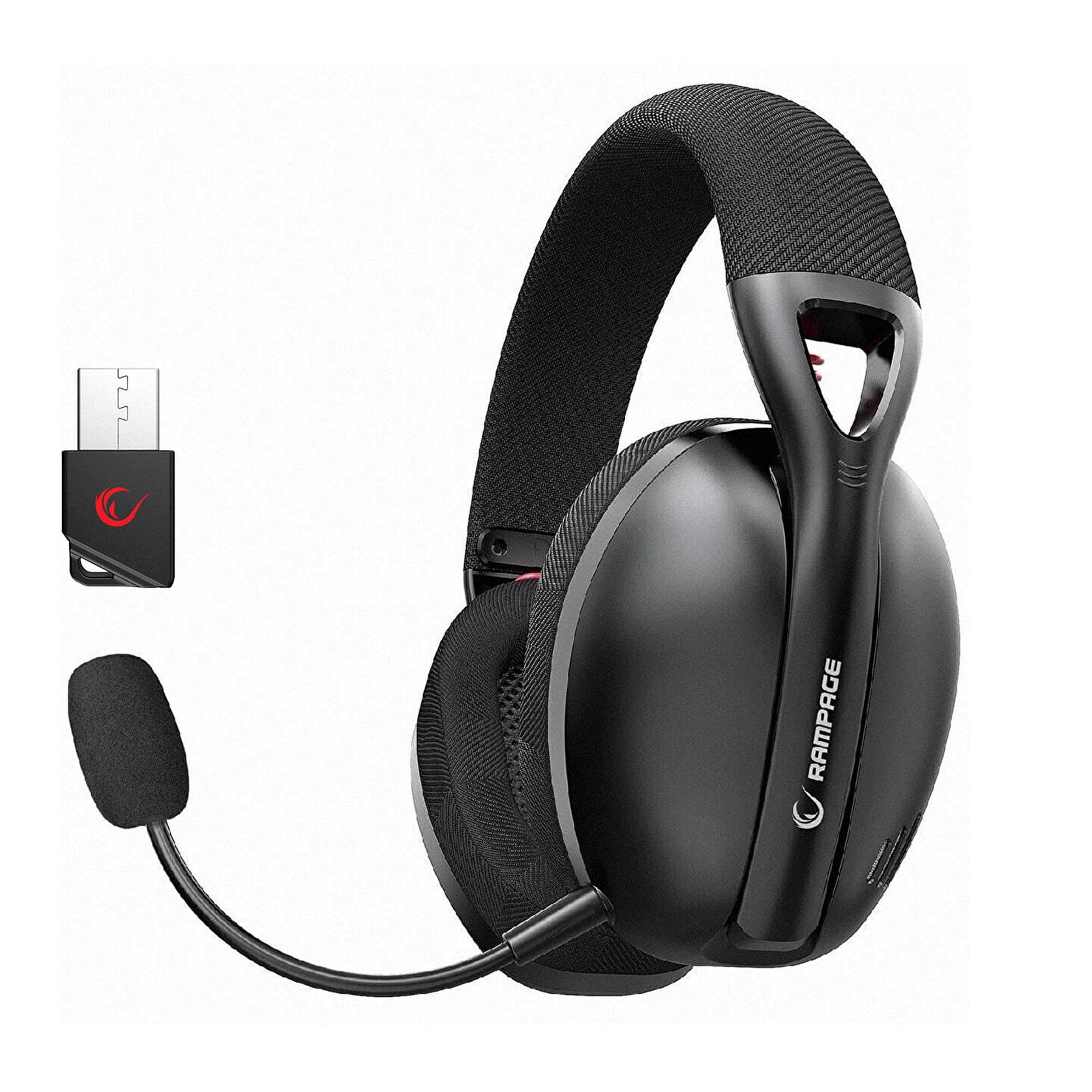
Image: Rampage Crack H11 headset highlighting 2.4GHz wireless and Bluetooth connectivity. It also shows the instruction to double-press the power button if sound or microphone issues arise when connected via USB.
3. Повезивање путем Bluetooth 5.2
- Укључите слушалице.
- If the headset is not in Bluetooth mode, double-press the power button to switch to Bluetooth mode. The indicator light will typically flash to indicate pairing mode.
- On your smartphone or other Bluetooth-enabled device, go to Bluetooth settings and search for available devices.
- Select "Rampage Crack H11" from the list to pair.
4. Причвршћивање микрофона
The microphone is detachable. Insert the microphone into the designated port on the left earcup. Adjust its position for optimal voice pickup. The flexible design allows you to find the most suitable position.

Image: The Rampage Crack H11 headset featuring its detachable and adjustable microphone, emphasizing user flexibility.
Упутство за употребу
Укључивање/искључивање
Притисните и држите дугме за напајање неколико секунди да бисте укључили или искључили слушалице.
Промена режима
To switch between 2.4GHz wireless mode and Bluetooth mode, double-press the power button rapidly. An audible cue or indicator light change will confirm the mode switch.
Контрола јачине звука
Use the volume control wheel or buttons located on the earcup to adjust the audio output level.
Искључивање микрофона
Locate the microphone mute button on the headset to quickly mute or unmute your microphone.
7.1 Виртуал Сурроунд Соунд
The headset features 7.1 virtual surround sound for an immersive gaming experience. This technology enhances directional audio, allowing you to perceive in-game sounds more accurately and gain a competitive edge.

Image: The Rampage Crack H11 headset showcasing its Virtual 7.1 Surround 360° Sound System, designed for an immersive audio experience.
Одржавање
Чишћење
- Обришите слушалице меком, сувом крпом.
- Немојте користити јаке хемикалије, раствараче за чишћење или јаке детерџенте.
- Ensure the headset is dry before storing or charging.
Складиштење
Чувајте слушалице на хладном и сувом месту, даље од директне сунчеве светлости и екстремних температура. Избегавајте стављање тешких предмета на слушалице.
Баттери Царе
- Избегавајте често потпуно пражњење батерије.
- Редовно пуните слушалице, чак и ако их не користите, како бисте одржали здравље батерије.
- Не излажите батерију високим температурама.

Image: The Rampage Crack H11 headset's fabric ear pads, designed for high comfort and effective sound isolation during extended use.
Решавање проблема
No Sound or Microphone Not Working (2.4GHz Wireless)
- Ensure the USB receiver is properly inserted into the device.
- Double-press the power button on the headset rapidly to cycle through modes. Ensure the headset is in 2.4GHz wireless mode.
- Check your device's audio settings to ensure the headset is selected as the default input/output device.
Проблеми са Блуетоотх везом
- Ensure the headset is in Bluetooth pairing mode (indicator light flashing).
- Уверите се да је Блуетоотх омогућен на вашем уређају.
- Покушајте да раскинете упаривање и поново упарите слушалице из подешавања Bluetooth-а на вашем уређају.
- Уверите се да су слушалице унутар ефективног домета вашег Bluetooth уређаја.
Sound Quality Issues (e.g., Muffled Sound)
- Check the audio source and ensure the volume is not too high, causing distortion.
- Ensure the earcups are properly seated on your ears for optimal sound delivery.
- Test the headset with a different audio source or device to rule out source-related issues.
Intermittent Disconnections
- Ensure there are no obstructions or strong interference sources (e.g., Wi-Fi routers, other wireless devices) between the headset and the connected device.
- Keep the headset within the recommended operating range.
- Ensure the headset is fully charged. Low battery can sometimes affect connection stability.
Спецификације
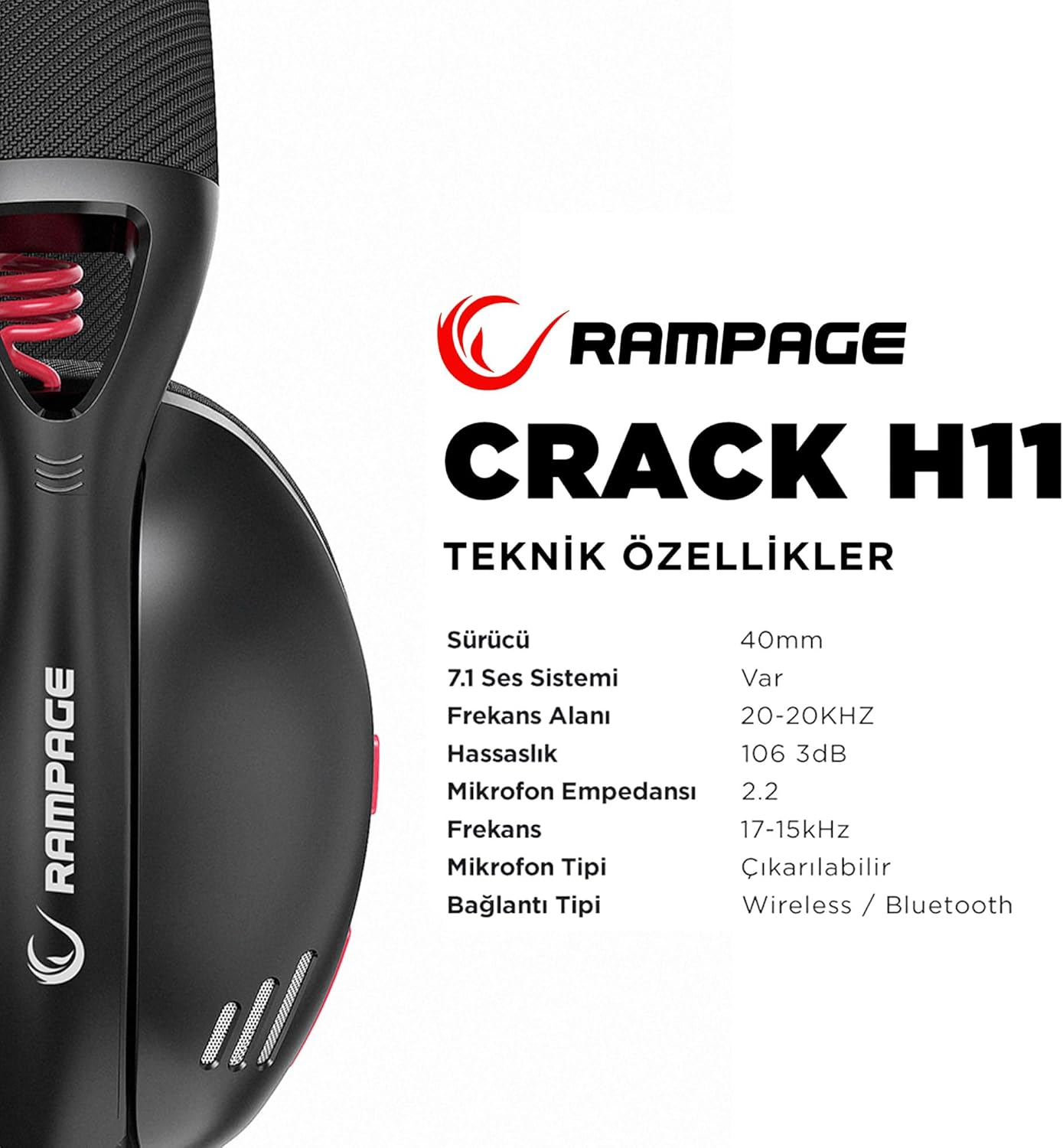
Image: Technical specifications for the Rampage Crack H11 headset, detailing audio and connectivity features.
| Феатуре | Спецификација |
|---|---|
| Бранд | Rampстарости |
| Модел | Crack H11 |
| Боја | Црно |
| Повезивање | 2.4GHz бежична веза, Bluetooth 5.2 |
| Дривер Сизе | 40мм |
| 7.1 звучни систем | Yes (Virtual Surround) |
| Импеданса | 17±15% Ohm |
| Осетљивост | 106±3дБ |
| Фреквенцијски одзив | 20Hz - 20kHz |
| Осетљивост микрофона | -42 + 2дБ |
| Смер микрофона | Дирецтионал |
| Импеданса микрофона | 2.2k OHM |
| Капацитет батерије | 400мАХ 3.7В |
| Порт за пуњење | Типе-Ц |
| Време пуњења | 2.5 сата |
| Тежина | 177 грама |
| Компатибилност | PC, PS4, PS5, Smart Phones |

Слика: Оверview of the Rampage Crack H11 headset's main features, including immersive 7.1 sound, high-quality 40mm drivers, flexible dual connectivity, and efficient charging.
Гаранција и подршка
Информације о гаранцији
Рampage Crack H11 headset comes with a 24-месечна гаранција from the date of purchase. Please retain your proof of purchase for warranty claims. The warranty covers manufacturing defects and malfunctions under normal use. It does not cover damage caused by misuse, accidents, unauthorized modifications, or normal wear and tear.
Корисничка подршка
For technical assistance, troubleshooting, or warranty inquiries, please contact Rampage customer support through their official website or the retailer where the product was purchased. Please have your product model number (Crack H11) and proof of purchase ready when contacting support.