
Dopesplay DR1451
Dopesplay 14" FHD 1200P IPS Laptop Screen Extender User Manual
Модел: ДР1451
Brand: Dopesplay
Увод
The Dopesplay 14" FHD 1200P IPS Laptop Screen Extender is designed to enhance your productivity by providing an additional display for your laptop. Featuring a 1920x1200 FHD IPS screen with a 16:10 aspect ratio and 1000:1 contrast ratio, it delivers crisp, clear, and vibrant visuals. Its detachable and foldable design makes it highly portable, ideal for professionals on the go. This manual provides comprehensive instructions for setup, operation, and troubleshooting to ensure optimal use of your new screen extender.
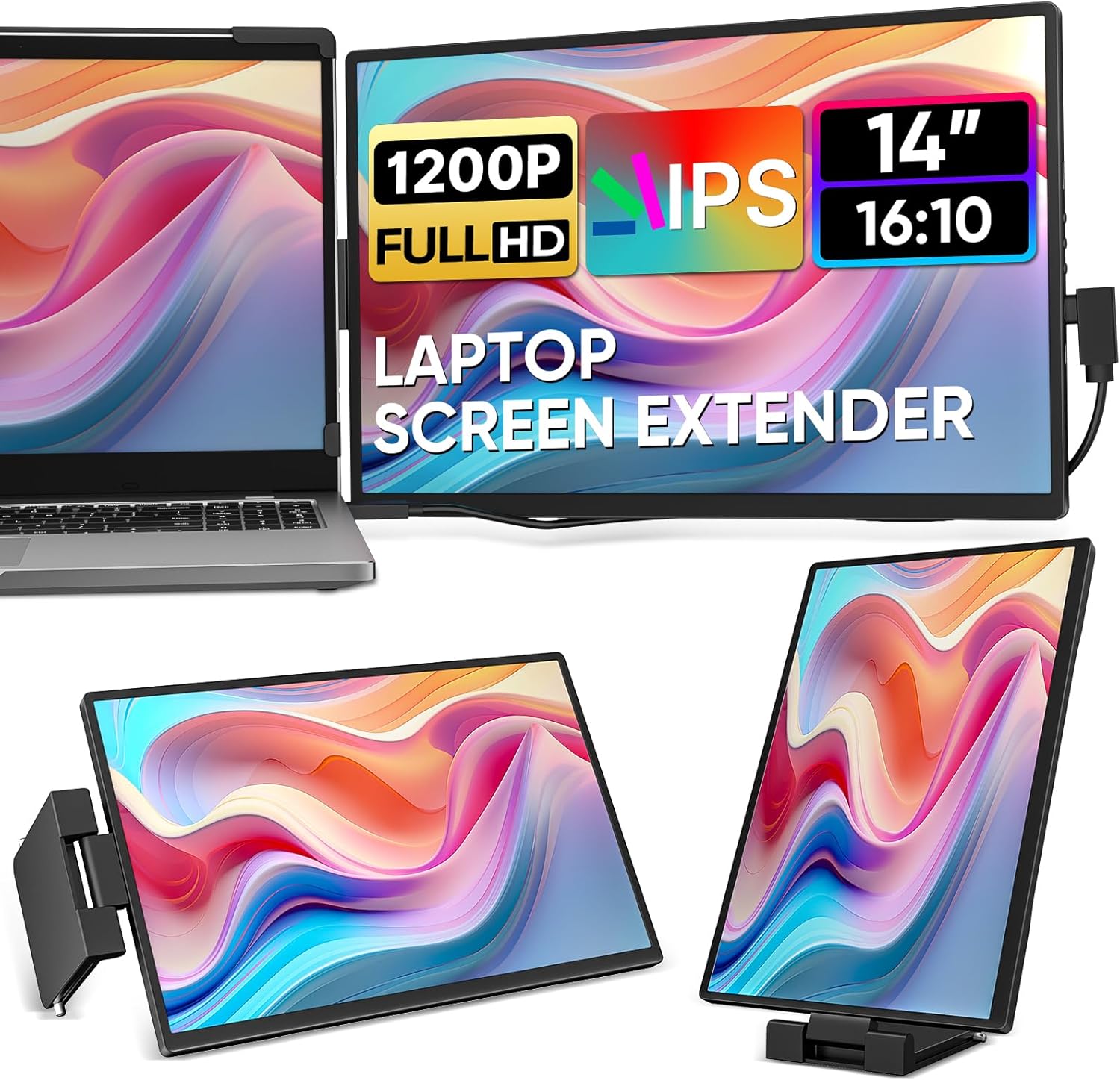
Figure 1: Dopesplay 14" FHD 1200P IPS Laptop Screen Extender in use with a laptop, demonstrating its dual-screen capability and compact design.
Шта је у кутији
Please ensure all components are present in your package:
- 1 x 14.1" Portable Monitor
- 1 x Support with Kickstand
- 1 к УСБ-Ц на УСБ-Ц кабл
- 1 к УСБ-А на УСБ-Ц кабл
- 1 к Мини ХДМИ на ХДМИ кабл

Figure 2: All items included in the Dopesplay Laptop Screen Extender package.
Водич за подешавање
Компатибилност
The Dopesplay laptop screen extender is compatible with 14"-17.3" laptops. It supports a wide range of full-featured Type-C or Thunderbolt 3/4 devices, including Windows, Mac, Chrome, Android, Dell, HP, PS4/5, Xbox, and Switch. Ensure your laptop's Type-C port supports video signal transmission and power delivery for full functionality.

Figure 3: The screen extender offers broad compatibility with various operating systems and devices.

Figure 4: Important information regarding Type-C port features for compatibility verification.
Инсталација
Setting up the monitor is straightforward and requires no additional software or drivers. It's ready to use in seconds.
Видео 1: Кратак прегледview of the 14" FHD 1200P IPS External Portable Monitor for Laptop, demonstrating its features and ease of setup. (Duration: 0:23)
Video 2: Demonstrates the Laptop Screen Extender's physical setup and connection. (Duration: 0:43)
Опције повезивања:
- Single Type-C Connection: If your laptop has a full-featured Type-C port, you can connect the second monitor with one single USB-C to USB-C cable.
- ХДМИ и УСБ-А веза: If your laptop does not have a full-featured Type-C port, you can connect the second monitor using the Mini HDMI to HDMI cable and the USB-A to USB-C cable for power and data.

Figure 5: Visual guide for connecting the screen extender to your laptop.

Figure 6: Single Type-C connection for simplified setup.

Figure 7: HDMI and USB-A connection for laptops without full-featured Type-C ports.
Упутство за употребу
Режими приказа
The Dopesplay screen extender supports multiple display modes to suit your workflow:
- Duplicated Display: Mirrors your laptop's screen.
- Проширени приказ: Extends your desktop, allowing for more screen real estate for multitasking.
- Portrait Display: Rotates the extended screen vertically, ideal for viewing documents or code.

Figure 8: Various display modes available for Mac OS and Windows users.
Подешавање поставки екрана
The monitor offers customization options for brightness, contrast, and backlight. Use the physical buttons on the side of the monitor to access the OSD (On-Screen Display) menu and adjust settings to your preferences.

Figure 9: Key display specifications and features of the screen extender.
The screen extender also features flexible adjustment options, including vertical/horizontal screen positions, free rotation (360°), and an adjustable kickstand for optimal viewин удобност.

Figure 10: Explore the various ways to position your screen extender for maximum comfort and utility.
Карактеристике продуктивности
This dual screen monitor is designed to boost your productivity significantly. Its decent size, detachable, and foldable design allows it to fit easily into your travel backpack, making it a must-have for work travel if you are used to multiple screens.

Figure 11: The screen extender transforms your laptop into a powerful multitasking workstation.
Спецификације производа
| Феатуре | Спецификација |
|---|---|
| Димензије производа | 1.18 к 12.6 к 8.27 инча |
| Тежина артикла | 3.85 фунти |
| Произвођач | Допесплаи |
| ASIN | B0D7V6FGCD |
| Број модела артикла | ДР1451 |
| Датум првог доступног | 24. јуна 2024. године |
| Величина приказа на сталном екрану | 14.1 |
| Аспецт Ратио | 16:10 |
| Волtage | 5 Волтс |
| Резолуција | 1920 к 1200 пиксела |
| Осветљеност слике | 250 Цандела |
| Total Usb Ports | 2 |
| Величина екрана | 14.1 |
| Резолуција | ФХД 1200п |
| Опис површине екрана | Мат |
Решавање проблема
If you encounter any issues, please refer to the common problems and solutions below:
- Q1: Why is the screen flickering or going black?
A1: Check USB-C, USB-A, and HDMI Port Connection. Poor contact can easily lead to screen flickering.
A2: Insufficient Power Supply. Some devices may have a weaker power supply capacity for the screen extender, which can lead to insufficient power and screen flickering. Therefore, it is necessary to connect the charger for power supply when using it. - Q2: The screen displays "No Signal"
A1: Check USB-C or HDMI Port Connection. Poor contact can easily lead to screen flickering.
A2: Display Compatibility Issues. You can try replacing the laptop to see if the "No Signal" issue persists. - Q3: Do I need to install any drivers to use the monitor?
О: Не.

Figure 12: Common troubleshooting steps for the Dopesplay screen extender.
Гаранција и подршка
Dopesplay provides a 1-year quality guarantee for this product. If any accessories are missing or you receive a broken item in the package, please do not hesitate to contact Dopesplay customer-centric support for assistance. They offer 24-hour support to address your concerns.
Ask a question about this manual
Ask about setup, troubleshooting, compatibility, parts, safety, or missing instructions. Manuals+ will review the question and use this page’s manual context to help answer it.