
Увод
Овај приручник пружа свеобухватна упутства за FTTMWTAG T45S Smart Watch. It covers setup, operation, maintenance, and troubleshooting to ensure optimal use of your device. The T45S Smart Watch is a 1.85-inch waterproof fitness tracker designed for both men and women, featuring Bluetooth call functionality, 24-hour health monitoring (blood pressure, heart rate, SpO2, sleep), and compatibility with iPhone and Android devices.
Шта је у кутији
Upon unboxing your FTTMWTAG T45S Smart Watch, you should find the following items:
- ФТТМВTAG Паметни сат Т45С
- Кабл за пуњење
- Упутство за употребу

Слика: FTTMWTAG T45S Smart Watch, its charging cable, and the user manual as typically found in the product packaging.
Водич за подешавање
1. Почетно пуњење
Before first use, fully charge the smart watch. Use the provided 5V charger and charging cable. Connect the magnetic end of the cable to the charging points on the back of the watch. A full charge typically takes approximately 2 hours.

Image: The smart watch connected to its charging cable, illustrating the charging process.
2. Инсталација и упаривање апликације
To unlock the full features of your T45S Smart Watch, download and install the "Da Fit" application on your smartphone (compatible with both Android and iPhone).
- Активирајте Блуетоотх: Уверите се да је Блуетоотх омогућен на вашем паметном телефону.
- Преузми апликацију: Тражи "Da Fit" in your phone's app store (Google Play Store for Android, Apple App Store for iPhone) and install it.
- Отворите апликацију и додајте уређај: Open the "Da Fit" app. Navigate to the device section and tap on "Add a Device".
- Изаберите свој сат: The app will scan for nearby devices. Select "T45S" from the list of available devices.
- Потврдите упаривање: Your phone will request Bluetooth pairing. Confirm the pairing on both your phone and the smart watch.

Image: Visual instructions demonstrating the Bluetooth pairing process between the smart watch and a smartphone via the Da Fit app.
Упутство за употребу
1. Основна навигација
- Екран на додир: The 1.85" HD TFT full-touch color screen allows for intuitive navigation.
- Покрети превлачења: Swipe left, right, up, or down to access different functions and menus.
- Wake/Lock Screen: The screen can be woken by raising your wrist or by pressing the side button.
- Подесите осветљеност: Screen brightness can be adjusted through the watch settings or the "Da Fit" app.
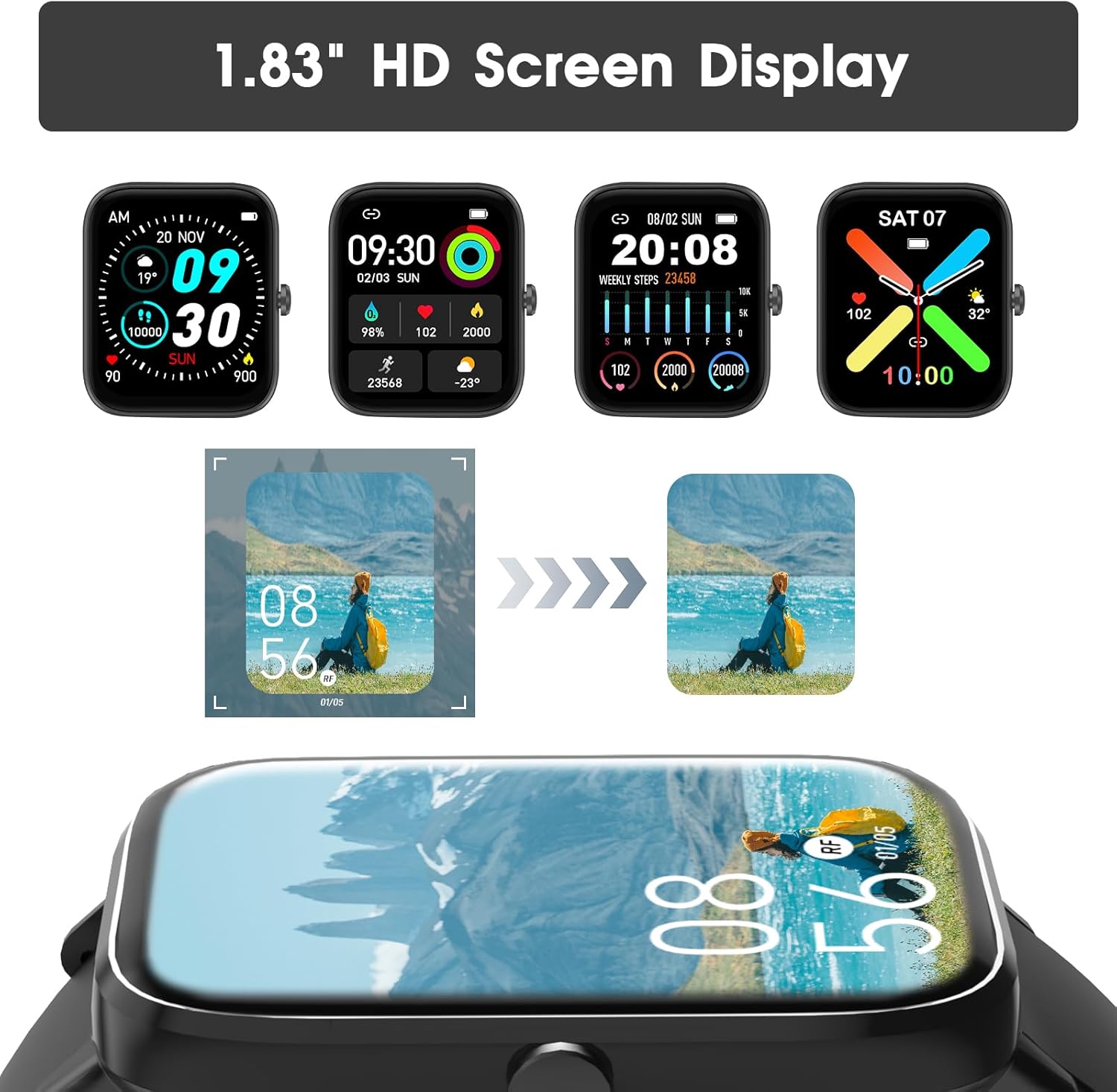
Image: The smart watch screen showing different customizable watch faces and data displays.
2. Bluetooth Call and Message Alerts
Once connected via Bluetooth, the T45S Smart Watch allows for direct communication and notifications.
- Одговорите на позиве: Use the integrated HD speaker and microphone to answer incoming calls or dial out directly from your watch.
- Call History & Contacts: View recent call history and access stored contacts directly on the watch.
- Обавештења о порукама: Receive notifications for social media messages (WhatsApp, Twitter, Facebook, Instagram, etc.) directly on your wrist. Ensure notifications are enabled in the "Da Fit" app.

Image: A user interacting with the smart watch to answer a call, and displays of message notifications and AI assistant features.
Video: An official product video demonstrating the FTTMWTAG Smart Watch's features, including Bluetooth calling and various app functionalities.
3. Праћење здравља и кондиције
The T45S Smart Watch is equipped with high-performance sensors to monitor various health metrics.
- Мониторинг срчане фреквенције: Континуирано прати ваш пулс током целог дана.
- Праћење крвног притиска: Пружа очитавања крвног притиска.
- СпО2 Мониторинг: Мери ниво засићености крви кисеоником.
- Праћење квалитета сна: Monitors your sleep patterns, including deep sleep, light sleep, and awake times, providing insights for better rest.
- Праћење активности: Бележи пређене кораке, пређену удаљеност и потрошене калорије.
- Нивои стреса: Monitors stress levels to help you manage daily well-being.

Image: The smart watch screen showing real-time health data for heart rate, stress, and blood pressure.

Image: The smart watch screen showing sleep tracking details, including sleep duration and profile.
4. Спортски режими
Сат подржава преко 100 спортских режима за прецизно праћење ваших тренинга.
- Доступни режими: Includes walking, running, cycling, skipping, badminton, basketball, football, swimming, climbing, tennis, rugby, golf, yoga, and many more.
- Подаци о вежбању: Tracks duration, steps, calories, average heart rate, and distance for each activity.

Image: The smart watch screen showing a summary of a workout session, including steps, calories, heart rate, and distance.

Image: The smart watch interface displaying a selection of over 100 available sports tracking modes.
5. Multifunctionality
The T45S Smart Watch offers a range of practical daily functions:
- Временска прогноза: Добијајте ажурирања о времену у реалном времену.
- Контрола музике: Контролишите репродукцију музике на свом паметном телефону директно са сата.
- Седентарни подсетник: Примајте обавештења о кретању након периода неактивности.
- Штоперица и тајмер: Built-in stopwatch and timer functions.
- Будилник: Подесите аларме за подсетнике.
- Tracking Female Cycle: Dedicated feature for tracking the female physiological cycle.
- Screen-Light Duration: Adjust how long the screen stays active.
- Пронађите телефон: Locate your paired smartphone using the watch.
- Camera Shutter Control: Remotely control your phone's camera shutter.

Image: A user operating their smartphone camera remotely using the smart watch as a shutter control.

Image: The smart watch interface showing icons for weather, music control, alarm clock, stopwatch, games, breathing training, and camera control.
Одржавање
1. Отпорност на воду
FTTMWTAG T45S Smart Watch has an IP67 rating, meaning it can withstand water splashes and brief immersion. It is suitable for daily use such as washing hands or light rain.
Важно: Сат је НЕ suitable for swimming, diving, bathing, or exposure to hot water/steam, as this may damage the device.
Image: The smart watch being splashed with water, indicating its IP67 water resistance for daily activities.
2. Чишћење
To maintain the watch's appearance and functionality, regularly clean the screen and strap with a soft, dry cloth. If necessary, a slightly damp cloth can be used for the strap, ensuring it is dried thoroughly afterward.
3. Брига о батерији
To prolong battery life, avoid extreme temperatures and fully discharge the battery only occasionally. Regular charging before the battery is completely depleted is recommended.
Решавање проблема
| Проблем | Могуће решење |
|---|---|
| Сат се не укључује | Уверите се да је сат потпуно напуњен. Повежите га са пуњачем најмање 30 минута. |
| Није могуће упарити са телефоном |
|
| Нетачни здравствени подаци |
|
| Обавештења се не појављују |
|
| Кратко трајање батерије |
|
Спецификације
| Феатуре | Детаљ |
|---|---|
| Број модела | Т45С |
| Величина екрана | 1.85 инча |
| Дисплаи Типе | HD TFT Full Touch Color Screen |
| Повезивање | Блуетоотх |
| Компатибилност оперативног система | Андроид и иОС |
| Капацитет батерије | 290 Милиamp Сати (мАх) |
| Време пуњења | Прибл. 2 сата |
| Типично време коришћења | 3-6 дана |
| Време приправности | До 30 дана |
| Оцена водоотпорности | IP67 (Splash-proof, not for swimming/diving) |
| Мониторинг здравља | Heart Rate, Blood Pressure, SpO2, Sleep, Stress Levels |
| Праћење активности | Steps, Distance, Calories, 100+ Sports Modes |
| Остале карактеристике | Bluetooth Call, Message Alerts, Weather, Music Control, Sedentary Reminder, Stopwatch, Alarm Clock, Timer, Female Cycle Tracking, Find Phone, Camera Shutter Control |
| Димензије производа | 1 к 1 к 1 инча |
| Тежина артикла | 4.2 унци (0.12 килограма) |
| Произвођач | ФТТМВTAG |

Image: Diagram showing the dimensions of the smart watch and details about its 290mAh battery capacity.
Гаранција и подршка
For warranty information, technical support, or customer service inquiries, please refer to the contact details provided with your purchase or visit the official FTTMWTAG webсајт. Сачувајте рачун као доказ о куповини за евентуалне рекламације по гаранцији.
The product is verified by Transparency, with each item having a unique code for authenticity verification.