
Увод
Thank you for choosing the T&G Wireless Speaker TG619C. This manual provides essential information for setting up, operating, and maintaining your new portable speaker. Please read this manual carefully before use to ensure optimal performance and longevity of your device.
The T&G Wireless Speaker TG619C is designed to deliver rich, immersive audio with the convenience of wireless connectivity. It features a 1200mAh battery for extended playtime and supports various audio sources including Bluetooth, memory cards, and USB drives.
Безбедносне информације
- Не излажите звучник води, влази или екстремним температурама.
- Избегавајте испуштање или излагање звучника јаким ударима.
- Не покушавајте сами да растављате, поправљате или модификујете звучник. По потреби контактирајте квалификовано сервисно особље.
- Држите звучник даље од извора топлоте, директне сунчеве светлости и запаљивих материјала.
- Use only the provided or a certified charger cable for charging.
- Чувати ван домашаја деце.
Садржај пакета
Молимо вас да проверите садржај паковања након отварања. Ако неке ставке недостају или су оштећене, обратите се продавцу.
- 1 x T&G Wireless Speaker TG619C
- КСНУМКС к Кабл пуњача
Производ је завршенview
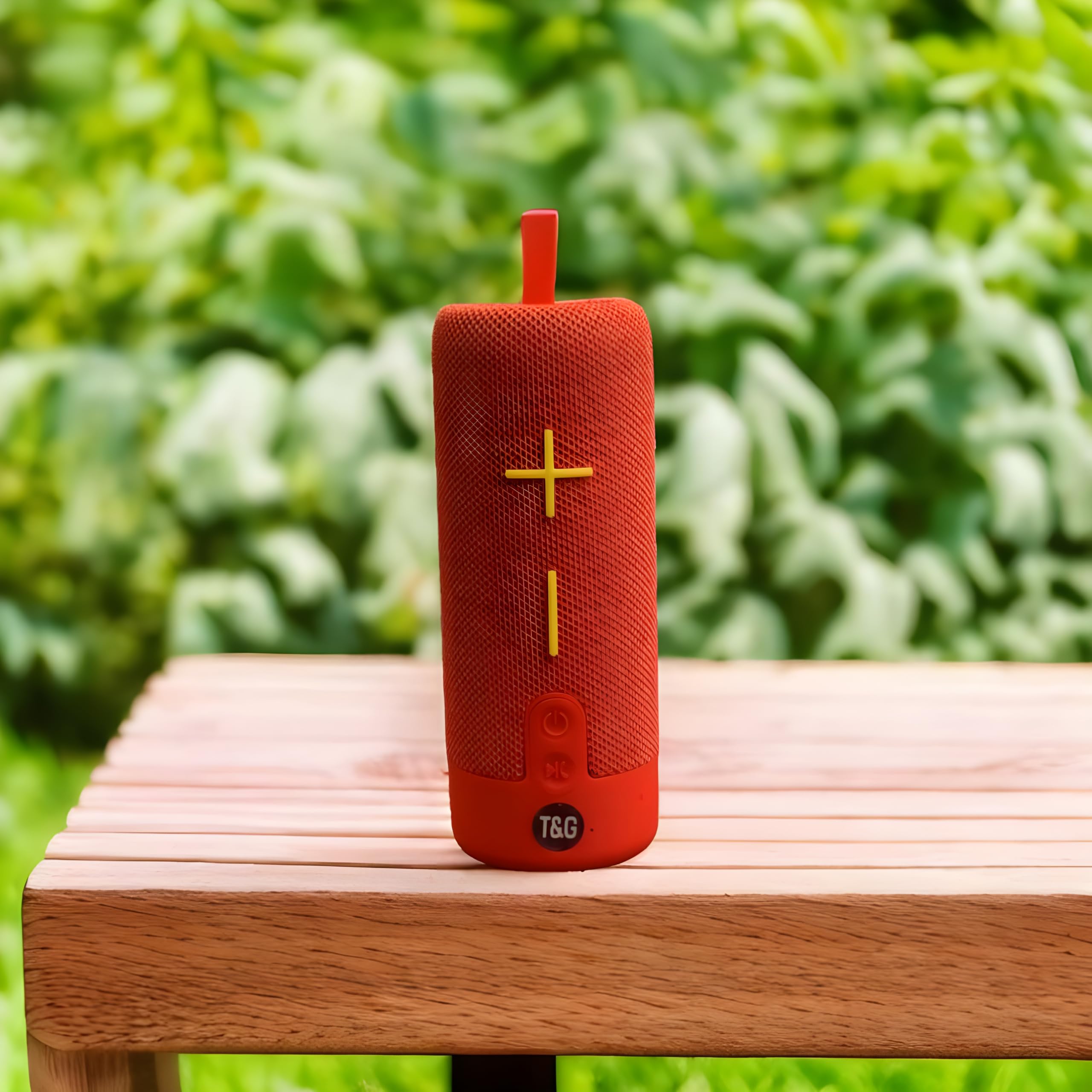
This image displays the T&G Wireless Speaker in red, highlighting its compact, cylindrical design. Visible features include the speaker grille and a control panel with buttons for power, volume, and mode selection.
The T&G Wireless Speaker TG619C is a portable audio device designed for ease of use and versatility. It features a robust speaker grille, intuitive control buttons for power, volume adjustment, track navigation, and mode switching. Input ports for charging, USB drives, and memory cards are typically located on the side or rear of the unit.
Сетуп
Пуњење звучника
Before first use, fully charge the speaker. Connect the provided charger cable to the speaker's charging port and the other end to a USB power adapter (not included) or a computer's USB port. The charging indicator light will illuminate during charging and turn off or change color when fully charged.
Укључивање/искључивање
To power on the speaker, press and hold the power button for a few seconds until you hear an audible prompt or see an indicator light. To power off, press and hold the power button again.
Блуетоотх упаривање
- Ensure the speaker is powered on and in Bluetooth pairing mode (usually indicated by a flashing LED).
- На паметном телефону, таблету или другом уређају који подржава Bluetooth, идите на подешавања Bluetooth-а.
- Тражи available devices and select "T&G Speaker" (or similar name) from the list.
- Once paired, the speaker will emit a confirmation sound, and the LED indicator will typically stop flashing.
Упутство за употребу
Пуштање музике
After successful Bluetooth pairing, you can stream audio from your connected device. Use your device's media player to control playback (play/pause, skip tracks).
Контрола јачине звука
Press the '+' button to increase volume and the '-' button to decrease volume. You can also adjust the volume from your connected device.
Избор режима
Press the 'M' (Mode) button to switch between available input modes: Bluetooth, Memory Card (TF card), and USB drive. The speaker will announce the current mode.
Using Memory Card/USB Drive
Insert a compatible memory card (TF card) or USB drive into the respective slot. The speaker will automatically detect the storage device and begin playing audio files. Use the track navigation buttons on the speaker to skip songs.
Одржавање
- Очистите звучник меком, сувом крпом. Не користите абразивна средства за чишћење или раствараче.
- Чувајте звучник на хладном и сувом месту када се не користи.
- Да бисте продужили век трајања батерије, избегавајте често потпуно пражњење батерије и редовно је пуните, чак и ако се не користи дуже време.
- Држите портове без прашине и остатака.
Решавање проблема
| Проблем | Решење |
|---|---|
| Звучник се неће укључити. | Ensure the battery is charged. Connect the charger cable and try again. |
| Нема звука из звучника. | Check the volume level on both the speaker and your connected device. Ensure the speaker is correctly paired via Bluetooth or the correct input mode is selected. |
| Није могуће упаривање преко Bluetooth-а. | Ensure the speaker is in Bluetooth pairing mode (flashing LED). Turn off and on Bluetooth on your device. Move the speaker closer to your device. Clear previous Bluetooth connections on your device. |
| Memory card/USB drive not playing. | Ensure the speaker is in the correct mode (Memory Card/USB). Check that the files on the card/drive are compatible audio formats. Ensure the card/drive is inserted correctly. |
Спецификације
| Феатуре | Детаљ |
|---|---|
| Бранд | T&g |
| Назив модела | ТГ619Ц |
| Спеакер Типе | Портабле |
| Боја | Црвени |
| Капацитет батерије | 1200мАх |
| Повезивање | Wireless (Bluetooth), Memory Card (TF), USB |
| Димензије производа (Д x Ш x В) | 6.9Д к 6.6Ш к 17.8В центиметара |
| Укључене компоненте | Цхаргер Цабле |
| Земља порекла | Кина |
Гаранција и подршка
Овај производ долази са БЕЗ ГАРАНЦИЈЕ as per manufacturer specifications.
For any support inquiries, technical assistance, or issues not covered in this manual, please contact the seller or retailer where the product was purchased. Please retain your proof of purchase for any potential service requests.