
Goovis G3X
GOOVIS G3X XR Head Mounted Display User Manual
Model: G3X | Brand: Goovis
1. Увод
This manual provides essential information for the safe and effective use of your GOOVIS G3X XR Head Mounted Display. Please read it thoroughly before operating the device and retain it for future reference.

Слика: Фронт view of the GOOVIS G3X XR Head Mounted Display, showcasinг његов елегантан дизајн.
2. Шта је у кутији
Проверите да ли су сви предмети присутни у паковању:
- GOOVIS G3X Head Mounted Display
- Торба за ношење
- УСБ-Ц на УСБ-Ц кабл
- Standard Headband
- Eye Relief Spacer
- Крпа за чишћење сочива
- Кориснички приручник (овај документ)
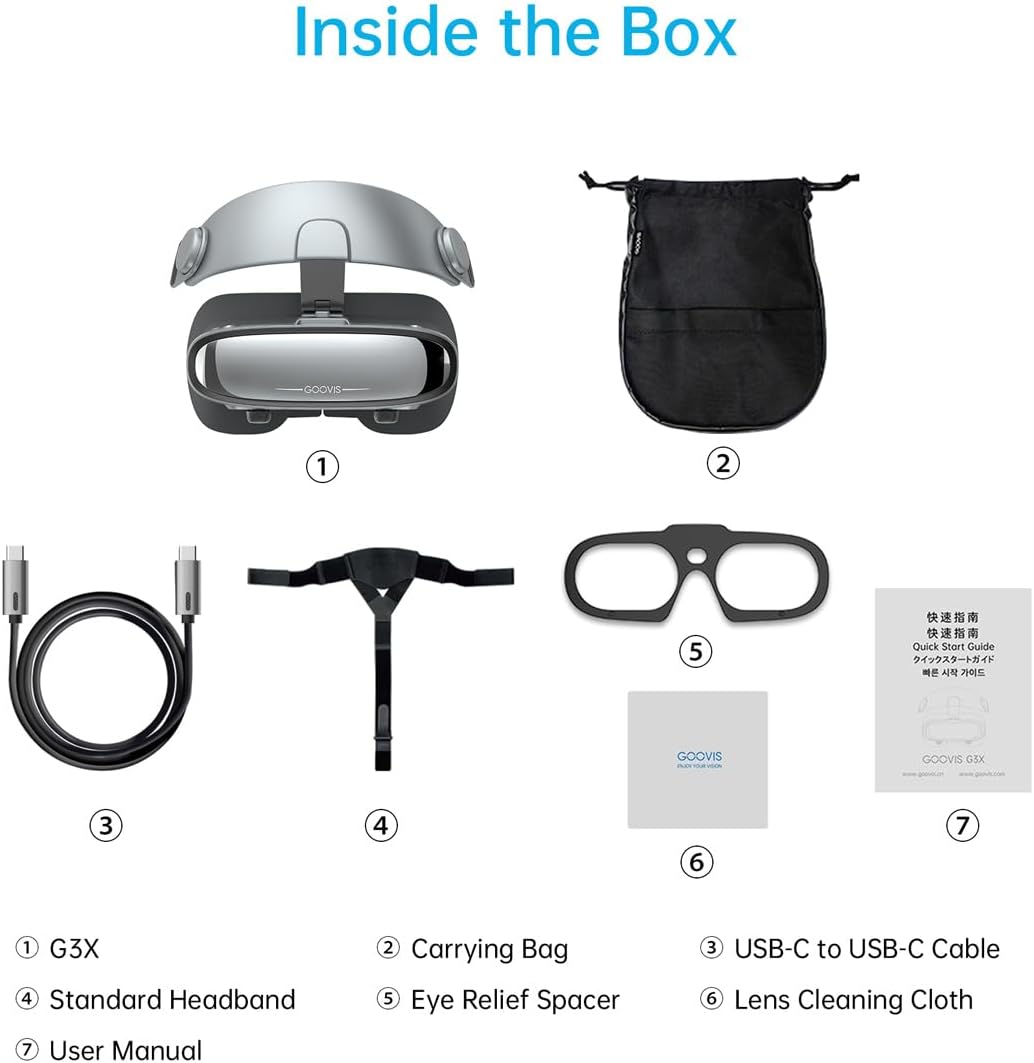
Image: All components included with the GOOVIS G3X, laid out for inspection.
3. Подешавање и подешавања
3.1 Ношење уређаја
- Attach the Standard Headband to the G3X unit.
- Place the G3X on your head, ensuring the display unit rests comfortably over your eyes.
- Adjust the headband for a secure yet comfortable fit. The device is designed to be lightweight (190g) for extended wear.
3.2 Подешавање диоптрије
The G3X features individual diopter adjustment for each eye, ranging from +2.0D to -8.0D. This allows for clear viewing without prescription glasses.
- While wearing the G3X, look at the display.
- Rotate the diopter adjustment dials (located on the top of the headset) for each eye until the image appears sharp and clear.
- If you need to wear your own prescription glasses, use the included Eye Relief Spacer to increase the distance between your eyes and the lenses.
3.3 Interpupillary Distance (IPD) Adjustment
The mechanical IPD adjustment ranges from 58mm to 74mm, allowing you to align the optical center with your eyes for optimal clarity.
- Adjust the IPD sliders (located on the bottom of the headset) until the two images merge into one clear, comfortable view.

Слика: Детаљна view of the diopter adjustment dial and IPD sliders on the GOOVIS G3X.
4. Упутство за употребу
4.1 Повезивање са уређајима
The G3X connects via a single USB-C cable for devices with USB-C video output (DP Alt Mode). For HDMI devices, an optional GOOVIS HC2.0 adapter is required.
- УСБ-Ц веза: Connect the provided USB-C to USB-C cable from the G3X to your compatible device (e.g., iPhone 15/16, iPad, MacBook, Steam Deck, ROG Ally, Android phones, DJI drones).
- HDMI Connection (via adapter): For devices like PCs, PS5, cameras, or Blu-ray players, connect the G3X to a GOOVIS HC2.0 adapter (sold separately), then connect the adapter to your HDMI source.
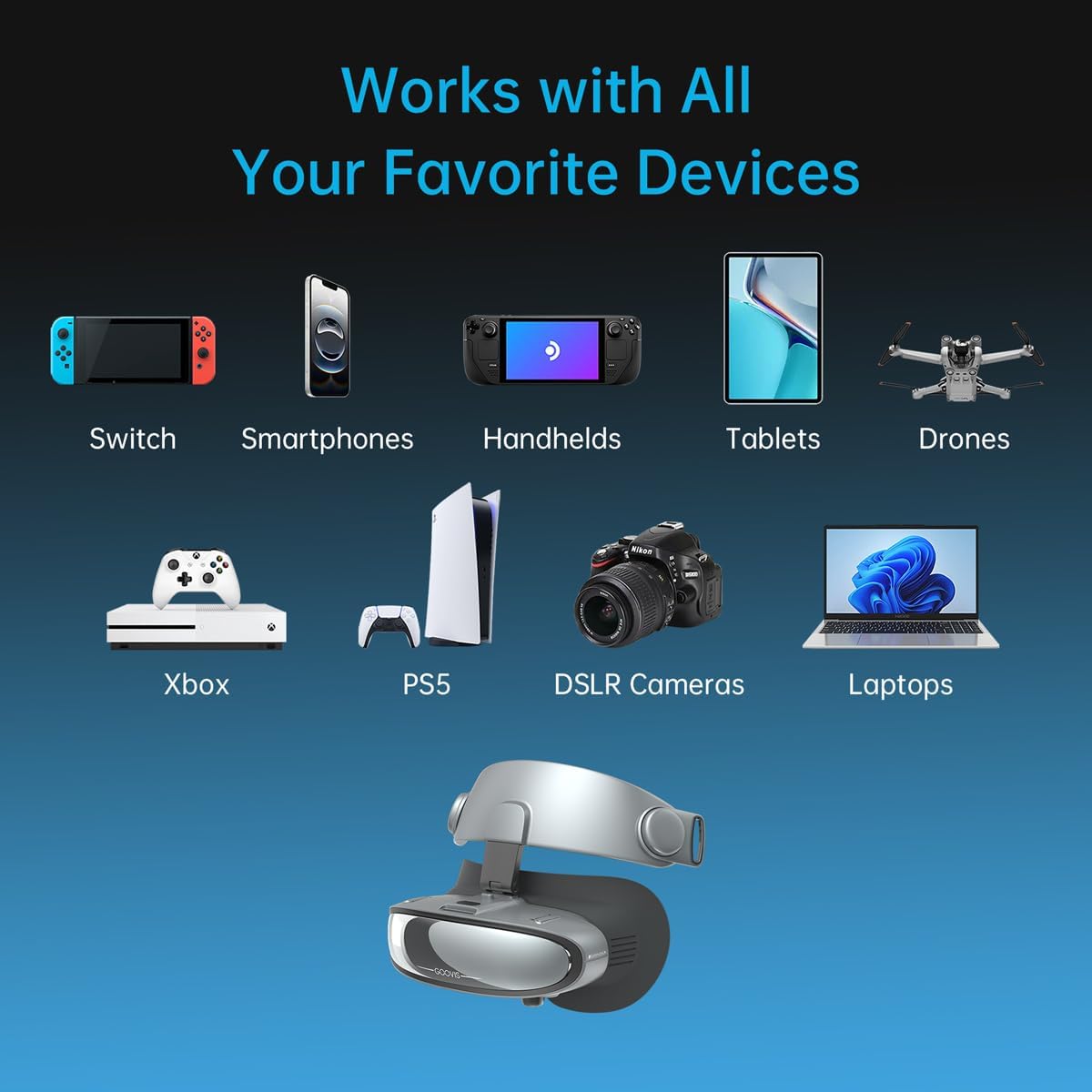
Image: Visual representation of the GOOVIS G3X connecting to a wide range of devices.
4.2 Дуал Viewинг Модес
The G3X offers two viewing modes, easily switchable with its magnetic face pad design:
- Имерзивни режим: Attach the magnetic face pad to block external light, providing a fully immersive visual experience.
- Отворен-View Режим: Remove the magnetic face pad to maintain peripheral awareness of your surroundings while viewинг дисплеја.

Image: Illustration of the two viewing modes: with the face pad for full immersion and without for environmental awareness.
4.3 3Д Viewинг
The G3X supports immersive 3D effects for compatible Side-by-Side (SBS) 3D format videos or games. A one-click switch activates 3D mode.
- Ensure your media source is playing a Side-by-Side 3D format.
- Locate the 3D switch button on the G3X and press it to activate 3D viewинг.
5. Кључне карактеристике
5.1 Технологија приказа
The G3X is equipped with dual 1080p Sony Micro-OLED panels and a proprietary ASPH optical system, delivering an 800-inch virtual screen experience from 20 meters (65 feet). It offers a 113% sRGB color gamut and less than 1.5% distortion for consistent visual fidelity.

Image: The GOOVIS G3X simulating a cinematic center-seat perspective with a large virtual screen.
5.2 Удобност за очи
Designed for extended use, the G3X incorporates DC dimming technology to reduce flicker and protect eyes during prolonged viewing. Its lightweight design and multi-point wearing structure minimize pressure points.
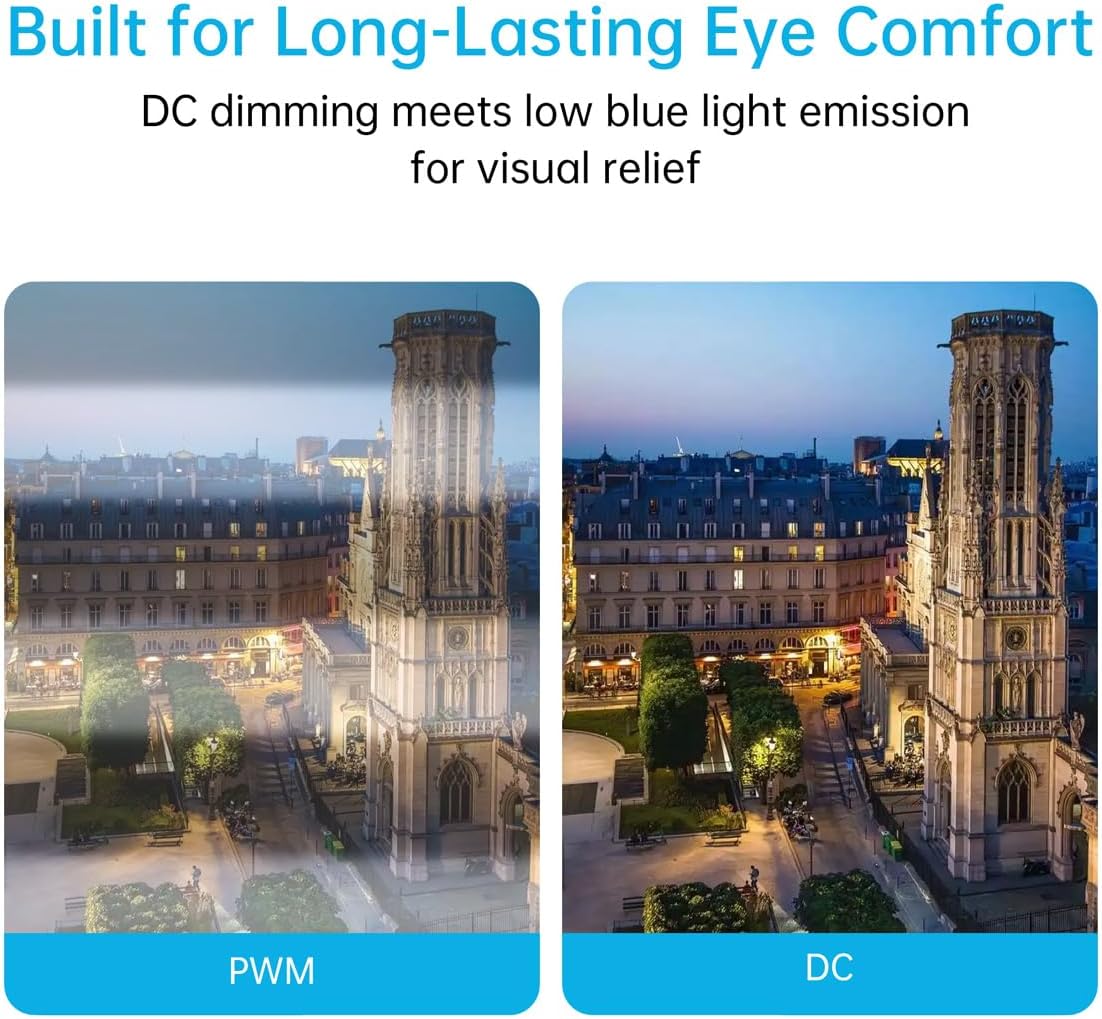
Image: A visual comparison demonstrating the benefits of DC dimming over PWM for eye comfort.
5.3 Аудио
The G3X includes a built-in stereo sound unit for spacious audio. For private listening, external headphones can be connected to your source device.
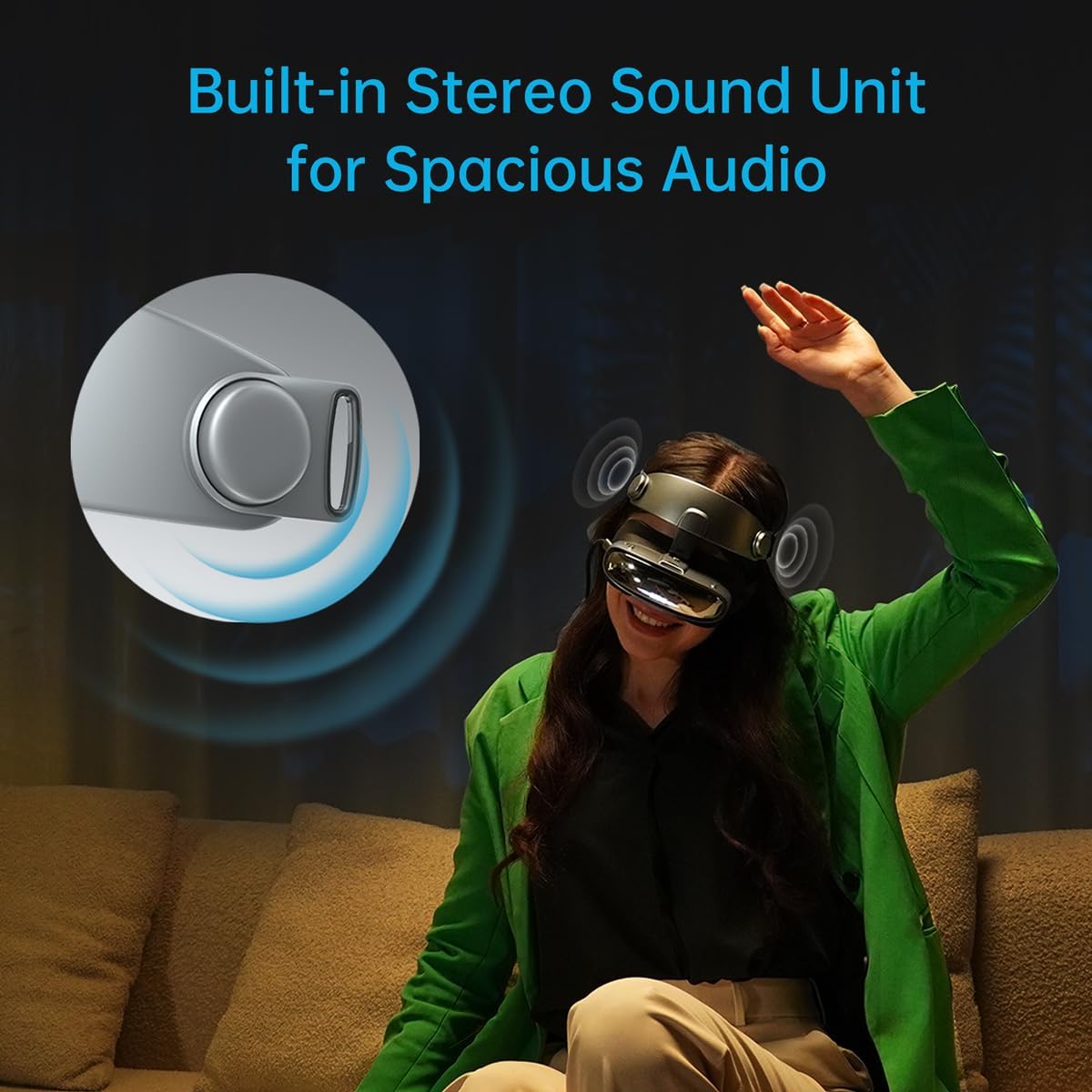
Image: A user enjoying content with the GOOVIS G3X, highlighting the built-in stereo sound.
6. Одржавање
6.1 Чишћење сочива
Use the provided lens cleaning cloth to gently wipe the optical lenses. Do not use abrasive materials or chemical cleaners, as these can damage the lens coating.
6.2 Чишћење уређаја
Wipe the exterior of the G3X with a soft, dry cloth. For stubborn marks, a slightly damp cloth can be used, followed by a dry cloth. Avoid getting moisture into any openings.
6.3 Складиштење
When not in use, store the G3X in its carrying bag to protect it from dust and scratches. Avoid exposing the device to extreme temperatures or direct sunlight.
КСНУМКС. Решавање проблема
| Проблем | Могући узрок | Решење |
|---|---|---|
| Нема слике на екрану | Incorrect connection; Device not powered; Source device not outputting video. | Ensure USB-C cable is securely connected. Verify source device is on and configured for video output. If using HDMI, ensure HC2.0 adapter is correctly connected and powered. |
| Слика је мутна | Diopter or IPD not adjusted correctly. | Adjust the diopter dials for each eye and the IPD sliders until the image is clear. |
| Без 3Д ефекта | 3D mode not activated; Source media not in SBS 3D format. | Press the 3D switch button on the G3X. Confirm your media is in a Side-by-Side 3D format. |
| Нема звука | Volume too low; Source device audio output issue. | Increase volume on the G3X or your source device. Check audio settings on your source device. |
If you encounter issues not listed here, please refer to the support section.
8. Спецификације
- Модел: GOOVIS G3X
- Приказ: Dual 1080p Sony Micro-OLED
- Virtual Screen Size: 800 inches (viewed from 20m/65ft)
- Поље оф View (ФОВ): 52 степени
- Подешавање диоптрије: +2.0D to -8.0D (individual per eye)
- ИПД подешавање: 58mm to 74mm (mechanical)
- Гамут боја: 113% сРГБ
- изобличење: Мање од 1.5%
- Повезивање: USB-C (DP Alt Mode), HDMI (via optional HC2.0 adapter)
- Компатибилни уређаји: iPhone 15/16, iPad, MacBook, Steam Deck, ROG Ally, Android phones, DJI drones, PC, PS5, cameras, Blu-ray players.
- Компатибилност са оперативним системом: Андроид, иОС
- Димензије: 6.7 x 3.1 x 5.9 инча (производ)
- Тежина: 2.31 pounds (Item)
- Произвођач: ГООВИС
9. Гаранција и подршка
9.1 Информације о гаранцији
The GOOVIS G3X XR Head Mounted Display comes with a manufacturer's warranty. Please refer to the warranty card included in your packaging or visit the official GOOVIS webсајт за детаљне услове и одредбе.
9.2 Корисничка подршка
For technical assistance, troubleshooting, or product inquiries, please contact GOOVIS customer support through their official webсајт или контакт информације наведене у документацији вашег производа.
Ask a question about this manual
Ask about setup, troubleshooting, compatibility, parts, safety, or missing instructions. Manuals+ will review the question and use this page’s manual context to help answer it.