
Увод
This manual provides instructions for the VTech VG232-2 Cordless Phone with Digital Answering System. It covers setup, operation, maintenance, and troubleshooting to ensure optimal performance of your device. Please read these instructions carefully before using your phone.
Сетуп
1. Распакивање и провера компоненти
Пре него што почнете, уверите се да су све компоненте присутне у паковању:
- 1 основна јединица
- 2 бежичне слушалице
- 2 АЦ адаптера
- 2 punjive baterije
- 1 пуњач за телефон
2. Инсталација батерије
Install the rechargeable battery into each cordless handset. Open the battery compartment cover on the back of the handset, connect the battery connector, and place the battery inside. Close the cover securely.

Опис слике: A VTech cordless phone handset is shown next to its base unit. The image highlights that the unit can be placed on a tabletop or mounted on a wall, demonstrating its versatile placement options. This image also shows the general form factor of the handset and base, relevant for battery installation.
3. Повезивање основне јединице
Connect the AC adapter to the base unit and plug it into a standard electrical outlet. Connect the telephone line cord to the base unit and then to your telephone wall jack.
4. Почетно пуњење телефона
Place each handset in its respective charger or the base unit. Allow the handsets to charge for at least 16 hours before initial use to ensure full battery capacity.
5. Подешавање датума и времена
After the initial charge, follow the on-screen prompts or refer to the handset menu to set the correct date and time. This is crucial for accurate caller ID and answering system timestamps.
Упутство за употребу
1. Упућивање и примање позива
- Да бисте упутили позив: Притисните ТАЛК/ФЛАСХ, затим позовите број телефона.
- Да бисте примили позив: Када телефон зазвони, притисните ТАЛК/ФЛАСХ or any dial pad key (0-9, #, *).
- Да бисте прекинули позив: Притисните ОФФ/ЦАНЦЕЛ или вратите слушалицу у пуњач.
2. Full-Duplex Speakerphone
The phone features a full-duplex speakerphone, allowing both parties to speak and be heard simultaneously for more natural conversations.
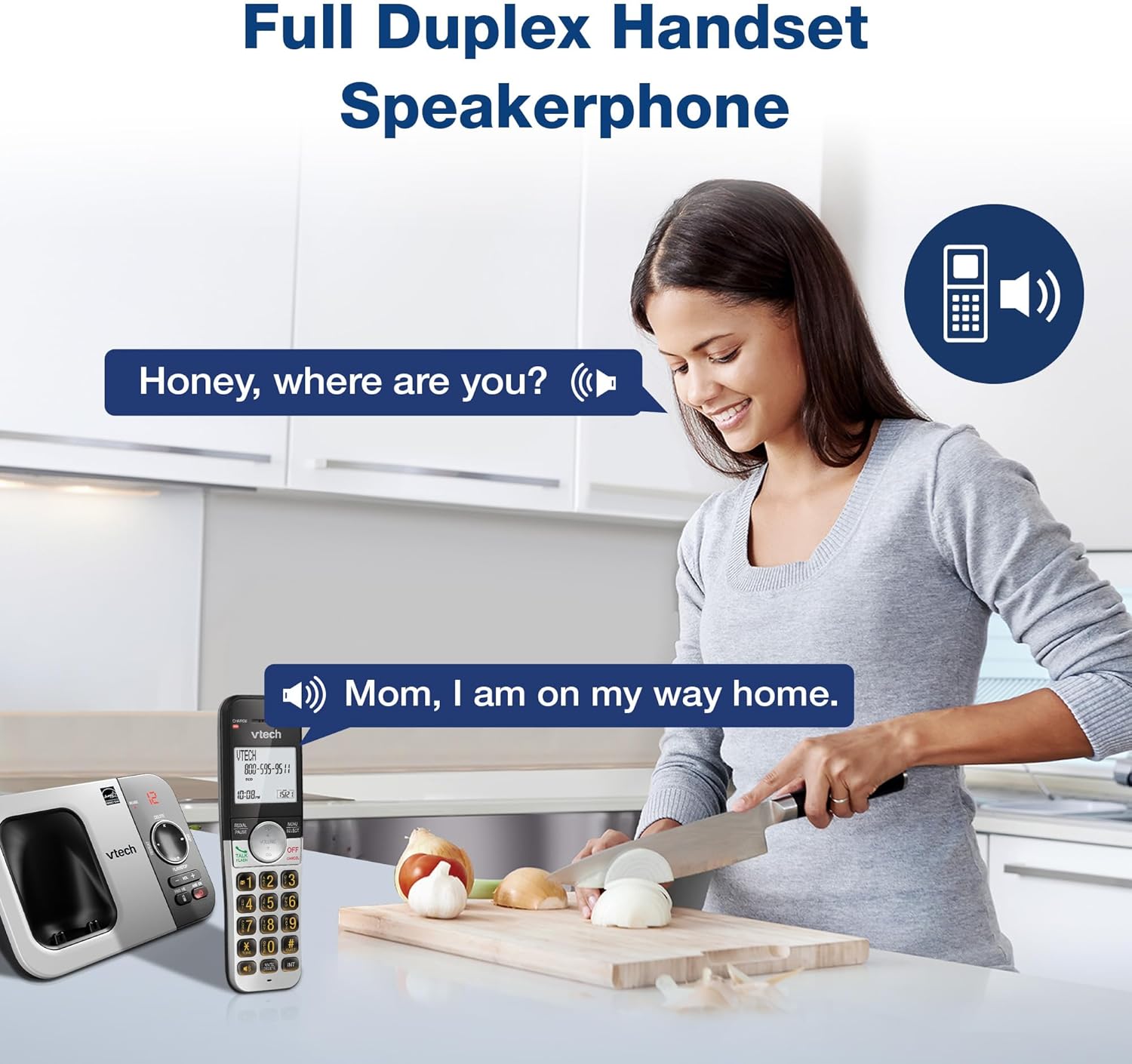
Опис слике: A woman is shown in a kitchen, talking on the VTech cordless phone which is placed on the counter. A speech bubble indicates a conversation, highlighting the full-duplex speakerphone feature that allows hands-free communication.
3. Идентификација позиваоца и позив на чекању
The handset displays the name, number, time, and date of incoming calls. The system stores up to 50 caller ID entries.

Опис слике: The VTech cordless phone handset and base unit are displayed. The handset screen shows a list of phone numbers, demonstrating the Caller ID feature which stores up to 50 calls.
4. Дигитални систем за одговор на позиве
The integrated digital answering system records messages for up to 14 minutes.

Опис слике: A man in a suit points to the VTech phone base unit, which has a digital display showing '12' (likely message count). A graphic bubble indicates 'Record 14 Mins', highlighting the answering system's recording capacity.
Message Counter
The base unit features a message counter that displays the number of new or saved messages.

Опис слике: A close-up of the VTech phone base unit's digital display, showing the number '12'. A text overlay explains that this displays the number of recorded messages.
Ремоте Аццесс
You can access your answering system messages remotely by calling your phone number from an external line and entering your remote access code.

Опис слике: A woman is shown smiling while on a phone call, with arrows pointing between her and the VTech cordless phone. A speech bubble states 'You have 3 new messages...', illustrating the remote access feature for checking messages.
5. Именик
Сачувајте до 50 имена и бројева у телефонском именику за брзо бирање.

Опис слике: The VTech cordless phone handset is shown with a graphic illustrating a phonebook icon and the text '50 Name and Number Phonebook Contacts', indicating the capacity of the phone's contact list.
6. Last 10 Number Redial
Quickly redial any of the last 10 numbers called using the redial feature.

Опис слике: A hand is shown pressing the 'REDIAL/PAUSE' button on the VTech cordless phone handset. A graphic icon depicts two arrows circling, symbolizing the redial function for the last 10 numbers.
7. Intercom Between Handsets
Use the intercom feature to communicate between two handsets within the system.

Опис слике: Two VTech cordless phone handsets are displayed, with blue arrows pointing between them, symbolizing the intercom functionality that allows communication between handsets.
8. Тихи режим
Activate Quiet Mode to silence the ringer on the handset and base unit for a specified period.

Опис слике: The VTech cordless phone handset is shown with the '# QUIET' button highlighted. The background shows a person sleeping, illustrating the benefit of the Quiet Mode feature.
9. ЕЦО режим
The phone utilizes ECO Mode power-conserving technology to optimize battery life and reduce power consumption.

Опис слике: The VTech cordless phone handset and base unit are shown. A green leaf icon with a recycling symbol represents 'ECO Mode Power-Conserving Technology', indicating the phone's energy efficiency.
10. Backlit Keypad and Display
The entire keypad and the 2-inch LCD screen are backlit for easier viewинг у условима слабог осветљења.
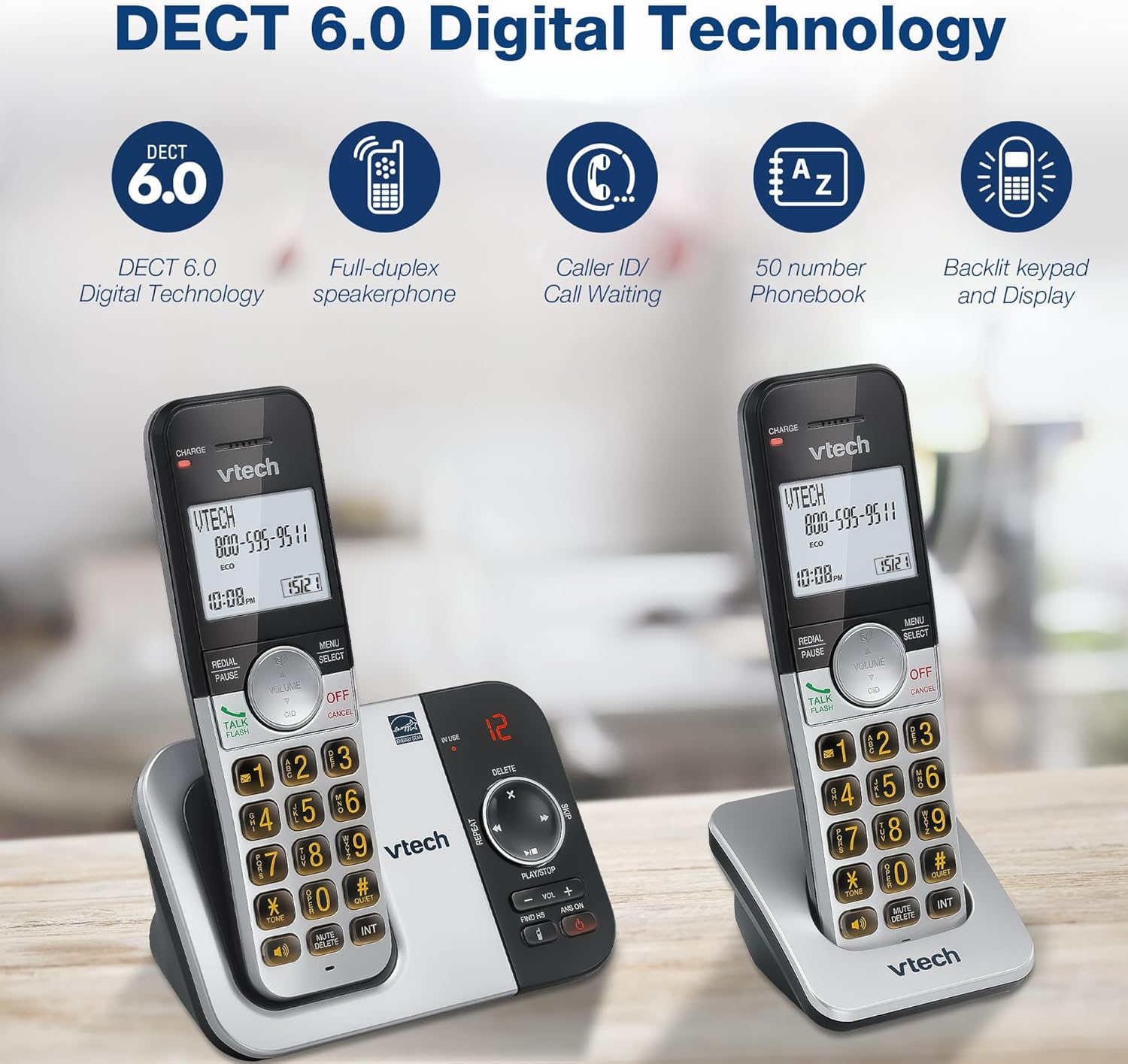
Опис слике: A close-up of the VTech cordless phone handset's keypad, showing the illuminated buttons, highlighting the 'Lighted Keypad' feature for visibility in the dark.
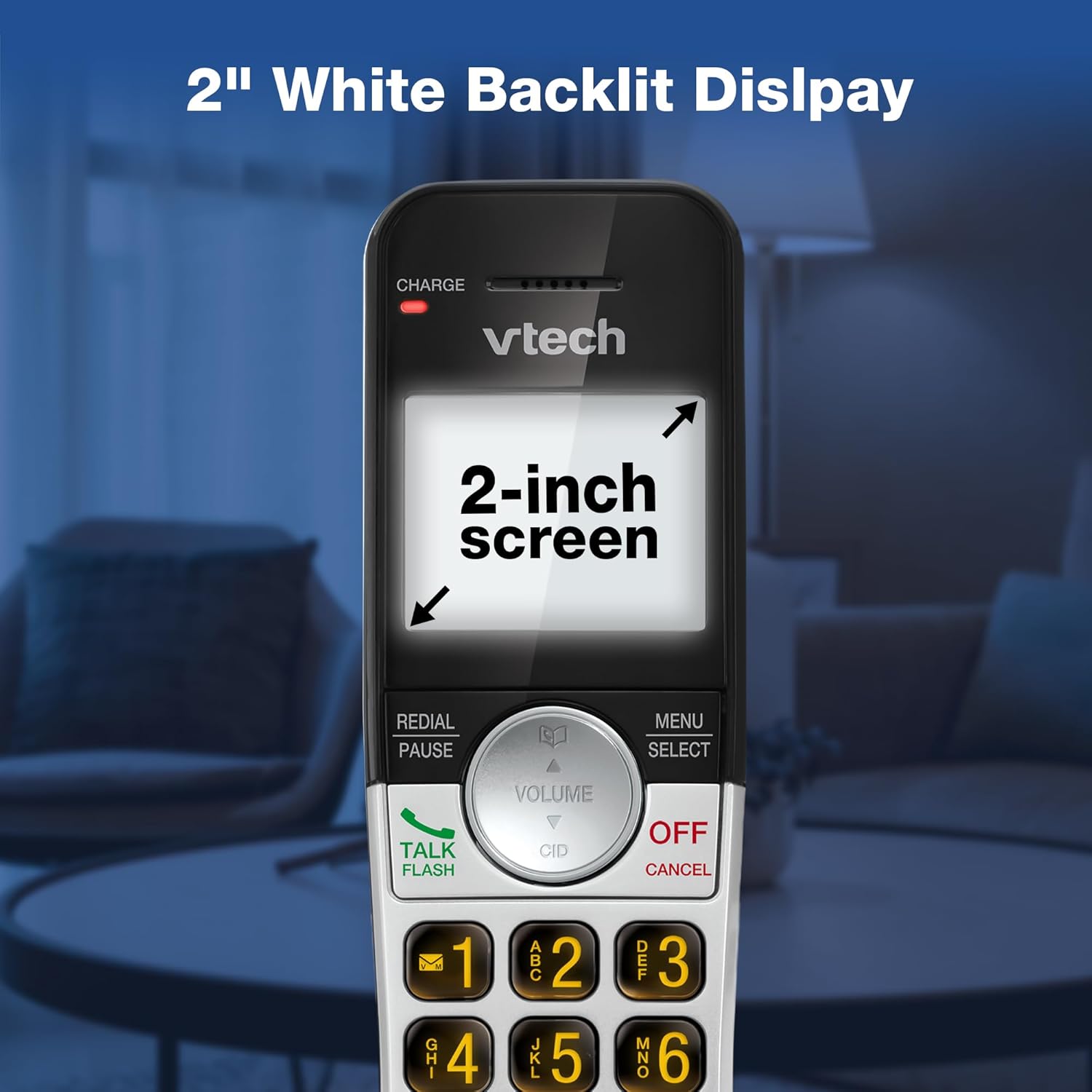
Опис слике: A close-up of the VTech cordless phone handset's screen, which is illuminated with a white backlight. Text on the screen indicates '2-inch screen', emphasizing the display size and backlighting.
Одржавање
To maintain your VTech VG232-2 phone, follow these guidelines:
- Чишћење: Обришите телефон и базну јединицу меком крпомamp крпа. Не користите спрејеве за чишћење или јаке хемикалије.
- Одржавање батерије: Replace batteries when they no longer hold a charge. Use only VTech approved replacement batteries.
- Пласман: Избегавајте стављање телефона на директну сунчеву светлост, близу извора топлоте или на места са прекомерном влагом.
Решавање проблема
| Проблем | Решење |
|---|---|
| Нема тона за бирање | Уверите се да је телефонски кабл безбедно повезан и са базном јединицом и са зидном утичницом. Проверите да ли је АЦ адаптер правилно повезан. |
| Телефон се не пуни | Ensure the handset is correctly seated in the charger. Clean the charging contacts on both the handset and charger with a dry cloth. Verify the charger is plugged into a working power outlet. |
| Лош квалитет звука | Move the handset closer to the base unit. Avoid placing the phone near other electronic devices that may cause interference. Check for any obstructions between the handset and base. |
| Секретна секретарица не снима | Уверите се да је телефонска секретарица укључена. Проверите да ли је меморија пуна; обришите старе поруке ако је потребно. |
| Date/Time incorrect | Manually reset the date and time through the handset menu. Ensure the phone has a stable power connection. |
Спецификације
| Феатуре | Детаљ |
|---|---|
| Бранд | ВТецх |
| Број модела | ВГ232-2 |
| Тип телефона | Бежични |
| Боја | Сребрна/црна |
| Материјал | Пластика |
| Извор напајања | Цордед Елецтриц |
| Број слушалица | 2 |
| Тип батерије | Product-specific (2 included) |
| Тип система за одговор | Дигитал |
| Капацитет снимања | 14 минута |
| ИД позиваоца | Yes (stores 50 calls) |
| Спеакерпхоне | Фулл-Дуплек |
| Капацитет именика | 50 Name and Number Contacts |
| Могућност конференцијског позива | 3-ваи |
| Време разговора телефоном | 7 сата |
| Време приправности телефона | 5 дана |
| Димензије артикла (Д к Ш к В) | 14.1 к 8.5 к 18.4 цм |
| УПЦ | 735078053824 |
| Укључене компоненте | 1 handset charger, 2 AC adapters, 2 cordless handsets, 2 batteries, Base unit |
Производ је завршенview Видео
Опис видеа: Овај видео пружа општи прегледview of the VTech VG232-2 cordless phone, showcasing its features and design. It offers a visual guide to the product's main functionalities.
Информације о гаранцији
VTech products are manufactured with high-quality components and are subject to rigorous testing. This product is covered by a limited warranty against defects in material and workmanship. For specific warranty terms and conditions, please refer to the warranty card included in your product packaging or visit the official VTech webсајту.
Подршка
If you require further assistance or have questions not covered in this manual, please visit the VTech support website or contact customer service. Contact details can typically be found on the VTech official webсајту или у паковању производа.