
WIOONI HWTCQ0627
WIOONI WLAN Indoor Motion Detector User Manual
Model: HWTCQ0627
Brand: WIOONI
1. Увод
Thank you for choosing the WIOONI WLAN Indoor Motion Detector. This device is designed to enhance your home security and smart automation experience by detecting motion and sending real-time notifications to your smartphone. It integrates seamlessly with Smart Life and Tuya Smart applications, allowing for intelligent linkages with other smart devices.
This manual provides detailed instructions on how to set up, operate, and maintain your motion detector. Please read it thoroughly before use to ensure proper functionality and safety.

Image 1.1: WIOONI WLAN Indoor Motion Detector and its corresponding mobile application interface.
2. Безбедносне информације
- This device is for само за унутрашњу употребу. Do not expose it to water, moisture, or extreme temperatures.
- Keep the device away from direct sunlight, heat sources, and strong electromagnetic fields.
- Користите само наведени тип батерије (ААА) и водите рачуна о исправном поларитету током инсталације.
- Не покушавајте сами да раставите или поправите уређај. Обратите се корисничкој подршци за помоћ.
- Чувати ван домашаја деце и кућних љубимаца.
3. Садржај пакета
Пакет укључује следеће ставке:
- 2 x WIOONI WLAN Indoor Motion Sensor
- 4 x AAA Batteries (2 per sensor)
- Mounting Accessories (e.g., double-sided adhesive tapes, hanging ropes)
- Упутство за употребу
4. Производ је готовview
The WIOONI motion detector features a compact design with an infrared PIR sensor for detecting human movement. It includes a small LED indicator for status and a button for pairing. The device is powered by AAA batteries for wireless operation.
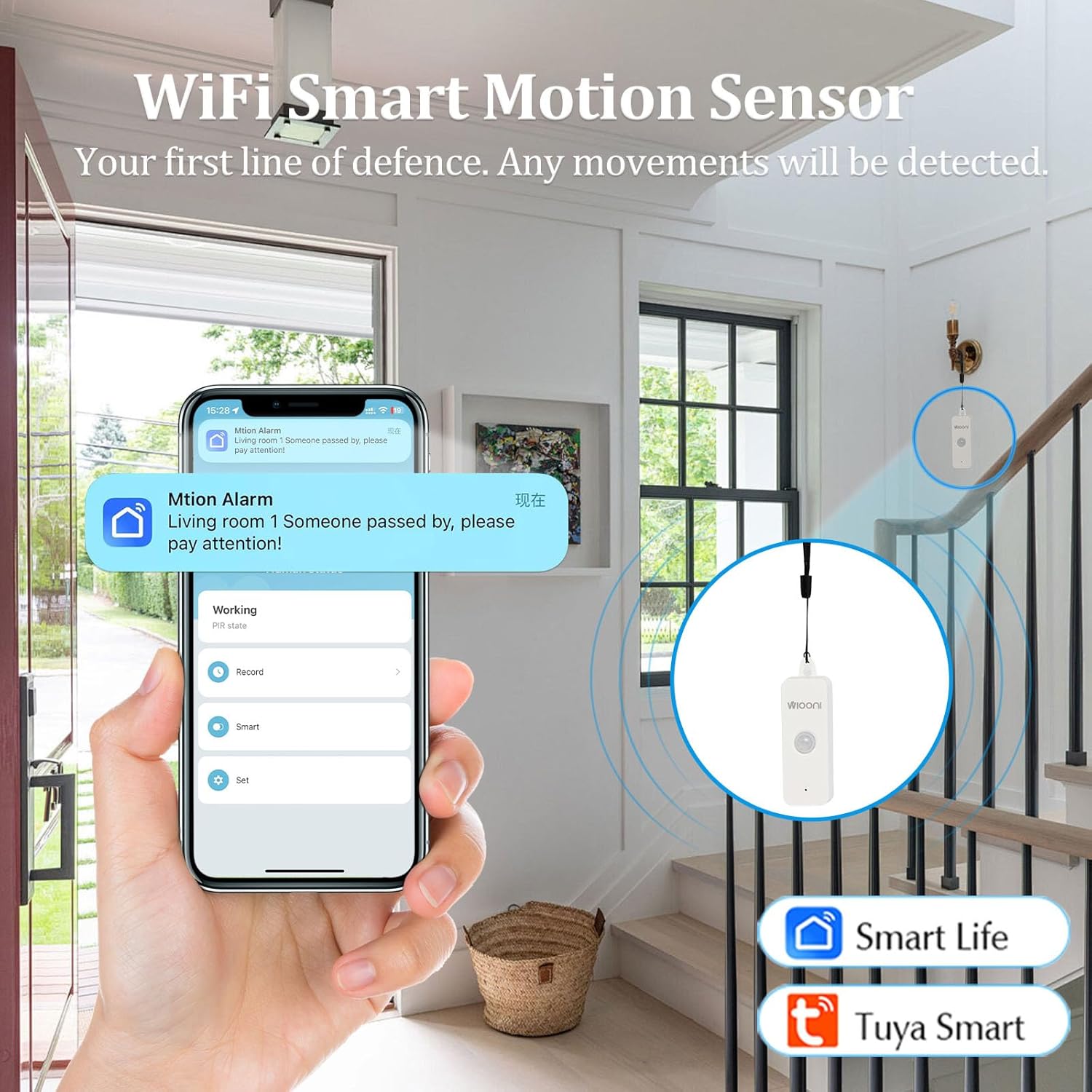
Image 4.1: The WIOONI motion sensor discreetly installed in a home environment, demonstrating its role as a security device.
5. Подешавање
5.1. Инсталација батерије
- Gently open the back cover of the motion detector.
- Уметните две ААА батерије, водећи рачуна о исправном поларитету (+/-).
- Remove the battery insulation strip (if present) to activate the device.
- Добро затворите задњи поклопац.

Image 5.1: Step-by-step guide for initial setup, including battery activation and app pairing.
5.2. Преузимање и инсталација апликације
The WIOONI motion detector is compatible with the Smart Life and Tuya Smart applications. Choose one to manage your device.
- Scan the QR code provided in Image 5.1 or search for "Smart Life" or "Tuya Smart" in your mobile app store (App Store for iOS, Google Play Store for Android).
- Преузмите и инсталирајте апликацију.
- Региструјте нови налог или се пријавите ако га већ имате.
You can also download the Smart Life app directly from: https://smartapp.tuya.com/smartlife
5.3. Device Pairing/Connection
- Ensure your smartphone is connected to a 2.4GHz Wi-Fi network. (5GHz networks are not supported).
- Open the Smart Life or Tuya Smart app.
- Омогућите Блуетоотх и Ви-Фи на свом телефону.
- In the app, tap "Add Device" or the "+" icon in the top right corner.
- The app may automatically discover the device. If not, select "Security & Sensor" > "Motion Sensor (Wi-Fi)" or similar.
- Follow the on-screen instructions to connect the device. This usually involves pressing the pairing button on the sensor until the LED indicator flashes, then confirming in the app.
- Once successfully added, you can rename the device and assign it to a specific room.
6. Оперативни
6.1. Basic Motion Detection
The WIOONI motion detector uses Passive Infrared (PIR) technology to detect changes in infrared radiation caused by moving objects, such as people. When motion is detected within its range, the device will trigger an alert.

Image 6.1: Illustration of PIR motion detection and instant notification to your smartphone.
6.2. Функције апликације
- Праћење у реалном времену: View the current status of the motion detector (e.g., "No motion detected," "Motion detected") directly from the app, no matter where you are.
- Тренутна обавештења: Receive push notifications on your smartphone immediately when motion is detected, keeping you informed of any activity.
- Дневник активности: Review a history of detected movements with timestamps.
- Паметна аутоматизација: Create intelligent scenarios (routines) to link the motion detector with other Smart Life/Tuya Smart devices. For example, you can set up a rule to turn on lights automatically when motion is detected in a room.
6.3. Sharing Functions
You can share control of the motion detector with family members or trusted individuals through the Smart Life/Tuya Smart app. This allows multiple users to receive notifications and manage the device.

Image 6.2: Sharing device control with family members for collaborative home security management.
7. Инсталација/монтажа
The WIOONI motion detector offers flexible mounting options:
- Вешање: The top of the detector has a hanging hole. You can use the provided rope to hang it in a suitable location.
- Монтажа лепком: Use the included double-sided adhesive tapes to securely attach the sensor to any flat surface, such as a wall or furniture.
- Пласман: Simply place the sensor on a shelf, table, or any elevated surface within the desired detection area.
Consider the detection angle and distance when choosing a mounting location to ensure optimal coverage.

Слика 7.1: Примерamples of suitable installation locations for the motion sensor.
КСНУМКС. Решавање проблема
| Проблем | Могући узрок | Решење |
|---|---|---|
| Уређај се не повезује на Wi-Fi | Incorrect Wi-Fi band (5GHz not supported); Weak Wi-Fi signal; Incorrect password; Device not in pairing mode. | Ensure your router is set to 2.4GHz. Move the device closer to the router. Re-enter Wi-Fi password carefully. Press the pairing button on the sensor to enter pairing mode (LED flashing). |
| No motion detected / False alarms | Incorrect placement; Obstructions; Environmental factors (e.g., drafts, direct sunlight, pets). | Ensure the sensor has a clear line of sight to the detection area. Avoid placing near vents, windows, or areas with rapid temperature changes. Adjust placement to avoid pets. |
| Обавештења нису примљена | App notification settings disabled; Phone's notification settings disabled; App not running in background. | Check notification settings within the Smart Life/Tuya Smart app. Verify your phone's system notification settings for the app. Ensure the app is allowed to run in the background. |
| Кратко трајање батерије | Frequent detections; Low-quality batteries. | Reduce the number of unnecessary detections by optimizing placement. Use high-quality alkaline AAA batteries. |
9. Спецификације
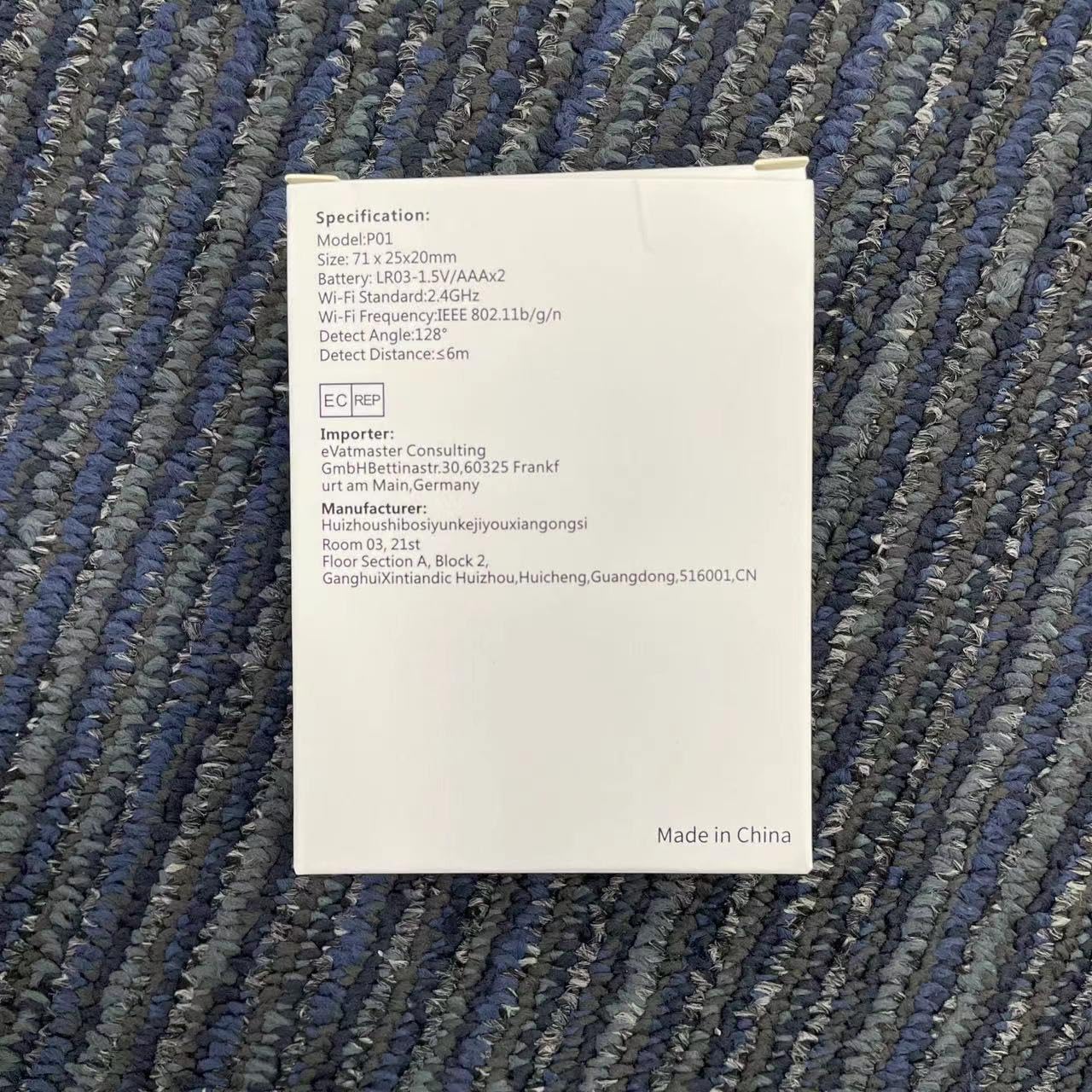
Image 9.1: Detailed specifications as listed on the product packaging.
| Феатуре | Детаљ |
|---|---|
| Број модела | HWTCQ0627 |
| Димензије | 8.99 к 6.68 к 2.59 цм |
| Тежина | 68 грама |
| Извор напајања | 4 к ААА батерије (укључене) |
| Технологија детекције | Инфрацрвени ПИР |
| Угао детекције | 130° |
| Детецтион Дистанце | 2~12 meters (Note: Detection angle and distance values may vary by location.) |
| Бежично повезивање | Wi-Fi 802.11b/g/n (2.4GHz only) |
| Компатибилност | Smart Life App, Tuya Smart App |
| Тип монтаже | Wall Mount / Hanging / Placement |
10. Гаранција и подршка
WIOONI products are designed for reliability and performance. For any technical support, troubleshooting, or warranty inquiries, please contact your retailer or the WIOONI customer service team.
Молимо вас да сачувате доказ о куповини ради гаранције.
Manufacturer: WIOONI
Address: Huizhouhbosiyunkeijiyouxiangongsi, Room 03, 21st Floor, Section A, Block 2, GanghuiXintiandic Huizhou, Huicheng, Guangdong, 516001, CN
Ask a question about this manual
Ask about setup, troubleshooting, compatibility, parts, safety, or missing instructions. Manuals+ will review the question and use this page’s manual context to help answer it.