
Увод
Thank you for choosing the XTU Trail Camera. This manual provides detailed instructions for setting up, operating, and maintaining your camera to ensure optimal performance. This camera is designed for wildlife monitoring, outdoor surveillance, and property security, featuring a solar panel for continuous power, high-resolution imaging, and WiFi connectivity.
Производ је завршенview
Кључне карактеристике
- Двоструко напајање: Integrated 2600mAh lithium battery with a top-mounted solar panel for continuous charging. Supports additional AA backup batteries (not included).
- ВиФи конекција: Connects to the "TrailCam Go" mobile app for viewing, downloading, and managing photos and videos within a 10-15 meter range.
- Слика високе резолуције: Captures 32MP photos and smooth 2.7K videos.
- Побољшани ноћни вид: Equipped with 22 low-glow 850nm infrared LEDs for detailed night images and videos, minimizing disturbance to wildlife.
- Велика брзина окидача: Ultra-fast 0.2-second trigger speed with a 100° PIR detection angle and a 21-meter (70-foot) detection range.
- Континуирано снимање: Captures up to 5 consecutive frames per trigger.
- Свестране функције: Includes Time-lapse, Loop Recording, and programmable working hours.
- Издржљив дизајн: IP66 waterproof rating with a rubber coating, resistant to temperatures from -15°C to 60°C.
- Складиштење: Supports microSD cards up to 256GB; includes a 32GB microSD card.
Компоненте камере
Familiarize yourself with the camera's main parts:
- Solar Panel (top)
- Објектив камере
- ПИР сензор покрета
- Инфрацрвене ЛЕД диоде
- Display Screen (inside)
- Control Buttons (inside)
- Одељак за батерије (унутра)
- SD Card Slot (inside)
- USB Port (bottom)
- DC Power Input (bottom)
Сетуп
1. Напајање
The camera features an integrated 2600mAh lithium battery and a solar panel for primary power. For extended operation or in low-light conditions, you can install backup AA batteries.
- Open the camera housing.
- Locate the AA battery compartment.
- Insert the required number of 1.5V AA batteries (not included), ensuring correct polarity.
Note: Ensure the solar panel is exposed to direct sunlight for optimal charging of the internal lithium battery.
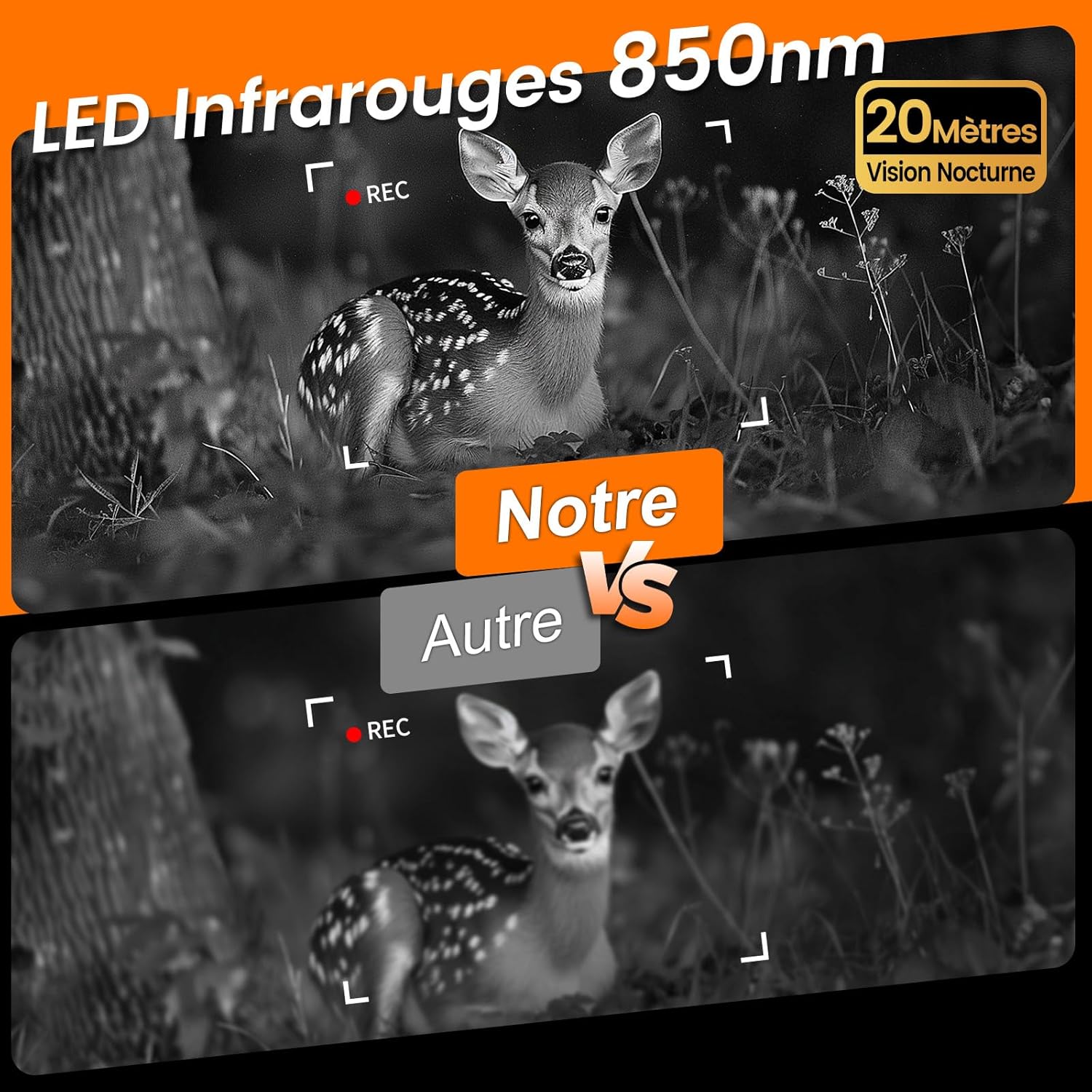
Image: The XTU Trail Camera showing its integrated solar panel and various power input options, including a battery compartment for AA batteries, a USB port, and a DC power input.
2. Инсталација СД картице
A 32GB microSD card is included. The camera supports cards up to 256GB.
- With the camera powered off, open the housing.
- Пронађите слот за microSD картицу.
- Уметните microSD картицу са златним контактима окренутим ка задњој страни камере док не кликне на своје место.
- To remove, press the card gently until it springs out.
3. Монтажа камере
The camera comes with a strap and mounting plates for flexible installation.
- Choose a suitable location, such as a tree or post, ensuring a clear view жељеног подручја праћења.
- Use the provided strap to secure the camera firmly. Thread the strap through the camera's mounting slots and around the object.
- Alternatively, use the mounting plates and screws (not included) to fix the camera to a flat surface.
- Adjust the camera angle to cover the target area effectively.
4. App Connection (WiFi & Bluetooth)
The camera connects to your smartphone via WiFi and Bluetooth for easy management.
- Download the "TrailCam Go" app from your smartphone's app store (available for Android and iOS).
- Уверите се да су Блуетоотх и ВиФи омогућени на вашем паметном телефону.
- Open the "TrailCam Go" app and follow the on-screen instructions to connect to your camera.
- The app allows you to preview the camera's view, adjust settings, and download captured media.
Note: The WiFi connection range is approximately 10-15 meters.

Image: The XTU Trail Camera demonstrating its Wi-Fi and Bluetooth connectivity, allowing users to connect to the "TrailCam Go" app on their smartphone for live viewing, downloading, and settings adjustment.
Упутство за употребу
1. Укључивање/искључивање и избор режима
- To power on, slide the power switch to the ON position.
- Use the internal buttons to navigate the menu and select desired operating modes (Photo, Video, Photo+Video, Time-lapse).
- To power off, slide the power switch to the OFF position.
2. Подешавање подешавања
Access the camera's menu via the internal display or the "TrailCam Go" app to configure settings:
- Резолуција фотографије: Select from available options, up to 32MP.
- Видео резолуција: Choose up to 2.7K for video capture.
- Осетљивост на ПИР: Adjust the motion sensor sensitivity (Low, Medium, High) based on the environment to prevent false triggers.
- Интервал окидача: Set the delay between consecutive triggers.
- Number of Photos: Define how many photos are taken per trigger (e.g., 1-5 shots).
- Дужина видео снимка: Specify the duration of video recordings.
- Круг: Set intervals for time-lapse photography (disables motion detection).
- Лооп Рецординг: Enable this feature to automatically overwrite the oldest fileкада је SD картица пуна, обезбеђујући континуирано снимање.
- Радно време: Program specific time intervals for the camera to be active, conserving battery life.

Image: The XTU Trail Camera highlighting its rapid 0.2-second trigger speed and the ability to capture 5 continuous shots, illustrated by an eagle in flight.
3. Ноћни вид
The camera automatically switches to night vision mode in low light conditions, utilizing its 850nm infrared LEDs to capture clear black and white images and videos.

Image: A comparison demonstrating the superior clarity of 850nm infrared night vision from the XTU Trail Camera compared to other cameras, showing a fawn in a forest at night.
4. Viewing and Managing Files
Можеш view and manage captured photos and videos directly on the camera's internal screen or more conveniently via the "TrailCam Go" app.
- На камери: Use the playback mode and navigation buttons to browse files.
- Преко апликације: Connect your smartphone to the camera via WiFi. The app allows you to browse, download, delete, and share files. You can also save the camera's location within the app for easy navigation back to its position.

Image: A visual comparison highlighting the superior 32MP image and 2.7K video quality of the XTU Trail Camera against other cameras typically offering 20MP and 1080P resolution, featuring bears in a forest.
Одржавање
1. Чишћење
- Gently wipe the camera lens and solar panel with a soft, dry cloth to remove dust and dirt.
- Do not use abrasive cleaners or solvents, as they may damage the camera's surface or lens.
- Ensure the rubber seals around the housing are free of debris to maintain the IP66 waterproof rating.
2. Брига о батерији
- Regularly check the battery level, especially if not using the solar panel.
- If using AA batteries, replace them when depleted.
- For long-term storage, remove all batteries to prevent leakage.
3. Складиштење
- Чувајте камеру на хладном и сувом месту када се не користи.
- Избегавајте екстремне температуре и високу влажност.
Решавање проблема
Камера се не укључује
- Check if the internal lithium battery is charged.
- Ensure AA backup batteries (if used) are correctly installed and not depleted.
- Проверите да ли је прекидач за напајање у положају УКЉУЧЕНО.
Лош квалитет слике/видеа
- Очистите сочиво камере.
- Ensure the camera is stable and not vibrating during capture.
- Check resolution settings in the menu or app.
WiFi Connection Issues
- Ensure your smartphone's WiFi and Bluetooth are enabled.
- Make sure you are within the 10-15 meter range of the camera.
- Поново покрените и камеру и паметни телефон.
- Update the "TrailCam Go" app to the latest version.
Motion Sensor Not Triggering
- Adjust PIR sensitivity to a higher setting.
- Ensure there are no obstructions blocking the PIR sensor.
- Check the trigger interval setting; a longer interval may miss events.
Спецификације
| Назив модела | Trail Camera (QSW) |
| Пхото Ресолутион | До 32МП |
| Видео Ресолутион | До 2.7К |
| Извор напајања | Solar-powered, Integrated 2600mAh Lithium Battery, Optional AA Batteries |
| Повезивање | Ви-Фи, бежични |
| Ноћни вид | 15 meters (850nm IR LEDs) |
| Брзина окидача | 0.2 секунди |
| Угао детекције ПИР-а | 100° |
| Опсег детекције ПИР-а | 21 метара (70 стопа) |
| Continuous Shots | До 5 кадрова |
| Складиштење | Micro SD card up to 256GB (32GB included) |
| Отпорност на воду | ИП66 |
| Радна температура | -15°Ц до 60°Ц |
| Димензије (ДкШкВ) | 9.04 к 7.34 к 12.57 цм |
| Тежина | 550 грама |
Гаранција и подршка
For warranty information or technical support, please refer to the product packaging or contact XTU customer service through the retailer where the product was purchased. Keep your purchase receipt as proof of purchase.