
1. Производ је готовview
The Sony Alpha ZV-E10 II is an APS-C interchangeable lens mirrorless camera designed for content creators. It features a 26-megapixel APS-C back-illuminated Exmor R™ CMOS image sensor, offering high resolution and intricate detail. The camera supports a wide selection of E-mount lenses, including the versatile E PZ 16-50mm F3.5-5.6 OSS II zoom lens included in this kit. Advanced audio capabilities, Creative Looks, and a Cinematic Vlog setting enhance creative expression. Its intuitive touch operation and flip-out vari-angle LCD with rotating UI facilitate both horizontal and vertical video shooting.
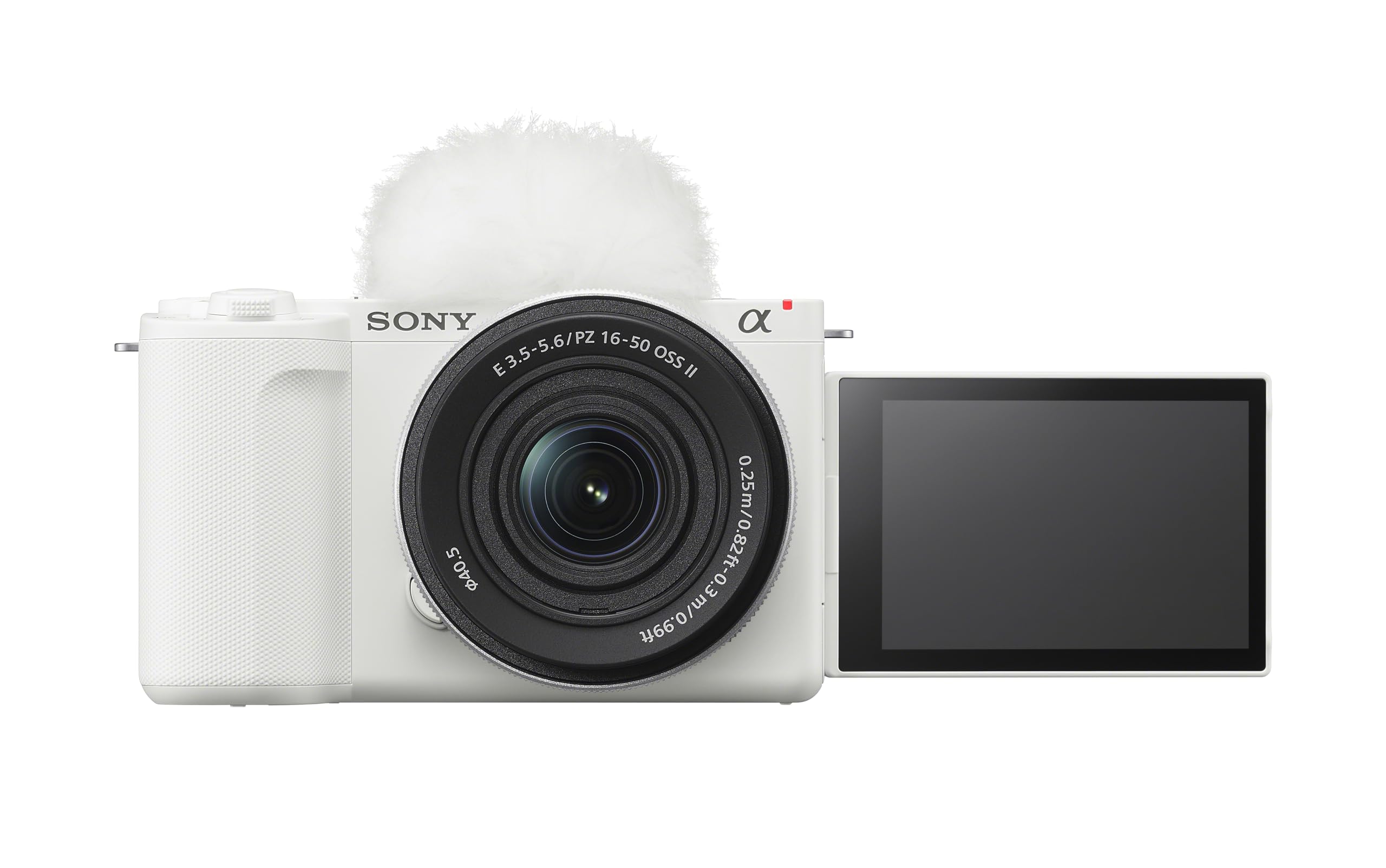
2. Почетно подешавање
2.1 Распакивање
Пажљиво извадите све компоненте из паковања. Уверите се да су присутне следеће ставке:
- Тело камере
- E PZ 16-50mm F3.5-5.6 OSS II Lens
- Боди Цап
- Пуњива батерија
- Винд Сцреен
2.2 Инсталација и пуњење батерије
Insert the supplied rechargeable battery into the battery compartment located at the bottom of the camera. Ensure it clicks into place. Connect the camera to a power source using the provided USB cable for charging. The charging indicator will illuminate during charging and turn off when complete.

2.3 Уметање меморијске картице
Open the memory card slot cover, typically located near the battery compartment. Insert a compatible SD card (UHS-II recommended for optimal performance) with the contacts facing the correct direction until it locks into place. Close the cover securely.
2.4 Причвршћивање објектива
Align the white index mark on the lens with the white index mark on the camera body. Mount the lens by rotating it clockwise until it locks into position. To remove, press the lens release button and rotate counter-clockwise.

3. Упутство за употребу
3.1 Укључивање/искључивање
To power on the camera, slide the ON/OFF switch located on the top plate. To power off, slide the switch back to the OFF position.

3.2 Основни режими фотографисања
The ZV-E10 II offers various shooting modes accessible via the mode dial or on-screen menu. Common modes include:
- Интелигентни аутоматски: Camera automatically detects the scene and applies optimal settings.
- Програмски аутоматски (P): Камера подешава отвор бленде и брзину затварача, док ви контролишете остала подешавања.
- Приоритет отвора бленде (А): Ви подешавате отвор бленде, а камера подешава брзину затварача.
- Приоритет затварача (S): Ви подешавате брзину затварача, а камера подешава отвор бленде.
- Приручник (М): Ви контролишете и отвор бленде и брзину затварача.
3.3 Видео снимање
Press the dedicated MOVIE button to start and stop video recording. The camera supports 4K video at up to 60 fps and Full HD at up to 120 fps for slow-motion effects. The articulating touch LCD can be flipped out and rotated for easy self-recording or unique angles.

3.4 Систем аутофокуса
The ZV-E10 II features Real-time Eye AF and Real-time Tracking for precise subject focus. It recognizes human, animal, and bird eyes, maintaining sharp focus even when subjects move. Utilize the touchscreen to select focus points or track subjects.

3.5 Креативне функције
Explore the Creative Look function with 10 presets for expressive moods. The My Image Style function allows adjustments to background bokeh, brightness, and color tone directly on the touch screen in Intelligent Auto or Scene Selection modes. The camera also includes a dedicated button for Background Defocus mode.

4. Нега и одржавање
4.1 Чишћење камере и објектива
Use a soft, lint-free cloth to clean the camera body. For the lens, use a lens brush to remove dust, followed by a lens cleaning solution and a microfiber cloth. Avoid touching the lens surface directly with your fingers. Never use harsh chemicals or abrasive materials.
4.2 Одржавање батерије
Store batteries in a cool, dry place. Avoid fully discharging the battery frequently, as this can reduce its lifespan. If storing the camera for an extended period, remove the battery.
4.3 Складиштење
When not in use, store the camera in a dry, dust-free environment, preferably in a camera bag or case. Attach the body cap and lens cap to protect the sensor and lens elements.
КСНУМКС. Решавање проблема
This section addresses common issues you might encounter with your Sony Alpha ZV-E10 II camera.
| Проблем | Могући узрок | Решење |
|---|---|---|
| Камера се не укључује | Батерија је испражњена или неправилно уметнута. | Потпуно напуните батерију. Уверите се да је батерија правилно уметнута. |
| Слике су мутне | Неправилан фокус, подрхтавање камере или прљав објектив. | Check focus settings. Use a faster shutter speed or image stabilization. Clean the lens. |
| Camera overheats and shuts down | Prolonged 4K video recording or use in high ambient temperatures. | Allow the camera to cool down. Reduce recording duration or resolution. Use in a cooler environment. |
| Грешка меморијске картице | Картица је пуна, оштећена или некомпатибилна. | Обришите непотребно files or use a new card. Format the card (this will erase all data). Ensure the card is compatible. |
6. Техничке спецификације
| Феатуре | Спецификација |
|---|---|
| Назив модела | Алпха ЗВ-Е10 ИИ |
| Тип сензора | APS-C Exmor R™ CMOS |
| Ефективна резолуција мировања | 26 МП |
| Видео Ресолутион | Up to 2160p (4K 60fps) |
| Монтажа за објектив | Сони Е-моунт |
| кит објектив | Е ПЗ 16-50мм Ф3.5-5.6 ОСС ИИ |
| Стабилизација слике | Digital, Optical (with OSS lens) |
| Технологија аутофокуса | AI-assisted Subject Recognition, Real-time Eye AF (Human/Animal/Bird), Real-time AF Tracking |
| Дисплаи Типе | 3-inch Articulating Touch LCD |
| Повезивање | Micro HDMI, USB, Wi-Fi, Bluetooth |
| Континуирано снимање | До 11 ФПС |
| Тежина артикла | 14.07 Ounces (Body Only) |
7. Гаранција и корисничка подршка
7.1 Информације о гаранцији
This Sony Alpha ZV-E10 II camera comes with a Двогодишња гаранција произвођача. Please retain your proof of purchase for warranty claims. The warranty covers defects in materials and workmanship under normal use. It does not cover damage caused by misuse, accidents, unauthorized modifications, or natural disasters.
7.2 Корисничка подршка
За техничку помоћ, решавање проблема изван овог упутства или гарантни сервис, обратите се корисничкој служби компаније Sony. Контакт информације можете пронаћи на званичној веб страници компаније Sony. website or through the documentation included with your product. Have your model number (ZV-E10 II) and serial number ready when contacting support.
Additional resources, including software updates and detailed guides, may be available on the official Sony support webсајту.