
АФЕКСОА Ж083К
AFEXOA ZH083K Digital Sunrise Alarm Clock User Manual
Модел: ZH083K
Увод
Хвала вам на куповиниasing the AFEXOA ZH083K Digital Sunrise Alarm Clock. This device is designed to enhance your waking and sleeping experience with its natural sunrise simulation, customizable alarm sounds, multi-color night light, and sleep aid features. Please read this manual carefully to ensure proper use and optimal performance of your new alarm clock.
Садржај пакета
- AFEXOA ZH083K Digital Sunrise Alarm Clock
- УСБ кабл за напајање
- Упутство за употребу
Производ је завршенview
Familiarize yourself with the components and controls of your AFEXOA ZH083K alarm clock.

Слика 1: Фронт view of the AFEXOA ZH083K Digital Sunrise Alarm Clock, showing the digital time display and control buttons on the top panel. The light dome is visible above the fabric-covered speaker base.
Контролна дугмад:
- ДИММЕР: Adjusts the brightness of the clock display.
- ВРЕМЕ: Used for setting the current time.
- АЛАРМНИ: Used for setting and activating the alarm.
- УКЉУЧИВАЊЕ / ИСКЉУЧИВАЊЕ АЛАРМА: Укључује/искључује функцију аларма.
- МЕРАЧ СПАВАЊА: Activates and adjusts the sleep timer function.
- +/-: Adjusts values (time, brightness, volume) up or down.
- Икона сијалице: Controls the night light/mood light.
- Дугме за одлагање: Located on the bottom, activated by pressing down the clock.
Сетуп
1. Прикључак за напајање
Connect the provided USB power cable to the alarm clock and plug it into a suitable USB power adapter (not included) or a USB port. The clock display will illuminate.
2. Подешавање тренутног времена
- Притисните и држите ВРЕМЕ дугме док приказ сати не почне да трепери.
- Користите +/- дугмад за подешавање сата.
- Притисните тастер ВРЕМЕ поново притисните дугме да бисте потврдили сате и прешли на подешавање минута.
- Користите +/- дугмад за подешавање минута.
- Притисните тастер ВРЕМЕ button once more to save the time setting.
Упутство за употребу
1. Подешавање аларма и симулације изласка сунца
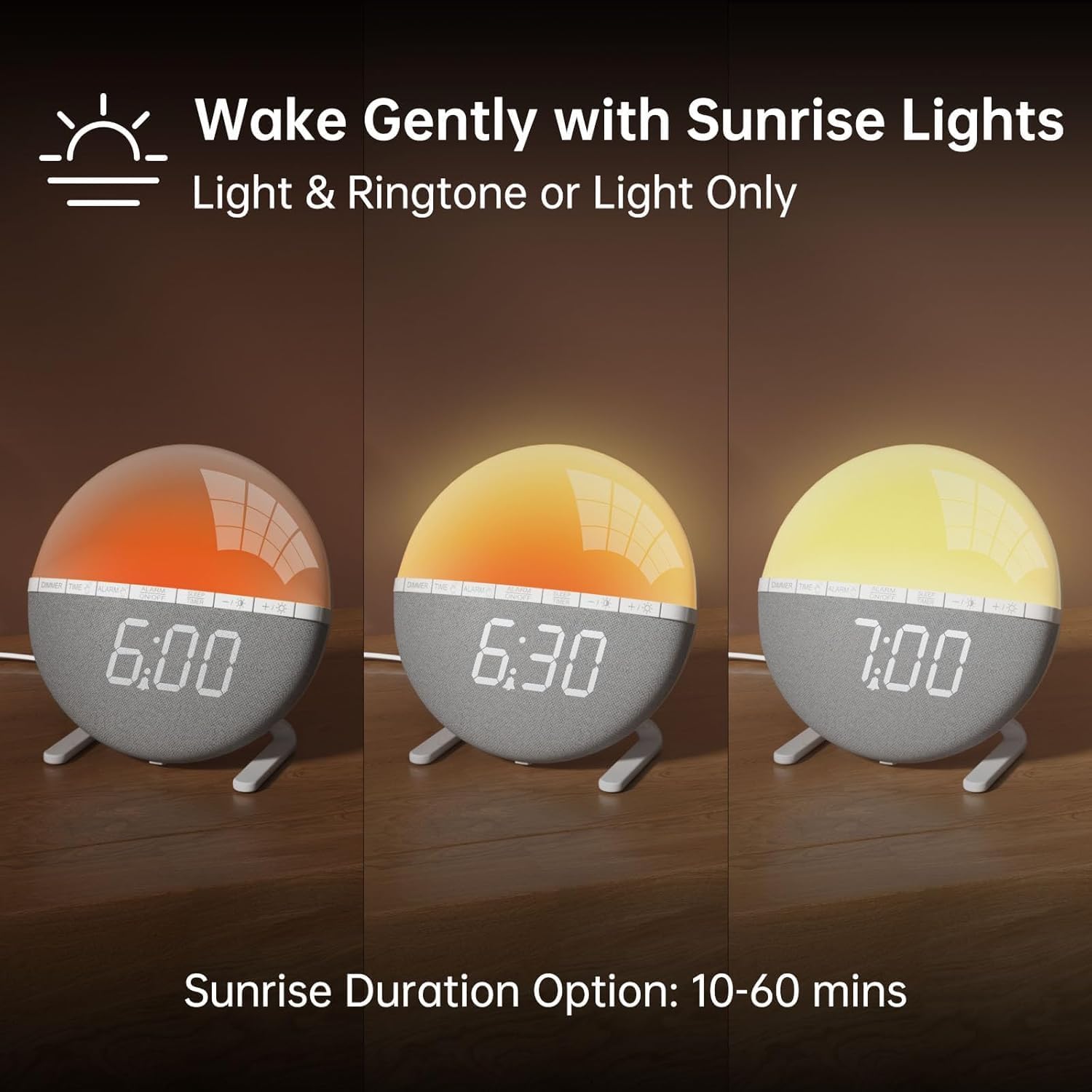
Слика 2: Illustration of the sunrise simulation feature, showing the light gradually changing from dim red to bright yellow over a period, with time indications of 6:00, 6:30, and 7:00.
- Притисните и држите АЛАРМ дугме док приказ времена аларма не почне да трепери.
- Користите +/- дугмад да бисте подесили жељени сат аларма.
- Притисните тастер АЛАРМ button to confirm the hour and move to minute adjustment.
- Користите +/- дугмад за подешавање жељених минута аларма.
- Притисните тастер АЛАРМ button to confirm the minutes and proceed to sunrise duration setting.
- Користите +/- buttons to select the sunrise simulation duration (10-60 minutes). This is the period before your set alarm time when the light will gradually brighten.
- Притисните тастер АЛАРМ button to confirm the duration and proceed to alarm sound selection.
- Користите +/- buttons to cycle through the 7 available alarm sounds or select "OFF" for light-only alarm.
- Притисните тастер АЛАРМ button to confirm the sound and proceed to volume adjustment.
- Користите +/- buttons to set the alarm volume (10 levels).
- Притисните тастер АЛАРМ button once more to save all alarm settings.
Да бисте активирали или деактивирали аларм, притисните дугме АЛАРМ УКЉУЧЕН / ИСКЉУЧЕН дугме. Икона аларма ће се појавити на екрану када се активира.

Слика 3: A visual representation of the seven built-in wake-up ringtones, including icons for Beep, Bell, Birds, and four types of Soft Music. It also shows a 10-level volume adjustment bar.
2. Функција одлагања
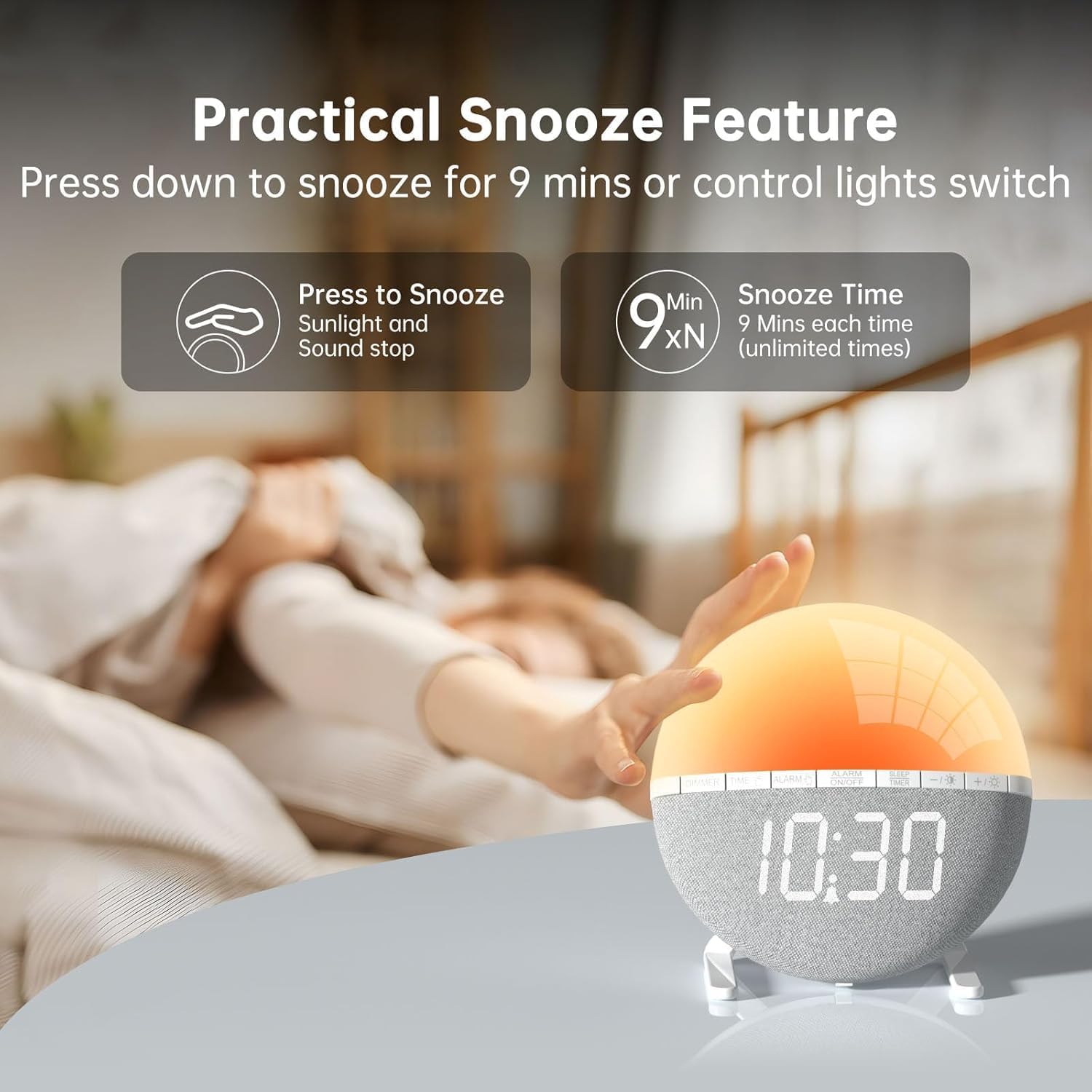
Слика 4: A hand pressing down on the top of the alarm clock to activate the snooze function. Text indicates that pressing down snoozes for 9 minutes and can also control the light switch.
When the alarm sounds, gently press down on the top of the alarm clock to activate the snooze function. The alarm will pause for 9 minutes and then sound again. This can be repeated an unlimited number of times.
3. Night Light / Mood Light

Слика 5: A display of the various solid color and RGB mood light options available on the alarm clock, shown as a spectrum of colors from light blue to purple, with the clock displaying each color.
- Притисните тастер Икона сијалице дугме за укључивање ноћног светла.
- Притисните тастер Икона сијалице button repeatedly to cycle through the 7 solid colors and 2 mixed RGB mood light options.
- Користите +/- buttons to adjust the brightness of the selected light (10 levels).
- Притисните и држите Икона сијалице button to turn off the night light.
4. Мерач спавања

Слика 6: An image illustrating the sleep aid function with an auto-off timer, showing options for 15m, 30m, 60m, 90m, and 120m. The alarm clock is shown emitting a soft, warm light.
The sleep timer allows the light to gradually dim and turn off after a set period, aiding in sleep.
- Притисните тастер СЛЕЕП ТИМЕР дугме.
- Користите +/- buttons to select the desired sleep timer duration (15, 30, 60, 90, or 120 minutes). The light will gradually dim and turn off after the selected time.
- Да бисте отказали тајмер за спавање, притисните СЛЕЕП ТИМЕР button repeatedly until the timer is off, or press and hold the button.
5. Подешавање осветљености екрана

Слика 7: Four images of the alarm clock demonstrating different display brightness levels, from off to full brightness, highlighting the dimmable and eye-caring features.
Притисните тастер ДИММЕР button to cycle through the 4 display brightness levels: 0% (off), 5%, 50%, and 100%. This allows you to adjust the display visibility according to your preference, especially at night.
Одржавање
- Очистите уређај меком, сувом крпом. Не користите абразивна средства за чишћење или раствараче.
- Држите уређај даље од воде и високе влажности.
- Избегавајте испуштање уређаја или излагање јаким ударима.
- Не покушавајте сами да растављате или поправљате уређај. Уколико се појаве проблеми, обратите се корисничкој подршци.
Решавање проблема
| Проблем | Могући узрок | Решење |
|---|---|---|
| Приказ сата је искључен или не ради. | No power connection or power adapter issue. Display brightness set to 0%. | Ensure the USB cable is securely connected and the power adapter is working. Press the ДИММЕР button to increase display brightness. |
| Аларм се не оглашава. | Alarm not activated. Alarm volume set to 0 or sound option set to "OFF". | Притисните АЛАРМ УКЉУЧЕН / ИСКЉУЧЕН to activate. Check alarm settings to ensure a sound is selected and volume is not 0. |
| Sunrise simulation does not work. | Sunrise duration not set or set to 0. | Verify the sunrise duration is set to a value between 10-60 minutes in the alarm settings. |
| Night light is not turning on. | Light function not activated. | Притисните тастер Икона сијалице дугме да упалите светло. |
Спецификације
- Модел: ЗХ083К
- Бренд: АФЕКСОА
- Димензије: 9.5 к 3.81 к 9.5 цм
- Тежина: 400 г
- Материјал: Пластика
- Тип приказа: Дигитал
- Извор напајања: Електрични кабл (USB)
- Посебне карактеристике: Sunrise Simulation, Mood Light, Color-Changing Night Light, Loud Alarm, Snooze, Sleep Timer, Dimmable Display
Гаранција и подршка
The AFEXOA ZH083K Digital Sunrise Alarm Clock comes with a standard manufacturer's warranty. For detailed warranty information, please refer to the product packaging or contact your retailer. If you encounter any issues or have questions regarding your product, please contact AFEXOA customer support through the retailer's platform or the official brand webсајт за помоћ.
Молимо вас да сачувате рачун као доказ о куповини за потребе гаранције.
Ask a question about this manual
Ask about setup, troubleshooting, compatibility, parts, safety, or missing instructions. Manuals+ will review the question and use this page’s manual context to help answer it.