
1. Увод
This manual provides essential information for setting up, operating, and maintaining your NIMO Mini-PC MPL2R. Please read it thoroughly before use to ensure optimal performance and longevity of your device.

Слика 1.1: Предња и задња страна view of the NIMO Mini-PC MPL2R, showcasinг његов компактан дизајн и разне портове.
The NIMO Mini-PC MPL2R is a compact and powerful computing solution, equipped with a 12th Gen Intel N100 processor, 16GB DDR5 RAM, and 768GB storage (512GB M.2 SSD + 256GB Micro SD). It supports triple 4K display output, WiFi 6, and Bluetooth 5.2, making it suitable for a variety of applications from home entertainment to business and educational tasks.

Слика 1.2: Готовоview of key features including Intel 12th Gen N100 processor, 4K triple-screen display support, Bluetooth 5.2, LPDDR5 RAM, WiFi 6, and PCIe SSD.
2. Шта је у кутији
Након отварања пакета, проверите да ли су укључене све следеће ставке:
- NIMO Mini-PC MPL2R
- Повер Адаптер
- ВЕСА Моунт
- Упутство за употребу

Image 2.1: Visual representation of the items included in the NIMO Mini-PC MPL2R packaging: the Mini PC unit, power adapter, VESA mount, and user guide.
3. Водич за подешавање
3.1 Повезивање са екраном
- Connect one end of an HDMI cable to an HDMI port on the NIMO Mini-PC.
- Connect the other end of the HDMI cable to an HDMI input on your monitor or TV.
- For triple display setup, use the second HDMI port and the full-function Type-C port with appropriate adapters/cables.

Image 3.1: The NIMO Mini-PC MPL2R connected to three external monitors, demonstrating its triple 4K display capability.
3.2 Повезивање периферних уређаја
- УСБ уређаји: Connect your keyboard, mouse, and other USB devices to the available USB 3.0 ports.
- аудио: Connect speakers or headphones to the 3.5mm audio jack.
- Мрежа: For a wired connection, connect an Ethernet cable to the Gigabit Ethernet port.
3.3 Прикључак за напајање
- Connect the power adapter to the DC input port on the Mini-PC.
- Укључите адаптер за напајање у зидну утичницу.
3.4 Инсталација VESA носача (опционо)
The included VESA mount allows you to attach the Mini-PC to the back of a compatible monitor, saving desk space.
- Причврстите VESA носач на задњу страну монитора помоћу приложених вијака.
- Slide the NIMO Mini-PC onto the mounted bracket until it clicks securely into place.
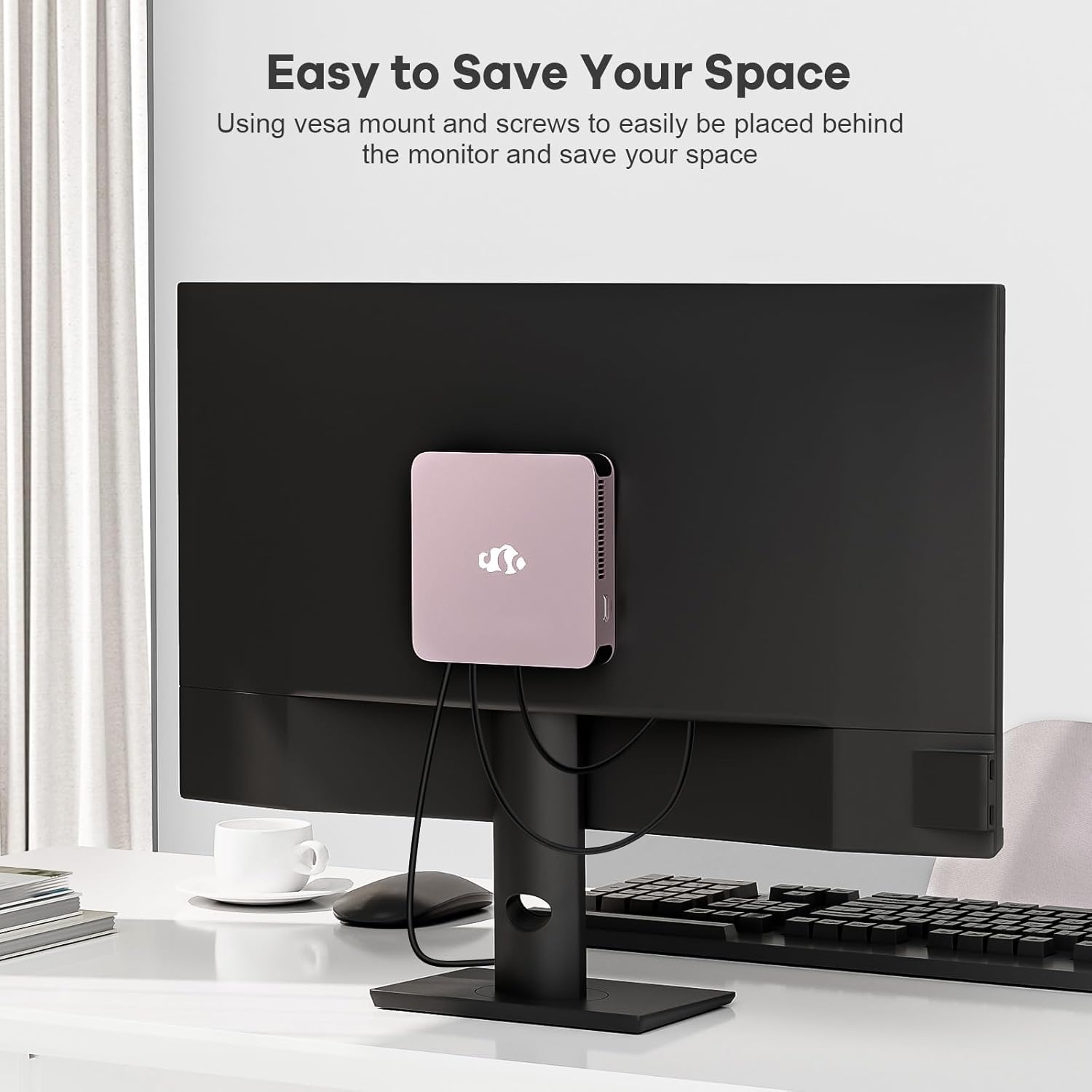
Image 3.2: The NIMO Mini-PC MPL2R shown mounted on the back of a monitor, illustrating its space-saving VESA mount capability.
4. Упутство за употребу
4.1 Укључивање/искључивање
- Укључено: Press the power button located on the front of the Mini-PC. The power indicator light will illuminate.
- Искључивање: To shut down the system, use the operating system's shutdown function. For a forced shutdown, press and hold the power button for approximately 5 seconds.
4.2 Initial Boot and Operating System
The NIMO Mini-PC comes with a pre-installed operating system. Upon first boot, follow the on-screen instructions to complete the initial setup, including language selection, network configuration, and user account creation.
4.3 Бежично повезивање
- ВиФи 6: To connect to a wireless network, access the network settings in your operating system, select your desired WiFi network, and enter the password.
- Блуетоотх КСНУМКС: To pair Bluetooth devices (e.g., keyboard, mouse, headphones), enable Bluetooth in your operating system settings and follow the pairing instructions for your specific device.

Image 4.1: The NIMO Mini-PC MPL2R depicted in multiple usage scenarios, including business meetings, graphic design, home theater, and office work, highlighting its versatility.
5. Спецификације
Detailed technical specifications for the NIMO Mini-PC MPL2R:
| Феатуре | Спецификација |
|---|---|
| Процесор | Intel N100 (4 Cores, 4 Threads, up to 3.4GHz, 6MB Cache) |
| Графика | Intel UHD Graphics (up to 750MHz) |
| РАМ | 16GB DDR5 (LPDDR5) |
| Складиштење | 512GB M.2 SSD (PCIe x2) + 256GB Micro SD |
| Дисплаи Оутпут | 2x HDMI (4K@60Hz), 1x Full-function Type-C (4K@60Hz) - Triple Display Support |
| Бежично повезивање | ВиФи 6, Блуетоотх 5.2 |
| Портс | 4x USB 3.0, 1x Full-function Type-C, 2x HDMI, 1x Gigabit Ethernet, 1x 3.5mm Audio Jack, 1x Micro SD Card Slot |
| Оперативни систем | System (Pre-installed) |
| Димензије (ДкШкВ) | 4.72 к 4.72 к 0.91 инча |
| Тежина артикла | 1.65 фунти |
| Извор напајања | DC |

Image 5.1: Dimensions of the NIMO Mini-PC MPL2R, illustrating its compact size relative to common objects like a pen and a coin.

Image 5.2: Diagram illustrating the internal cooling structure of the NIMO Mini-PC MPL2R, featuring a fan with speeds up to 5300 RPM for efficient heat dissipation.
6. Одржавање
- Чишћење: Use a soft, dry cloth to clean the exterior of the Mini-PC. Avoid using liquid cleaners or abrasive materials. Ensure ventilation openings are free from dust and debris.
- Ажурирања софтвера: Редовно ажурирајте оперативни систем и управљачке програме како бисте осигурали оптималне перформансе и безбедност.
- вентилација: Ensure the Mini-PC is placed in a well-ventilated area to prevent overheating. Do not block the air vents.
- Складиштење: Avoid placing heavy objects on the Mini-PC. Store it in a cool, dry environment when not in use.
КСНУМКС. Решавање проблема
This section addresses common issues you might encounter with your NIMO Mini-PC.
7.1 Нема напајања
- Ensure the power adapter is securely connected to both the Mini-PC and a working power outlet.
- Проверите да ли је утичница функционална тако што ћете укључити други уређај.
7.2 Нема излаза за приказ
- Check that the HDMI or Type-C cable is firmly connected to both the Mini-PC and the monitor.
- Ensure the monitor is powered on and set to the correct input source (e.g., HDMI 1, HDMI 2).
- Try connecting to a different display or using a different cable to rule out faulty components.
7.3 Нема интернет конекције
- Виред: Ensure the Ethernet cable is properly connected and your router is functioning.
- бежични: Verify that WiFi is enabled in the operating system, you are connected to the correct network, and the password is entered correctly. Restart your router if necessary.
7.4 Периферни уређаји не реагују
- Try connecting USB devices to different USB ports.
- For Bluetooth devices, ensure they are in pairing mode and Bluetooth is enabled on the Mini-PC.
- Check device drivers in the operating system's device manager.
8. Гаранција и подршка
NIMO is committed to providing reliable products and excellent customer service.
8.1 Информације о гаранцији
Your NIMO Mini-PC MPL2R comes with a 2-year technical support warranty. This warranty covers manufacturing defects and technical issues under normal use conditions.
8.2 Политика враћања
A Политика поврата од 90 дана is offered, allowing for returns or exchanges within 90 days of purchase.
8.3 Техничка подршка
If you encounter any problems or have questions regarding your NIMO Mini-PC, please contact our professional after-sales team. Our computer experts are available to provide technical support and repair services.
- Контакт е-маил: сервице@нимопц.цом
- Доступност услуге: 24-часовна услуга

Слика 8.1: Готовоview of NIMO's customer service, highlighting domestically partial assembly, 90-day returns, and 2-year support.