
Увод
Хвала вам на куповиниasing the Greadio GB-W18 Portable CD Player Boombox. This device offers multiple audio playback options including CD, cassette, FM radio, Bluetooth, USB, AUX, and TF/SD card. Please read this manual carefully before using the product to ensure proper operation and to maximize your listening experience. Keep this manual for future reference.
Безбедносне информације
- Не излажите уређај киши или влази како бисте спречили пожар или струјни удар.
- Не отварајте цasinг. Сва сервисирања препустите квалификованом особљу.
- Избегавајте постављање уређаја у близини извора топлоте или на директној сунчевој светлости.
- Осигурајте одговарајућу вентилацију око јединице.
- Use only the specified power adapter (if applicable) or charge with a compatible 5V/2A Type-C charger.
- Чувати ван домашаја деце.
Садржај пакета
Молимо вас да проверите да ли су све ставке присутне:
- Greadio GB-W18 Portable CD Player Boombox
- Даљински управљач (1)
- Кориснички приручник (овај документ)
- USB кабл за пуњење (тип C)
Производ је завршенview
Familiarize yourself with the various parts and controls of your Greadio GB-W18 boombox.
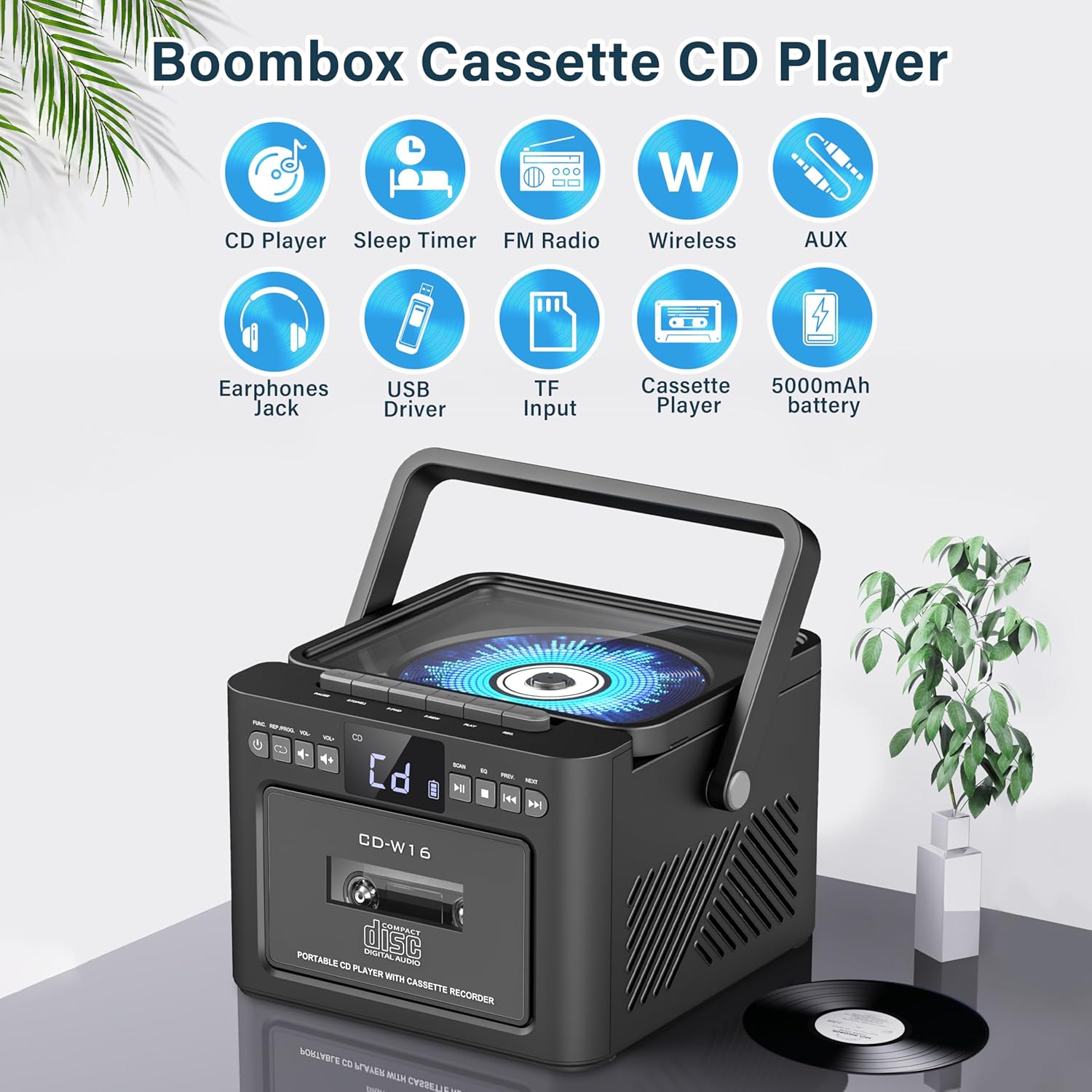
слика: Готовоview of the Greadio GB-W18 Portable CD Player Boombox, highlighting its multi-functional capabilities including CD, cassette, FM radio, Bluetooth, USB, TF/SD card, AUX, and a built-in 5000mAh rechargeable battery.
Контроле предњег панела
- ЛЕД дисплеј: Shows current mode, track number, frequency, etc.
- Дугме за напајање: Укључује/искључује уређај.
- Дугме за режим: Switches between CD, Cassette, FM, Bluetooth, USB, AUX, TF/SD modes.
- Контрола јачине звука: Подешава ниво аудио излаза.
- Дугме за репродукцију/паузу: Controls playback for CD, USB, TF/SD, Bluetooth.
- Стоп дугме: Зауставља репродукцију.
- Дугмад за прескакање/претрагу: Skips tracks or searches radio frequencies.
- Дугме за снимање: Initiates cassette recording.
Side/Rear Panel Ports
- Преграда за CD-ове: Top-loading CD player.
- касетофон: Front-loading cassette player/recorder.
- УСБ порт: За репродукцију са УСБ диска.
- Слот за ТФ/СД картицу: За репродукцију са ТФ/СД картице.
- АУКС улаз: 3.5 мм прикључак за екстерне аудио уређаје.
- Слушалице: 3.5 мм прикључак за приватно слушање.
- DC 5V Input (Type-C): За пуњење унутрашње батерије.
- ФМ антена: Telescopic antenna for radio reception.
Сетуп
Напајање јединице
The Greadio GB-W18 can be powered by its built-in rechargeable battery or via a Type-C USB power source.
- Пуњење батерије: Connect the provided USB Type-C cable to the DC 5V input port on the unit and the other end to a compatible USB power adapter (e.g., car charger, power bank, computer USB port). The LED display will indicate charging status. A full charge provides extended portable use.

слика: The Greadio GB-W18 boombox with its USB and TF/SD card slots highlighted, along with illustrations of various 5V Type-C charging methods: car charger, power bank, and computer.
Инитиал Повер Уп
Притисните тастер Повер button to turn on the unit. The LED display will light up, and the unit will typically default to the last used mode or CD mode.
Упутство за употребу
Користите Режим button to switch between different playback sources.
ЦД репродукција
- Притисните тастер Режим button until 'CD' appears on the display.
- Отворите поклопац одељка за ЦД.
- Place a CD (CD, CD-R, CD-RW) with the label side facing up onto the spindle.
- Close the CD compartment lid. The CD will begin to play automatically.
- Користите Пусти/Паузирај, Стани, и Прескочи/тражи дугмад за контролу репродукције.

слика: A user operating the Greadio GB-W18 boombox, demonstrating CD playback and the use of the remote control for convenient operation.
Cassette Playback and Recording
- Притисните тастер Режим button until 'TAPE' appears on the display.
- Open the cassette deck door.
- Уметните касету са отвореном ивицом окренутом нагоре.
- Close the cassette deck door.
- Притисните тастер Играј button on the cassette deck controls to start playback.
- То Рецорд: Ensure a blank or recordable cassette is inserted. Select your desired input source (e.g., FM radio, AUX, Bluetooth). Press the Рецорд button on the unit. Press Стани да бисте завршили снимање.

слика: The Greadio GB-W18 boombox in a social setting, illustrating the cassette player function with a hand inserting a tape.
Операција ФМ радија
- Extend the telescopic FM antenna for optimal reception.
- Притисните тастер Режим дугме док се на екрану не појави „FM“.
- Притисните и држите Прескочи/тражи buttons to automatically scan for available stations. The unit can preset up to 30 stations.
- Притисните тастер Прескочи/тражи buttons briefly to manually tune or cycle through preset stations.
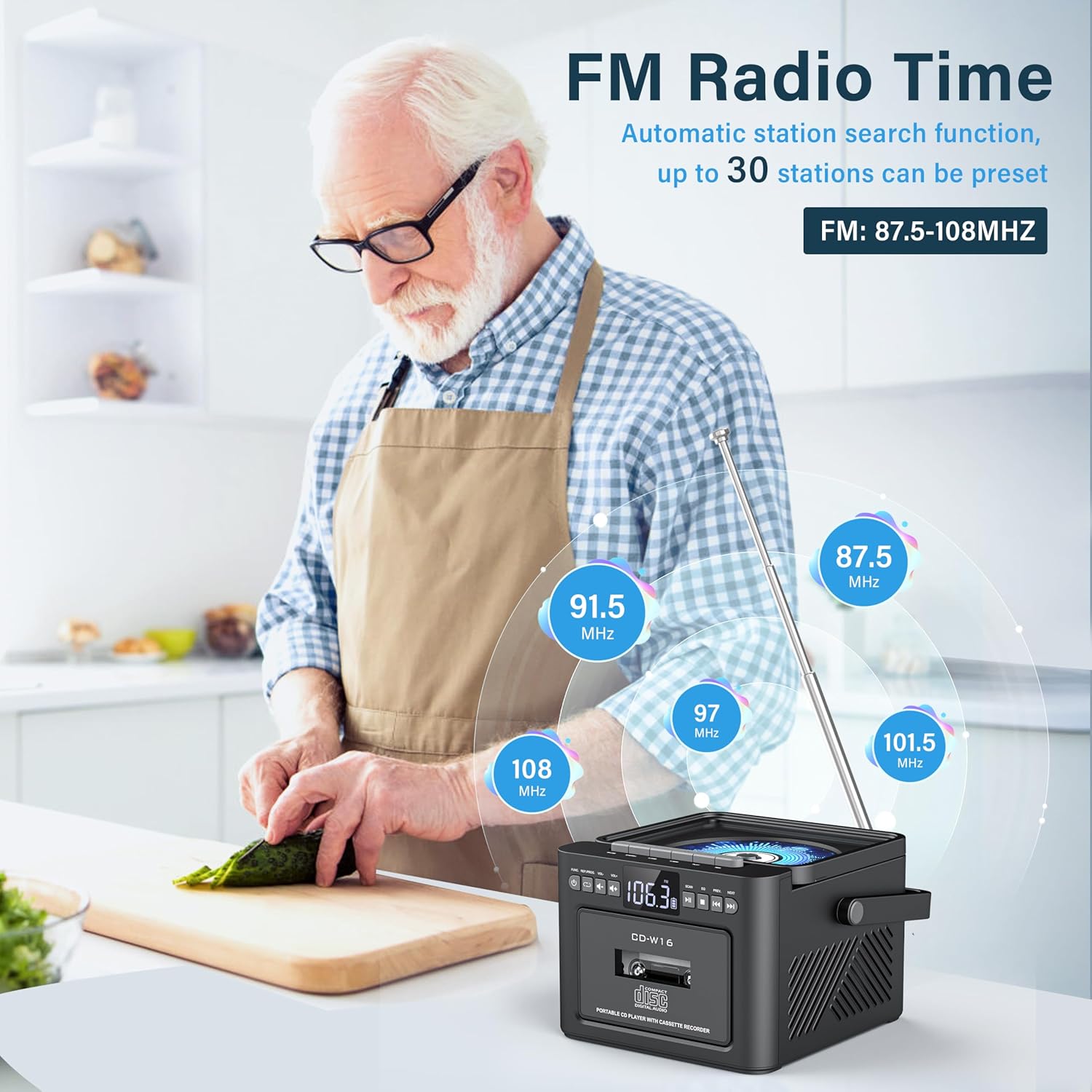
слика: A user in a kitchen setting with the Greadio GB-W18 boombox, demonstrating its FM radio capabilities and the range of frequencies it can receive.
Bluetooth (Wireless Receiver)
- Притисните тастер Режим button until 'BLUE' or 'BT' appears on the display. The unit will enter pairing mode, indicated by a flashing Bluetooth icon.
- На свом мобилном уређају (паметном телефону, таблету итд.) омогућите Блутут и потражите доступне уређаје.
- Select 'Greadio GB-W18' (or similar name) from the list to pair.
- Након упаривања, можете репродуковати звук са свог уређаја преко бумбокса.
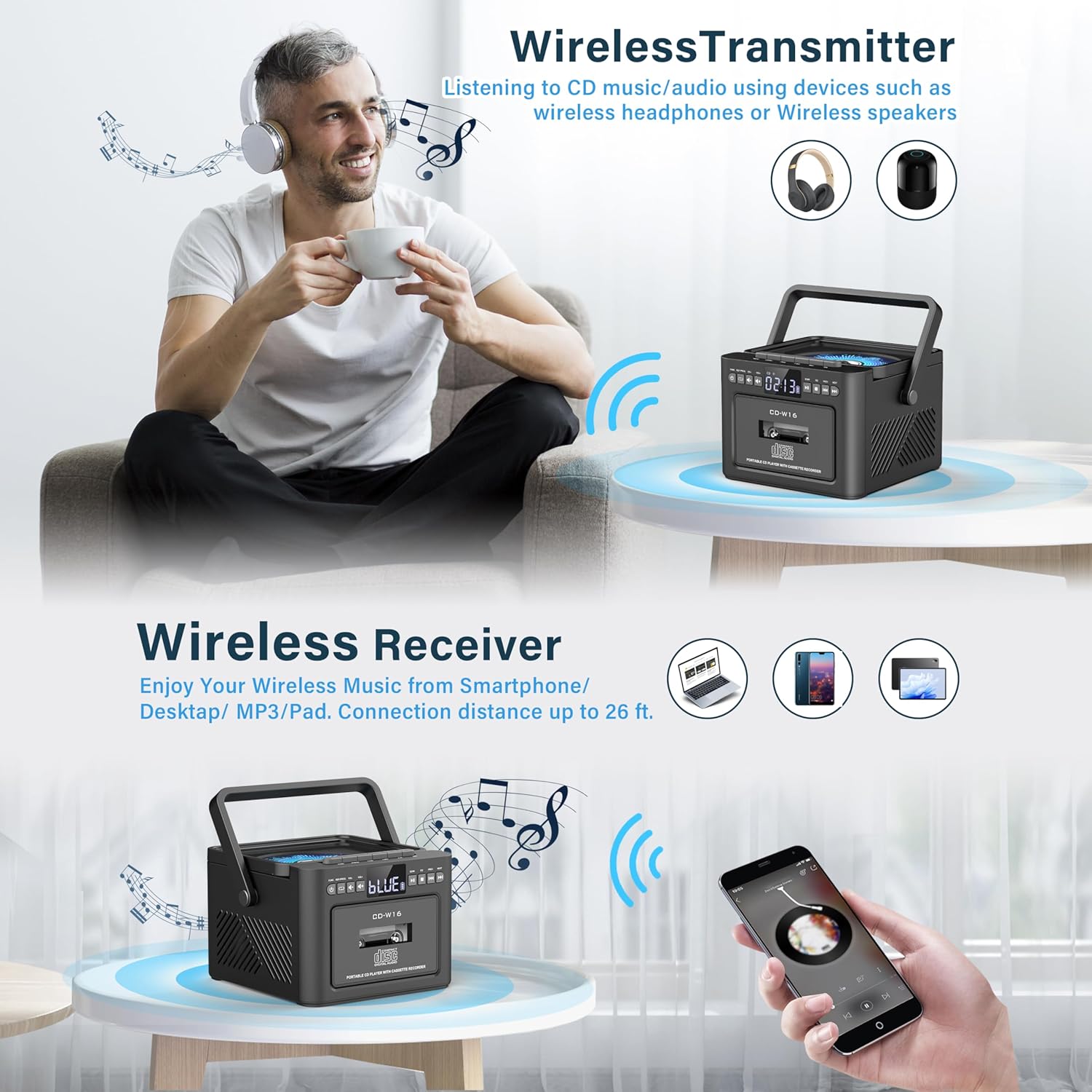
слика: The Greadio GB-W18 boombox demonstrating its wireless capabilities, functioning as both a wireless transmitter (for headphones/speakers) and a wireless receiver (for streaming from smartphones/tablets).
USB Drive & TF/SD Card Playback
- Insert a USB drive into the USB port or a TF/SD card into the TF/SD card slot.
- Притисните тастер Режим button until 'USB' or 'TF' appears on the display.
- The unit will automatically detect and play MP3 fileс са уређаја за складиштење.
- Користите Пусти/Паузирај, Стани, и Прескочи/тражи дугмад за контролу репродукције.
АУКС улаз
- Connect an external audio device (e.g., MP3 player, smartphone) to the AUX input jack using a 3.5mm audio cable (not included).
- Притисните тастер Режим дугме док се на дисплеју не појави „AUX“.
- Пуштајте звук са екстерног уређаја. Звук ће се репродуковати преко бумбокс звучника.
Ремоте Цонтрол
The included remote control allows for convenient operation of most functions from a distance. Point the remote control directly at the front panel of the boombox. Functions include power on/off, mode selection, volume adjustment, playback controls (play, pause, stop, skip), and radio tuning.
Слееп Тимер
The unit features a sleep timer function. Refer to the remote control or specific button on the unit (if available) to set a timer for automatic power-off. This feature is useful for falling asleep to music.
Одржавање
- Чишћење: Користите меку, суву крпу за чишћење спољашњости уређаја. Не користите абразивна средства за чишћење или раствараче.
- Нега CD сочива: If CD playback issues occur, use a specialized CD lens cleaner disc.
- Cassette Head Cleaning: Regularly clean the cassette heads with a cotton swab lightly dampпремазано изопропил алкохолом како би се осигурао оптималан квалитет звука и спречило оштећење траке.
- Одржавање батерије: For optimal battery life, avoid fully discharging the battery frequently. Charge the unit regularly, even if not in use for extended periods.
- Складиштење: When not in use for a long time, store the unit in a cool, dry place away from direct sunlight and extreme temperatures.
Решавање проблема
| Проблем | Могући узрок | Решење |
|---|---|---|
| Јединица се не укључује. | Батерија је празна. | Connect the unit to a power source using the Type-C USB cable and allow it to charge. |
| Нема звука из звучника. | Volume is too low or muted. Incorrect mode selected. Headphones connected. | Повећајте јачину звука. Притисните Режим button to select the correct source. Disconnect headphones. |
| CD прескаче или се не репродукује. | CD is dirty, scratched, or inserted incorrectly. CD lens is dirty. | Clean the CD. Reinsert the CD correctly. Use a CD lens cleaner. |
| Слаб ФМ радио пријем. | Antenna not extended. Weak signal. | Fully extend the FM antenna. Reposition the unit for better reception. |
| Блутут уређај не може да се упари. | Boombox not in pairing mode. Device too far. | Ensure boombox is in Bluetooth mode and flashing. Move device closer (within 26 ft). |
| Cassette playback distorted. | Cassette heads are dirty. Tape is old or damaged. | Clean cassette heads. Try a different tape. |
Спецификације
- Број модела: GB-W18
- Димензије производа: 7.56 к 7.56 к 5.16 инча
- Тежина артикла: 2.99 фунти
- Технологија повезивања: Блуетоотх 5.0
- Тип звучника: Двоструки стерео звучник
- батерија: Built-in 5000mAh Rechargeable Lithium Ion Battery
- Улазна снага: ДЦ 5В (тип-Ц)
- Подржани медији: CD, CD-R, CD-RW, Cassette Tape, USB Drive (MP3 format, up to 32GB), TF/SD Card (MP3 format, up to 32GB), AUX Input
- ФМ радио фреквенција: 87.5-108 МХз
Гаранција и подршка
Greadio products are designed for reliability and performance. For any questions, technical support, or warranty inquiries, please refer to the contact information provided with your purchase or visit the official Greadio webсајт. Молимо вас да сачувате доказ о куповини за потребе гаранције.