This manual provides detailed instructions for the proper setup, operation, and maintenance of your Timex UFC Kick TW2V86700 Men's Digital Watch. Please read this manual thoroughly to ensure optimal performance and longevity of your timepiece.
Figure 1: Timex UFC Kick TW2V86700 watch on a wrist, displaying the digital time.
Watch Components and Buttons
Familiarize yourself with the watch's buttons and display features. While specific button labels may vary, typical digital watch functions include:
МОДЕ/СЕТ: Used to cycle through different modes (Time, Stopwatch, Alarm) and to enter setting modes.
СТАРТ СТОП: Used to start/stop functions like the stopwatch or to adjust values during setting.
RESET/LAP: Used to reset functions or to view времена круга.
LIGHT/INDIGLO: Activates the backlight for visibility in low light conditions.
Слика 2: Страна view of the watch, highlighting the control buttons on the left and right sides of the case.
Сетуп
Подешавање времена и датума
Притисните тастер МОДЕ button repeatedly until the time setting mode is displayed (often indicated by flashing digits).
Користите СТАРТ/СТОП button to adjust the flashing value (e.g., hours, minutes).
Притисните тастер RESET/LAP button to move to the next setting (e.g., minutes, year, month, day).
Понављајте кораке 2 и 3 док се не прилагоде сва жељена подешавања.
Притисните тастер МОДЕ дугме да бисте изашли из режима подешавања и вратили се на нормалан приказ времена.
Формат 12/24 сата
In time setting mode, you may be able to toggle between 12-hour (with AM/PM indicator) and 24-hour formats using the СТАРТ/СТОП button when the hour digits are flashing.
Упутство за употребу
Коришћење штоперице
Притисните тастер МОДЕ button until the stopwatch mode is displayed.
Притисните СТАРТ/СТОП за почетак мерења времена.
Притисните СТАРТ/СТОП поново да бисте паузирали мерење времена.
Притисните RESET/LAP за ресетовање штоперице на нулу.
To record lap times, press RESET/LAP while the stopwatch is running. The lap time will display briefly before returning to the running total.
Подешавање и употреба аларма
Притисните тастер МОДЕ button until the alarm mode is displayed.
Притисните СТАРТ/СТОП да подесите сат, затим RESET/LAP да пређе на минуте.
Притисните СТАРТ/СТОП за прилагођавање минута.
Притисните МОДЕ да потврдите и изађете.
To activate/deactivate the alarm, typically a specific button combination or a dedicated button in alarm mode is used. Refer to the on-screen indicators for alarm status.
Using the Indiglo Night-Light
Притисните тастер ЛИГХТ button (often located on the top left or front of the watch) to illuminate the display for a few seconds.
Одржавање
Чишћење сата
Да бисте очистили сат, обришите га меком крпомamp cloth. Avoid using harsh chemicals or abrasive materials, as these can damage the watch case or strap. For plastic straps, mild soap and water can be used. Ensure the watch is dry before storage.
Отпорност на воду
The Timex UFC Kick TW2V86700 watch has a water resistance rating of 100 meters (10 ATM). This means it is suitable for swimming, showering, and snorkeling. Do not press any buttons while the watch is submerged in water, as this can compromise the water resistance seal. Avoid exposing the watch to extreme temperature changes.
Замена батерије
When the display dims or functions become erratic, it may be time to replace the battery. Battery replacement should ideally be performed by a qualified watch technician to ensure proper sealing and maintain water resistance. Refer to the watch back for battery type information (e.g., CR2032).
Слика 3: Задња страна view of the watch, showing the stainless steel case back with engravings including water resistance and model number.
Решавање проблема
Проблем
Могући узрок
Решење
Екран је празан или замагљен.
Празан или празна батерија.
Замените батерију.
Време је нетачно.
Time needs to be reset; watch was exposed to strong magnetic fields.
Reset the time and date according to the "Setting Time and Date" section. Avoid strong magnetic fields.
Дугмад не реагују.
Watch may be in a locked mode; internal malfunction.
Try pressing all buttons to see if any respond. If not, a battery replacement or professional service may be required.
Вода унутар сата.
Water resistance compromised (e.g., buttons pressed underwater, seal damaged).
Одмах однесите сат квалификованом техничару на преглед и поправку како бисте спречили даља оштећења.
Спецификације
Феатуре
Детаљ
Број модела
ТВ2В86700
Бранд
ТИМЕКС
Дисплаи Типе
Дигитал
Погледајте тип покрета
кварц
Материјал кућишта
нерђајући челик
Врста материјала бенда
Пластика
Банд Цолор
Црно
Тип копче
Копча
Цристал Типе
Минерално стакло
Пречник кућишта
51 милиметара
Цасе Тхицкнесс
16.5 милиметара
Банд Видтх
22 милиметара
Тежина артикла
163 грама
Отпорност на воду
100 метара (10 банкомата)
Додатне карактеристике
Second Hand, Indiglo Night-Light
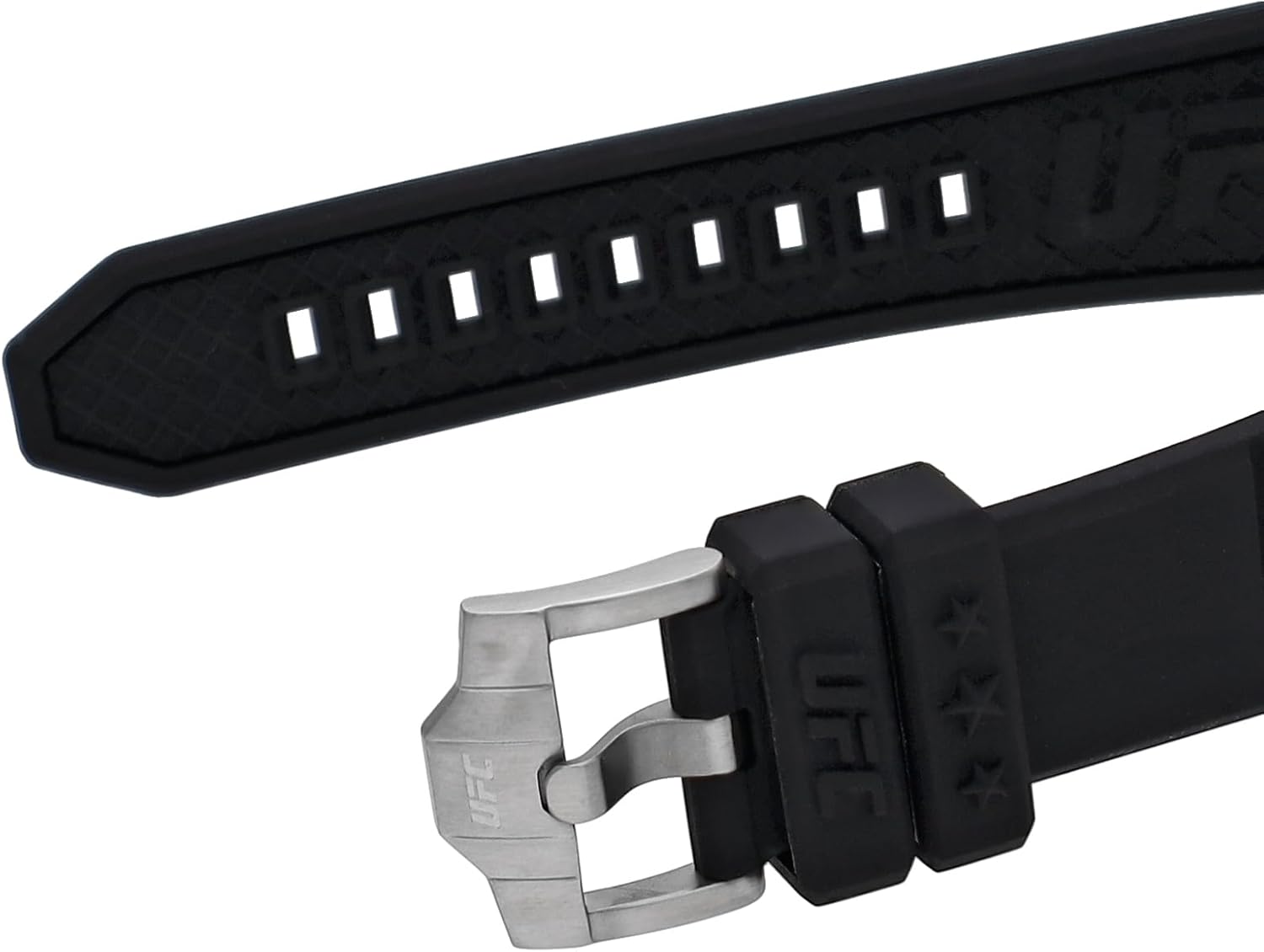
Figure 4: Detail of the watch strap and buckle, featuring the UFC logo.
Гаранција и подршка
Информације о гаранцији
Your Timex watch is covered by a manufacturer's warranty. For specific details regarding the warranty period, coverage, and terms, please refer to the warranty card included with your purchase or visit the official Timex webсајт. Сачувајте доказ о куповини за потребе гаранције.
Корисничка подршка
Should you require assistance with your Timex UFC Kick TW2V86700 watch, including repairs or technical support, please contact Timex customer service. Contact information can typically be found on the official Timex webсајту или у документацији која је достављена уз ваш сат.
Ask a question about this manual
Ask about setup, troubleshooting, compatibility, parts, safety, or missing instructions. Manuals+ will review the question and use this page’s manual context to help answer it.