
Piegricdiat M79
Piegricdiat Clip-on Earbuds User Manual
Модел: М79
Увод
This manual provides comprehensive instructions for the use and maintenance of your Piegricdiat Clip-on Earbuds, Model M79. These wireless earbuds are designed for seamless audio streaming, delivering clear sound and comfortable fit for extended wear. Please read this manual thoroughly before using the product to ensure optimal performance and longevity.
Шта је у кутији
- Футрола за бежично пуњење
- Кабл за пуњење
- Упутство за употребу

Image: The Piegricdiat Clip-on Earbuds shown inside their charging case, with the LED power display visible.
Карактеристике производа
- LED Power Display and 60H Playback: Dual digital LED power display on the charging case indicates battery levels for both the case and individual earbuds. The charging case provides approximately 4 additional full charges for the earbuds, with each earbud offering 6 hours of playback, totaling up to 60 hours of music time.
- Веза на даљину: Features an extended effective range and waterproof design, allowing for stable connectivity even across distances within a home environment.
- One-Step Pairing & Easy Touch Control: Earbuds automatically connect to your device upon opening the charging case after initial pairing. Touch controls on the earbuds allow for managing music playback (switches, volume), calls, and voice assistants without needing to access your phone.
- Ergonomic, Lightweight Design: Engineered for comfortable, non-inductive wear, reducing ear pressure. The compact size of the earbuds and charging case enhances portability.
- Блуетоотх КСНУМКС: Utilizes advanced Bluetooth 5.4 technology for stable and efficient wireless communication.
- водоотпоран: Designed with a waterproof rating for enhanced durability.

Image: Illustration highlighting the comfortable fit and HD sound quality of the earbuds.
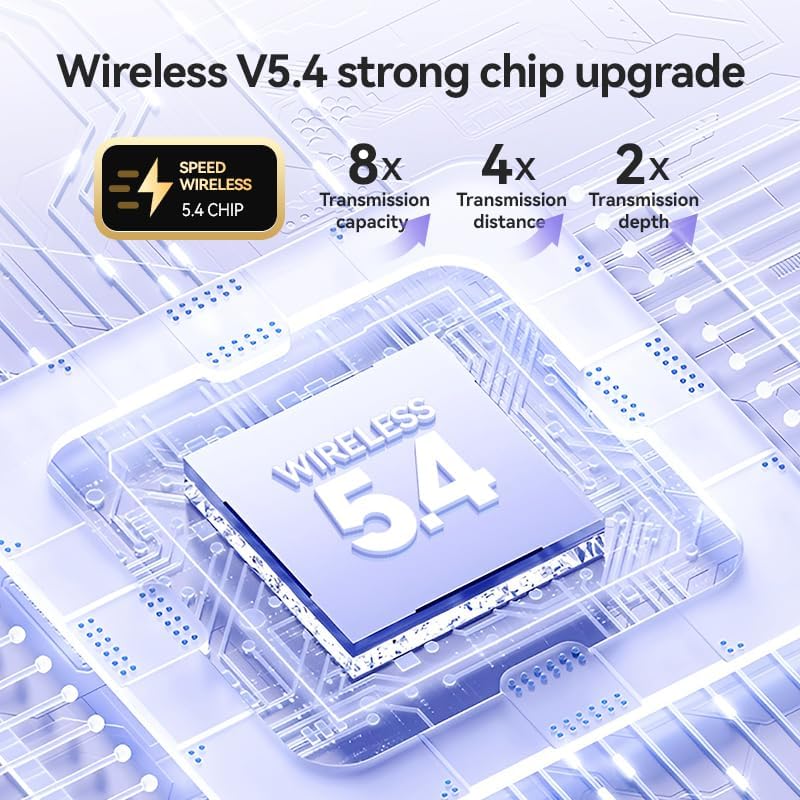
Image: Diagram illustrating the benefits of the Wireless V5.4 chip, including improved transmission capacity, distance, and depth.
Водич за подешавање
1. Почетно пуњење
Before first use, fully charge the charging case and earbuds. Connect the provided USB-C cable to the charging port on the case and a compatible USB power source. The LED display on the case will show the charging progress, flashing from 1 to 100. Place the earbuds into the case to charge them simultaneously.

Image: The earbud charging case with a USB-C cable connected, illustrating the charging process and power display.
2. Упаривање са вашим уређајем
- Уверите се да су слушалице напуњене и да се налазе унутар кућишта за пуњење.
- Отворите поклопац кућишта за пуњење. Слушалице ће аутоматски ући у режим упаривања.
- На паметном телефону или уређају који подржава Bluetooth, идите на подешавања Bluetooth-а.
- Тражи new devices and select "M79" (or similar product name) from the list of available devices.
- Када се повежу, чуће се звук потврде и слушалице ће бити спремне за употребу.
For subsequent uses, the earbuds will automatically connect to the last paired device when the case lid is opened, provided Bluetooth is enabled on your device.

Image: The earbuds and charging case displayed alongside a laptop and smartphone, indicating intelligent connection and compatibility with various devices.
Упутство за употребу
Додирните контроле
The Piegricdiat M79 earbuds feature intuitive touch controls on each earbud. The specific functions may vary slightly depending on your device and application.
| Акција | Функција |
|---|---|
| Један додир (лева/десна слушалица) | Пуштање/паузирање музике, одговарање/прекидање позива |
| Двапут додирните (десна слушалица) | Нект Трацк |
| Двапут додирните (лева слушалица) | Превиоус Трацк |
| Троструки додир (десна слушалица) | Волуме Уп |
| Троструки додир (лева слушалица) | Утишавање звука |
| Дуги притисак (2 секунди) | Activate Voice Assistant (Siri, Google Assistant, etc.), Reject Call |

Слика: Експлодирана view diagram showing the internal components of an earbud, highlighting elements like the polymer diaphragm and sound enhancement features for panoramic sound quality.
Одржавање
- Чишћење: Редовно чистите слушалице и кућиште за пуњење меком, сувом крпом која не оставља влакна. Не користите абразивна средства за чишћење, алкохол или хемијске раствараче.
- Изложеност води: While the earbuds are waterproof, avoid prolonged submersion in water. Dry them thoroughly before placing them back in the charging case to prevent damage to the charging contacts.
- Складиштење: Када се не користе, чувајте слушалице у њиховој футроли за пуњење како бисте их заштитили од прашине и физичких оштећења. Чувајте их на хладном и сувом месту, даље од екстремних температура.
- Пуњење: Use only the provided charging cable or a certified USB-C cable. Avoid overcharging the device.
Решавање проблема
- Слушалице се не упарују/не повезују:
- Уверите се да је Блуетоотх омогућен на вашем уређају.
- Уверите се да су слушалице напуњене.
- Place earbuds back in the case, close the lid, wait a few seconds, then open the lid to re-initiate pairing mode.
- Forget the device ("M79") in your phone's Bluetooth settings and try pairing again.
- Поново покрените уређај.
- Нема звука или је јачина звука ниска:
- Check the volume level on both your device and the earbuds (using touch controls).
- Уверите се да су слушалице правилно постављене у ушима.
- Уверите се да су слушалице повезане са исправним аудио излазом на вашем уређају.
- Charging case LED display not working correctly:
- Уверите се да је кабл за пуњење безбедно повезан и са кућиштем и са извором напајања.
- Пробајте други кабл за пуњење или адаптер за напајање.
- Очистите прикључак за пуњење на кућишту.
- Microphone issues during calls:
- Уверите се да микрофон на слушалицама није блокиран.
- Check your device's settings to ensure the earbud microphone is selected as the input source.
- Test in a quieter environment to rule out background noise interference.
Спецификације
| Феатуре | Детаљ |
|---|---|
| Назив модела | M79 5.4 bluetooth earbuds |
| Технологија повезивања | Блуетоотх |
| Бежична комуникациона технологија | Блуетоотх |
| Укључене компоненте | Cable, protect manual, Wireless Charging Case |
| Узраст (опис) | Адулт |
| Компатибилни уређаји | Блуетоотх уређаји |
| Цабле Феатуре | Витхоут Цабле |
| Ниво отпорности на воду | Водоотпоран |
| Стиле | Модерна |
| Контролни метод | Додирните |
| Број ставки | 1 |
| Блуетоотх верзија | 5.4 |
| Облик слушалице | Заобљен врх |
| Број нивоа снаге | 5 |
| Број серије | 79 |
| УПЦ | 792483634574 |
| Произвођач | Пјегриџијат |
| Димензије пакета | 4.49 к 3.7 к 1.46 инча |
| Тежина артикла | 3.52 унци |
| ASIN | B0DB127QVV |
| Број модела артикла | М79 |
| Датум првог доступног | 24. јул 2024 |
| Земља порекла | Кина |
| Бранд | Пјегриџијат |
| Боја | Црно |
| Постављање уха | Он Еар |
| Форм Фацтор | Он Еар |
| Контрола буке | Пасивно уклањање буке |
Гаранција и подршка
Piegricdiat offers a 1 година гаранције on these TWS Buds. If you encounter any issues during use, please contact Piegricdiat customer support for assistance. Your satisfaction is our top priority.
For support, please refer to the contact information provided with your product packaging or visit the official Piegricdiat webсајту.
Ask a question about this manual
Ask about setup, troubleshooting, compatibility, parts, safety, or missing instructions. Manuals+ will review the question and use this page’s manual context to help answer it.