
1. Увод
The CHERRY XTRFY M64 Wireless Gaming Mouse is engineered for competitive gaming, offering ultra-fast 8000 Hz polling rate technology for extremely low click latency and precise cursor movements. This ergonomic mouse features a reinvented design for enhanced grip and control, combined with a lightweight construction for swift and accurate gameplay. It utilizes a high-performance Pixart 3395 sensor and refined wireless technology to ensure uncompromised speed and responsiveness.
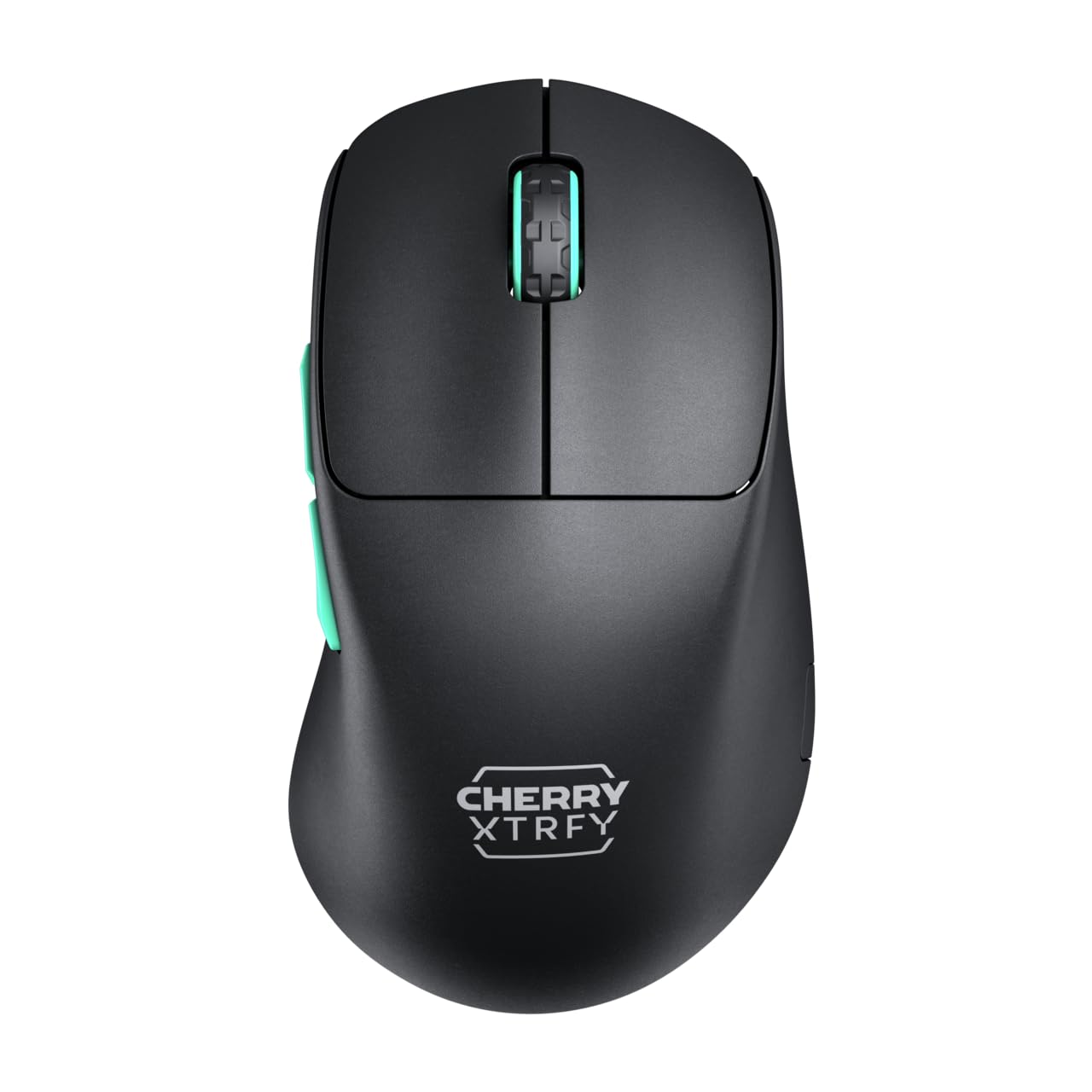
Image 1: CHERRY XTRFY M64 Wireless Gaming Mouse. This image shows the ergonomic design of the mouse, highlighting its black body and distinctive teal scroll wheel and side buttons.
2. Садржај пакета
Проверите да ли су све ставке присутне у пакету:
- ЦХЕРРИ КСТРФИ М64 бежични миш за игре
- USB-C Charging Cable (flexible CHERRY XTRFY EZcord)
- УСБ-А бежични пријемник
- USB-A to USB-C Adapter (for receiver extension)
- Кориснички приручник (овај документ)

Image 2: Included accessories. This image displays the USB-C charging cable, the USB-A wireless receiver, and an adapter, which are essential for connecting and charging the mouse.
3. Подешавање
- Connect the Wireless Receiver: Insert the USB-A wireless receiver into an available USB port on your computer. For optimal signal strength and reduced latency, use the provided USB-A to USB-C adapter and charging cable to position the receiver closer to the mouse.
- Укључивање миша: Locate the power switch on the underside of the mouse and slide it to the "ON" position. The mouse should automatically connect to the receiver.
- Почетна наплата: For first-time use, it is recommended to fully charge the mouse. Connect the USB-C end of the charging cable to the mouse and the USB-A end to your computer or a USB power adapter. The mouse can be used while charging.
4. Упутство за употребу
4.1. Функције дугмета
- Леви клик: Примарна акција.
- Десни клик: Секундарна акција.
- Точак за померање: Померање горе/доле, клик средњим тастером миша.
- Бочна дугмад: Typically configured for forward/backward navigation in web browsers or custom functions in games.
4.2. Подешавање DPI-ја
The M64 Wireless mouse allows for on-the-fly DPI (Dots Per Inch) adjustment without requiring software. The DPI button is located on the underside of the mouse. Press this button to cycle through preset DPI levels. An indicator light will typically change color to show the current DPI setting.

Image 3: Underside of the mouse. This view highlights the various switches and buttons on the bottom of the mouse, including the DPI adjustment button and polling rate switch.
4.3. Подешавање стопе гласања
The M64 Pro Wireless supports up to an 8000 Hz polling rate, providing extremely fast response times. A switch on the underside of the mouse allows you to select between different polling rates (e.g., 1000 Hz, 8000 Hz) to suit your preference and system capabilities. Refer to the markings on the mouse for specific settings.
4.4. Батерија и пуњење
The mouse is equipped with a rechargeable Lithium Ion battery. A full charge can provide up to 90 hours of playtime in Standard Gaming Mode. When the battery is low, the indicator light on the mouse will signal this condition. Connect the mouse using the provided USB-C cable to charge. You can continue using the mouse while it is connected via cable.
5. Одржавање
- Чишћење: Користите меку, суву крпу за чишћење површине миша. За тврдокорну прљавштину, благо дamp Може се користити крпа, водећи рачуна да течност не уђе у миш. Избегавајте јаке хемикалије или абразивне материјале.
- Складиштење: Чувајте миша на хладном и сувом месту, даље од директне сунчеве светлости и екстремних температура.
- Одржавање батерије: Да бисте продужили век трајања батерије, избегавајте често потпуно пражњење миша. Пуните га када се појави индикатор да је батерија празна.
КСНУМКС. Решавање проблема
- Миш не реагује:
- Уверите се да је миш укључен.
- Check if the wireless receiver is securely plugged into a USB port.
- Verify the mouse battery has sufficient charge.
- Покушајте да прикључите пријемник на други УСБ порт.
- Уверите се да ниједан други бежични уређај не изазива сметње.
- Lag or Disconnects:
- Move the wireless receiver closer to the mouse, using the extension cable if necessary.
- Ensure there are no large metal objects or other strong wireless signals between the mouse and receiver.
- Reduce the polling rate if your system struggles to maintain 8000 Hz.
- Проблеми са наплатом:
- Уверите се да је USB-C кабл правилно повезан и са мишем и са извором напајања.
- Покушајте са другим УСБ портом или адаптером за напајање.
7. Спецификације
| Модел | М64 Вирелесс |
| Технологија повезивања | Wireless (2.4 GHz), USB (for charging/wired use) |
| Сензор | Пикарт 3395 |
| Поллинг Рате | Up to 8000 Hz (Pro models) |
| Тежина | Approx. 55 grams (Pro Wireless) |
| Тип батерије | 1 литијум-јонска батерија (укључена) |
| Трајање батерије | Up to 90 hours (Standard Gaming Mode) |
| Димензије (пакет) | 4.7 к 2.5 к 1.5 инча |
| Тежина артикла | 1.94 унци |
| Произвођач | Cherry Xtrfy |
8. Гаранција и подршка
CHERRY XTRFY products are covered by a manufacturer's warranty. For detailed warranty information, technical support, or service inquiries, please visit the official CHERRY XTRFY webсајт или директно контактирајте њихову корисничку подршку.
Службено Webсајтови: цхерриктрфи.цом, cherry.de