
1. Увод
Хвала вам на куповиниasing the HOMIDEC 140CM L-Shaped Gaming Desk with LED Lights. This manual provides essential information for the safe assembly, operation, and maintenance of your new desk. Please read these instructions carefully before beginning assembly and retain them for future reference.
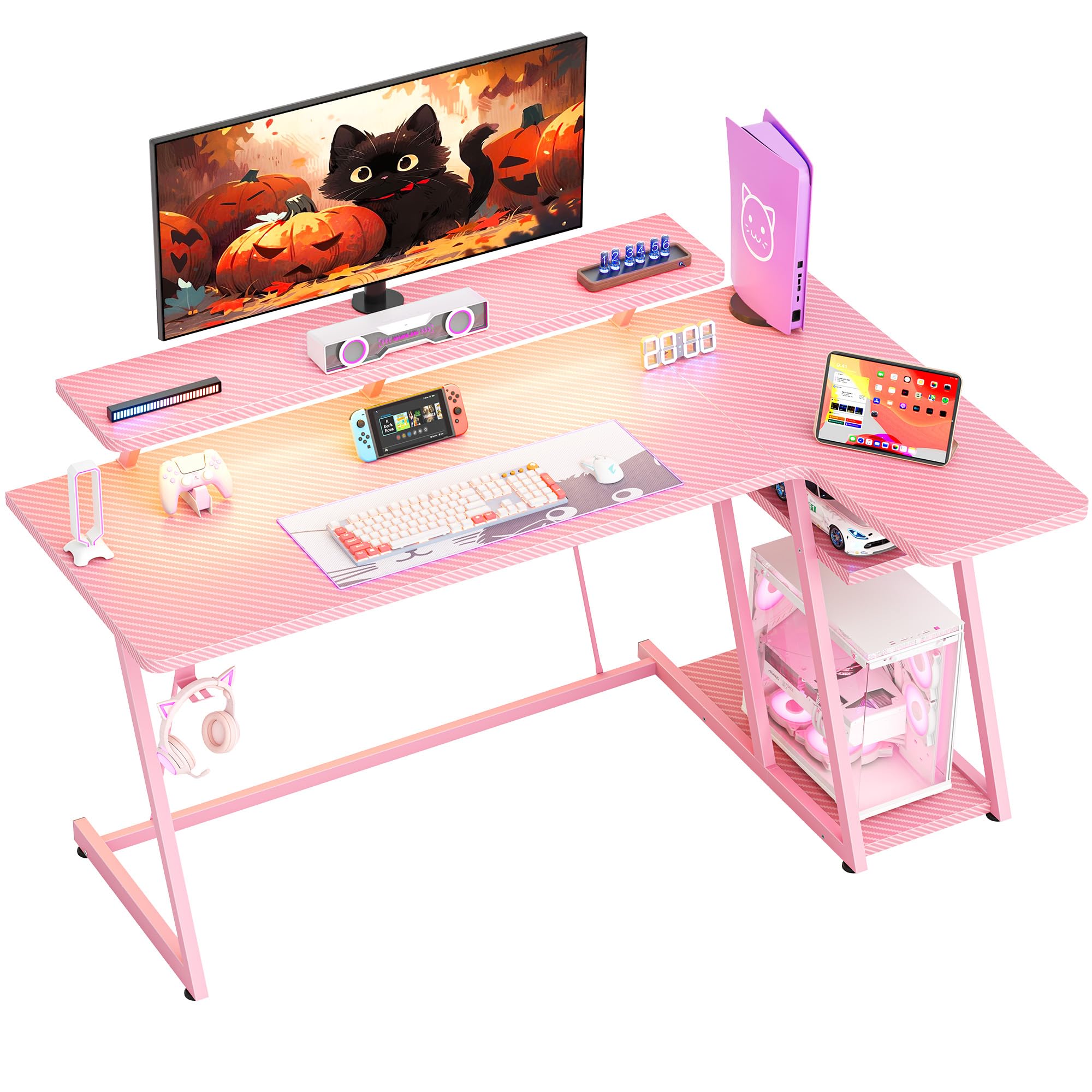
Слика: Укупно view of the HOMIDEC 140CM L-Shaped Gaming Desk with LED Lights, showcasing its design and features in a gaming setup.
2. Безбедносне информације
- Увек састављајте сто на мекој, чистој површини како бисте спречили огреботине.
- Уверите се да су сви завртњи и причвршћивачи добро затегнути пре употребе. Периодично проверавајте и по потреби поново затегните.
- Do not exceed the maximum weight capacity of 220 pounds (100 kg) for the desktop.
- Држите мале делове и материјале за паковање даље од деце како бисте спречили опасност од гушења.
- Избегавајте стављање врућих предмета директно на површину стола без заштите.
- Ensure electrical connections for the LED lights are properly secured and away from liquids.
3. Садржај пакета
Проверите да ли су све доле наведене компоненте присутне пре почетка монтаже. Ако неки делови недостају или су оштећени, обратите се корисничкој подршци.
- Gaming Desk Components (MDF board sections, steel frame parts)
- ЛЕД трака са даљинским управљачем
- Постоље за монитор
- Кука за слушалице
- Опрема за монтажу (шрафови, вијци, алати)
- Упутство за употребу
4. Подешавање и монтажа
The HOMIDEC gaming desk is designed for straightforward assembly. A detailed installation manual with step-by-step instructions and necessary tools are included in the package. Please follow the provided manual carefully for proper assembly.
- Распакујте све компоненте и проверите садржај паковања у односу на листу.
- Identify the main desktop sections, monitor stand, and steel frame parts.
- Assemble the steel frame structure, ensuring all connections are secure. The desk features a double Z-shaped leg design for stability.
- Attach the desktop sections to the assembled frame.
- Install the monitor stand, headphone hook, and any other accessories.
- Connect the LED light strip according to its specific instructions.
- Adjust the footpads to ensure the desk is level and stable on uneven surfaces.

Image: Illustration of the desk's stable Z-shaped leg structure and integrated storage shelves, highlighting its robust design.

Слика: Крупни план view of the convenient headphone hook and the adjustable footpads designed for stability on various floor types.
5. Упутство за употребу
5.1. LED Light System
The integrated LED light strip enhances your gaming or work environment. It offers various customization options:
- Боје: Изаберите између 20 статичких боја.
- Динамички ефекти: Select from 22 dynamic effects (e.g., fade, flash, jump).
- Контрола: Use the included remote control to adjust color, speed, and brightness.
- Функција меморије: The light strip retains the last selected color and mode when powered off and on.

Image: The LED light strip under the monitor stand, displaying various color options, along with the remote control for customization.
5.2. Ergonomic Monitor Stand
The elevated monitor stand is designed to position your screen at an optimal viewing height, reducing neck and back strain. The space beneath the stand can be utilized for storing small devices or accessories.

Image: The ergonomic monitor stand elevating a display, illustrating how it helps maintain proper posture and provides additional storage space.
5.3. Кука за слушалице
A dedicated hook is provided for convenient storage of your headphones, keeping them within reach and off the desktop surface.
5.4. Полице за складиштење
The L-shaped desk includes 2-tier storage shelves, ideal for placing a computer case, books, or other gaming and office essentials, helping to keep your workspace organized.
6. Одржавање
To ensure the longevity and appearance of your HOMIDEC gaming desk, follow these maintenance guidelines:
- Чишћење: The desk surface features a carbon fiber texture, which is scratch-resistant and waterproof. Wipe clean with a damp крпом и благим детерџентом. Избегавајте абразивна средства за чишћење.
- Просипање: Promptly wipe up any spills to prevent water damage, especially around electrical components.
- Причвршћивачи: Периодично проверавајте све завртње и вијке да бисте били сигурни да су чврсто затегнути. По потреби поново затегните да бисте одржали стабилност.
- ЛЕД светла: Ensure the LED light strip and its connections are free from dust and moisture.

Image: Close-up of the desk surface, highlighting its carbon fiber texture which is designed to be scratch-resistant and waterproof for easy maintenance.
КСНУМКС. Решавање проблема
Ако наиђете на било какве проблеме са својим столом, погледајте следеће уобичајене савете за решавање проблема:
- Сто је климав: Ensure all assembly screws are tightened. Adjust the footpads on the bottom of the legs to level the desk on uneven floors.
- ЛЕД светла не раде: Check if the power adapter is securely plugged into both the light strip and a working power outlet. Ensure the remote control has working batteries and is pointed directly at the receiver.
- Делови који недостају: Review the package contents list. If parts are missing, contact HOMIDEC customer support with your purchase details.
8. Спецификације
| Феатуре | Спецификација |
|---|---|
| Бранд | ХОМИДЕЦ |
| Број модела | LDJZ-140-PK |
| Укупне димензије (Д к Ш к В) | 140cm x 80cm x 94cm (55.12"D x 31.5"W x 37.01"H) |
| Материјал | MDF board, Steel frame |
| Нето тежина | 21.8 кг (48 лбс) |
| Тежина Капацитет | 100 кг (220 лбс) |
| Боја | Пинк |
| Деск Десигн | Рачунарски сто у облику слова Л |
| Укључене компоненте | Desk, Monitor Stand, LED Light Strip, Headphone Hook |
| Обавезна монтажа | Да |

Image: Detailed diagram illustrating the dimensions of the HOMIDEC Gaming Desk, including the main desktop, monitor stand, and storage shelves.
9. Гаранција и подршка
For warranty information or technical support, please refer to the specific warranty card included with your product or contact HOMIDEC customer service directly. Ensure you have your purchase receipt and model number (LDJZ-140-PK) available when contacting support.